





New MAM Security Rules in Microsoft Intune Impact Outlook and Teams Access
Key Takeaways
- New MAM Security Rules in Microsoft Intune Impact Outlook and Teams Access
- From January 19, 2026, Microsoft enforces a minimum Intune SDK requirement. Apps that do not meet this requirement may be blocked gradually.
- Apps that do not meet these minimum requirements will be blocked and cannot be opened by users.
- This applies to all Intune-protected apps, including Microsoft apps like Outlook and Teams and custom company apps.
- Android phones must have the latest Intune Company Portal app installed
Let’s discuss the new MAM security rules in Microsoft Intune and their impact on Outlook and Teams access. January 19, 2026, Microsoft requires mobile apps protected by Intune to meet specific security and SDK standards. Previously, these requirements were treated as recommendations, but they are now mandatory. Apps that do not meet the required Intune SDK or Company Portal version may experience access restrictions on iPhones, iPads, and Android devices.
Table of Contents
New MAM Security Rules in Microsoft Intune Impact Outlook and Teams Access
Microsoft improves Intune to keep apps secure and compatible with new phone operating systems. As part of these improvements, Microsoft sets a minimum required version of the Intune Mobile Application Management (MAM) SDK that apps must use.
According to the New Rule, From January 19, 2026, apps that are not updated to meet the required Intune standards may stop working for users. This change affects both Microsoft apps like Outlook and Teams and custom company apps used for daily work.
- The goal of this enforcement is to keep company data secure and ensure that all work apps follow the latest security protections.
- Organizations now need to update their apps and guide users to avoid access issues and work disruptions.
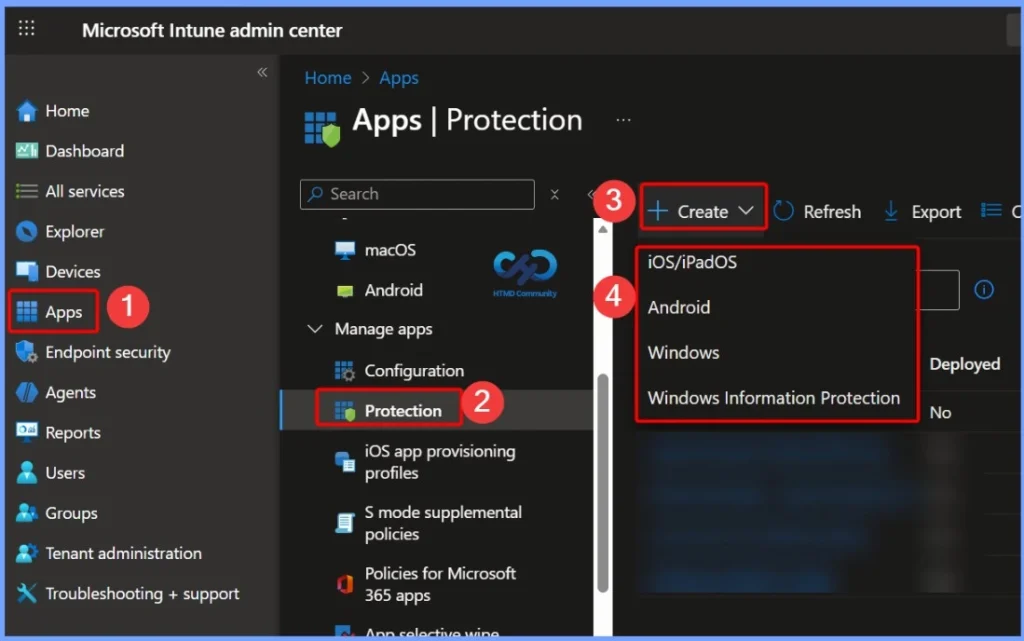
- The below screenshot is from the How to Create App Protection Policies for Windows MAM Devices
Why Some Mobile Work Apps May Stop Working
From January 19, 2026, Microsoft has started blocking mobile apps that are not updated to the required Intune security versions, which means some work apps may suddenly stop opening if organizations have not prepared in advance. As a result, users may experience unexpected interruptions in their daily work, especially if they rely on these apps for email, communication.

- Intune create Conditional Access Policies for Windows MAM Devices
- Multiple Identity Support for Intune MAM Policies
- Intune MAM for Personal Windows Devices is now Generally Available
Microsoft Apps are Also Part of This Enforcement
According to the situation this enforcement is strict and applies not only to custom business apps, but also to commonly used Microsoft apps like Outlook and Teams if they are not updated. Microsoft has been communicating this change since 2025 and extended the deadline once, making it clear that this is a planned and final enforcement.
- Microsoft initially set the deadline for December 15, 2025, but extended it.
- The enforcement starts now, meaning admins who delayed updates may face issues immediately.
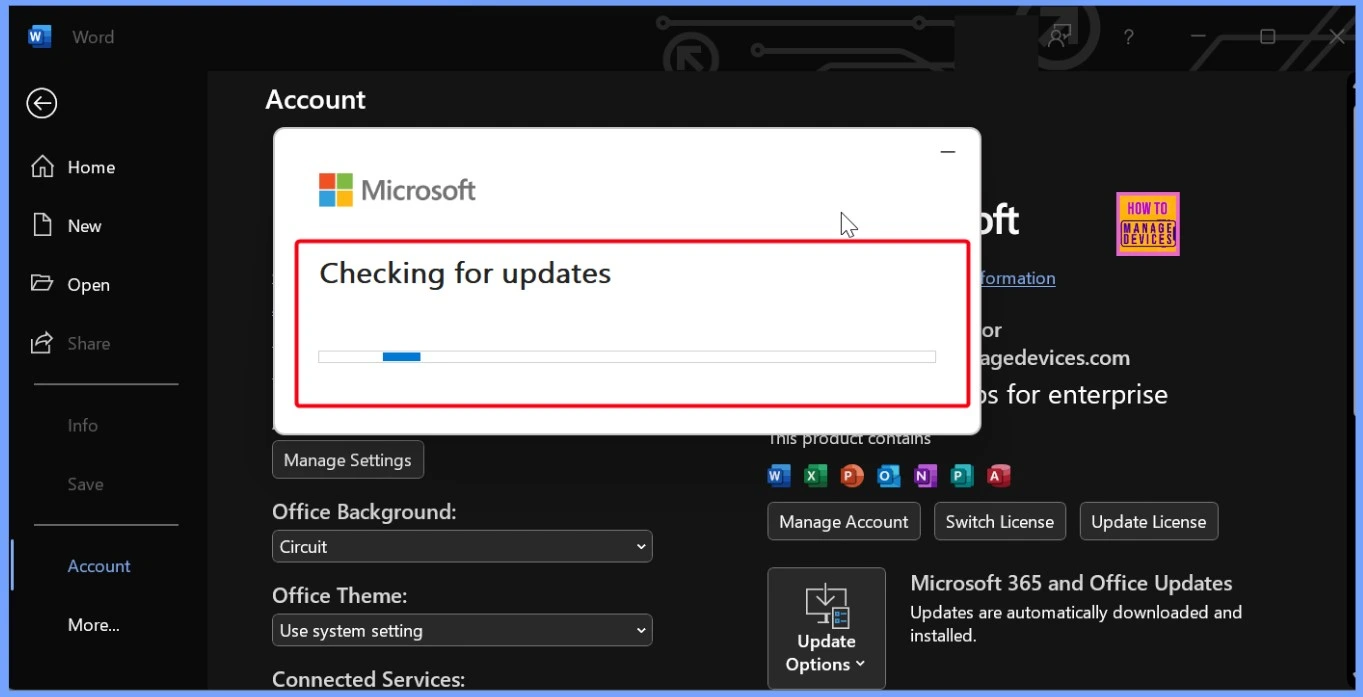
The below screenshot is a similar issue ongoing on Outlook: Unknown Caller? Outlook for iOS and the BYOD Challenge
| Affected Platforms | Info |
|---|---|
| iOS | Apps compiled with Xcode 16 require Intune App SDK 20.8.0 or later. Apps compiled with Xcode 26 require SDK 21.1.0 or later. App Wrapping Tool must also be updated (20.8.1 for Xcode 16, 21.1.0 for Xcode 26). |
| Android | When one Microsoft app with the updated SDK and the latest Company Portal is installed, other apps update automatically. |
| For Admins | Users who haven’t updated apps will be blocked from launching them. Unprepared admins risk service interruptions and increased support calls. |
What We Can Do Now
Users should not try to fix app access problems on their own by downloading updates or tools from unknown websites, emails, or links shared online and this will be making issues. If a work app suddenly stops opening or shows a message asking for an update, the safest step is to update the app only through the official App Store or Play Store. If the issue continues after updating, users should contact their organization’s IT support or helpdesk.
- Android users must update the Intune Company Portal, as outdated versions can block apps even if Outlook or Teams are updated.
- For iOS, custom or internal apps must be rebuilt with the latest Intune SDK, not just updated from the App Store.
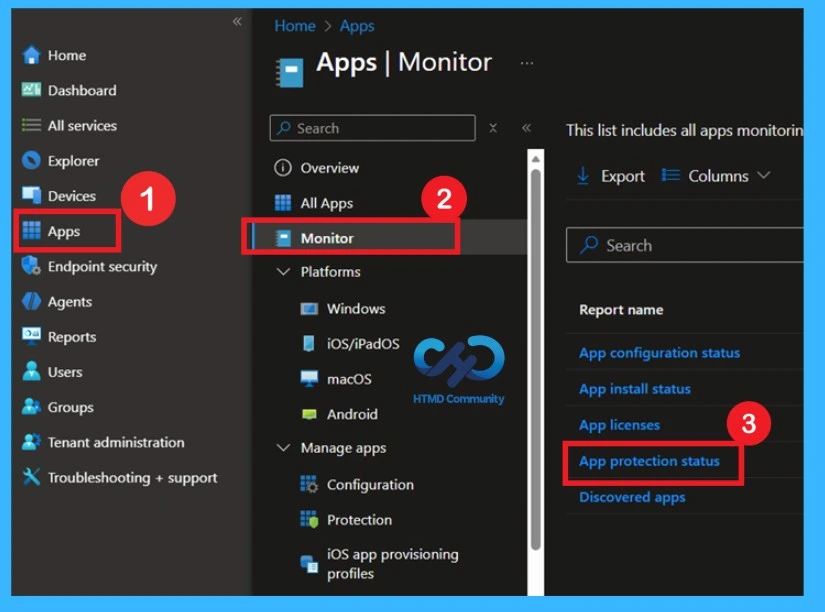
- Admins can check outdated apps and users by going to Apps > Monitor > App protection status in the Intune admin center.
- This helps update apps, or block old versions, and keep work running smoothly.
Need Further Assistance or Have Technical Questions?
Join the LinkedIn Page and Telegram group to get the latest step-by-step guides and news updates. Join our Meetup Page to participate in User group meetings. Also, Join the WhatsApp Community to get the latest news on Microsoft Technologies. We are there on Reddit as well.
Author
Anoop C Nair has been Microsoft MVP from 2015 onwards for 10 consecutive years! He is a Workplace Solution Architect with more than 22+ years of experience in Workplace technologies. He is also a Blogger, Speaker, and Local User Group Community leader. His primary focus is on Device Management technologies like SCCM and Intune. He writes about technologies like Intune, SCCM, Windows, Cloud PC, Windows, Entra, Microsoft Security, Career, etc.


Discussion