






New SCCM Server Installation Step by Step Guide
This post is the New SCCM Server Installation Step-by-Step Guide covering end-to-end scenarios. The SCCM team recently released the latest baseline version of the current branch.
What is the importance of the baseline version? SCCM CB baseline version is the version you can download directly from Eval Center/MSDN/VLSC and install it on a new SCCM server.
Also, the SCCM 1702 version can upgrade the SCCM 2012 infra. SCCM CB versions are updated via in-console servicing to the latest SCCM version.
- Pre Requisite – Server Roles and Features
- Pre-Requisite – Installation of SQL 2014
- Pre Requisite – ADK for Windows 10 P
- Pre Requisite – AD Schema Extension
- Install – SCCM/ConfigMgr Baseline version Standalone Primary
- Fix Microsoft Connected Cache MCC Server Component Installation Fails Issue
- MECM 1910 is Generally Available Now!
- End of Support Dates for SCCM CB Current Branch | ConfigMgr | SCCM End of Life
Table of Contents
New SCCM Server Installation Step-by-Step Guide
This guide provides simple step-by-step instructions for installing a new SCCM server. First, prepare your environment by ensuring all necessary prerequisites are met, such as installing a supported Windows Server and SQL Server. Next, download the SCCM installation files and run the setup.

| Microsoft System Center Configuration Manager |
|---|
| Version 1702 |
| Console version: 5.00.8498.1700 |
| Site version: 5.0.8498.1000 |
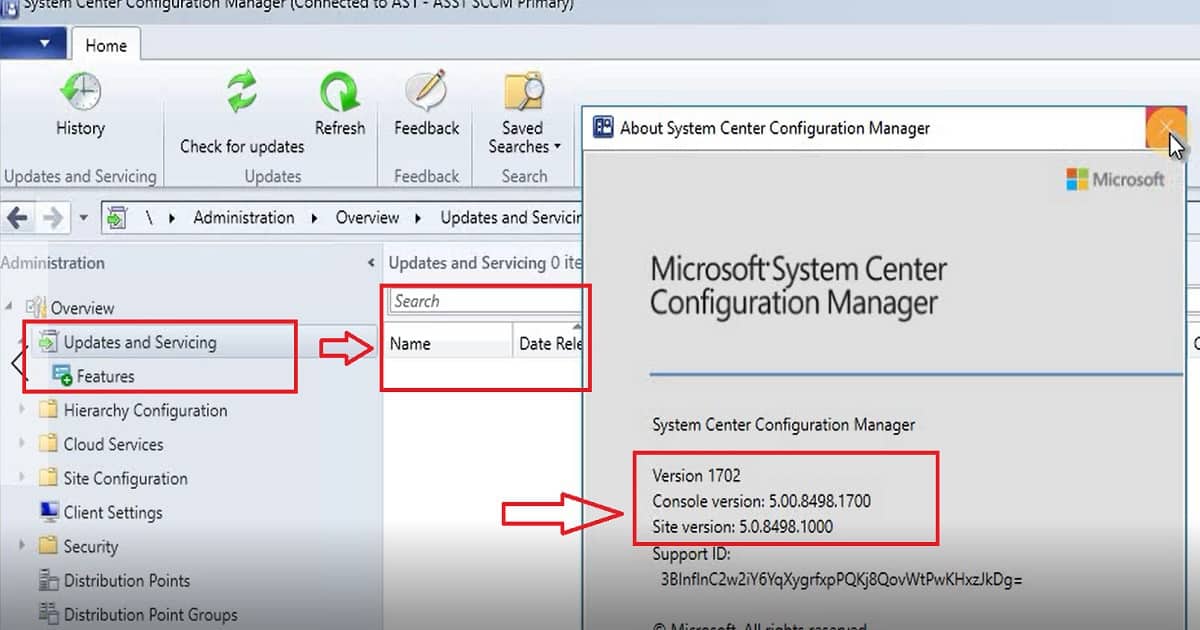
Step by Step Video Guide for SCCM CB 1702 Baseline Version Installation
This step-by-step video guide shows you how to install the SCCM Current Branch (CB) 1702 Baseline version. It covers all the necessary prerequisites, including the server roles and features you must set up beforehand.
Prerequisites
You can’t install the SCCM/ConfigMgr baseline version if your server’s OS is Windows 2008 R2. The minimum OS requirement for SCCM server installation is Windows Server 2012 and Later. More details are here.
It would help if you ensured that the server where you plan to install the SCCM baseline version has a supported version of SQL. SQL 2008 R2 SP3 is not supported and should have at least SQL 2012 R2.
IIS BITs .NET
I have added the following roles and Features – IIS (for MP/DP), BITs (for MP), .NET Framework 3.5, Remote Differential Compression, and AD DS and AD LDS Tools. I didn’t add WSUS because I plan to add the SUP role later. However, I would recommend the WSUS role if you plan to install the SUP role on the primary server itself or install the WSUS console if you plan to install the SUP role on a remote server.
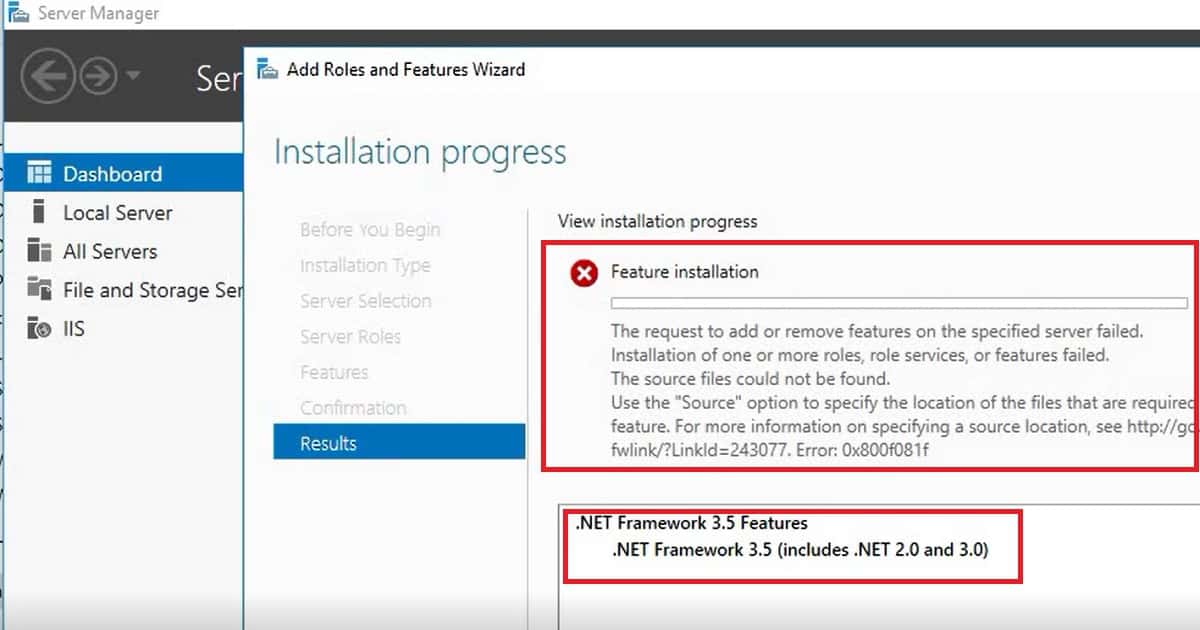
DotNET Framework 3.5 SP1 is still required? Yes! Specify an alternate path for .Net D:\Sources\sxs for installing .NET on Server 2016. Specify the location of the needed files.
NOTE! – If you get this error, “The request to add or remove features on the specified server failed.” Restart the server and try it with the alternate path “D:\Sources\sxs“, and that is my experience on Windows server 2016.
Install SQL DB for the SCCM Server
I installed SQL 2014, and you don’t have to worry about those “.Net” warnings. As you can see in the video tutorial for SQL setup, I have selected only the following features, which I think are required for SCCM CB.
- Database Engine Services 2. Reporting Services 3. Management tools
I installed SQL on the default Instance and configured the services, as shown in the video tutorial for ConfigMgr SCCM baseline version installation. Microsoft recommends using a separate account for each SQL Server service. However, I used the same account because this is my lab environment.
SQL Server Agent, SQL Server Database Engine, and SQL Server Reporting Services
I selected the required Collation for SCCM|ConfigMgr baseline version:- sql_latin1_general_cp1_ci_as
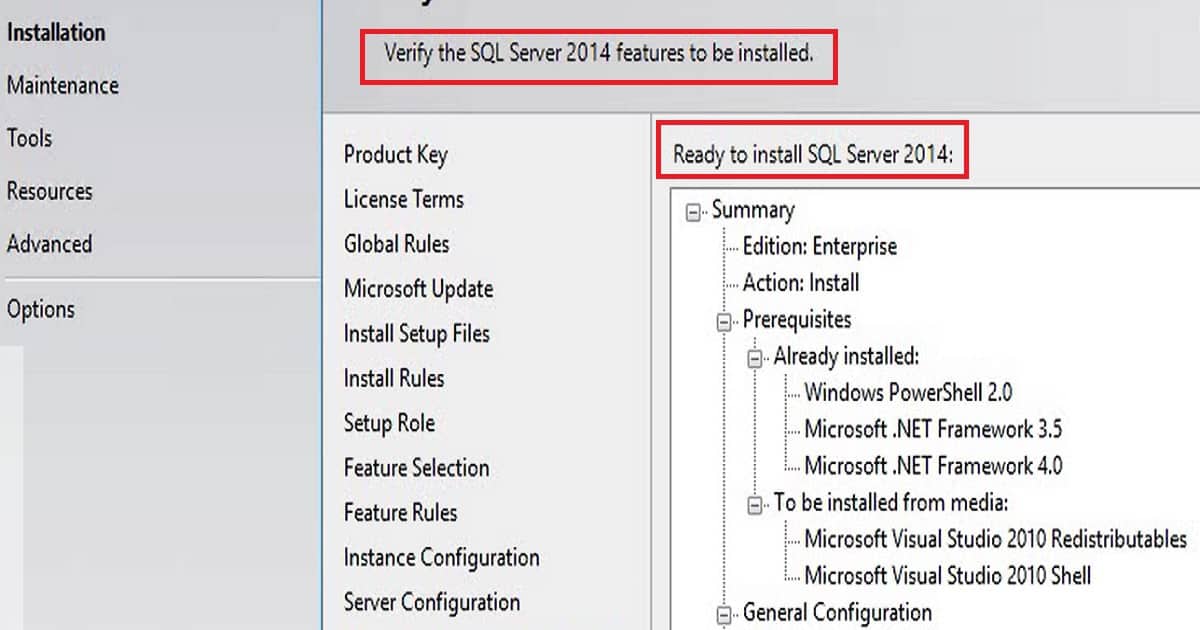
Install Windows ADK
I installed ADK for Windows 10, and during the installation, I selected only Deployment Tools, Windows Preinstallation Environment (Windows PE), and User State Migration Tools (USMT).
AD Schema Extension has to be extended if you have not done the extension for the previous versions of SCCM. AD schema extension is not mandatory, but I recommend extending the schema to make SCCM management easy.
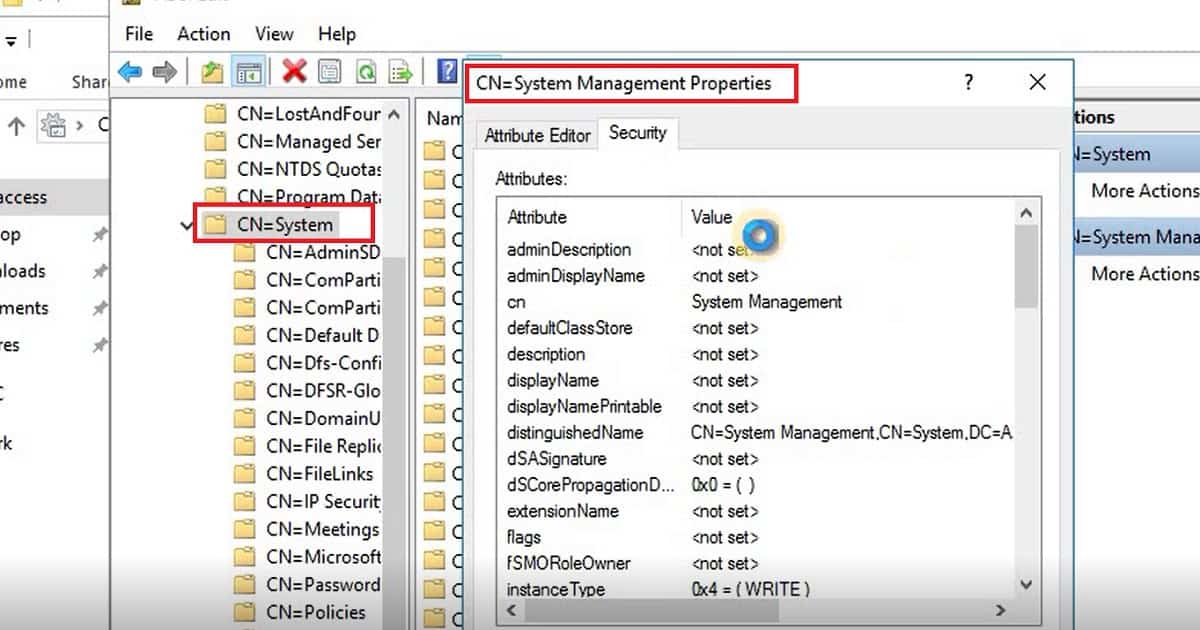
Extend AD Schema
Executed extadsch.exe from SCCM|ConfigMgr baseline version primary server. The user must have schema admin rights to complete the AD SCHEMA extension. In the second part of this update, we need to Create a System Management container under systems using ADSIEDIT. The primary server should have full access to the System Management container.
References
- Supported operating systems for SCCM Baseline Version servers
- Site and site system prerequisites for SCCM Baseline Version
- Supported OS versions for clients and devices for the SCCM Baseline version
- Supported SQL Server versions for SCCM Baseline version
We are on WhatsApp now. To get the latest step-by-step guides, news, and updates, Join our Channel. Click here. HTMD WhatsApp.
Author
Anoop C Nair is Microsoft MVP! He is a Device Management Admin with more than 20 years of experience (calculation done in 2021) in IT. He is a Blogger, Speaker, and Local User Group HTMD Community leader. His main focus is on Device Management technologies like SCCM 2012, Current Branch, and Intune. He writes about ConfigMgr, Windows 11, Windows 10, Azure AD, Microsoft Intune, Windows 365, AVD, etc.




Hi Thanks for your efforts, but i got the same error after installing sccm 1702 in configmanager.log is that normal ?
StaffHi which error you are talking about please?
HI Anoop, Its a nice Post . Can you please help me to understand how would be handle the SCCM client upgrade Post SCCM stand -alone primary server upgrade from 1602 – 1702,Any idea how much data will be downloaded by SCCM client machine from primary server / internet to upgrade SCCM client to 1702 version .
hey Anoop,
I got couple of questions regarding upgrading from SCCM 2012 R2 SP1 to CM1702 Baseline version In place upgrade.
when you get a chance can you please drop me your email address?
Cheers
Isayah
Hi There, the portion you will use ADSIEDIT this is done via AD or SCCM server?
StaffYes, you can either do t from SCCM server or AD. I would prefer AD server.