






New Windows App available on iOS MacOS iPadOS Android Devices for Cloud W365 Cloud PC
A new Windows App is available on iOS, MacOS, iPadOS, and Android devices (and browsers). MS announced the app at Ignite 2023. It is now available for all users and will provide the best Working experience for all users.
The app is available for work and school accounts and is now in a preview version. It allows you to access Windows apps across multiple services and remote PCs, such as Windows 365, Azure Virtual Desktop, and Remote Desktop.
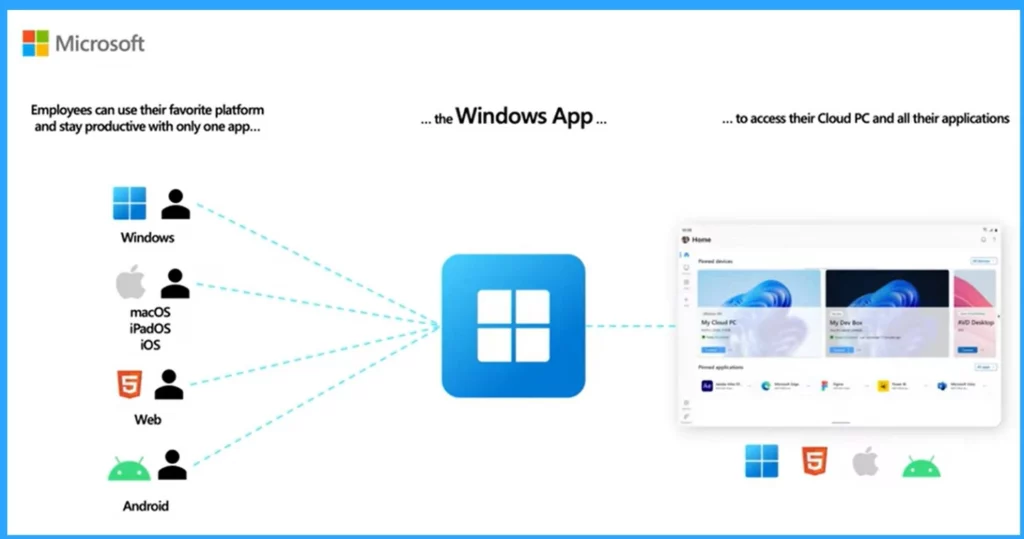
Microsoft’s New Windows App is Now Available on All Platforms: Windows, MacOS, iOS, iPadOS, and Web Browsers. It is the best gateway to securely connect to Windows devices and apps with the Azure Virtual Desktop, Windows 365, Microsoft Dev Box, Remote Desktop Services, and remote PCs.
This application is available on Windows, iOS, macOS, and web browsers and will soon be available on Android. This article provides a quick overview of Windows apps designed for easy user interaction and is available on Windows 10 and 11 devices.

- New Windows 11 23H2 Group Policy Settings List for Download
- Download and Use Offline Maps in Windows
- Automatic Enroll Windows 365 Business Cloud PC in Intune
What are the Features of the New Windows App?
1. You can access to connect Windows apps with different platform
2. You can customize the Home screen of the Windows app that you use the most for your work
3. You can connect with the windows through a web browser without installing any software
4. It allows a dynamic resolution and scaling
5. It allows multiple Monitor supports
What are the Benefits of Windows App?
1. The Windows App manage different Windows Services, such as Windows 365 and Remote Desktop, all in one place.
2. Provides a secure way to access your resources from any device anywhere.
3. It offers enhanced features like device redirection and Microsoft Teams optimizations.
Where to download Windows App?
1. macOS and iOS Users can get the app from the Apple store.
2. Android Users can download the Windows app from the Google Play Store( Now available as Preview)
Video -New Windows App available on iOS, MacOS, iPadOS, and Android Devices
This video provides details of the new Windows app for accessing Cloud PC, AVD, and Dev Box from any device. It will help you get an overview of the Windows app. Check this video for more details below.
New Windows App available for Windows Cloud W365 Cloud PC
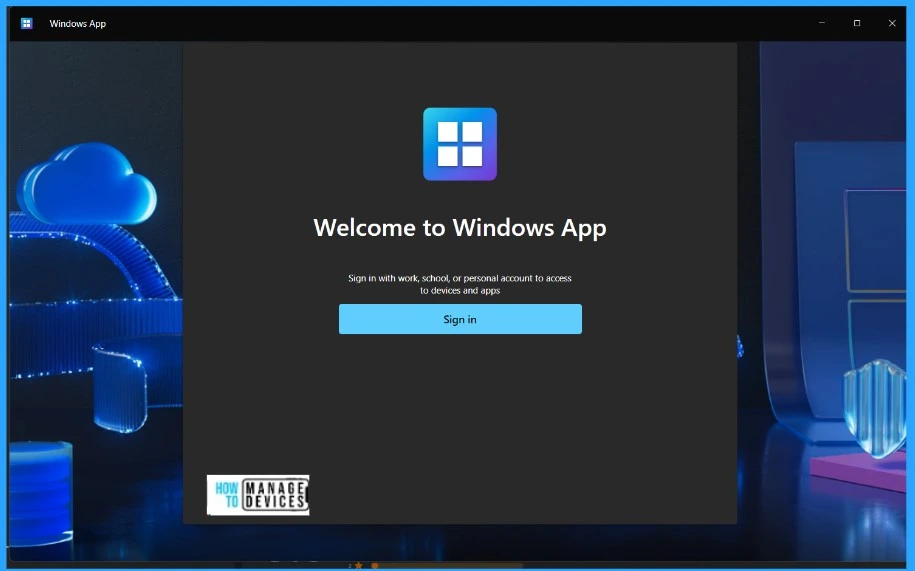
Microsoft released a new Windows app in Ignite 2023. This app is now available on Windows 10 and Windows 11. You can get it from the Microsoft Store, and the first time you open it, you can only log in with your work or school account.
Some prerequisites are needed before you connect to your devices. The prerequisites vary according to the OS, but internet access is the major prerequisite in all OSs.
Note: You can connect to Remote Desktop Services and a remote PC with Windows App on macOS or iOS/iPadOS, but Microsoft doesn’t currently support these connections.
| Connect to/from | Windows | macOS | iOS/iPadOS | Web browser |
|---|---|---|---|---|
| Azure Virtual Desktop | Supporting | Supporting | Supporting | Supporting |
| Windows 365 | Supporting | Supporting | Supporting | Supporting |
| Microsoft Dev Box | Supporting | Supporting | Supporting | Supporting |
| Remote Desktop Services | Not Supporting | Microsoft doesn’t currently support these connections | Microsoft doesn’t currently support these connections | Not Supporting |
| Remote PC | Not Supporting | Microsoft doesn’t currently support these connections | Microsoft doesn’t currently support these connections | Not Supporting |
- Windows 365 Cloud PC 2310 October Update Service Release
- AVD Enable RDP Shortpath for Managed Networks Settings now available in Intune Settings Catalog
- Fix Something Went Wrong 1001 Outlook Error Microsoft 365 Desktop Applications
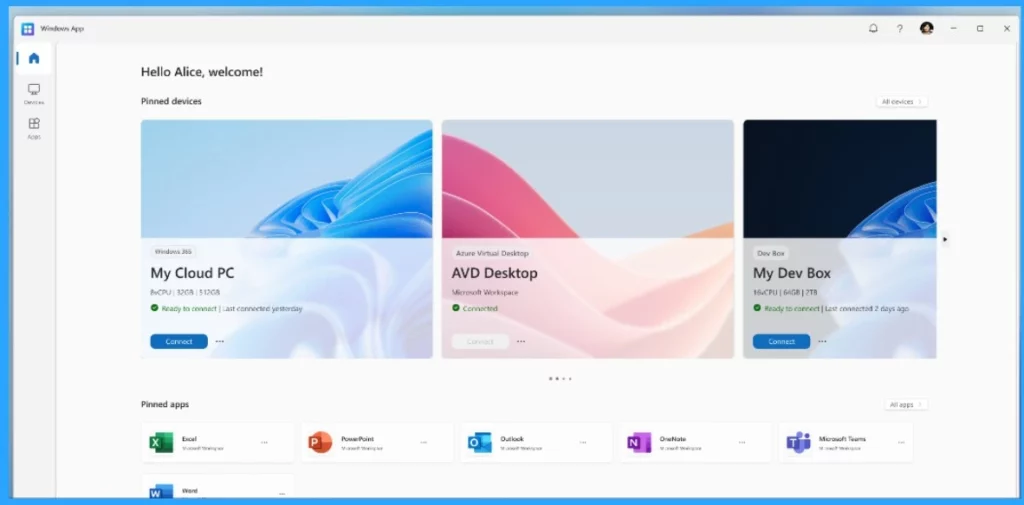
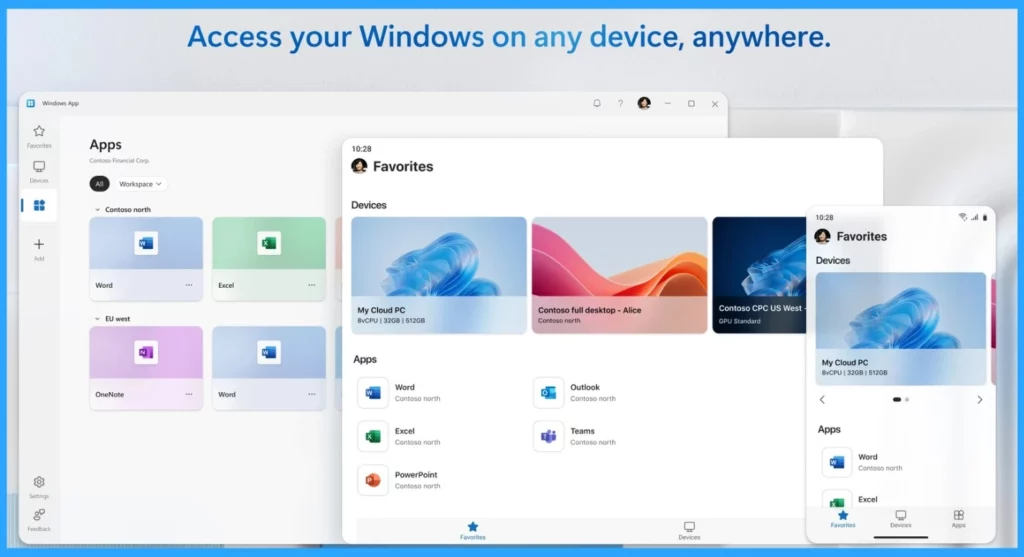
The attractive home screen is the best feature of this app. Using My Dev Box, you can also use all the remote applications. You can customize the home screen and pin devices and apps that you prioritize.
- Bulk Install Windows Apps in Intune Company Portal
- How to Control Running Background Windows Apps Using Intune
- Allow Disallow Windows Apps to Communicate with Unpaired Devices Policy in Windows 11
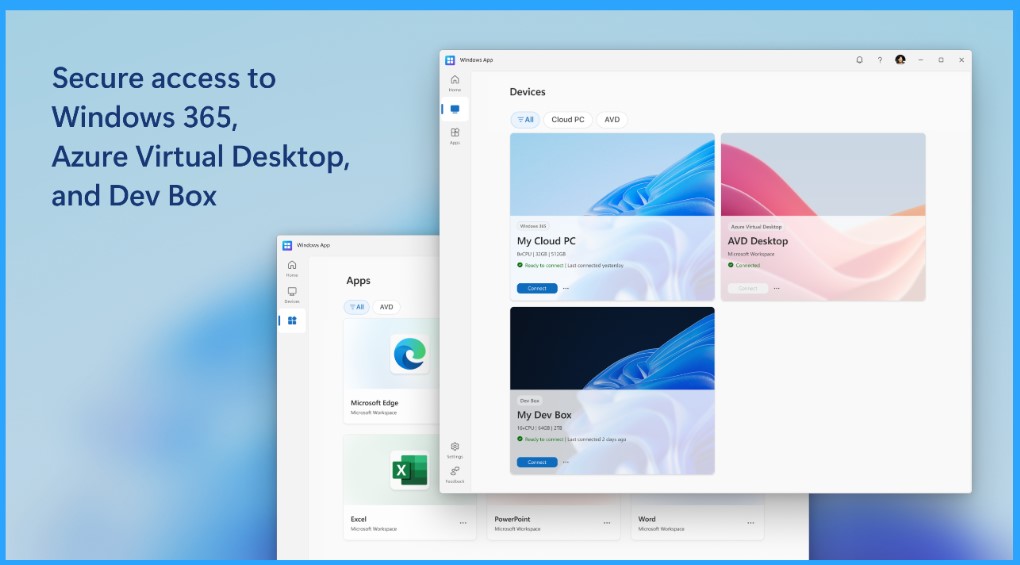
The Windows app is securely connected to your Windows and apps on a Windows 365, AVD Desktops, My Dev Box, Remote Desktop Services, or Remote PC device.
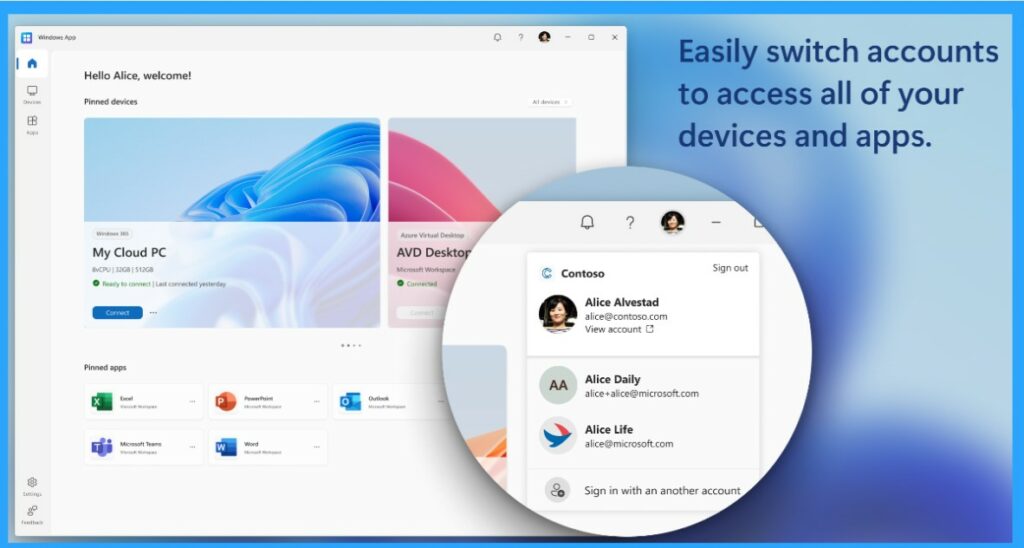
The main feature of the Windows app is that you can switch accounts to access all your devices and apps. Switching accounts can help you keep your personal and work data separate and secure, and it’s also very easy for your work.
Microsoft Launches New Windows App is Now Available on All Platform Windows macOS iOS iPadOS and Web Browsers
This new Windows app is a secure way to connect to Windows services like Windows 365, Azure Virtual Desktop, Remote Desktop, and Microsoft Dev Box. It provides a unified experience, allowing users to connect to the Windows environment from any device easily, enhancing productivity.
- The Windows App lets you access all remote Windows experiences, like Azure Virtual Desktop and Windows 365, on Android devices running Android 11 and above.
- It is also included in smartphones and Tablets; this feature is now being previewed.
- After the General availability, Users of Remote Desktop clients on Windows, macOS, iOS, iPadOS, and the web will transition to the Windows App.
- Also, the new Windows app can be accessed through the respective app stores for each platform.
- Bulk Install Windows Apps in Intune Company Portal
- How to Control Running Background Windows Apps Using Intune
- Allow Disallow Windows Apps to Communicate with Unpaired Devices Policy in Windows 11
What are the Specialities Added to the New Windows App?
The Exciting Windows app is now generally available on all platforms, such as Windows, macOS, iOS, iPadOS, and Web Browsers. The new Windows app has some new changes and enhancements. Now, accessing and managing Windows resources on all platforms is very easy. The primary importance of Windows App.
| Improvements and Features of New Windows App | Info |
|---|---|
| Device and App Actions | It simplifies device management with a variety of integrated actions that are unique to supported solutions. |
| Support for Windows 365 Frontline Cloud PCs | It offers better compatibility for specific use cases. |
| In-App Feedback | The new Windows app allows users of Windows 365 and Azure Virtual Desktop to easily provide feedback directly within the app. |
| Account Switcher for Microsoft Entra ID | IOS and MacOS users can switch accounts easily using a Microsoft Entra account. |
| Relayed Remote Desktop Protocol (RDP) Shortpath | It will Enhance connectivity and performance for remote sessions. |
Windows App for Android Support MAM Control for Non-Managed Devices
Windows App for Android now supports Mobile Application Management (MAM) controls for non-managed devices. Implementing security settings can add an extra layer of protection. It Includes requiring a PIN, blocking third-party keyboards, and restricting cut, copy, and paste operations.
Intune mobile application management (MAM) functionality isn’t currently supported on Android 15 by Remote Desktop or Windows App (preview). MAM runs on older versions of Android. Support for MAM on Android 15 for Windows App (preview) will be supported in an upcoming release.
Join the LinkedIn Page and Telegram group to get the latest step-by-step guides and news updates. Join our Meetup Page to participate in User group meetings. Also, Join the WhatsApp Community to get the latest news on Microsoft Technologies. We are there on Reddit as well.
Reference
Author
Krishna. R is a computer enthusiast. She loves writing about Windows 11 and related technologies. She likes to share her knowledge, quick tips, and tricks with the community about Windows 11 or Windows 10.




Discussion