






Outlook SharePoint Teams Search Issue Microsoft 365
Let’s discuss Outlook Search Performance Issue Microsoft 365 in this post. Recently Microsoft issued an advisory MO420476 on some users’ content that may take longer than expected to ingest within various Microsoft 365 services.
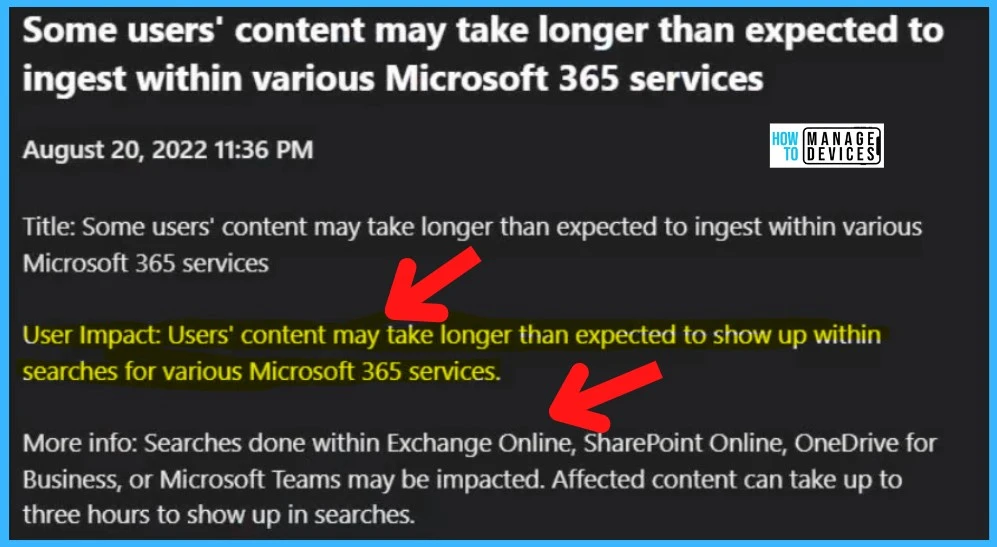
Let’s check the updates on Microsoft 365 suite service alert. You may experience problems performing searches in Exchange Online, SharePoint Online, OneDrive for Business, or Microsoft Teams. It may take up to three hours for affected content to appear in searches.
If your organization is affected by this issue, some users might get performance issues with Outlook and other Office 365 applications. I have not noticed a lot of buzz about this issue on social media. So this issue could be limited to a smaller amount of users.
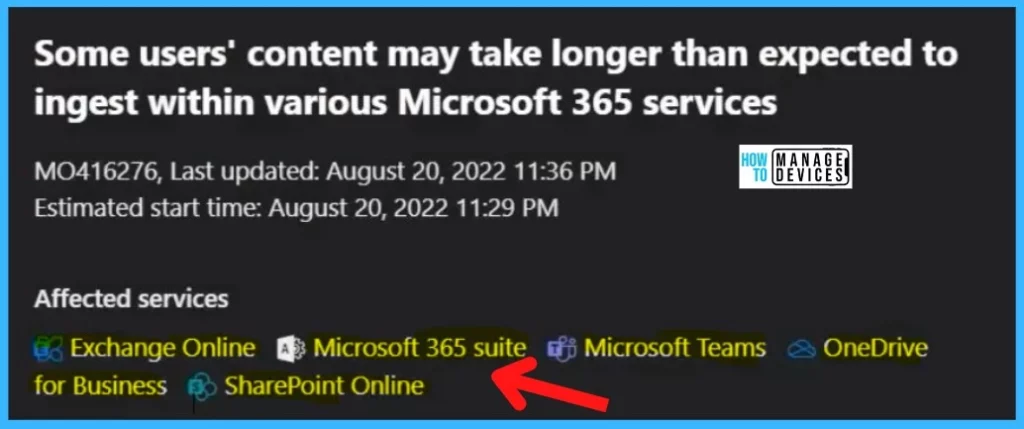
This issue is impacting any user that is searching the SharePoint Online or the Microsoft Teams services. As per Microsoft, within some Microsoft 365 services, some users’ content might take longer than expected. The services which seem to be affected are as follows:

- Microsoft 365 suiteExchange Online
- Microsoft 365 suite
- Microsoft Teams
- OneDrive for Business
- SharePoint Online
Read More on another issue – Outlook Crashes When Users Attempt To View Contact Card Information | Aug Office Patch Issue.
What is the Outlook Search Performance Issue?
I have noticed an issue with Outlook search performance and I could see an advisory from Microsoft on this issue. The following is the advisory note from Microsoft MO416276 and MO420476.
This may affect searches conducted within Exchange Online, SharePoint Online, OneDrive for Business, or Microsoft Teams. Content affected by the change may take up to three hours to appear in search results.
This search performance issue can affect any user and any search for up to three (3) hours. Microsoft states that it’s unlikely that all users and all content searches are actively impacted at once.
- Update on MO420476 – Users may see errors and long wait times when searching through SharePoint Online and Microsoft Teams.
Outlook Search Performance Issue M365
As mentioned in the above paragraph, this is an issue where a limited portion of user content is taking longer than expected to ingest within our search services, causing delays lasting up to three hours within the Microsoft 365 services outlined in more info.
Microsoft’s investigation revealed that a code update is causing some requests to loop and eventually time out, resulting in continuous impact. Read the same kind of issue – Outlook Teams Desktop Application Login Issues M365 Incident MO414814
Also, Microsoft confirms that an estimate of the timeline for remediation should be available in the upcoming business week while we evaluate more expedited options for deployment.
Root Cause for MO420476 – A recent service update intended to improve query performance caused a regression for some users in SharePoint Online and Microsoft Teams search scenarios.
| User Impact | Current Status | Scope Of Impact | Root Cause | Impacted Services |
|---|---|---|---|---|
| Search results for various Microsoft 365 services may take longer than expected to appear. | The impact has been remedied within our internal test environment, and we’re working on getting the deployment process started for the remaining affected environments. | For up to three hours, this issue can affect any user and any search, although all users and all searches are unlikely to be affected simultaneously. | A code update causes some search requests to loop continuously and eventually time out. | 1. Microsoft 365 suiteExchange Online 2. Microsoft 365 suite 3. Microsoft Teams 4. OneDrive for Business 5. SharePoint Online |
Author
Abhinav Rana is working as an SCCM Admin. He loves to help the community by sharing his knowledge. He is a BTech graduate in Information Technology.




Discussion