






Automated Patching with CrowdStrike Threat Intelligence
Let’s discuss Automated Patching with CrowdStrike Threat Intelligence. Automated Patching allows users to reduce the risk of unpatched software, systems, and applications leaving their networks vulnerable to malware and cyber threats.
Automated Patching also helps to address application vulnerabilities, get ahead of potential software, etc. Now Automated Patching can be done with Automated Patching with CrowdStrike Threat Intelligence. Do you know what is CrowdStrike Threat Intelligence?
CrowdStrike Threat Intelligence is a cybersecurity that collects, processes, and analyzes data to understand a threat actor’s motives, targets, and attack behaviours. Now CrowdStrike is integrated with OneSite Patch a solution developed by Adaptiva.
In this blog post, I will explain more about Automated Patching with CrowdStrike Threat Intelligence. OneSite Patch for CrowdStrike is the fastest method to patch Endpoints. Adaptiva and CrowdStrike, allow users to
stay ahead of cyber threats and maximize productivity by automatically patching critical vulnerabilities.


- Deploy CrowdStrike Using Intune EXE Deployment Guide
- 5 New Windows Apps and Drivers Security Enhancements from Phishing and Malware
- Top 5 Security Layers of Protection
Automated Patching with CrowdStrike Threat Intelligence
As I mentioned before, automated Patching with CrowdStrike Threat Intelligence is the best choice for users. OneSite Patch automates the enterprise patching process and quickly remediates vulnerabilities
identified by CrowdStrike Falcon Exposure Management.
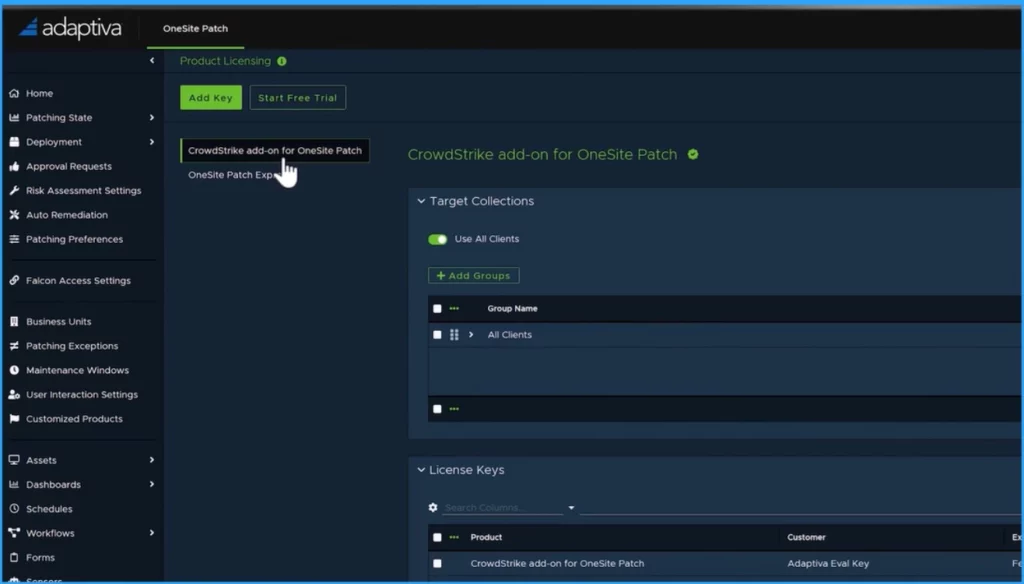
Benefits of CrowdStrike Threat Intelligence
There are many benefits to using CrowdStrike Threat Intelligence. CrowdStrike Threat Intelligence is the best choice for Automated Patching. The following are the benefits of CrowdStrike Threat Intelligence.
- Reduce risk – It reduces risk by prioritizing critical vulnerabilities and fixing them quickly. It can solve the vulnerabilities of more than 1,500 third-party applications.
- Efficiency Increased and Reduced Manual Work – OneSite Patch for CrowdStrike has automated remediation. It increases efficiency and reduces manual work. When a new patch is available, it can be deployed without any intervention.
- Increase Patching Precision with Advanced Administrator Control and Custom Settings – CrowdStrike Threat Intelligence helps to increase patching Precision with Advanced Administrator Control and Custom Settings.
- Improve Compliance and Collaboration with Real-time Patching Visibility and Reporting – It offers real-time insight, custom notifications, and flexible control of patching processes, with specific permissions for key stakeholders and Falcon admins
Capabilities of CrowdStrike Threat Intelligence
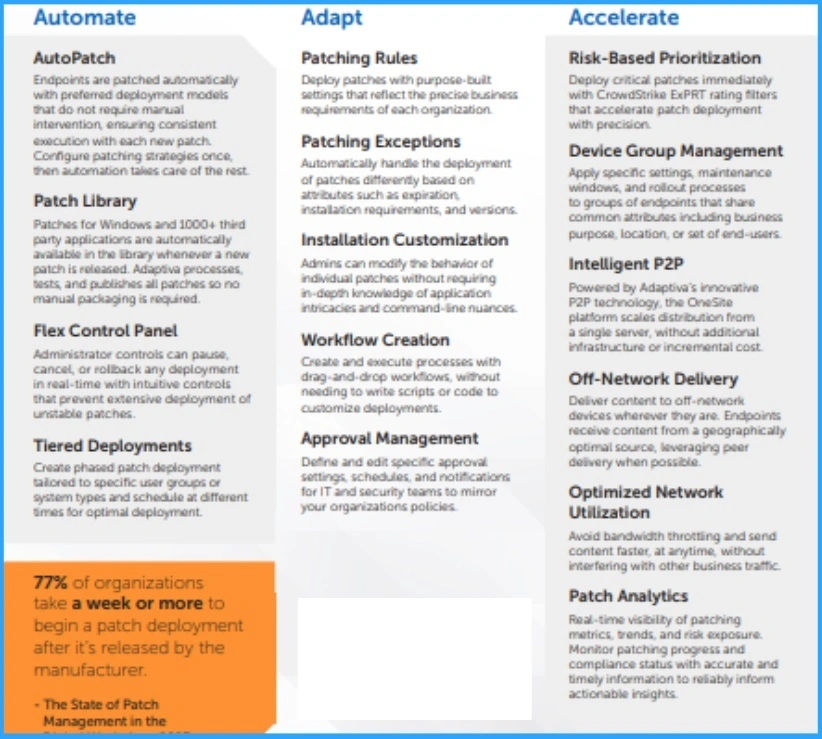
CrowdStrike Threat Intelligence has many capabilities. It can adapt to any patching strategy. The following are its capabilities.
| Automate | Adapt | Accelerate |
|---|---|---|
| AutoPatch | Patching Rules | Risk-Based Prioritization |
| Patch Library | Patching Exceptions | Device Group Management |
| Flex Control Panel | Installation Customization | Intelligent P2P |
| Tiered Deployments | Workflow Creation | Off-Network Delivery |
| —- | Approval Management | Optimized Network Utilization |
| —- | — | Patch Analytic |
- Microsoft Sentinel is the Best Tool for Security Information and Event Management as per the Gartner Report
- Microsoft Security Exposure Management using Defense Techniques
We are on WhatsApp. To get the latest step-by-step guides and news updates, Join our Channel. Click here for HTMD WhatsApp.
Author
Gopika S Nair is a computer enthusiast. She loves writing on Windows 11 and related technologies. She is here to share quick tips and tricks with Windows 11 or Windows 10 users. She is Post Graduate Diploma Holder in Computer Science.




Discussion