






How to Resolve Intune Android APK Deployment Failure via Managed Google Play
Let’s discuss How to Resolve Intune Android APK Deployment Failure via Managed Google. Microsoft Intune users face issue on Android APK deployment. The user successfully deployed earlier APK versions via a private Google Play Store group.
But the latest “go live” APK fails to sync or appear in the app library. The Go Live is the final APK version of Android app is officially release and available for end user. The go live feature ensure that the app is fully functional, visible, and ready for deployment.
As you know that, APK (Android Application Packages) Deployment is the process of distributing and installing APKs onto devices. You can prefer Google Play Store and Line-of-Business channels to Deploy APK. In this issue the Affected person attempted both methods.
In this context the Admin who deployed APK is new to Android I’ve only ever worked with Apple and it’s seamless deploying APPs with Apple. In this blog post I would like to share more about, Android APK Deployment Failure and its resolution steps.

Table of Contents
How to Resolve Intune Android APK Deployment Failure via Managed Google Play
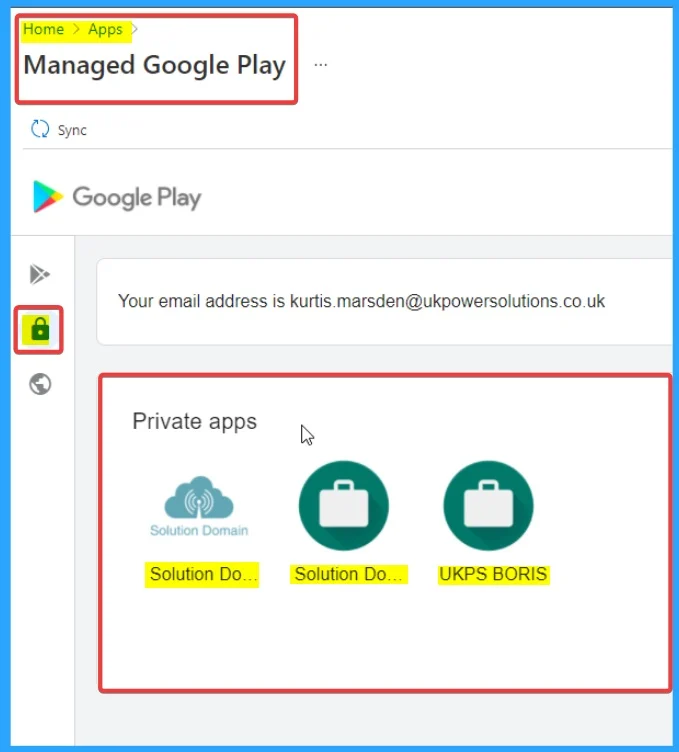
The main cause of APK Deployment Failure is mix of APK validation, versioning, and visibility configurations. The “go live” APK might not be signed with proper release keys. The following table shows the process followed by the Admin firstly.
| Process Step in Managed Google Play Apps |
|---|
| All Apps |
| Add |
| Managed Google Play app |
| Admin added two here a test app and the actual deployment. |
| Now once uploaded Admin press sync, the test app which has been used the entire time shows up. The go live app doesn’t. |
- How to Fix Error 0xc7d14fbc Android App Installation using Intune
- How to Fix Intune Android App Installation Error 0xc7d14fb9
- How to Fix Intune Android App Installation Error 0xC7D14FBB
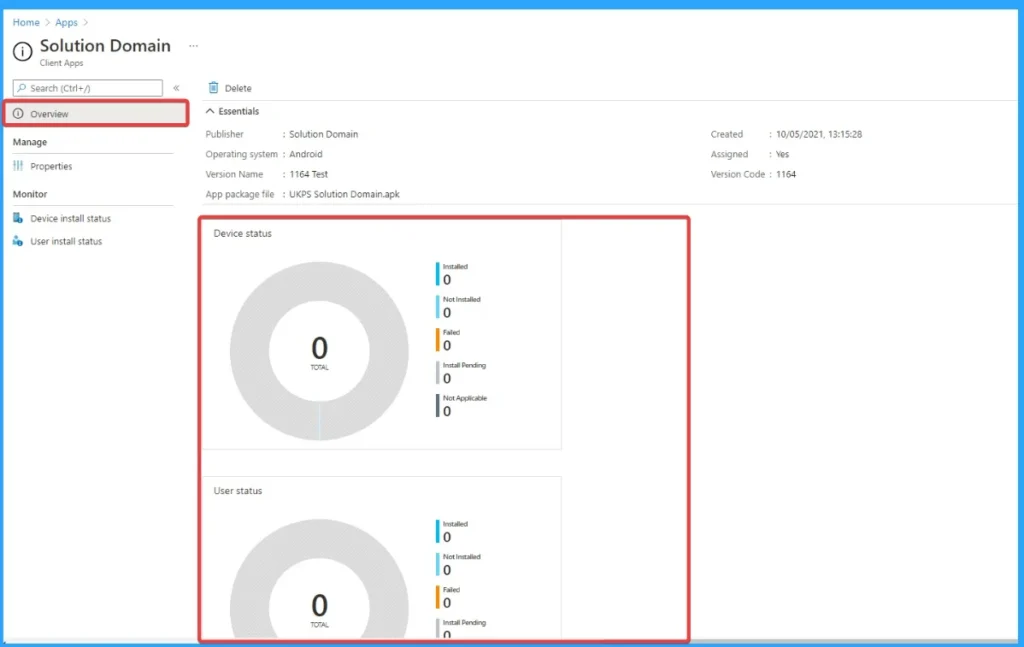
By following the above mentioned process the app doesn’t sync into the app library. Admin try changing the APK of the test version and I get every error under the sun. Default name is incorrect. Unable to change this APK. Login to the Admin Google store – Which then gives another error to say that this doesn’t exist.
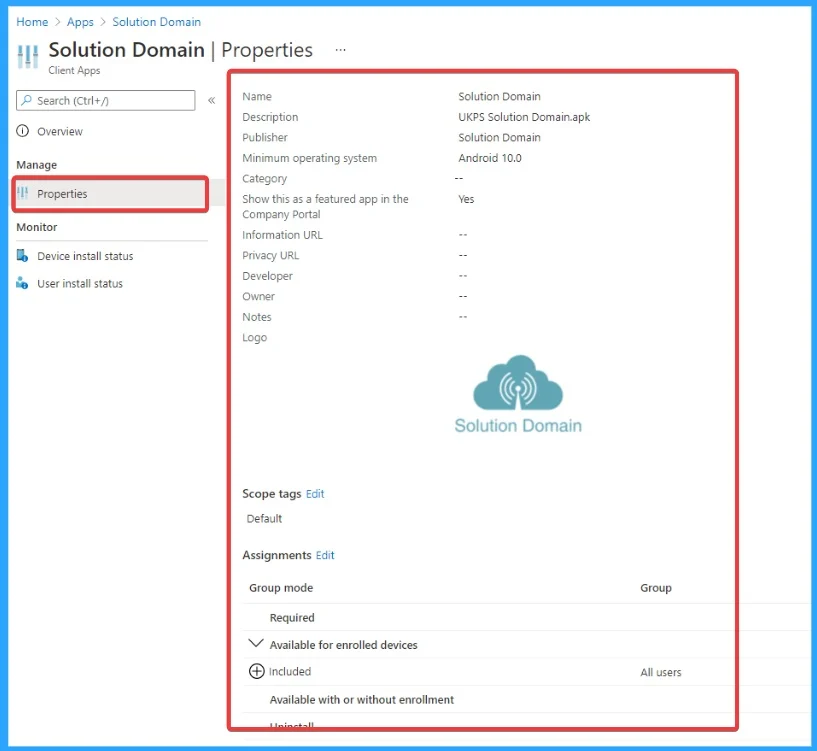
To deployed successfully the Admin tried Line of Business App process. As you know that LOB Apps are Created in-house or by a third-party vendor exclusively for the organization. The Following list shows the process followed by Admin.
- Add app
- Line of business App
- Admin then add the APK, add the scope and add the exact same group as he deployed all of the test devices.
- Admin even add it to all users, everything possible. The app dose not deploy to the phone.
- Admin changed the deployment type from required to available for enrolled devices to available with or without enrolment.
- It can’t be seen in the store. It doesn’t show any statistics at all. That’s allowing ANY user to download and install this app.
Resolution
Some Admins suggested that resolution methods to resolve Android APK Deployment Failure. MR. zahidwonderdi suggested that, ensure that the APK you’re trying to download and upload is fully signed with the correct release keys, as unsigned or incorrectly signed APKs can cause syncing issues.
- Additionally, double-check the app’s visibility settings in the Managed Google Play store and ensure the correct permissions and configurations are set for the group you’re deploying to.
- Try clearing the cache or re-syncing the group and app in the Google Admin console. If the issue persists, review the app’s configurations in your Google Play Console to confirm everything is set up correctly for deployment.
- Install the APK manually on a test device to verify it functions correctly.
- If it fails, the issue may lie in the APK itself (not Intune).
Need Further Assistance or Have Technical Questions?
Join the LinkedIn Page and Telegram group to get the latest step-by-step guides and news updates. Join our Meetup Page to participate in User group meetings. Also, Join the WhatsApp Community to get the latest news on Microsoft Technologies. We are there on Reddit as well.
Author
Anoop C Nair has been a Microsoft MVP for 10 consecutive years from 2015 onwards. He is a Workplace Solution Architect with more than 22+ years of experience in Workplace technologies. He is a Blogger, Speaker, and Local User Group Community leader. His primary focus is on Device Management technologies like SCCM and Intune. He writes about technologies like Intune, SCCM, Windows, Cloud PC, Windows, Entra, Microsoft Security, Career, etc.


Discussion