






New SCCM 2111 Hotfix KB12959506 Client Update
Microsoft released a client update for ConfigMgr 2111 hotfix KB12959506 to address important issues for the remote control viewer and SCCM Client. You can access hotfix KB12959506 in the Updates and Servicing node of the Configuration Manager console for environments.
If you’re using early update ring versions (applicable only for SCCM 2111 downloads before 20th Dec 2021) must also have hotfix KB12709700 for SCCM 2111 installed.
Note – ConfigMgr 2111 hotfix KB12709700 update does not apply to sites that downloaded version 2111 on December 20, 2021, or later. Therefore, it will not be listed in the Configuration Manager console for those sites.
The newly released KB12959506 hotfix is applicable for environments running SCCM 2111. If you’re still running with the older sccm version, You should upgrade to use all exciting features. You can also check out our 2111 upgrade guide to know more about the latest version prerequisites and top 5 features of ConfigMgr 2111.

Let’s check and understand the list of SCCM 2111 known issues shared by the community and documented by Microsoft, List of SCCM 2111 Known Issues and Fixes.
- ConfigMgr Deprecated Features | Removed Features
- Fix SCCM Dot NET Version Error During Prerequisite Checks
- SCCM Server In-place OS Upgrade to Server 2022 Guide
Issued Fixed with SCCM 2111 Hotfix KB12959506
A client update is available to address the following two issues –
- The remote control viewer hangs at “Connecting to host session” when starting a remote control session.
- The Configuration Manager client (ccmexec.exe) may terminate on startup if it receives policy to change the peer cache source client setting from disabled to enabled, while also having cached content.
Install SCCM 2111 Hotfix KB12959506
Let’s follow the steps below to Install ConfigMgr 2111 Hotfix KB12959506. The installation process is straightforward. The summary of the hotfix KB12959506 installation is given below –
- Launch the ConfigMgr console.
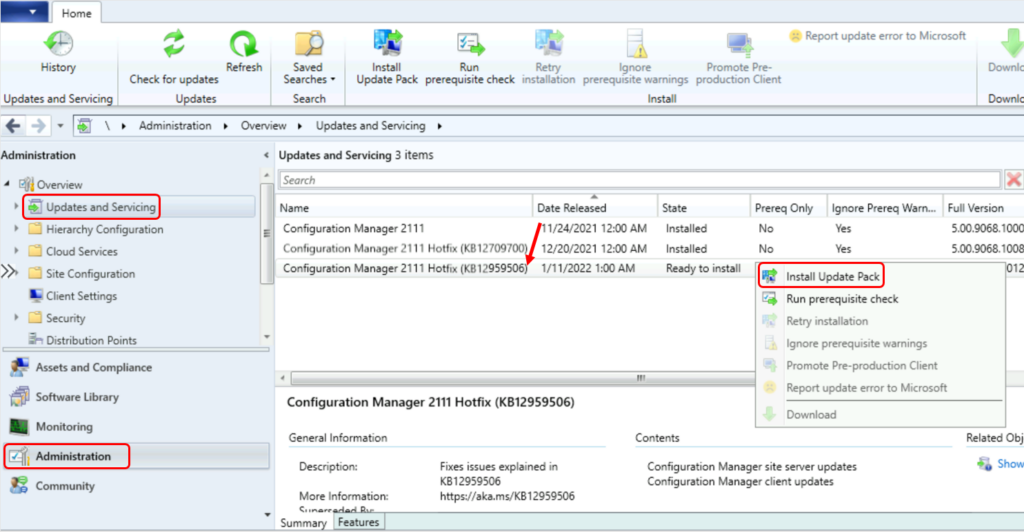
- Go to Administration\Overview\Updates and Servicing.
- The update Configuration Manager 2111 Hotfix KB12959506 is Ready to install stage.
- Right-click Configuration Manager 2111 hotfix KB12959506 and click Install Update Pack.
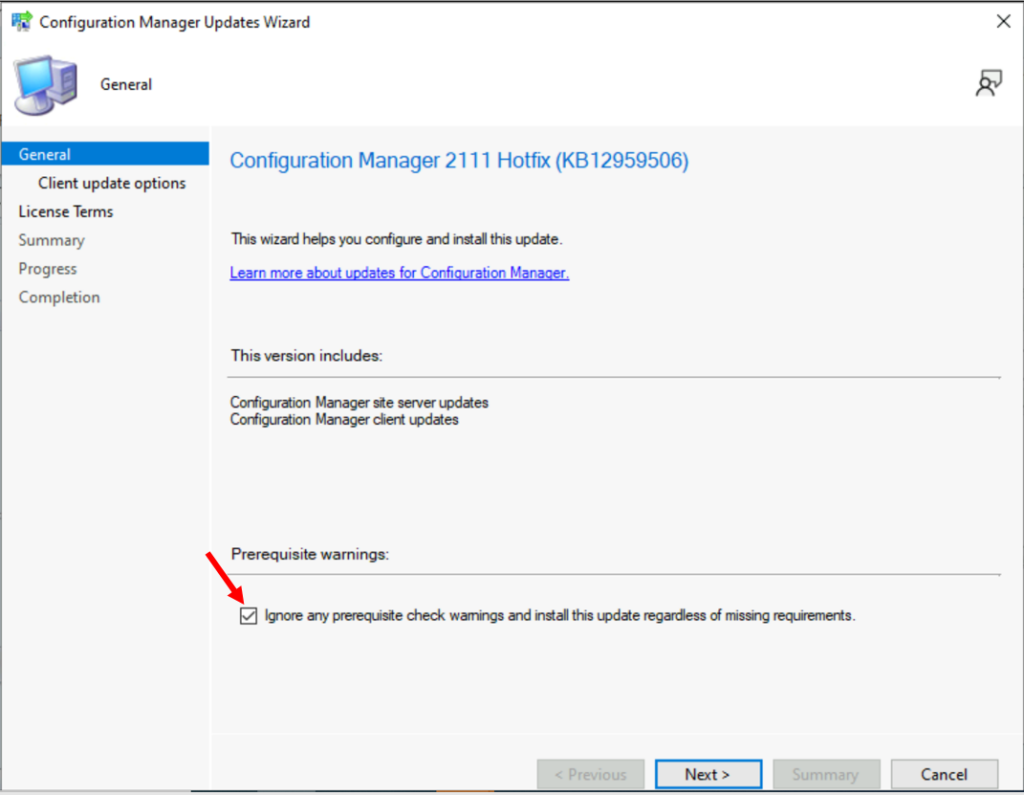
The Configuration Manager 2111 Hotfix (KB12959506) includes Configuration Manager site server updates, Configuration Manager client updates. Click Next.
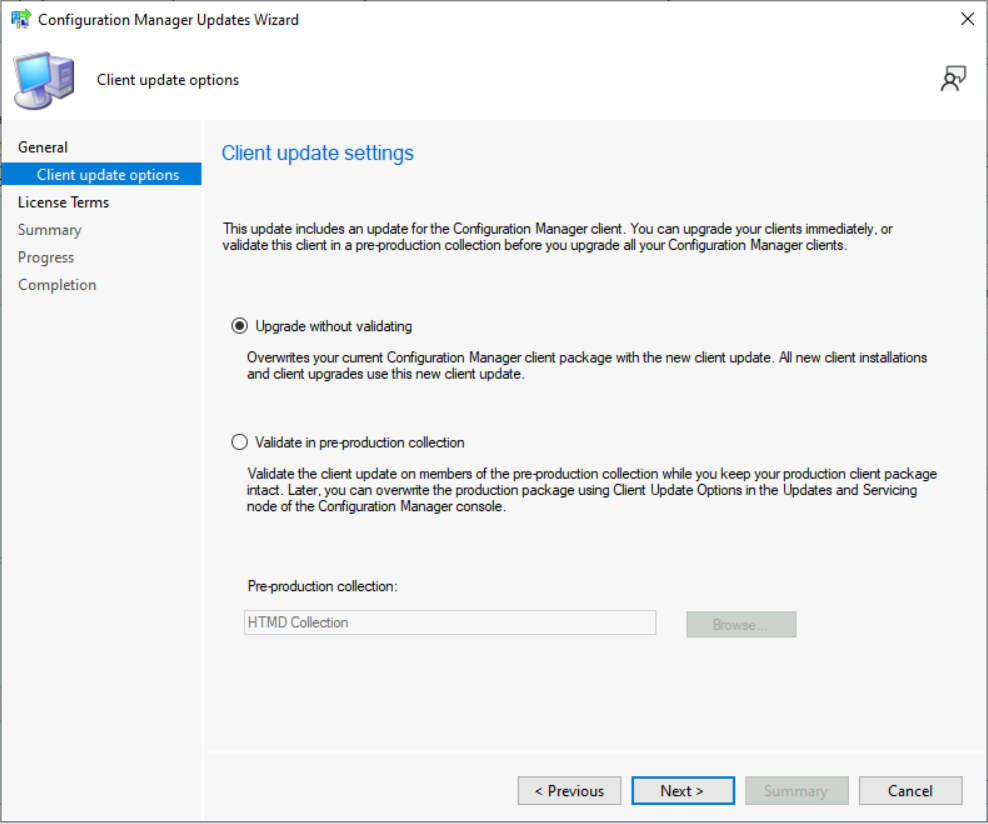
- Select Client Update Settings. More details about the pre-prod client testing option are given in the following post – SCCM Client Upgrade – Promote Pre-Production Client To Production (anoopcnair.com)
- I selected this option for LAB Upgrade without validating
- Validate in pre-production collection
- Click on Next.
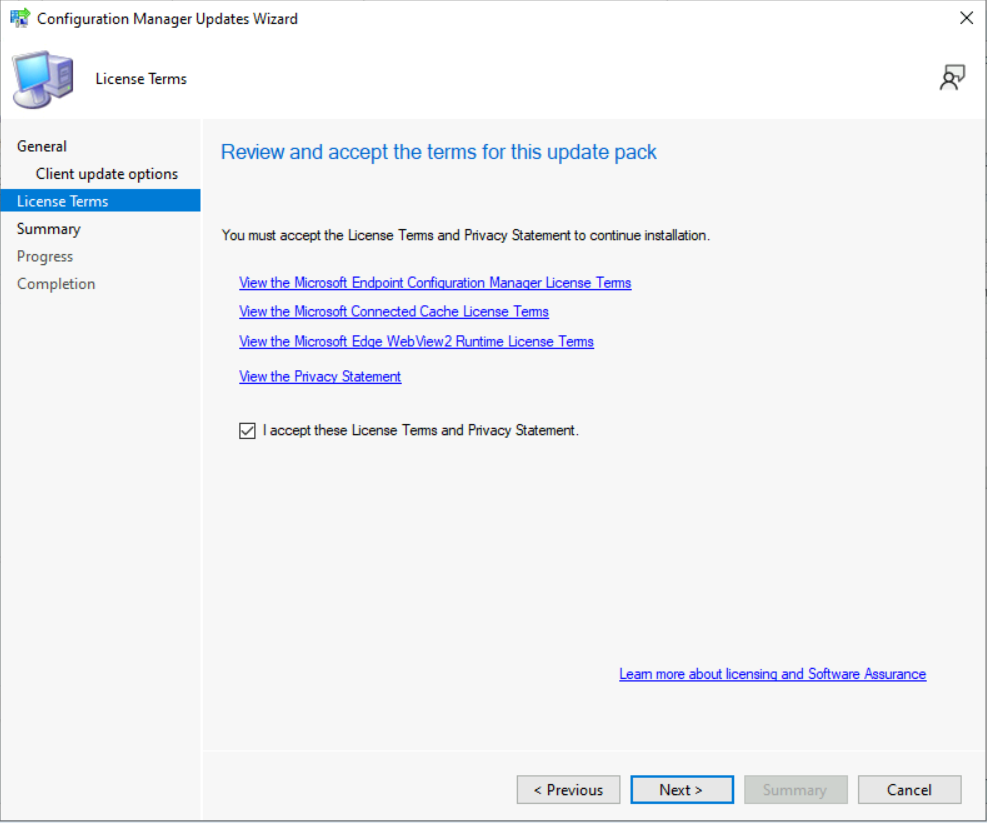
Review and Accept the license for this update pack and click on Next to continue.
If you have already enabled Cloud Attach, you will not see the Cloud Attach option during the hotfix installation. However, you can skip the cloud attach settings by unchecking the Enable Cloud Attach option. Click Next.
- Check the Summary of updated package installation
- Click on Close to complete Configuration Manager Updates Wizard.
Summary of update package installation Success: Install Update Package Configuration Manager 2111 Hotfix (KB12959506) Prerequisite warnings will be ignored. Test new version of the client in production.
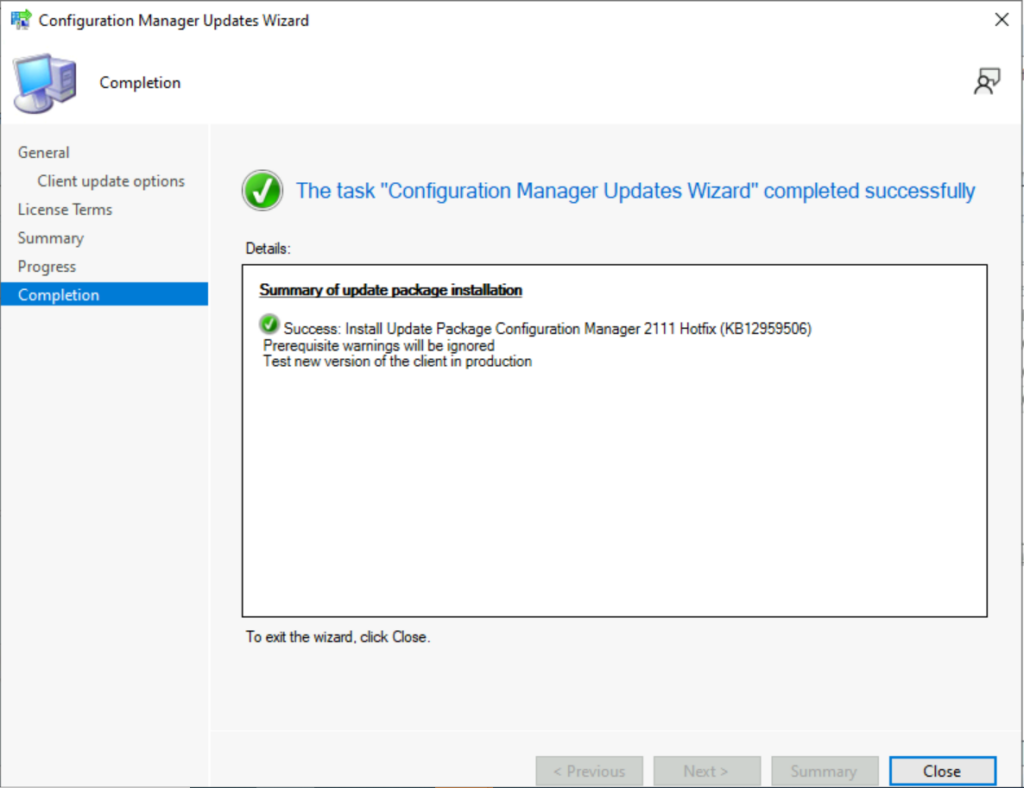
Verification of Successful Installation of KB12959506
Following are the verification steps for SCCM 2111 Hotfix KB12959506 Update –
- In Configuration Manager Console, Navigate to the Monitoring workspace.
- \Monitoring\Overview\Updates and Servicing Status\Configuration Manager 2111 Hotfix (KB12959506)
You can also review the cmupdate.log to know the hotfix installation progress.
The ConfigMgr 2111 hotfix KB12959506 update does not require a computer restart or initiate a site reset after installation.
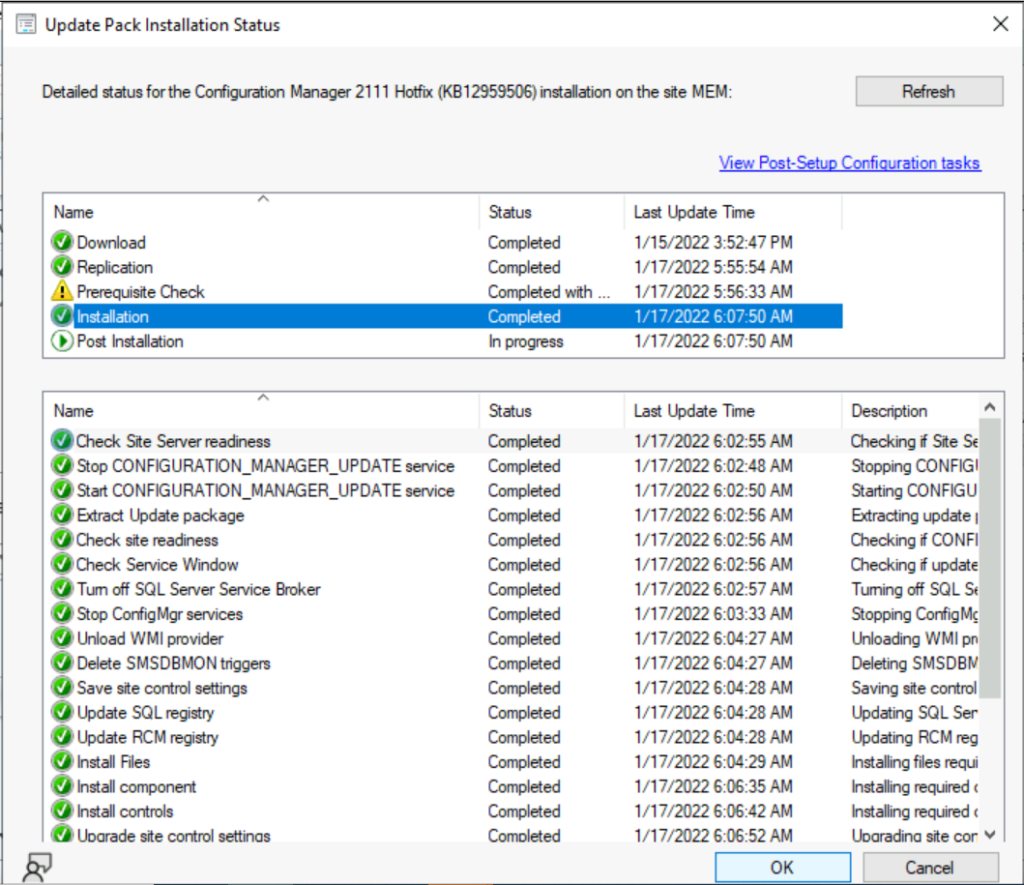
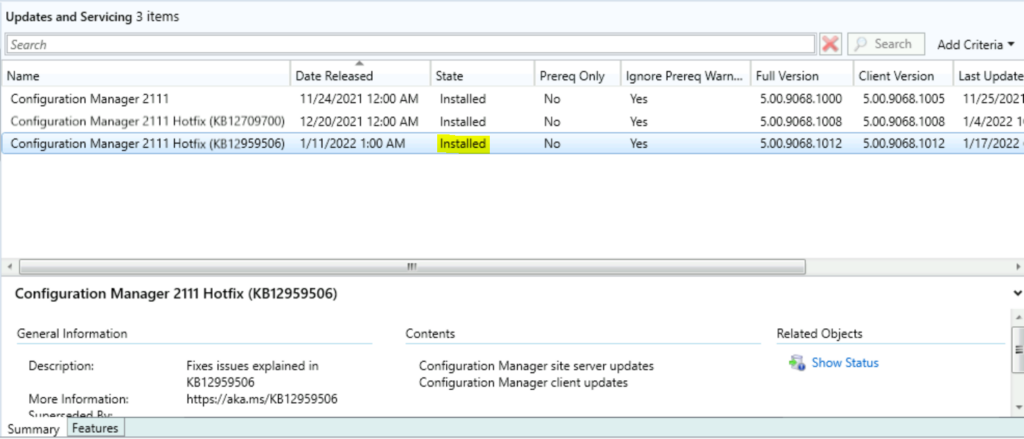
You can confirm the successful installation of Configuration Manager 2111 hotfix from the console, \Administration\Overview\Updates and Servicing.
Install KB12959506 Hotfix on Secondary Server
To install Hotfix KB12959506 on ConfigMgr (a.k.a SCCM) secondary servers, you can follow the below steps. The following blog posts provide more details about the secondary server installation, troubleshooting, and update installation.
Recommended Post –
- SCCM Secondary Server Hotfix Installation Guide | ConfigMgr
- Check SCCM Secondary Server Hotfix Installation Status
- SCCM Secondary Server Installation Guide | Step by Step | ConfigMgr
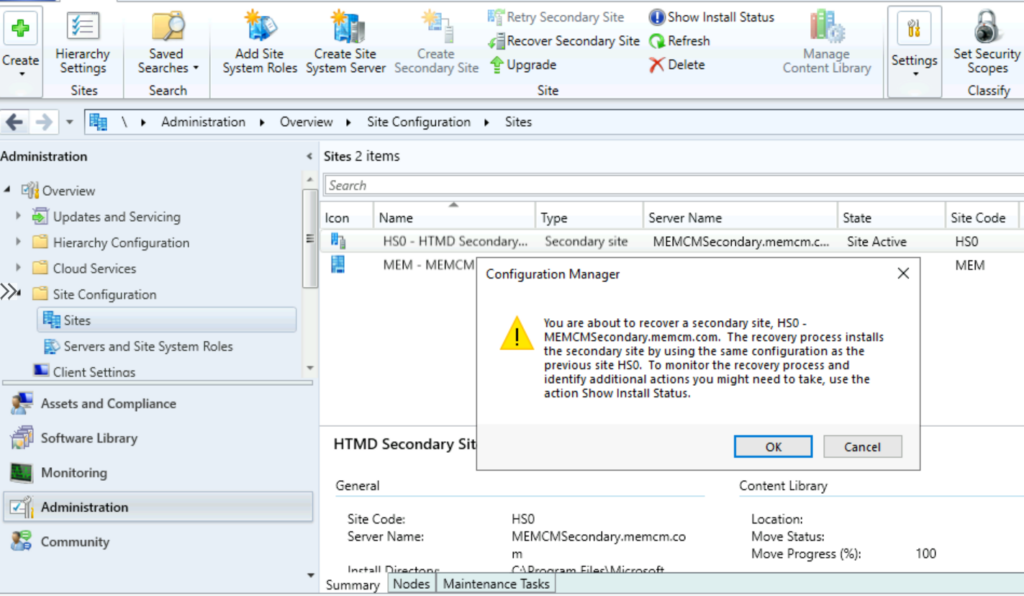
- To update a secondary site in the ConfigMgr console.
- Click Administration, click Site Configuration, click Sites, click Recover Secondary Site.
- Then select the secondary site you want to upgrade.
- The primary site then reinstalls that secondary site by using the updated files.
SCCM Client Version
The ConfigMgr 2111 hotfix KB12959506 updates the production client version to 5.00.9068.1012. You can also check more details on SCCM Client Upgrade Promote Pre-Production Client to Production.




Discussion