






SCCM 2208 Technical Preview New Features
In this post, you will see the list of features added to the SCCM 2208 Technical Preview. The SCCM 2208 version is the latest technical preview version. This is the first Technical Preview Version, after announcing SCCM 2207 Production Version Microsoft released.
ConfigMgr Technical Preview 2208 comes with two newly added features. The Configuration Manager Technical Preview 2208 includes Intune role-based access control (RBAC) for tenant attached devices, and Dark theme is now extended to more dashboards.
Features in a previous version of the technical preview remain in later versions. Technical Preview Branch releases allow you to try out new Configuration Manager features in a test environment before they are made generally available.
When you install an update to the technical preview, you update your preview installation to that new technical preview version. A technical preview installation never has the option to upgrade to a current branch installation. It also never receives updates from the current branch release.

Important⚠️- The technical preview branch of Configuration Manager is not supported for use in a production environment. The technical preview is licensed for use only in a lab environment.
Download SCCM Technical Preview Baseline Version
When you install a new technical preview site, use the latest baseline version. After installing a baseline version, use in-console updates to bring your installation up to date with the most recent Technical preview version 2208.
Update 2208 for Technical Preview Branch is available in the Microsoft Endpoint Configuration Manager Technical Preview console. The 2206 baseline version of SCCM Technical Preview Branch is available for new installations. Download a baseline version from the link MECM2206TP-Baseline.
First, install a baseline version of the technical preview branch. After installing a baseline version, use in-console updates to keep your installation up-to-date with the most recent preview version. Typically, new versions of the technical preview are available each month.
Build Microsoft Endpoint Configuration Manager Technical Preview LAB – How to Build Configuration Manager Technical Preview LAB | SCCM
Upgrade SCCM 2208 Technical Preview Version
To install Configuration Manager Technical Preview 2208 to update and add new features to your technical preview site.
- Launch the Configuration Manager console.
- Go to Administration > Overview > Updates and Servicing node.
- Right-click Configuration Manager Technical Preview 2208 and click Install Update Pack.
- On the General tab, You can ignore the prerequisite check warnings. Click Next.
- On the Features tab, select the new features you want to enable in technical preview 2208.
- Complete all the steps. You are ready to go.
New Features in SCCM 2208 Technical Preview Version
Features in Configuration Manager technical preview version 2208, the new features to try out in this version. Let’s see the features and improvements available in the technical preview of SCCM 2208.
Intune role-based access control (RBAC) for tenant attached devices
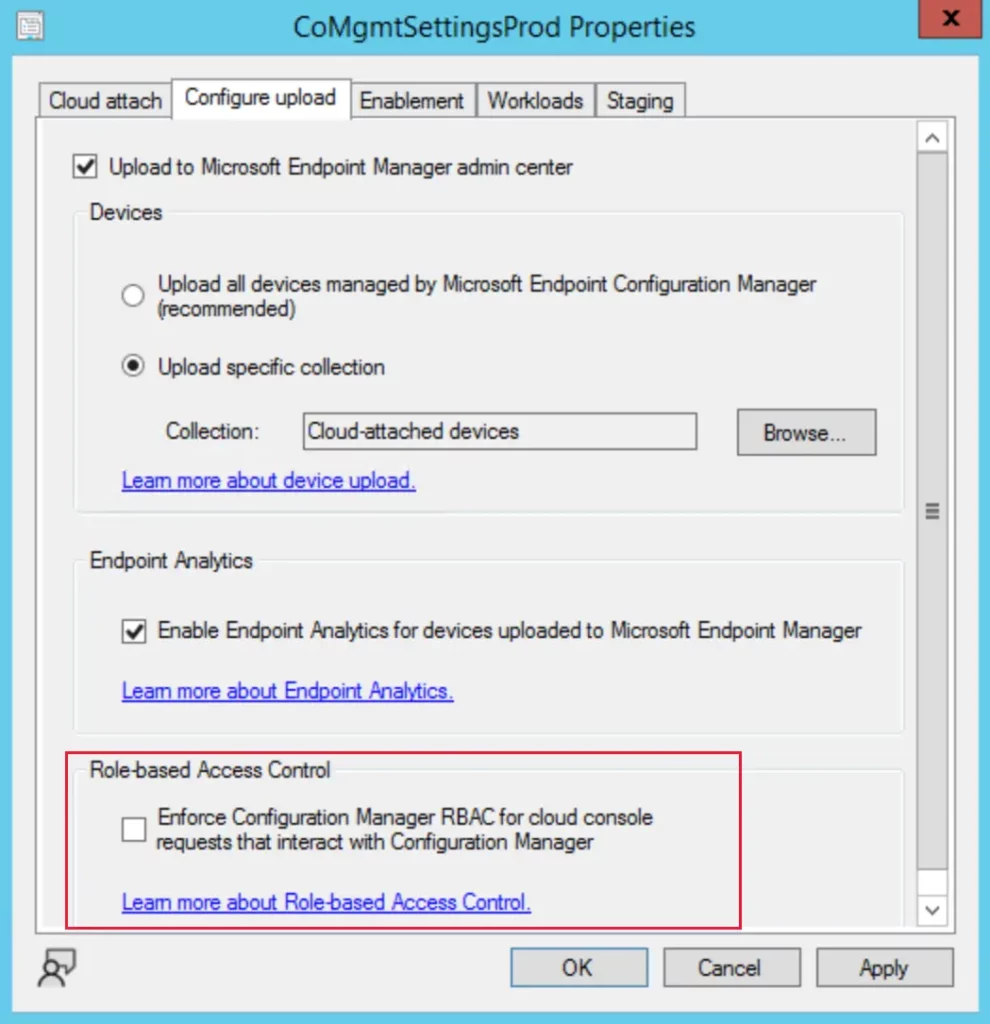
Starting with SCCM Technical preview 2208, You can now use Intune role-based access control (RBAC) when interacting with tenant attached devices from the Microsoft Endpoint Manager admin center.
To use Intune role-based access control for tenant attach rather than Configuration Manager role-based access control, use the steps below.
- In the Configuration Manager console, Navigate to Administration > Cloud Services > Cloud Attach.
- On the Configure upload tab, or page in the wizard, clear the checkbox for the following option under the Role-based Access Control.
Enforce Configuration Manager RBAC for cloud console requests that interact with Configuration Manager
SCCM Dark Theme Extended to More Dashboards
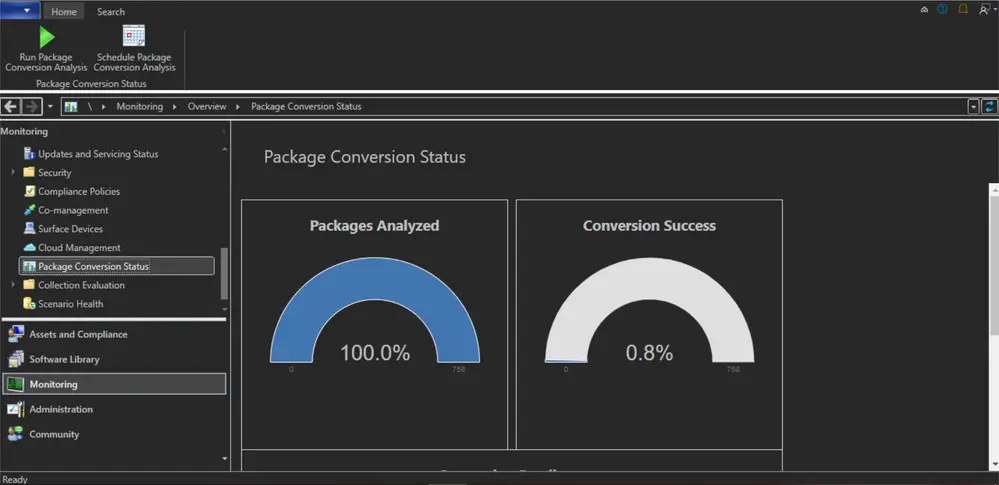
In this release, SCCM Console dark theme extended to more dashboards, which previously didn’t display the dark theme correctly. For example, the O365 Updates Dashboard, PCM Dashboard, and Health Attestation dashboard will now display according to the dark theme, when it’s enabled.
As the SCCM Console now offers dark mode. You can choose the default by selecting either the dark or light theme. The console dark theme is a pre-release feature of SCCM 2203, check how you can Enable Dark Theme for SCCM Console.
Issues Fixed SCCM Task Sequence Failed to load TSCore.dll Code (0x8007007E)
The issue was fixed with the release, If the osdinjection.xml file is directly modified, it isn’t correctly preserved by updating to a new Configuration Manager version. Example modifications include adding support for more binaries or an alternate content provider (ACP).
When this issue occurs, operating system deployment task sequences fail to resolve required dependencies. The smsts.log file contains the error Failed to load TSCore.dll Code (0x8007007E).
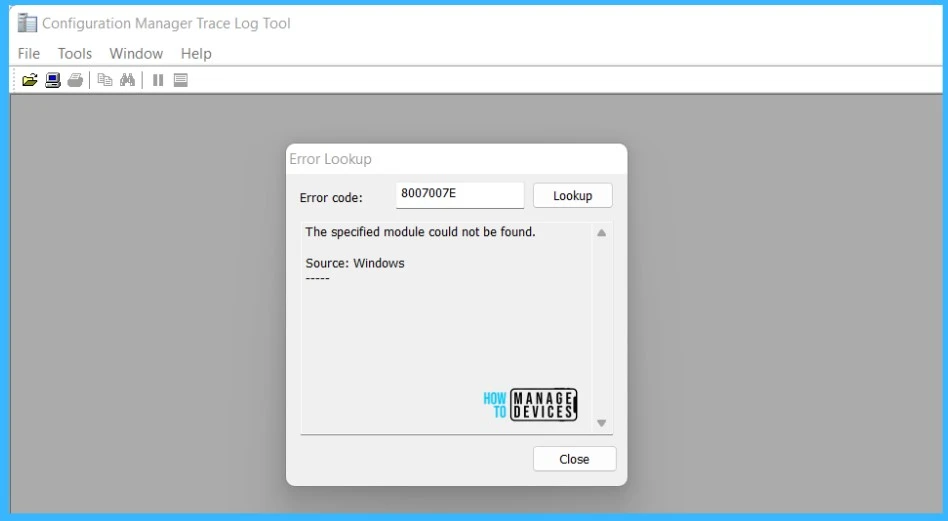
If you encounter an error code, the first step is to use CMTrace to translate SCCM Error Codes To Error Messages. The error code 0x8007007E translate SCCM Error Codes to Error Messages The specified module could not be found.
Failed to load TSCore.dll Code (0x8007007E) – SCCM 2208 Technical Preview New Features 4| SCCM Technical Preview latest Version | Baseline Version | Released Date |
| Technical preview version 2208 | No | 08/30/2022 |




Discussion