






SCCM 2209 Technical Preview New Features
In this post, you will see the list of features added to the SCCM 2209 Technical Preview. The SCCM 2209 version is the latest technical preview version. After announcing SCCM 2207 Production Version release, this is the 2nd Technical Preview Version.
Features in a previous version of the technical preview remain in later versions. Technical Preview Branch releases allow you to try out new Configuration Manager features in a test environment before they are made generally available.
When you install an update to the technical preview, you update your preview installation to that new technical preview version. A technical preview installation never will have the option to upgrade to a production Current Branch installation. It also never receives updates from the current branch release.
If you look at the previously released SCCM Technical Preview, You will find that these are the only additional features introduced after the Configuration Manager 2207 production release.

- SCCM 2208 Technical Preview – The Configuration Manager Technical Preview 2208 includes Intune role-based access control (RBAC) for tenant-attached devices, and the Dark theme is now extended to more dashboards.
Important⚠️- The technical preview branch of Configuration Manager is not supported for use in a production environment. The technical preview is licensed for use only in a lab environment.
- How To Enable Dark Theme For SCCM Console | Easy Method
- SCCM Tenant Attach Step By Step Guide Troubleshooting
Download SCCM Technical Preview Baseline Version
When you install a new technical preview site, use the latest baseline version. After installing a baseline version, use in-console updates to bring your installation up to date with the most recent Technical preview version 2209.
Update 2209 for Technical Preview Branch is available in the Microsoft Endpoint Configuration Manager Technical Preview console. The 2206 baseline version of the SCCM Technical Preview Branch is available for new installations. Download a baseline version from the link MECM2206TP-Baseline.
First, install a baseline version of the technical preview branch. After installing a baseline version, use in-console updates to keep your installation up to date with the most recent preview version. Typically, new versions of the technical preview are available each month.
➡️Build Microsoft Endpoint Configuration Manager Technical Preview LAB – How to Build Configuration Manager Technical Preview LAB | SCCM
Upgrade SCCM 2209 Technical Preview Version
To install Configuration Manager Technical Preview 2209 to update and add new features to your technical preview site.
- Launch the Configuration Manager console.
- Go to Administration > Overview > Updates and Servicing node.
- Right-click Configuration Manager Technical Preview 2209 and click Install Update Pack.
- On the General tab, You can ignore the prerequisite check warnings. Click Next.
- On the Features tab, select the new features you want to enable in technical preview 2209.
- Complete all the steps. You are ready to go.
New Features in SCCM 2209 Technical Preview Version
Features in Configuration Manager technical preview version 2209, the new features to try out in this version. Let’s see the features and improvements available in the technical preview of SCCM 2209.
Improvements to the console
When performing a search on any node in the console, the hint text in the search bar will now indicate the scope of the search. With SCCM 2207, Microsoft included the new search options in the console.
- By default, all subfolders are searched when you perform a search in any node that contains subfolders. You can narrow down the search by selecting the “Current Node” option from the search toolbar.
- If you want to expand the search to include all nodes, then select the “All Objects” button in the ribbon.

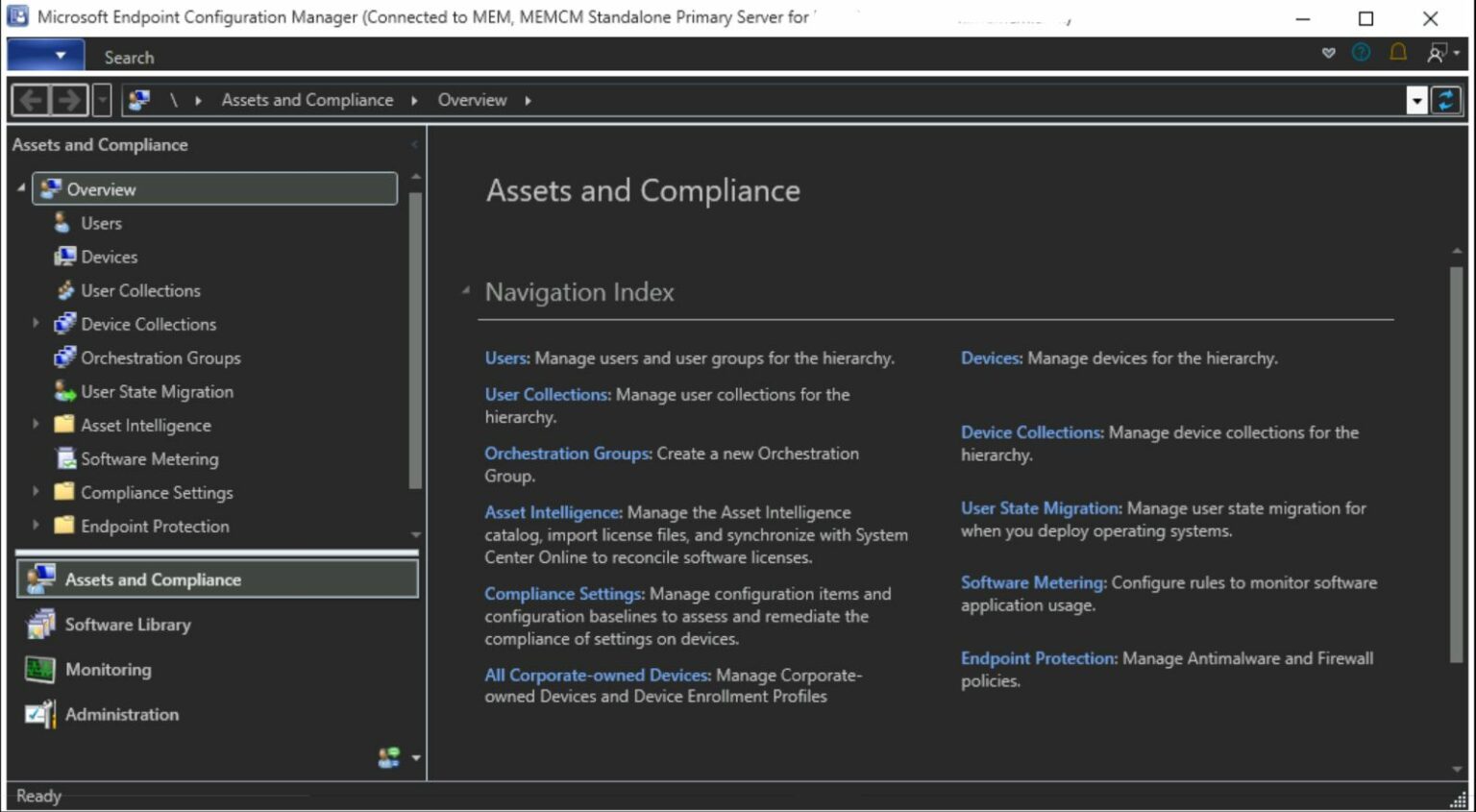
As the SCCM Console now offers dark mode. You can choose the default by selecting either the dark or light theme. The console dark theme is a pre-release feature of SCCM 2203, check how you can Enable Dark Theme for SCCM Console.
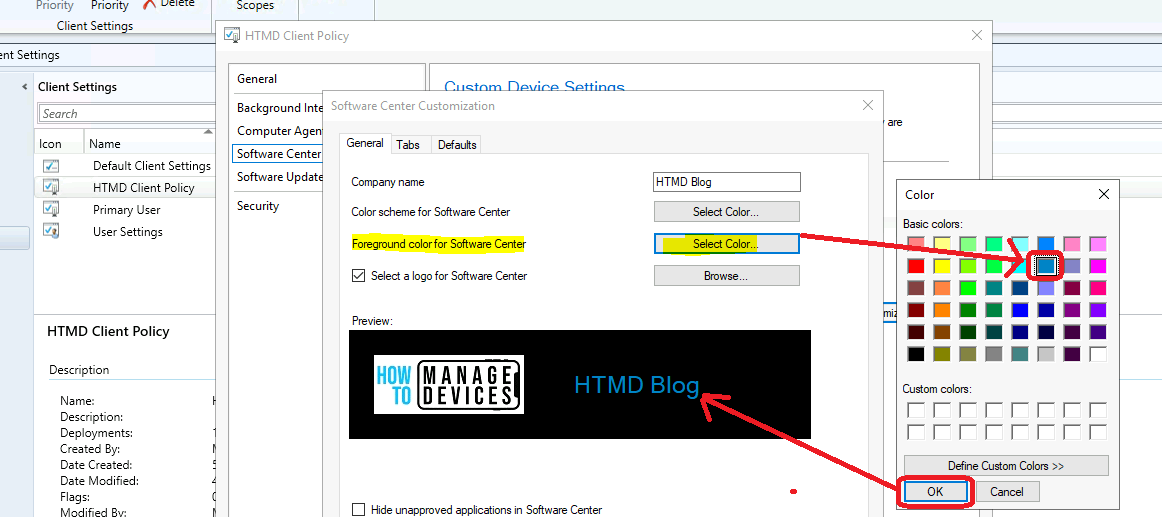
Software Center logo Dimension Details
Microsoft provides one of the best branding options for the Software Center. There are options to change the font colors within the software center.
The software center logo dimension details are now added as a hint in the software center customization wizard.
- The image file can’t be larger than 2 MB size. The maximum dimension of the image should be 400 Pixels wide and 100 pixels tall.




Discussion