






SCCM 2303 KB24719670 Hotfix Rollup Update FIX Performance Issue
Let’s check more about SCCM 2303 KB24719670 KB24721208 Hotfix Rollup Update. Microsoft released a new KB24719670 hotfix rollup update for Configuration Manager 2303 to address major performance issues experienced with KB21010486.
After installing the first released hotfix KB24719670 on the SCCM site version 2303, admins noticed an overall performance degradation in processing data into the site database. For example, collection evaluation, query processing, and site-to-site replication may be affected.
How to fix performance issues for already installed KB21010486? A revised rollup KB24721208 is available for you if you have already installed KB21010486. The performance issues with the previous rollup update for SCCM 2303 are fixed with KB24719670.
This KB24721208 update is available in the Updates and Servicing node of the Configuration Manager console for version 2303 environments that installed KB21010486 on or before August 2, 2023.

A unique KB number identifies each Update Rollup, and the updates are cumulative, meaning each rollup includes all the fixes from the previous ones. The update KB24721208 applies to installations from packages.
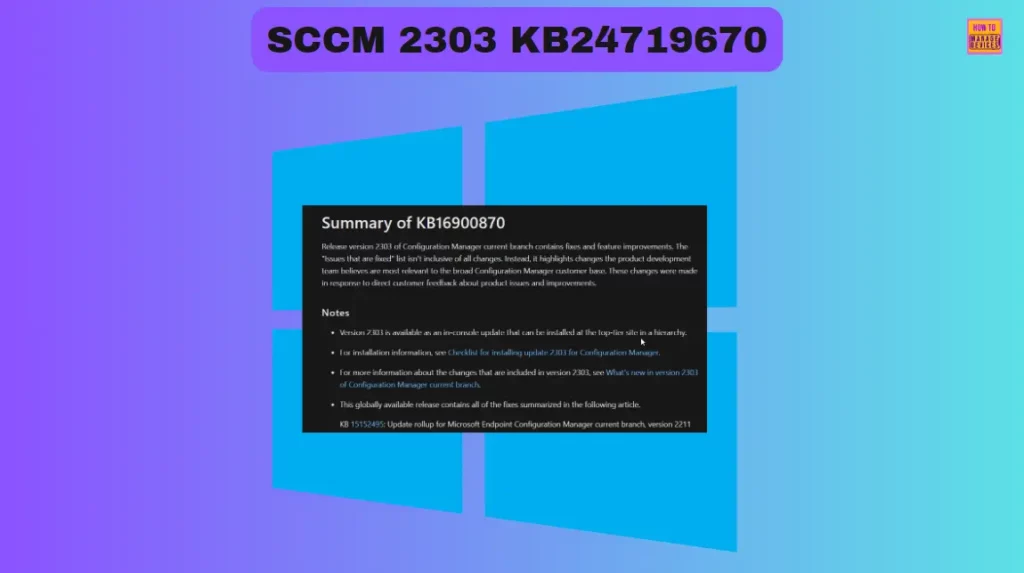
Summary of Hotfix KB24719670
An update is available to resolve the following issue that occurs after installing KB16900870, Update rollup for Microsoft Configuration Manager 2303:
- Administrators may notice an overall performance degradation when data is processed into the site database. Queries or collections based on user discovery data can take processing longer than expected. When this occurs, other processes can be affected, such as policy updates and site-to-site replication.
This update corrects affected SQL views in the site database to prevent the issues described. No major components are updated with this hotfix.
Install SCCM 2303 KB24719670 Hotfix Update Rollup
The steps below are to Install SCCM 2303 Hotfix KB24721208, The installation process is straightforward. The Summary of the SCCM 2303 KB24721208 installation is given below.
The KB21010486 update rollup is unavailable if you have not previously; a revised rollup and a standalone update for you, if you have already installed KB21010486, are ready to install KB24721208.
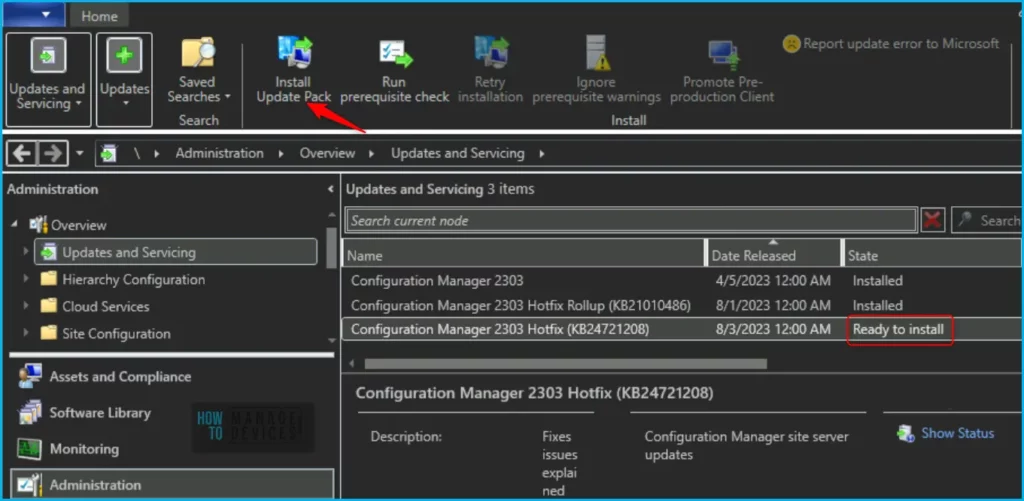
- Launch the SCCM console. Navigate to Administration > Updates and Servicing.
- The update Configuration Manager 2303 Hotfix (KB24719670) is Ready to install stage.
- Right-click Configuration Manager 2303 Hotfix KB24719670 and click Install Update Pack.
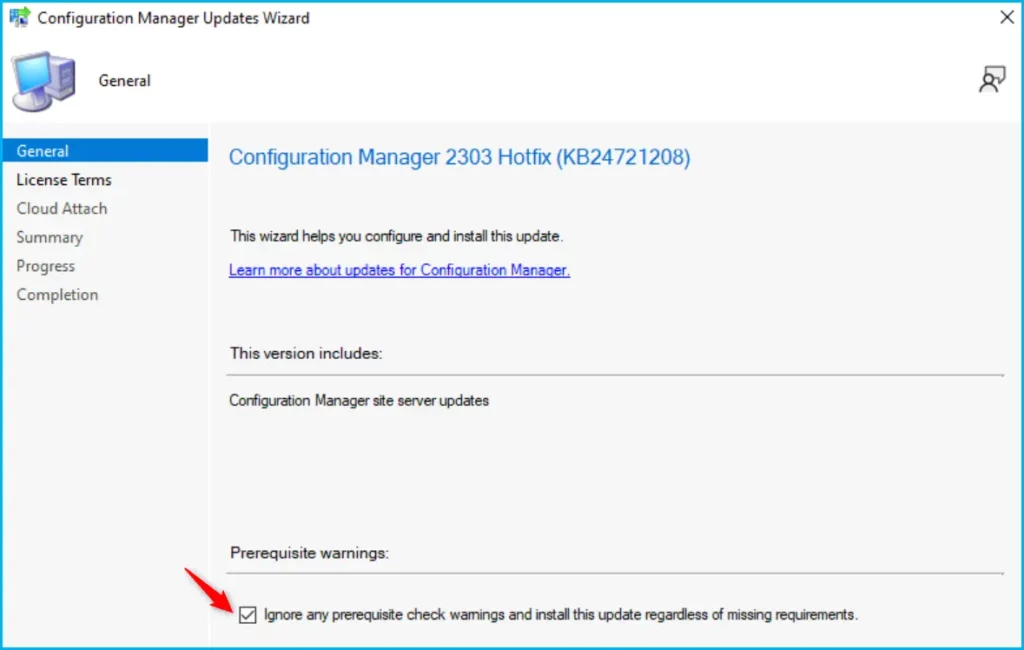
The Configuration Manager 2303 Hotfix (KB24721208) includes Configuration Manager site server updates. You can check the option “Ignore any prerequisite check warnings and install the update” for prerequisite warnings. Click Next.
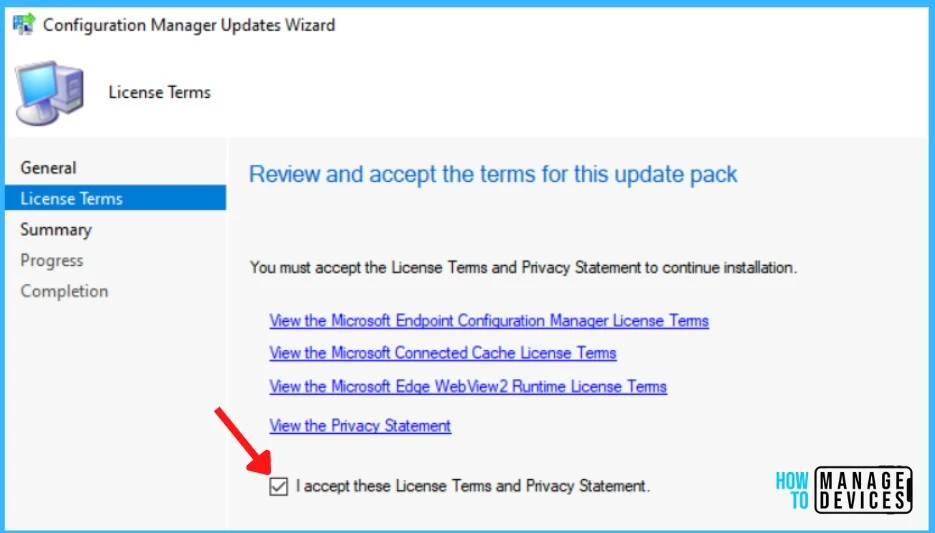
The next step is to Review and Accept the license for this update pack, You must accept the license terms and privacy statement to continue installation and click Next to continue.
On the next screen, you may be prompted to enable Cloud Attach for Configure upload and Microsoft Defender for Endpoint. If you have not opted for it and want to configure it, you can proceed to enable it.
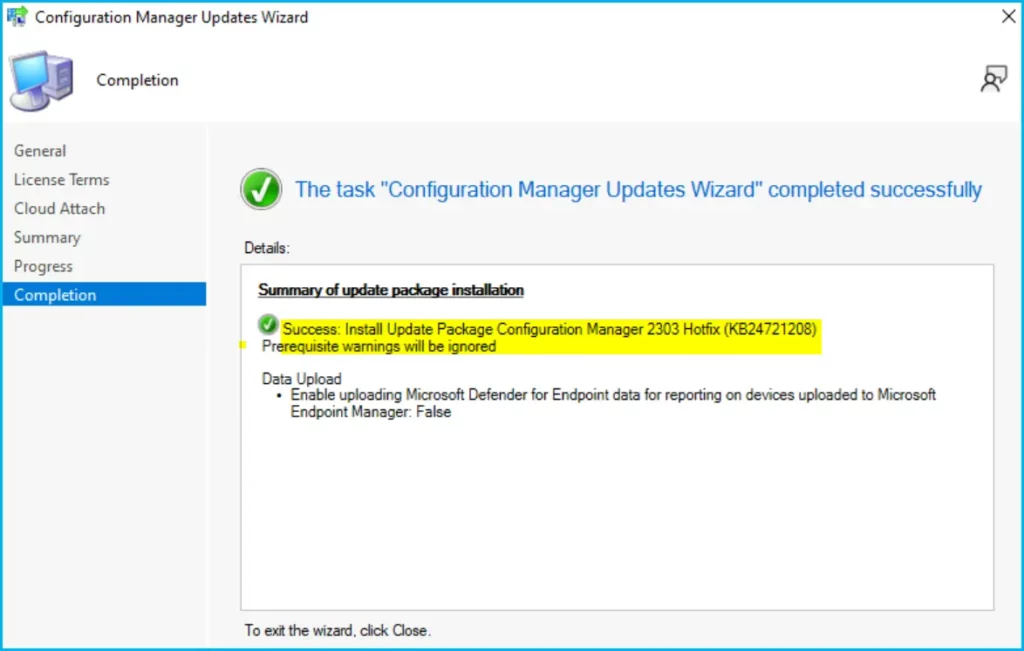
Here you can check the Summary of the updated package installation and Click on Close to complete Configuration Manager Updates Wizard.
Summary of update package installation Success: Install Update Package Configuration Manager 2303 Hotfix Rollup (KB24721208)
Prerequisite warnings will be ignored
Data Upload Enable uploading Microsoft Defender for Endpoint data for reporting on devices uploaded to Microsoft Endpoint Manager: False
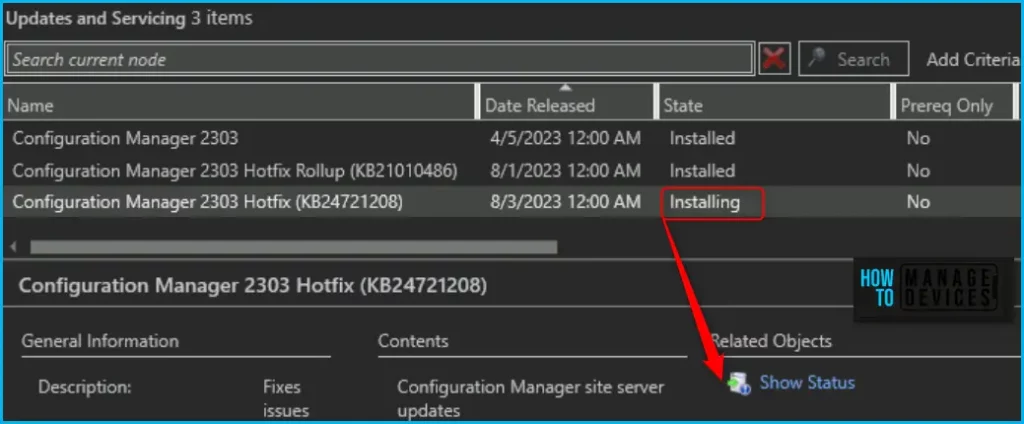
Once you complete the wizard, You will notice the status of Configuration Manager 2303 Hotfix (KB24719670) is installing. To get the details installation status, click on Show Status. You will be redirected to the Monitoring section in the below section.
Verification of Successful Installation of KB24719670 Hotfix
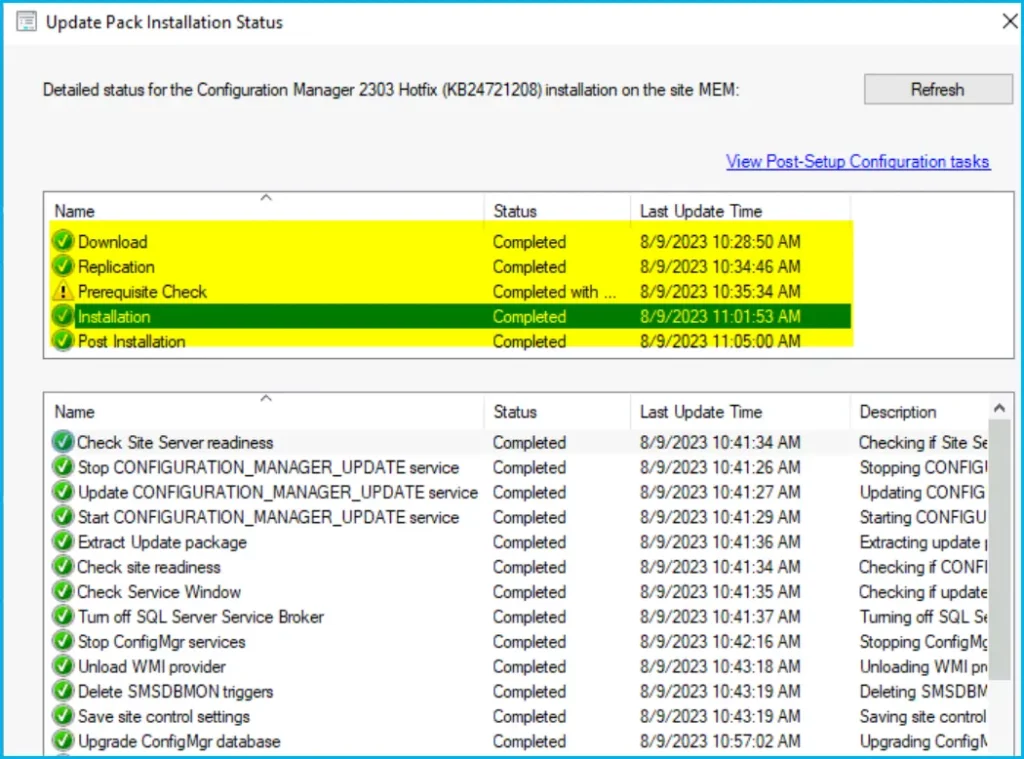
Let’s check the detailed status for the Hotfix Installation, following are the verification steps for SCCM 2303 Hotfix KB24719670.
- In Configuration Manager Console, Navigate to the Monitoring workspace.
- \Monitoring\Overview\Updates and Servicing Status\Configuration Manager 2303 Hotfix (KB24719670).
You can also review the cmupdate.log to know the hotfix installation progress. You can confirm the successful installation of Configuration Manager 2303 Hotfix (KB24719670) from the console, \Administration\Overview\Updates and Servicing.
NOTE! This update does not require a computer restart or a site reset after installation.
SCCM Console Version
The SCCM Console version will remain unchanged If you already opted previous rollup update KB24719670.
| Component | Version |
|---|---|
| Configuration Manager console | 5.2303.1089.1300 |
| Client | 5.0.9106.1015 |
Read More on SCCM Versions – SCCM Versions Build Numbers Client Console Site
Install Hotfix Rollup KB24721208 on Secondary Server
You can follow the steps to install 2303 Hotfix Rollup (KB24719670) on ConfigMgr (a.k.a SCCM) secondary servers. The following blog posts provide more details about the secondary server installation, troubleshooting, and update installation, Recommended Post.
- SCCM Secondary Server Hotfix Installation Guide | ConfigMgr
- Check SCCM Secondary Server Hotfix Installation Status
After installing this update on a primary site, pre-existing secondary sites must be manually updated. To update a secondary site in the Configuration Manager console.
Select Administration > Site Configuration > Sites > Recover Secondary Site, and then select the secondary site. The primary site then reinstalls that secondary site by using the updated files.
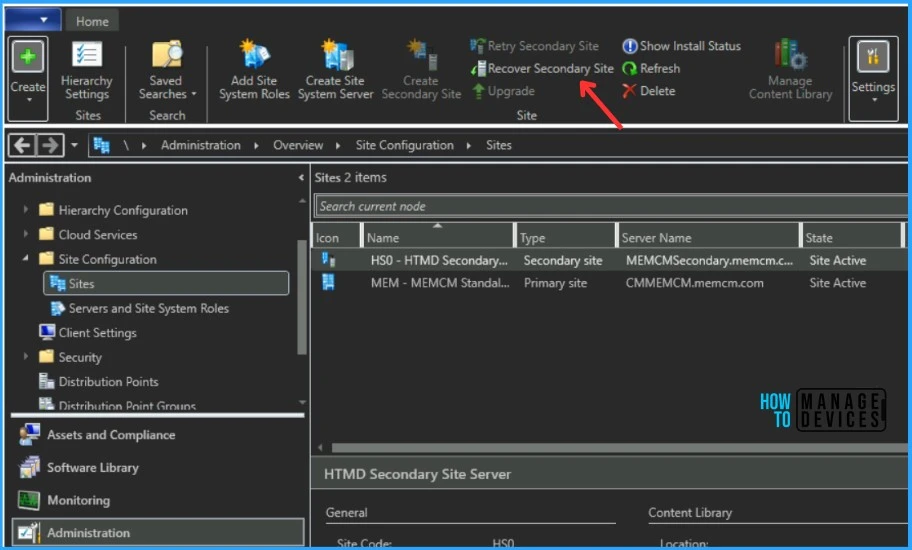
Configurations and settings for the secondary site aren’t affected by this reinstallation. The new, upgraded, and reinstalled secondary sites under that primary site automatically receive this update.
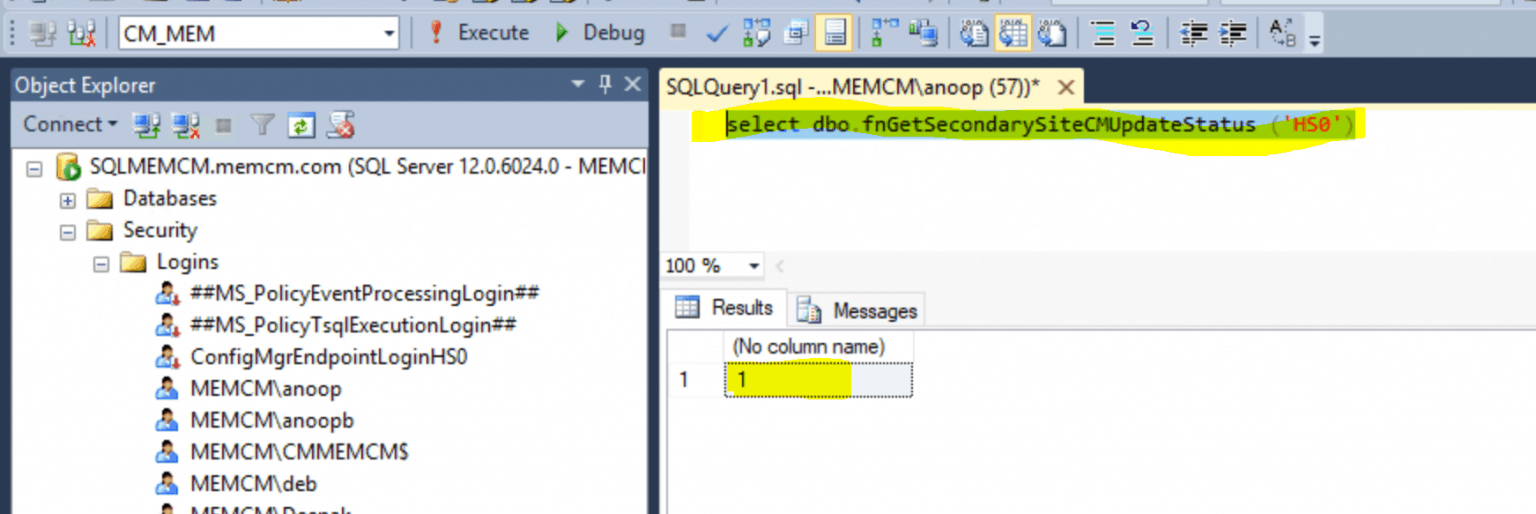
Run the following SQL Server command on the site database to check whether the updated version of a secondary site matches that of its parent primary site:
select dbo.fnGetSecondarySiteCMUpdateStatus ('SiteCode_of_secondary_site')If the value 1 is returned, the site is up to date, with all the hotfixes applied on its parent primary site. If the value 0 is returned, the site has not installed all the fixes applied to the primary site, and you should use the Recover Secondary Site option to update the secondary site.
Author
About Author – Jitesh, Microsoft MVP, has over six years of working experience in the IT Industry. He writes and shares his experiences related to Microsoft device management technologies and IT Infrastructure management. His primary focus is Windows 10/11 Deployment solution with Configuration Manager, Microsoft Deployment Toolkit (MDT), and Microsoft Intune.




Discussion