






Latest Fixes for SCCM 2303 KB24719670 Hotfix Update Rollup
Let’s see the latest SCCM 2303 KB24719670 Hotfix Update Rollup Update fixes. Microsoft released the first hotfix rollup update for Configuration Manager 2303 to address important issues. Microsoft released a new Rollup update for SCCM2303 – KB24719670.
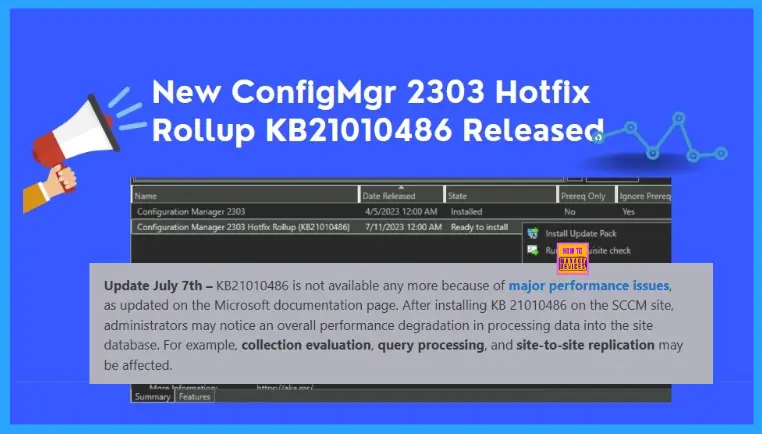
Update August 7th – KB21010486 is not available any more because of major performance issues, as updated on the Microsoft documentation page. After installing KB 21010486 on the SCCM site, administrators may notice an overall performance degradation in processing data into the site database. For example, collection evaluation, query processing, and site-to-site replication may be affected.
How to fix performance issues for already installed customers? The update rollup KB21010486 is currently unavailable, and a revised rollup and a standalone update for customers that have already installed KB 21010486 will be referenced here when available.
This update KB24719670 is available in the Updates and Servicing node of the Configuration Manager console for environments installed using an early update ring or globally available builds of version 2303.

The Update Rollup applies to both those who opted in through a PowerShell script to the early update ring deployment and those who installed the globally available release.
A unique KB number identifies each Update Rollup, and the updates are cumulative, meaning each rollup includes all the fixes from the previous ones. The update KB24719670 applies to installations from packages that have the following GUIDs:
- 2B85942D-2F3A-4B8C-AFA7-20C37E3BB266
- 1A251438-E9B5-42EF-8AAC-48B6E1790D9F
When installing a new site, the 2303 version of SCCM is available as a baseline version. The Microsoft Configuration Manager 2303 includes all the previously released hotfixes and out-of-band updates. When you upgrade to SCCM 2303, you don’t need to install any of these updates before upgrading it.
Summary of Hotfix SCCM 2303 KB24719670
An Update rollup is available to fix the following issues, here is the list of issues that are fixed and addressed in this update rollup for SCCM’s current branch, version 2303.
- The SCCM console terminates unexpectedly when saving changes to a custom Software Center client setting created before version 2111.
- The Enable Bitlocker task sequence step fails when used in combination with the PROVISIONTS parameter. This happens if the option to escrow the recovery key is enabled. Errors Failed to CreateRecoveryPassword (0x800401F3) Failed to configure key protection (0x800401F3) are recorded in the smsts.log file.
- Active Directory Group Discovery data records (DDRs) are rejected for clients that are discovered first by the Heartbeat Discovery method. The error appeared in the ddm.log file on the site server.
DDR timestamp of "5/7/2023 3:05:02 AM" for agent "SMS_AD_SECURITY_GROUP_DISCOVERY_AGENT" is older than existing record's timestamp of "5/7/2023 12:22:15 PM" - The SCCM console terminates with a System.ArgumentOutOfRangeException message when comparing string and array data using the Create Scripts feature.
- Windows Defender Exploit Guard – Attach Surface Reduction (ASR) policies don’t apply as expected to Windows Server operating systems.
- User collections based on Azure Active Discovery won’t contain Hybrid users after a full discovery cycle runs.
- Active Directory Group discovery data incorrectly supersedes Azure Active Directory Group discovery data, leading to inconsistencies in reporting and collection structure.
- The SMS_CLOUD_PROXYCONNECTOR role goes dormant after a cloud management gateway (CMG) is offline for upgrades or maintenance. When this happens, clients are unable to connect to the CMG until the SMS Executive service is restarted.
- The SMS Executive service periodically uses 100% of available CPU time on cloud management gateway instances. This sometimes happens after a CMG instance is restarted.
- Windows updates using the Unified Update Platform (UUP) may fail to download during an OS deployment task sequence. Errors Failed on startup task, error code 80070057 DeltaDownloadShutdownTask task is starting shown in the DeltaDownload.log when this happens.
- Additional synchronizations may unexpectedly delete the group members after synchronizing collection members to Azure AD groups. Additionally, in large environments, the synchronization process may not be complete when both AD user discovery and Azure AD User discovery are both enabled and run with overlapping schedules.
- The size of the patchdownloader.log file is now configurable; it was previously limited to 1 megabyte (MB). The new default size is 5 MB and is configurable by modifying or creating the following registry key:
HKEY_LOCAL_MACHINE\Software\Microsoft\CCM\Logging\PatchDownloaderDWORD LogMaxSizeValue - size in bytesInstall SCCM 2303 KB21010486 Hotfix Update Rollup
Let’s follow the steps below to Install SCCM 2303 Hotfix KB21010486. The installation process is straightforward. The Summary of the SCCM 2303 KB21010486 installation is given below.
As per the latest update by Microsoft, The following issue was reported by customers after the initial update rollup release on July 24, 2023:
- After installing KB 21010486, administrators may notice an overall performance degradation in processing data into the site database. For example, collection evaluation, query processing, and site to site replication may be affected.
The update rollup is currently unavailable; a revised rollup and a standalone update for customers that already installed KB 21010486 will be referenced when available.
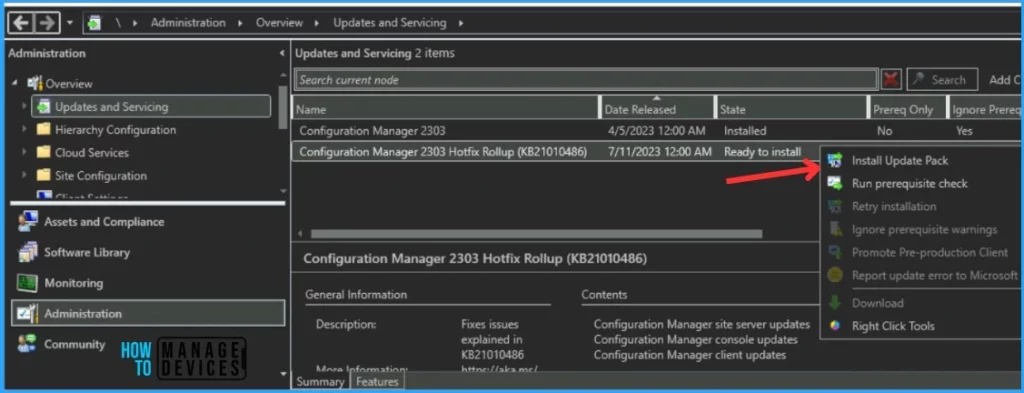
- Launch the SCCM console. Navigate to Administration > Updates and Servicing.
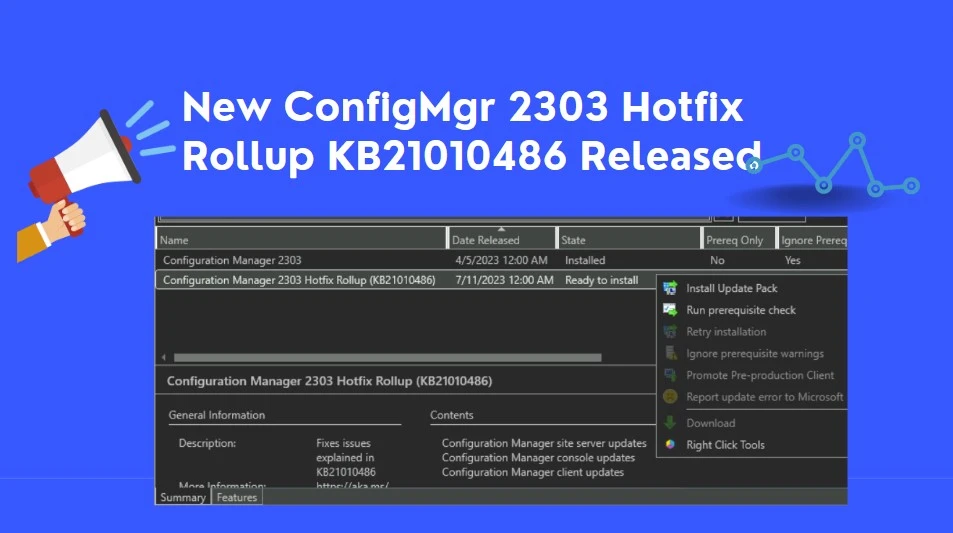
- The update Configuration Manager 2303 Hotfix (KB24719670) is Ready to install stage.
- Right-click Configuration Manager 2303 Hotfix KB24719670 and click Install Update Pack.
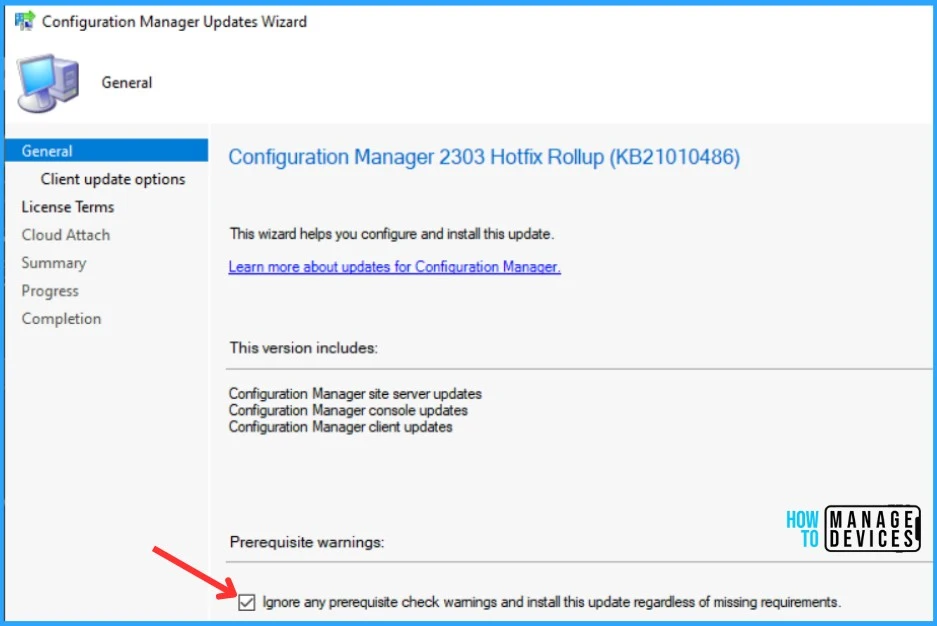
The Configuration Manager 2303 Hotfix (KB24719670) includes Configuration Manager site server updates. You can check the option “Ignore any prerequisite check warnings and install the update” for prerequisite warnings. Click Next.
In the Client Update Settings. You can upgrade your clients immediately or validate this client in a pre-production collection before you upgrade all your SCCM Clients. I selected the option Upgrade without validating for LAB and Clicking on Next.
More details about the pre-prod client testing option are given in the following post, SCCM Client Upgrade – Promote Pre-Production Client To Production
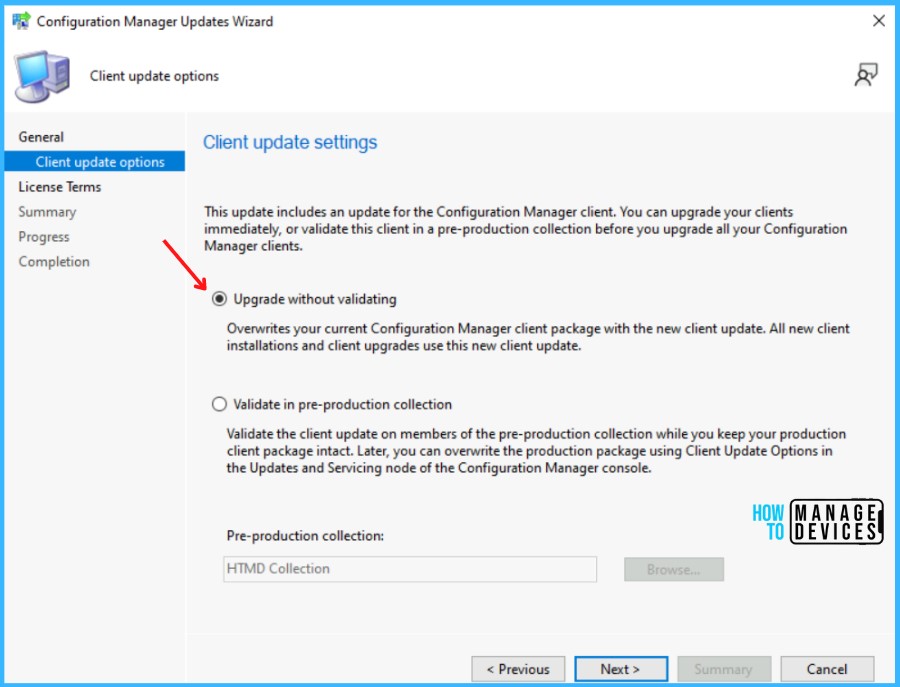
The next step is to Review and Accept the license for this update pack, You must accept the license terms and privacy statement to continue installation and click Next to continue.
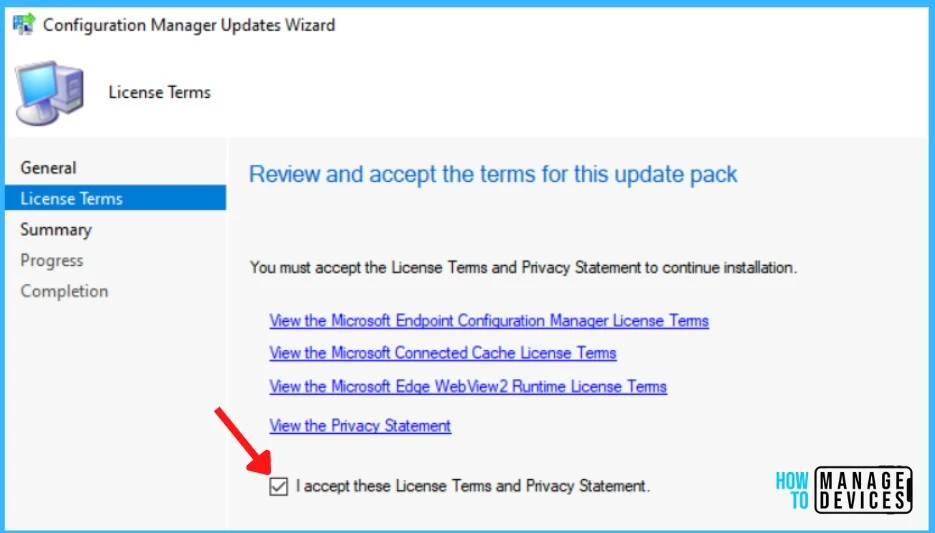
On the next screen, you may be prompted to enable Cloud Attach for Configure upload and Microsoft Defender for Endpoint. If you have not opted for it and want to configure it, you can proceed to enable it.
Here you can check the Summary of the updated package installation and Click on Close to complete Configuration Manager Updates Wizard.
Summary of update package installation Success: Install Update Package Configuration Manager 2303 Hotfix Rollup (KB24719670)
Prerequisite warnings will be ignored
Test new version of the client in production
Data Upload Enable uploading Microsoft Defender for Endpoint data for reporting on devices uploaded to Microsoft Endpoint Manager: False
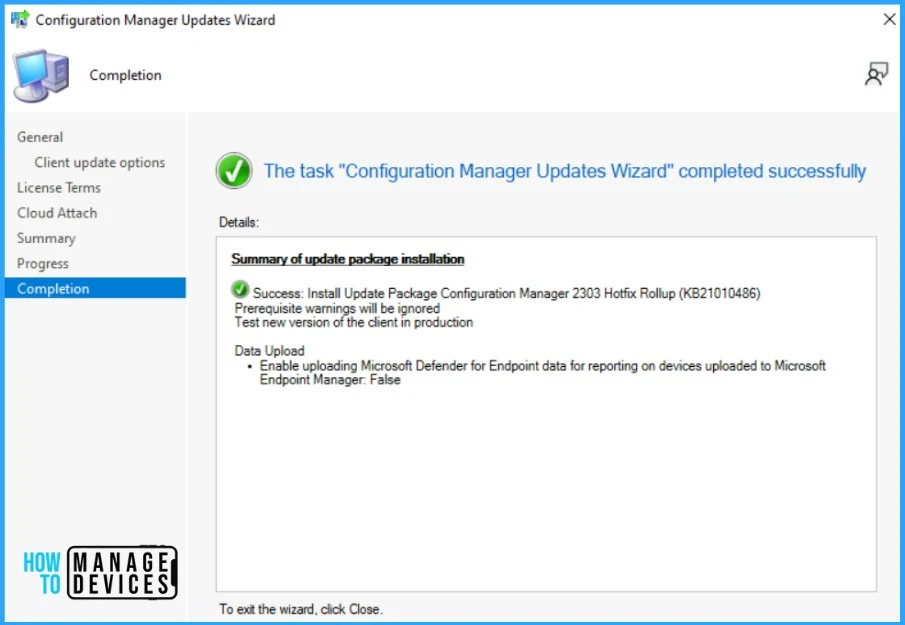
Verification of Successful Installation of SCCM 2303 KB24719670
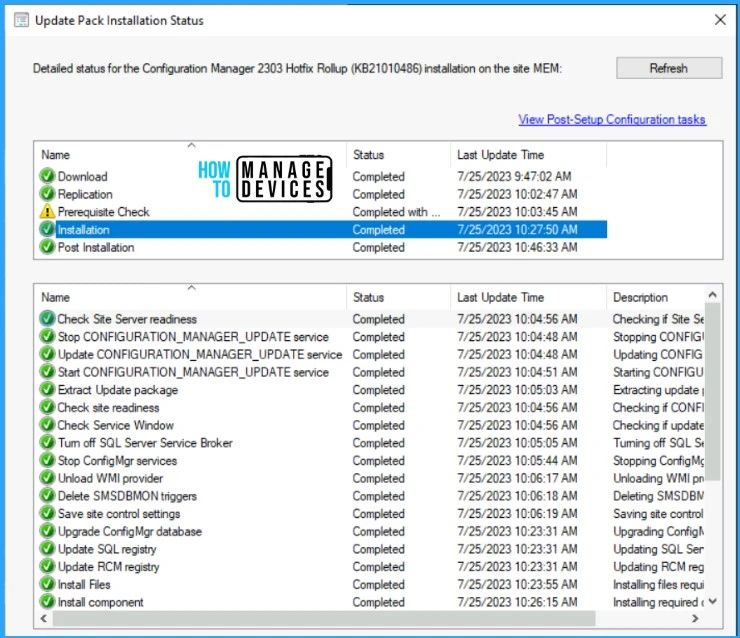
Let’s check the detailed status for the Hotfix Installation, following are the verification steps for SCCM 2303 Hotfix KB21010486.
- In Configuration Manager Console, Navigate to the Monitoring workspace.
- \Monitoring\Overview\Updates and Servicing Status\Configuration Manager 2303 Hotfix (KB24719670).
You can also review the cmupdate.log to know the hotfix installation progress. You can confirm the successful installation of Configuration Manager 2303 Hotfix (KB21010486) from the console, \Administration\Overview\Updates and Servicing.
NOTE! This update does not require a computer restart or a site reset after installation.
SCCM Console Upgrade
Let’s see how to upgrade the SCCM console to the 5.2303.1089.1300 Version. After successfully installing the Hotfix Rollup (KB21010486), the console presents you with a pop-up on the upgrade. Click on the OK button to continue with the SCCM admin console upgrade.
Read More on SCCM Versions – SCCM Versions Build Numbers Client Console Site
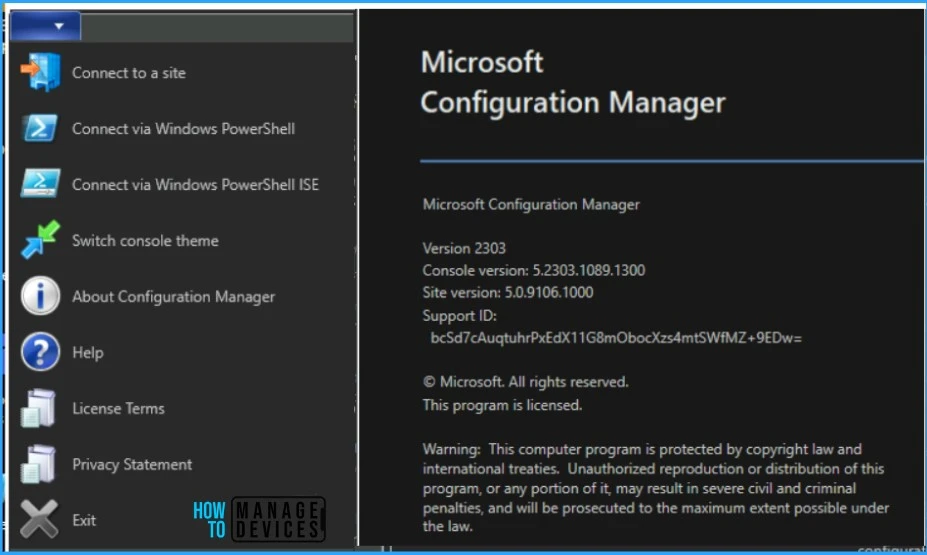
A UAC prompt might appear to allow start downloading the required files. Click on Yes and wait for some time to finish the console upgrade. The following major components are updated to the versions specified:
| Component | Version |
|---|---|
| Configuration Manager console | 5.2303.1089.1300 |
| Client | 5.0.9106.1015 |
SCCM Client Version
The ConfigMgr Hotfix Rollup (KB21010486) updates the production client version to 5.0.9106.1015. You can also check more details on SCCM Client Upgrade Promote Pre-Production Client to Production.
Install Hotfix Rollup KB24719670 on Secondary Server
You can follow the steps to install 2303 Hotfix Rollup (KB24719670) on ConfigMgr (a.k.a SCCM) secondary servers. The following blog posts provide more details about the secondary server installation, troubleshooting, and update installation, Recommended Post.
- SCCM Secondary Server Hotfix Installation Guide | ConfigMgr
- Check SCCM Secondary Server Hotfix Installation Status
After installing this update on a primary site, pre-existing secondary sites must be manually updated. To update a secondary site in the Configuration Manager console.
Select Administration > Site Configuration > Sites > Recover Secondary Site, and then select the secondary site. The primary site then reinstalls that secondary site by using the updated files.
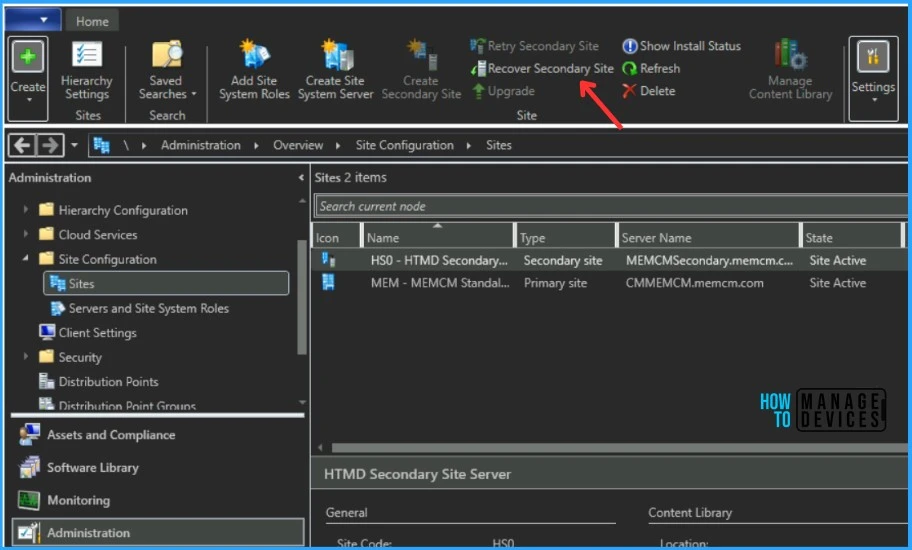
Configurations and settings for the secondary site aren’t affected by this reinstallation. The new, upgraded, and reinstalled secondary sites under that primary site automatically receive this update.
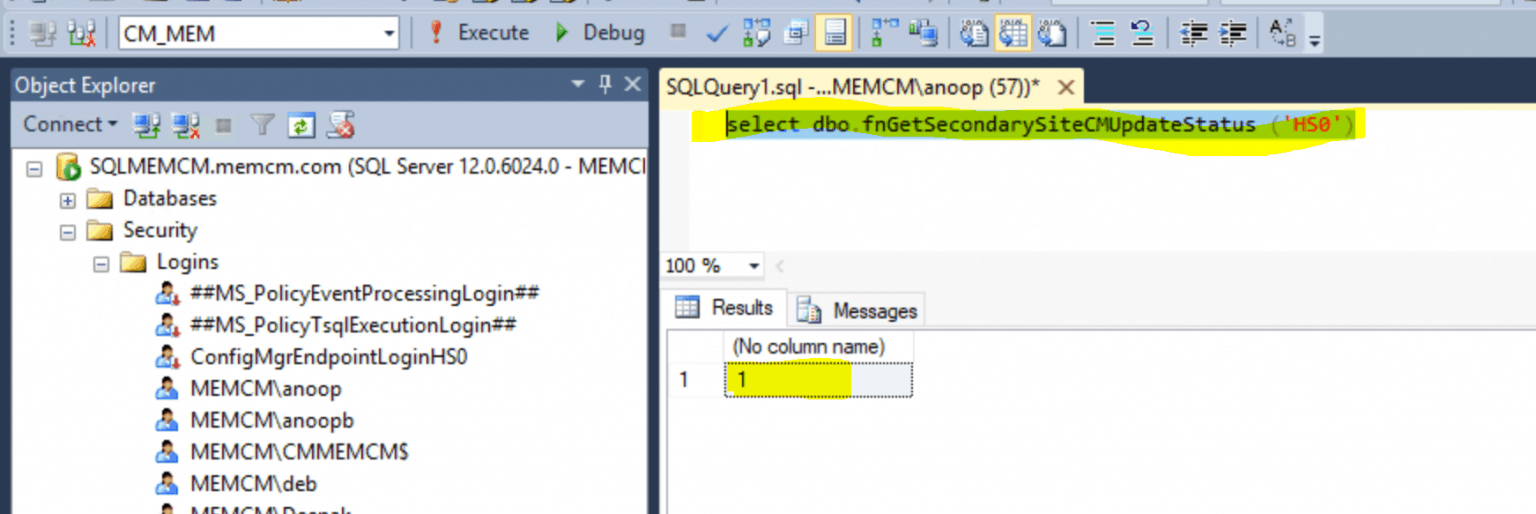
Run the following SQL Server command on the site database to check whether the updated version of a secondary site matches that of its parent primary site:
select dbo.fnGetSecondarySiteCMUpdateStatus ('SiteCode_of_secondary_site')If the value 1 is returned, the site is up to date, with all the hotfixes applied on its parent primary site. If the value 0 is returned, the site has not installed all the fixes applied to the primary site, and you should use the Recover Secondary Site option to update the secondary site.
Author
About Author – Jitesh, Microsoft MVP, has over six years of working experience in the IT Industry. He writes and shares his experiences related to Microsoft device management technologies and IT Infrastructure management. His primary focus is Windows 10/11 Deployment solution with Configuration Manager, Microsoft Deployment Toolkit (MDT), and Microsoft Intune.




after upgrading to 2303 without the hotfix I started to received across all my clients “Could not retrieve value for MDM_ConfigSetting . Error 0x80041002” and exiting with code 7 on ccmsetup, I have my clients to Autoupdate, so I’m not sure if it was the update or something else. I’m installing the hotfix to see if it solve the issue.