






How to Perform SCCM AD Discovery Install SCCM Client
Let’s discuss how to Perform SCCM AD Discovery and Install SCCM Client. In the previous post, I covered the installation of SCCM/ConfigMgr 1702 infrastructure. This post will see the following SCCM AD Discovery and SCCM Client installation.
How can we perform SCCM CB AD discovery? Can we discover the devices and users from the on-prem Active Directory? And how can we manage the devices discovered from AD? Discovery Methods: Configure the methods to find resources. Client Push installation requires that resources first be discovered.
NOTE! – I usually use Active Directory System Discovery and Active Directory User Discovery to find the resources (users and systems) from Active Directory.
We must enable Active Directory System Discovery to discover all the devices from on-premise AD. SCCM will collect all the system records from AD and create a record in SCCM CB. SCCM will create the system record only when the SCCM server can find an IP in the DNS record of that system and can ping the system.

- List of Issues Fixed with SCCM 2403 KB26186448
- SCCM Life Cycle – End of Support Dates for SCCM CB Current Branch
- New Key Features of SCCM 2309 | Top Improvements
- SCCM 2403 New Key Features and Improvements
- Free SCCM Training 37 Hours of Latest Technical Content Lab Setup
Table of Contents
How to Perform SCCM CB AD Discovery? How to Perform SCCM AD Discovery Install SCCM Client
SCCM 2007 AD system discovery Flowchart. Adsysdis.log is the log file where you can find more details about the discovery. You can specify an Active Directory container to search during the discovery process.
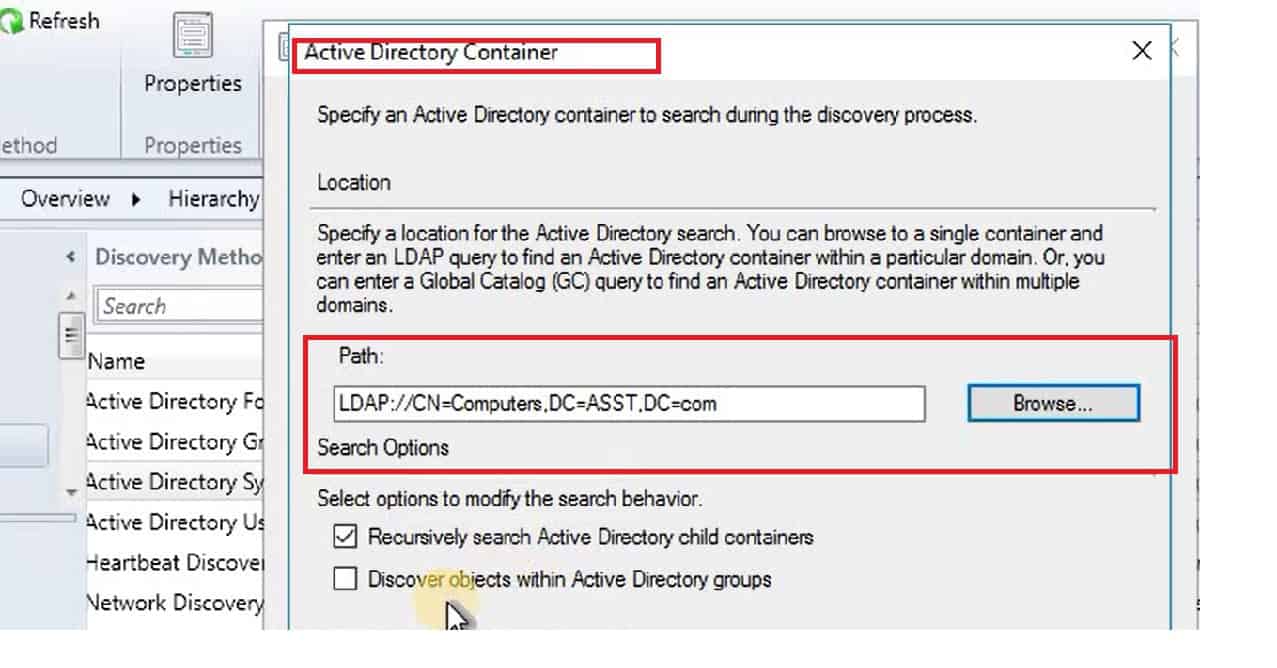
SCCM AD User Discovery should be enabled when deploying apps and policies to user-based collections. The log file Adusrdis.log provides more details about SCCM AD User Discovery.
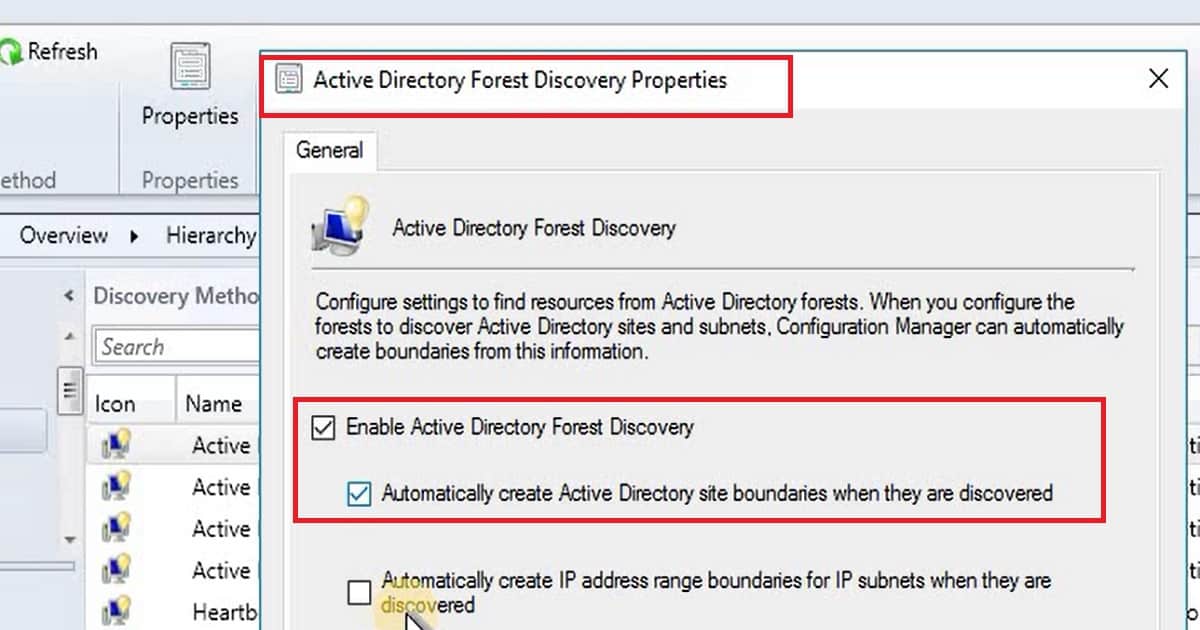
Another Discovery that I enabled in my SCCM LAB environment is “Active Directory Forest Discovery” to create the SCCM CB boundaries in your CB environment.
| Active Directory Forest Discovery Properties |
|---|
| Enable Active Directory Forest Discovery |
| Enable Automatically create Active Directory site Boundaries when they are discovered |
What are the Prerequisites before Installing SCCM CB Clients on Devices?
So, now you can discover the devices, users, and AD Site Boundaries from on-prem AD. The next step is to manage these devices using SCCM infra.
I would first create an SCCM “Boundary Group” and add the required boundaries to that particular boundary group. The above video tutorial discusses more details about the creation and assignment of Boundary groups.
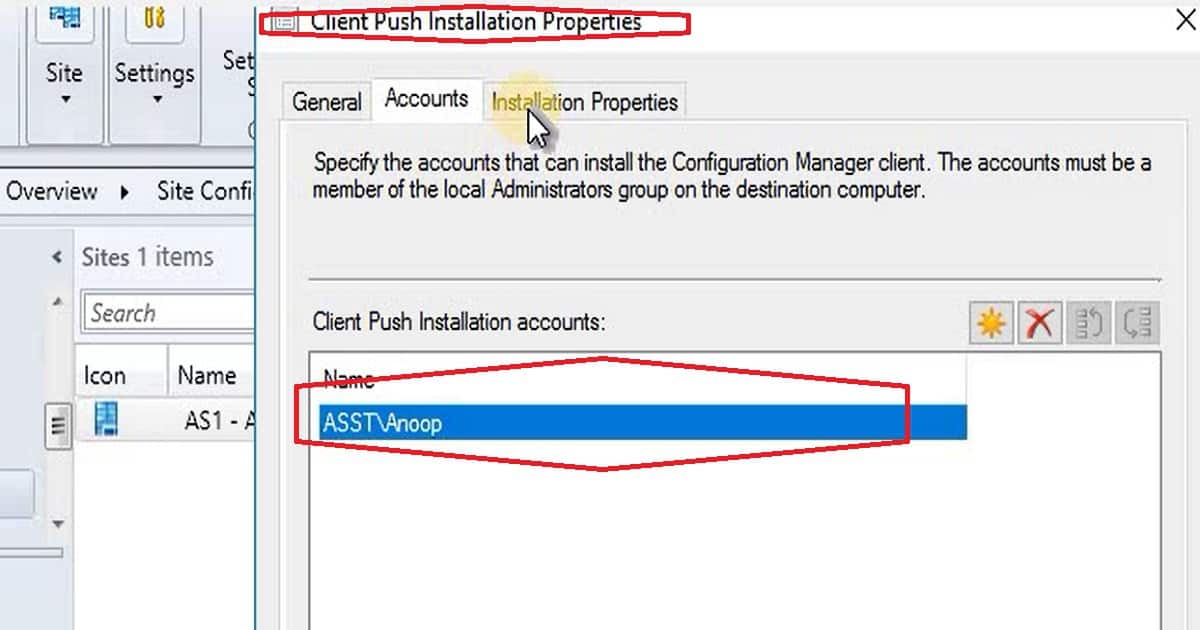
Another vital configuration we need to take care of before installing SCCM CB clients on a discovered system is setting up a “Network Access Account” and “Client Push Installation Account“.
SCCM Client Installation to Manage AD Discovered Systems
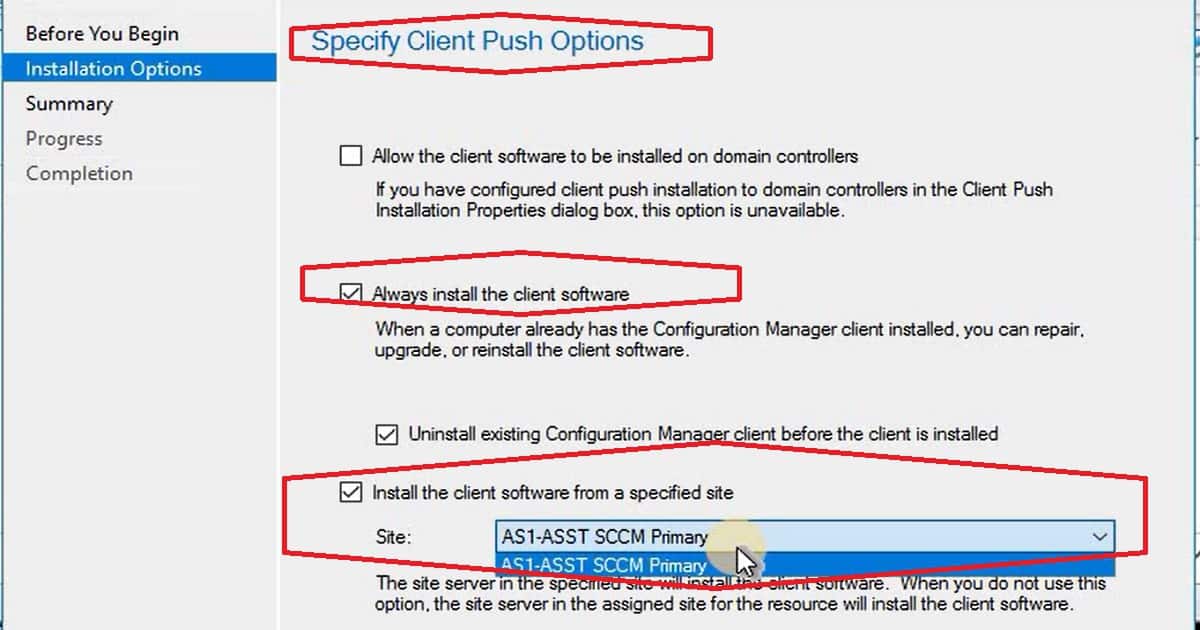
We need to install SCCM Client software to manage discovered systems from AD. There are loads of options for installing the client on the discovered devices. You can use the AD Group policy to install SCCM CB clients; a client can be installed as part of the OSD process, or It can be installed using the Client Push method.
The client push method has some drawbacks, such as the need for Admin$ access. The best option is to use the AD group policy client installation method.
Resources
We are on WhatsApp now. To get the latest step-by-step guides, news, and updates, Join our Channel. Click here. HTMD WhatsApp.
Author
Anoop C Nair is Microsoft MVP! He is a Device Management Admin with more than 20 years of experience (calculation done in 2021) in IT. He is a Blogger, Speaker, and Local User Group HTMD Community leader. His main focus is on Device Management technologies like SCCM 2012, Current Branch, and Intune. He writes about ConfigMgr, Windows 11, Windows 10, Azure AD, Microsoft Intune, Windows 365, AVD, etc.




Discussion