






Fix SCCM Default IIS Configurations DP MP Troubleshooting Issues ConfigMgr Configuration Manager
How do I fix SCCM Default IIS Configurations DP MP Troubleshooting Issues ConfigMgr Configuration Manager? I think this post will help us understand the default settings of IIS when it’s installed and configured by SCCM / ConfigMgr vNext (2016) itself.
The IIS role is installed and configured by SCCM when you install the DP site system server role. These are the IIS configurations of the SCCM vNext TP 3 lab. I’ve seen SCCM admins change the IIS settings manually to work around some issues.
Introduction—Fix SCCM Default IIS Configurations DP Troubleshooting Issues—However, it’s hard to find the default settings of a freshly installed SCCM server once we change IIS configurations. This post may help in those situations. The version of IIS is IIS 8.
One of our posts shows how to Install SCCM DP on Windows 11. This post also details Configuration Manager Distribution Point configuration and troubleshooting tips. Install ConfigMgr PXE Server on Windows 11.

| Index |
|---|
| Fix SCCM Default IIS Configurations DP MP Troubleshooting Issues ConfigMgr Configuration Manager |
| DP Troubleshooting Issues ConfigMgr Configuration Manager |
- Latest Fixes for SCCM 2207 KB15152495 Hotfix Update Rollup
- FIX SCCM Update Not Available Issue Error 2146233079
- Fix SCCM Updates and Servicing Issue with CMUpdateReset Tool
- Fix to SCCM CB Redist Download Issue
- CM Update Reset Tool Fixes SCCM CB Update Download Issue
Fix SCCM Default IIS Configurations DP MP Troubleshooting Issues ConfigMgr Configuration Manager
Let’s discuss the Fix SCCM Default IIS Configurations DP MP Troubleshooting Issues ConfigMgr Configuration Manager. Fix for SCCM Default IIS Configurations DP MP Troubleshooting Issues are explained below in detail.
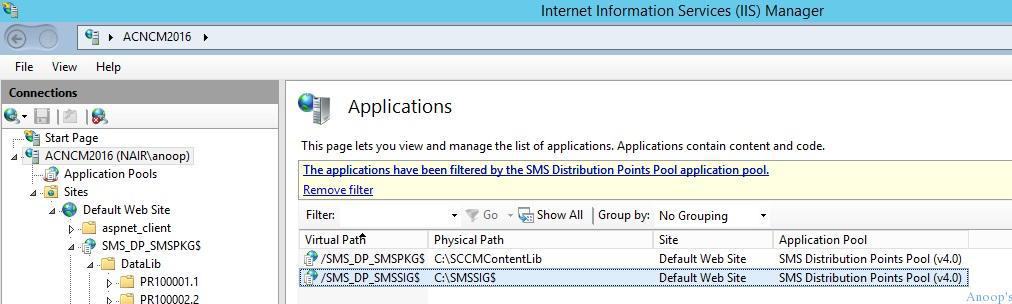
The two applications created in IIS for SCCM DP are content and signature files. The table below provides more details.
| Two Applications Created in IIS for SCCM DP |
|---|
| ACNCM2016\Sites\Default Web Site\SMS_DP_SMSPKG$ |
| ACNCM2016\Sites\Default Web Site\SMS_DP_SMSSIG$ |
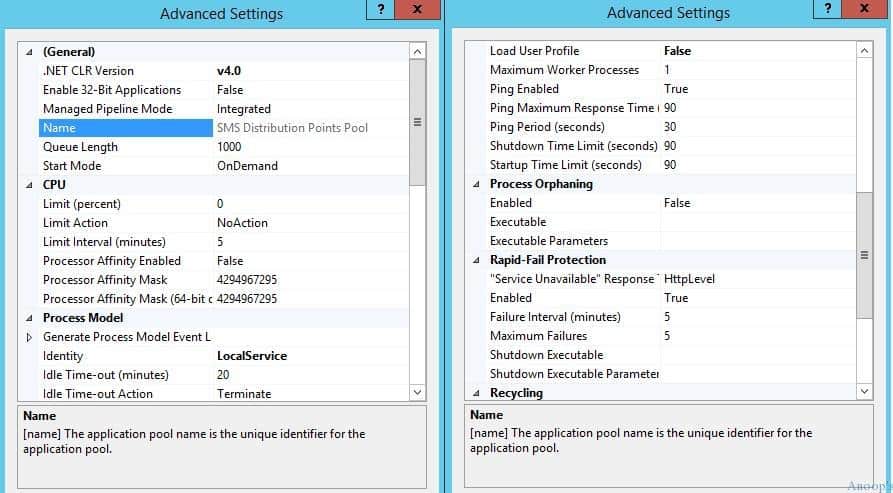
The screenshot below helps you see the Advanced settings. The Advanced settings include different tabs, such as General settings, CPU, Process Model, Process orphaning, etc.
DP Troubleshooting Issues ConfigMgr Configuration Manager
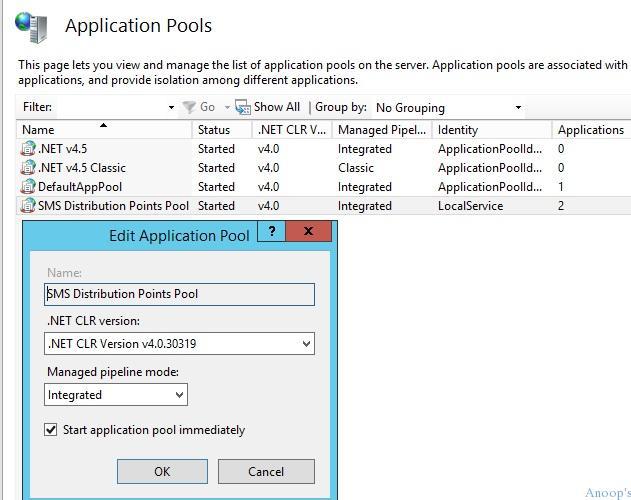
SMS Distribution Points Pool Application advanced settings. .NET CLR Version is v4.0, Enabled 32-Bit Applications = False, Managed Pipeline Mode = Integrated. SMS Distribution Points Pool Application Basic Setting.
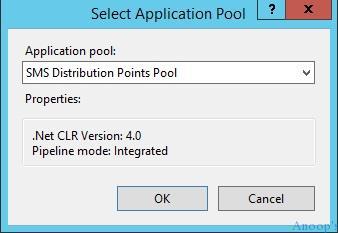
SCCM IIS Application Pool settings:- SMS Distribution Points Pool – Identity is LocalService, and this application pool is assigned to 2 applications.
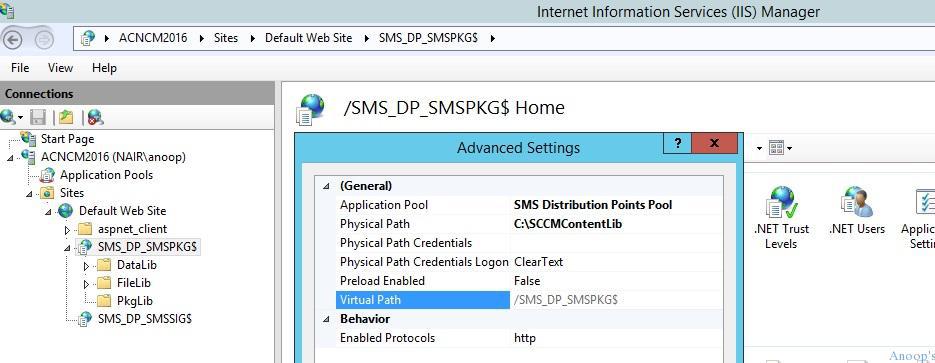
Two Virtual directories are created in IIS for SCCM DP: SMS_DP_SMSPKG$ and subfolders where SCCM applications and Packages’ contents are stored—DataLib, FileLib, and PkgLib! SMS_DP_SMSSIG$ is the signature folder.
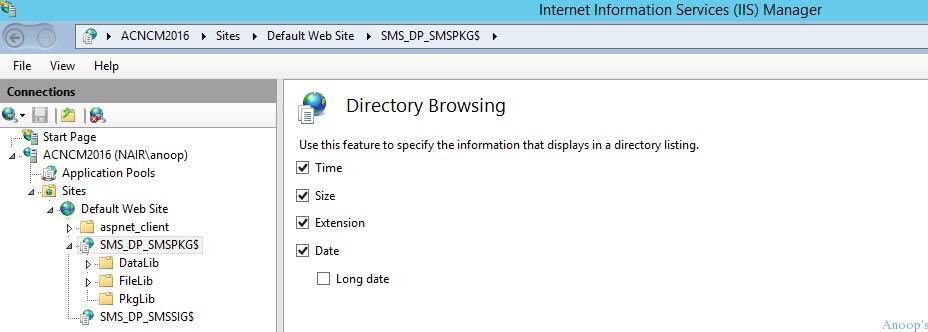
Directory Browsing is enabled for these virtual directories of package content. Use the Directory Browsing feature to specify the information displayed in a directory listing.
Authentication of SCCM-related IIS virtual folders is also essential. Windows Authentication is the only authentication method IIS enables kernel-mode authentication.
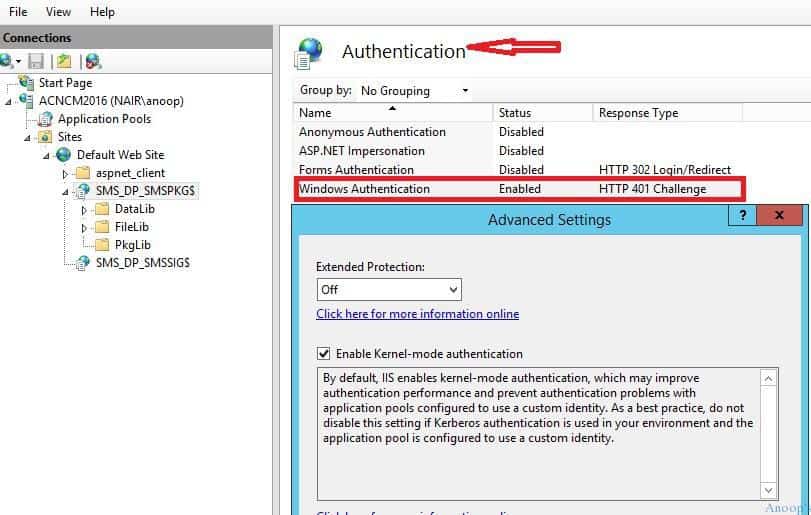
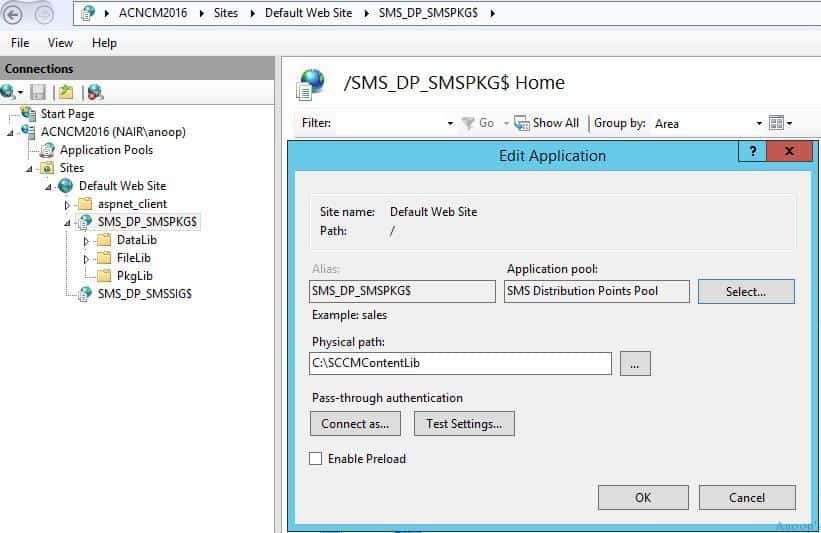
Edit SCCM IIS-related applications using the following:- We can test the authentication and connectivity from this IIS wizard.
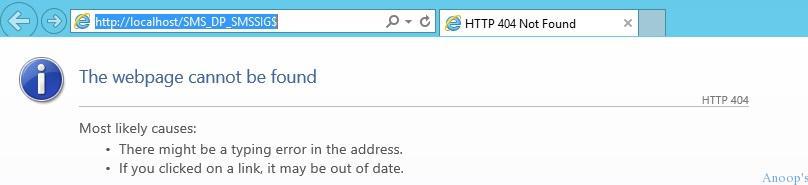
Websites of the root virtual folders like SMS_DP_SMSPKG$ and SMS_DP_SMSSIG$:- 404 not found error. Browse options won’t work! http://localhost/SMS_DP_SMSPKG$ and http://localhost/SMS_DP_SMSSIG$.
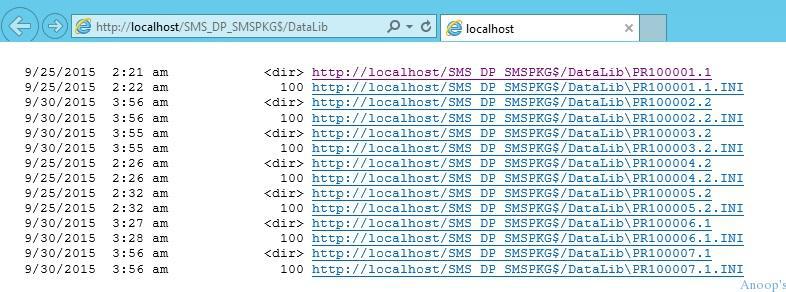
The browse the IIS website option will work for SCCM content library folders like – DataLib, FileLib, and PkgLib.
- http://localhost/SMS_DP_SMSPKG$/DataLib
- http://localhost/SMS_DP_SMSPKG$/FileLib
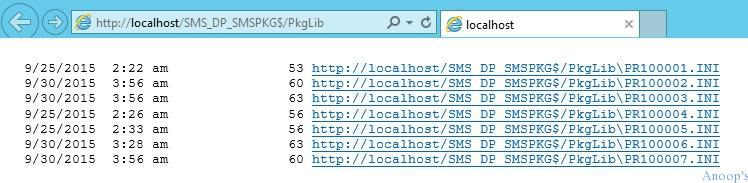
- http://localhost/SMS_DP_SMSPKG$/PkgLib
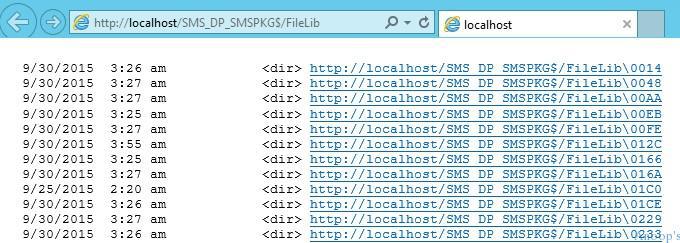
The screenshot below helps you show the http://localhost/SMS_DP_SMSPKG$/FileLib specific location or resource within an SCCM infrastructure.
The screenshot below helps you show the http://localhost/SMS_DP_SMSPKG$/PkgLib specific location or resource within an SCCM infrastructure.
Resources
SCCM Related Posts Real World Experiences Of SCCM Admins
We are on WhatsApp now. To get the latest step-by-step guides, news, and updates, Join our Channel. Click here. HTMD WhatsApp.
Author
Anoop C Nair is Microsoft MVP! He is a Device Management Admin with more than 20 years of experience (calculation done in 2021) in IT. He is a Blogger, Speaker, and Local User Group HTMD Community leader. His main focus is on Device Management technologies like SCCM 2012, Current Branch, and Intune. He writes about ConfigMgr, Windows 11, Windows 10, Azure AD, Microsoft Intune, Windows 365, AVD, etc.




Hello Anoop,
This is really nice and informative blog.
Can you also share some documentation about IIS configuration for WSUS for IBCM facing server where SSL will be enabled?
Many thanks,
Manish
Really most odd statements here:
Browse IIS website option will work for SCCM content library folders like – DataLib, FileLib and PkgLib
That will not happen on default install! Not on localhost & not across network
One will ALWAYS get 403 – Forbidden: Access is denied.
Hi Anoop,
I have faced an issue in Windows deployment after version upgrade. error was “8007002” in task sequence. I have opened the client deployment log and find the error was IIS 404 in “propfind /sms_dp_smspkg$/”. i went through this page and confirmed the values are equal to my settings. finally i found that “SCCMContentLib” folder permission was missed for IIS/Users. i have added users with read permission and my issue is resolved. You may add a line for checking the NTFS security of the mentioned folder in you blog.
Thanks Anoop for giving a hint
Regards
Vinod
Hi Anoop
I am having an issue with iis certificate being expired.
I have sccm server 2012 and the iis certificate has expired.
I generated a new certificate. However, when I import the new certificate I get an error:
Mismatched Address
I believe I generated the cert. with the wrong information.
Should I use https://localhost as the CN
OMG, this was article was a life saver for me. I was facing many issues in my SCCM after check that i could fix Thank you so much Anoop
In my cause the tick for “Require SSL” was missing in SSL Settings. This caused that http://servername/SMS_DP_SMSPKG$ returned HTTP Code 404 instead of Code 403.
How about adding Part II and go over all the details when configuring your DP’s using https/certificates therefore explaining the authentication that goes on for the following virtual directories.
CCMTOKENAUTH_SMS_DP_SMSPKG$
NOCERT_SMS_DP_SMSPKG$
SMS_DP_SMSPKG$