






One-Click Creation of Apps Updates in SCCM and Intune – A Quick Walkthrough Patch Connect Plus
One-Click Creation Apps Updates in SCCM and Intune – A Quick Walkthrough Patch Connect Plus. You can create Intune & SCCM Third-Party Updates with just a click of a button. You can also use the same portal to create new applications in SCCM and Intune.
Third-party tools like patch connect plus help Intune and SCCM admins to reduce a lot of manual tasks of creating applications and third-party updates. For SCCM (ConfigMgr), you get a basic level of automation to create 3rd party updates using free update catalogs within the product itself.
Intune doesn’t provide any native capabilities in the MEM admin center portal to create 3rd party application updates and new application creation processes. However, after a quick review of Patch Connect Plus (PCP), Manage PCP does a good job to help Intune admin to create 3rd party updates and new applications with just a click of a button.
- Streamline management across Microsoft Endpoint Manager
- Extend the Functionality of Microsoft SCCM and Intune
- Streamline application management for SCCM and Intune
Create Intune Third Party Updates and Applications with just a click of button – Patch Connect Plus
We have created a video overview of Manage Engine’s Patch Connect Plus. Before going into the video, let’s understand the what is the importance of Patch Connect Plus.
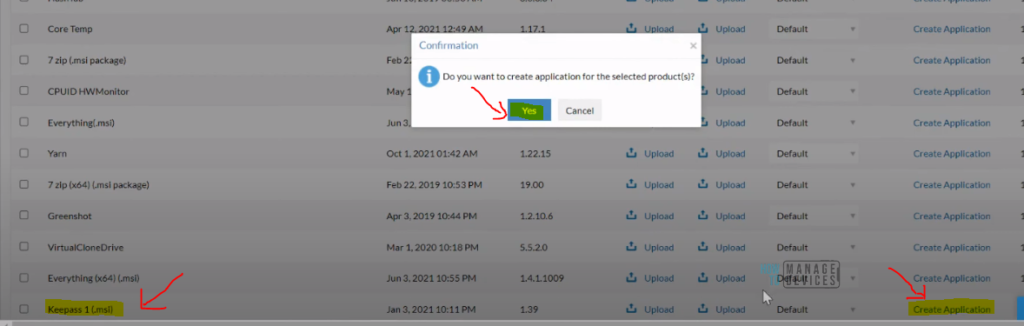
- No need to worry about Application Sources
- No need to spend time to figure out the application command line parameters
- No need to Covert all the applications to IntuneWin format before uploading to Intune
- No need to fill in all the additional details like requirements and detection method, etc …
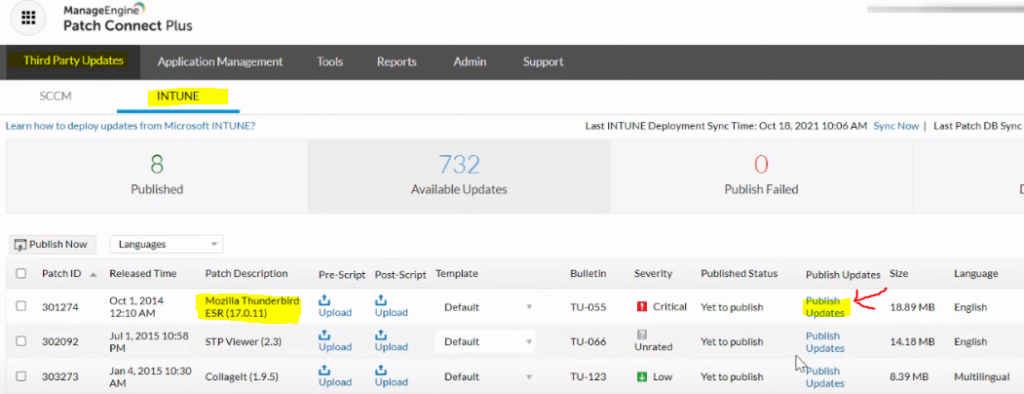
Video Review – A Quick Walkthrough Patch Connect Plus
I’m going to give a walkthrough of Manage Engine’s Patch Connect Plus. This helps MEM Intune admins to publish apps and app updates with just a click of a button.
All these things and many more configurations can be automated with Manage Engines Patch Connect Plus.
A tool for All Intune Admins.
A tool for All SCCM admins.
A Tool for All Third-party patching
A Tool for All Application creation


Discussion