






SCCM Run Script Results Configuration Manager ConfigMgr Real-Time Graphical Representation
Let’s discuss the SCCM Run Script Results Configuration Manager ConfigMgr Real-Time Graphical Representation. The most exciting feature introduced in the SCCM 1710 version is the real-time graphical representation of RUN SCRIPTS results. This post explains SCCM-run script deployments.
The following post, PowerShell script deployment feature architecture and troubleshooting guide, provides more details about SCCM Run Script Architecture and troubleshooting.
The SCCM Run Script option uses a fast-channel method to get script results from end-user devices. The SCCM CB version can get script results from end-user machines in almost real-time.
This feature’s added advantage is that the results can be graphically represented quickly. The SCCM team enabled this feature out of the box for the SCCM CB version.

Table of Contents
- Defender Settings Getting Removed for Comanaged SCCM 2309 and 2403 Clients
- List of Issues Fixed with SCCM 2403 KB26186448
- SCCM Life Cycle – End of Support Dates for SCCM CB Current Branch
- New Key Features of SCCM 2309 | Top Improvements
- SCCM 2403 New Key Features and Improvements
- Free SCCM Training 37 Hours of Latest Technical Content Lab Setup
Real-Time Graphical Representation of SCCM Run Script Results
Real-Time Graphical Representation of SCCM Run Script. The SCCM CB 1710 Preview version was released a couple of weeks back. The most exciting feature introduced in the SCCM 1710 version is the real-time graphical representation of RUN SCRIPTS.
What is a Real-Time Graphical Representation of SCCM Run Script? SCCM Run Script Results
The SCCM product team added the ability to configure security scopes for the Run Scripts feature. This is an exciting option, as most corporate organizations don’t want their SCCM admins to push PowerShell scripts to all the machines. Also, this is almost real-time script deployment through the fast-channel push method.
- Security scope option for SCCM Run Script
- Graphical Representation of Run Script Results
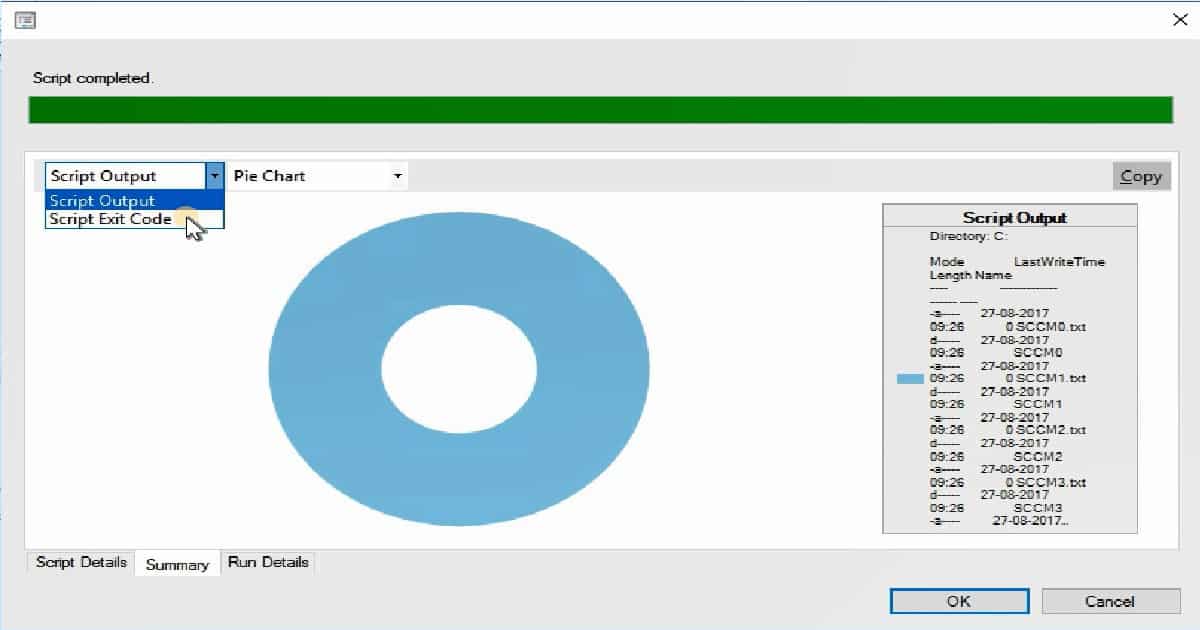
Do you want to know more about the fast-channel push notification method? I have a post that explains this: “Video SCCM CB Run PowerShell Script via Fast Channel PUSH Notification.” The monitoring improvement of “Run Scripts” is an excellent feature of SCCM CB 1710. The Run Scripts wizard includes a graphical representation of results.
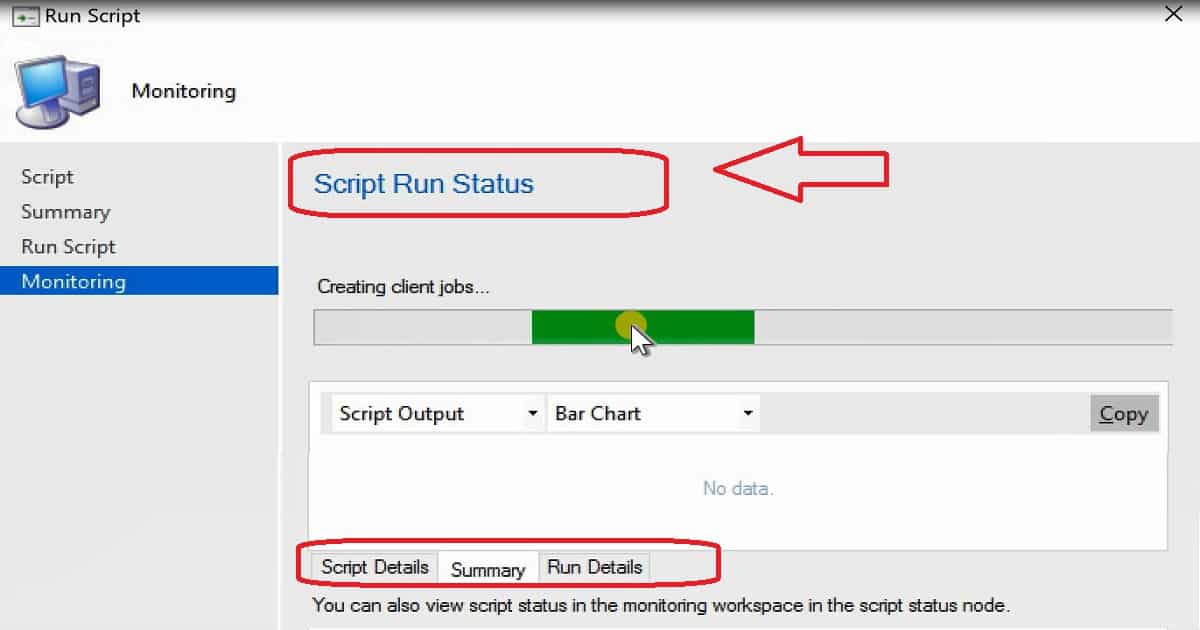
Another option to get the graphical representation of Run Script results is in the SCCM console monitoring workspace.
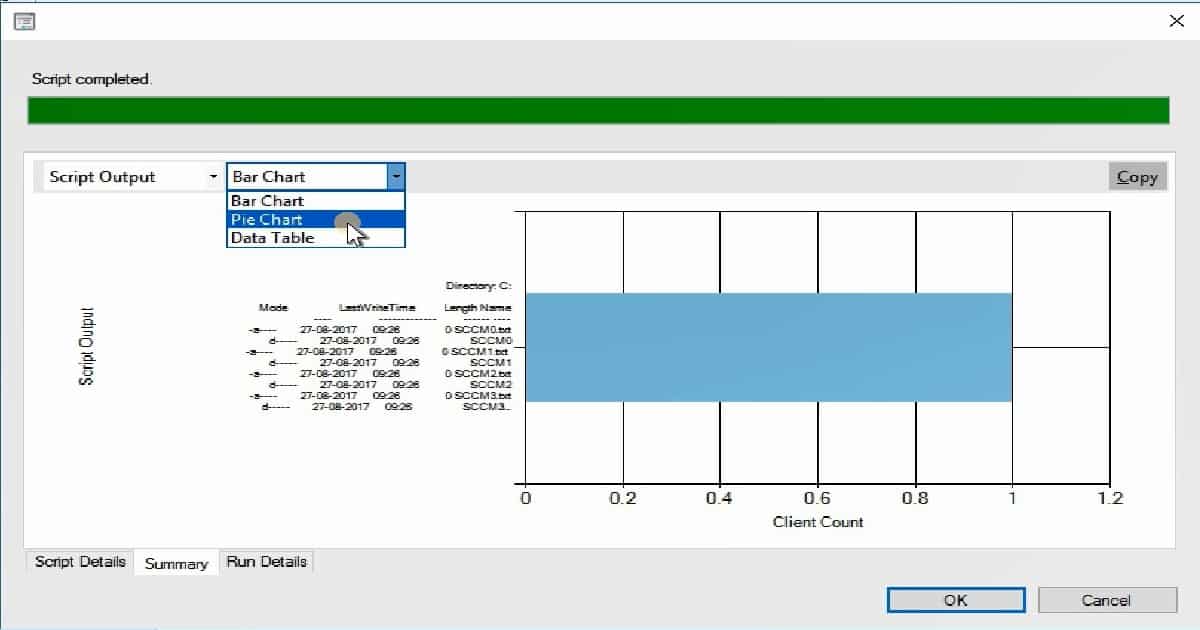
What is the Graphical Representation of Box Options to See SCCM Run Script Results?
There are three out-of-box graphical representation options to show the results of the SCCM Run Script. And those are
| Graphical Representation of Box Options to See SCCM Run Script Results |
|---|
| Bar Chart |
| Pie Chart |
| Data Table |
The two other options for showing the results of Run Script are Script Output and Script Exit Code. Script output gives you the details of Mode, Last Write Time, Directory, and Length name.
All these details are coming to the SCCM server in almost real-time through the fast channel push notification method.
We are on WhatsApp now. To get the latest step-by-step guides, news, and updates, Join our Channel. Click here. HTMD WhatsApp.
Author
Anoop C Nair is Microsoft MVP! He is a Device Management Admin with more than 20 years of experience (calculation done in 2021) in IT. He is a Blogger, Speaker, and Local User Group HTMD Community leader. His main focus is on Device Management technologies like SCCM 2012, Current Branch, and Intune. He writes about ConfigMgr, Windows 11, Windows 10, Azure AD, Microsoft Intune, Windows 365, AVD, etc.




Discussion