






Key Takeaways
- Software update management is critical for maintaining system security and stability
- Helps protect against new and evolving security threats
- Ensures operational efficiency across the organization
- Keeps the network infrastructure stable and compliant
- Requires a continuous and consistent process, not a one-time activity
- SCCM provides a centralized platform to manage and deploy updates
- Regular monitoring and maintenance are essential for effective patch management
SCCM Software Update and Patching Basics with Troubleshooting Techniques Explained! Software update management in SCCM helps administrators simplify the entire patching process through a centralized and automated approach. Instead of manually updating each system, admins can efficiently deploy updates, monitor compliance, and generate reports from a single console. This reduces manual effort, minimizes errors, and allows IT teams to focus on more strategic tasks while ensuring systems remain up to date and secure.
Table of Content
SCCM Troubleshooting Basics and Patching Session Recording – Live Teams Event
I conducted a live Microsoft Teams session covering the basics of SCCM troubleshooting, along with patching fundamentals (SCCM Patching Basics). The session focused on helping IT admins understand common troubleshooting scenarios, patch deployment flow, and key areas to monitor during software update management.
Many members from the community were asking for the session recording, so I’m sharing it here for everyone’s benefit. This recording will help you revisit the concepts and strengthen your understanding of SCCM patching.
NOTE! More details about Teams Channel and Live Teams meetings that we conduct are available in How to Manage Devices Live Digital Events Weekend Learning!

- SCCM Patching Issue with Windows 10 KB5003637 June CU | Cumulative Update Confusion | ConfigMgr | WSUS
- ConfigMgr Default Reports Software Updates | SCCM Patching Reports
- SCCM Patching Basics Video Recording Available Now | ConfigMgr
- Enable Microsoft Defender for Endpoint Updates Patching using SCCM and WSUS
Resources – SCCM Patching Basics
I have also shared multiple posts that dive deeper into SCCM patching strategies, including detailed explanations of key SCCM logs and how they help in troubleshooting and monitoring the update process. You can refer to the posts below to gain a better understanding of patch deployment flow, log analysis, and best practices for effective software update management.
Video Recording
This video covers the overview of Software Update Management in SCCM, including key areas such as getting started, architecture, concepts, and step-by-step how-to guidance. It provides a foundational understanding of how software updates work within SCCM and the essential tasks involved in managing them effectively.
Importance of Effective Software Update Management for Security, Stability, and Operational Efficiency
An effective software update management process is necessary to maintain operational efficiency, address security vulnerabilities, and ensure the stability of the network infrastructure. With the constantly evolving technology landscape and the continuous emergence of new threats, organizations must adopt a consistent and proactive approach to patch management to keep systems secure and up to date.
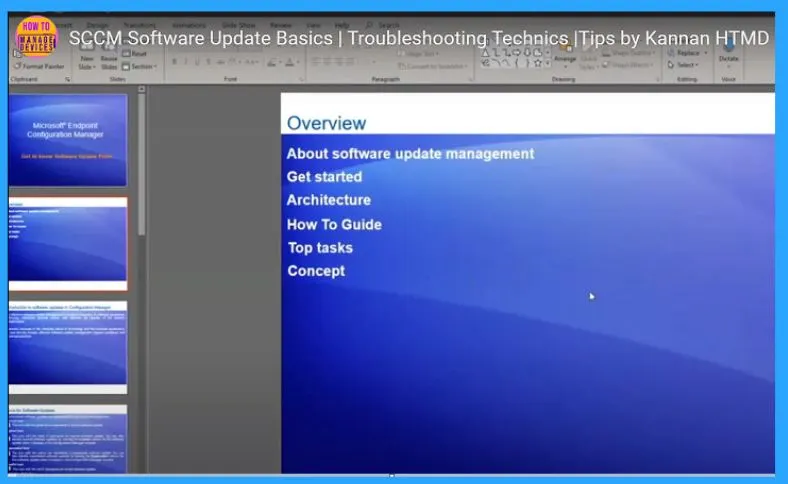
SCCM Software Update Overview and Basics
SCCM Software Update is a feature in Microsoft SCCM that helps organizations efficiently manage and deploy software updates across devices. It enables IT administrators to maintain system security, ensure compliance, and improve overall performance by keeping endpoints up to date with the latest patches.
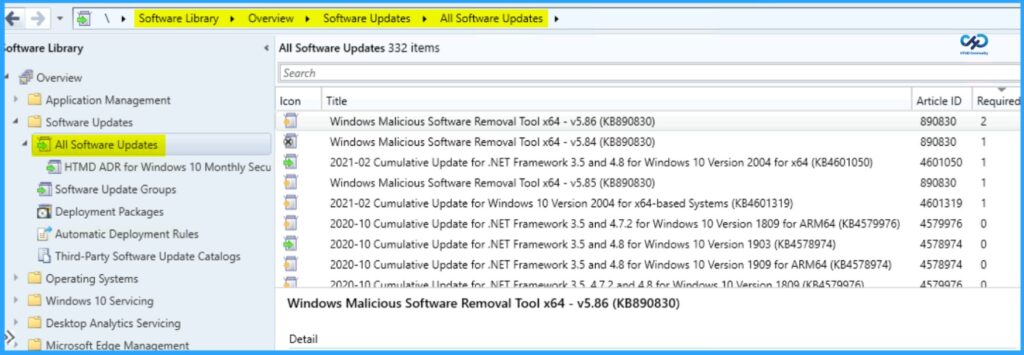
Resources
- SCCM Patching Software Update Process Guide
- Troubleshooting software update management in Configuration Manager
Need Further Assistance or Have Technical Questions?
Join the LinkedIn Page and Telegram group to get the latest step-by-step guides and news updates. Join our Meetup Page to participate in User group meetings. Also, join the WhatsApp Community to get the latest news on Microsoft Technologies. We are there on Reddit as well.
Author
Kannan CS is a Technical Architect with more than 15 years of experience in the IT domain. He has worked on various technologies, such as Windows server administration, SCCM, SCOM, and Desktop Engineering. He has worked at Microsoft SCCM for the last ten years, focusing on Configuration Manager and Intune technologies.




Discussion