






Security Compliance Manager SCM Installation Video Configuration Manager
Let’s discuss the Security Compliance Manager SCM Installation Video Configuration Manager. Security Compliance Manager (SCM) provides security baseline management for organizations.
This post will see the Security Compliance Manager Installation Video Guide. SCM helps accelerate your organization’s ability to manage the security and compliance process efficiently.
SCM is mainly used to set up Microsoft technologies ‘security and compliance baselines. It includes support for Server Operating Systems, Client Operating Systems, IE, Office, Exchange, and Microsoft MCS USGCB (United States Government Configuration Baseline). The Security Compliance Manager Installation Video helps to install and configure SCM v4.
SCM 4.0 supports Windows 10 and Server 2016 baselines and bug fixes. SCM enables you to quickly configure and manage computers and your private cloud using Group Policy and SCCM.

Microsoft Visual C++ 2010 Redistributable, .NET Framework 3.5, and SQL Server 2008 Express got installed during SCM installation. This software is a prerequisite for SCM.
Table of Contents
- New SCM Security Compliance Manager is Ready for Download
- Microsoft Security Exposure Management using Defense Techniques
- Top 5 Data Security Challenges DLP Productivity eBook Download for Free
- Learn About 8 Common Cyber Security Threats
- Enhanced Security with Windows 365 Customer Lockbox
- 2024 Cybersecurity Certifications for IT Professionals
- 40% of All Incoming emails Pose a Potential Cybersecurity Threat
Security Compliance Manager SCM Installation Video Configuration Manager
We need to install .NET Framework 3.5 on Windows 10 machines as it comes with .NET Framework 4.0 version. There is some surprising news about the future of SCM releases from Microsoft at the bottom of this post.
| Microsoft Security Compliance Manager Setup | Status |
|---|---|
| SQL Server Express | Installing |
| Microsoft Security Compliance Manager | Installing |
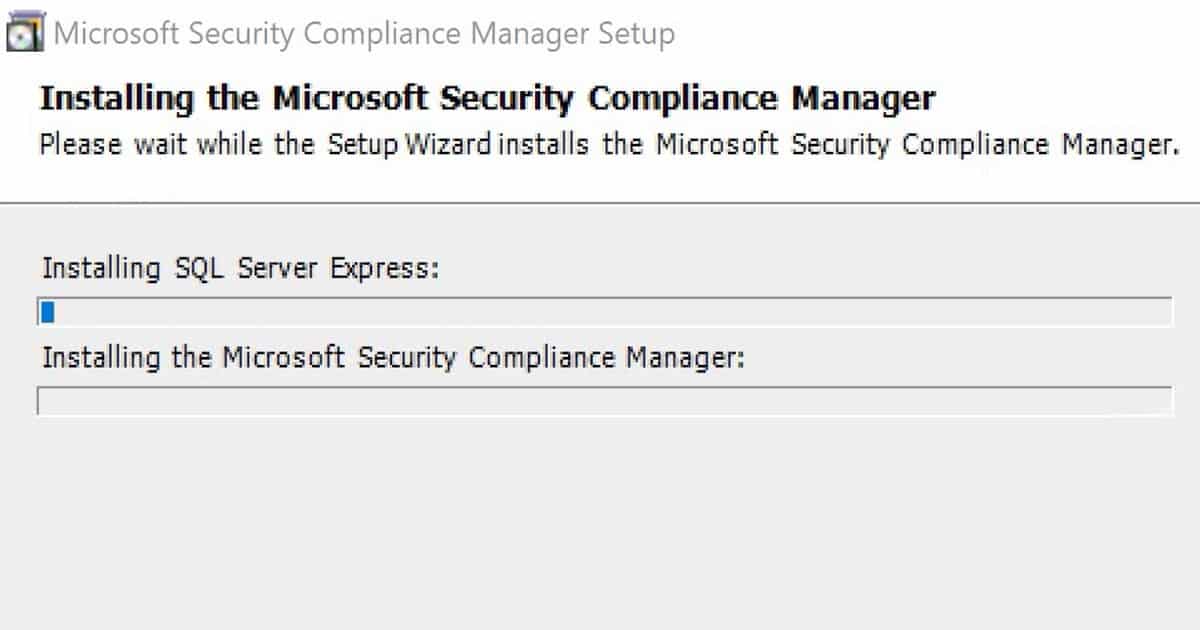
SCM V4 Installation and Importing of Default Baselines
The first step after installing SCM is importing all the default baselines to the database. Default baselines are Windows 7, Windows 2012, Exchange, and Internet Explorer.
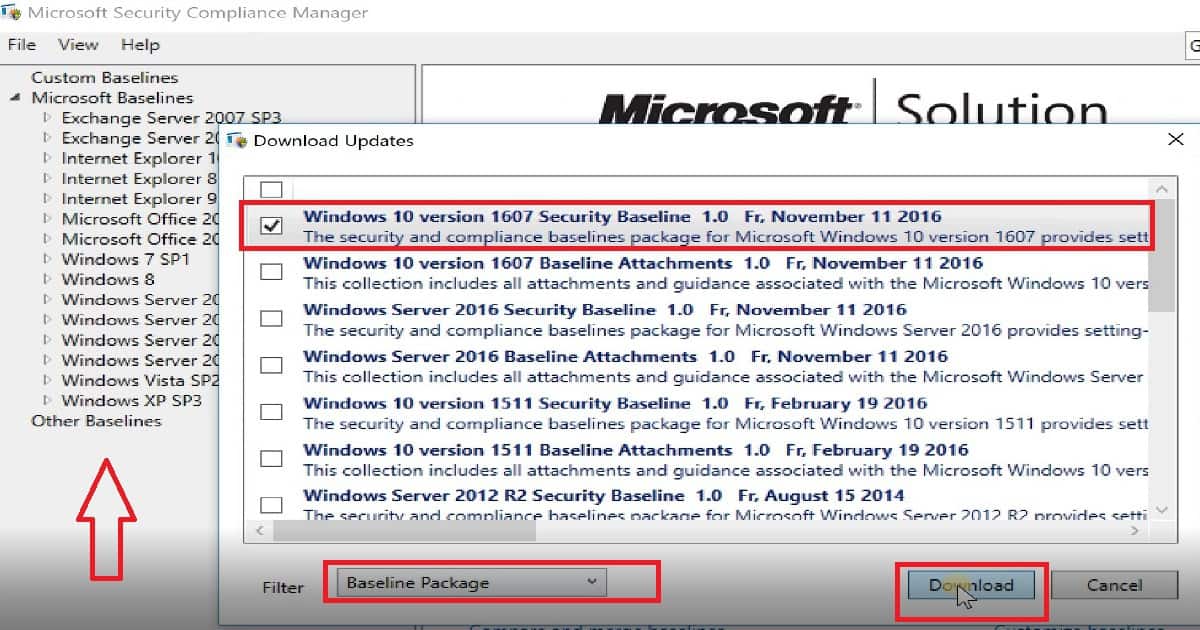
The Windows 10 and Server 2016 baselines will not be automatically imported to the SCM DB. We must manually import the Windows 10 1607, Server 2016, and Server 2012 R2 baselines to the SCM DB.
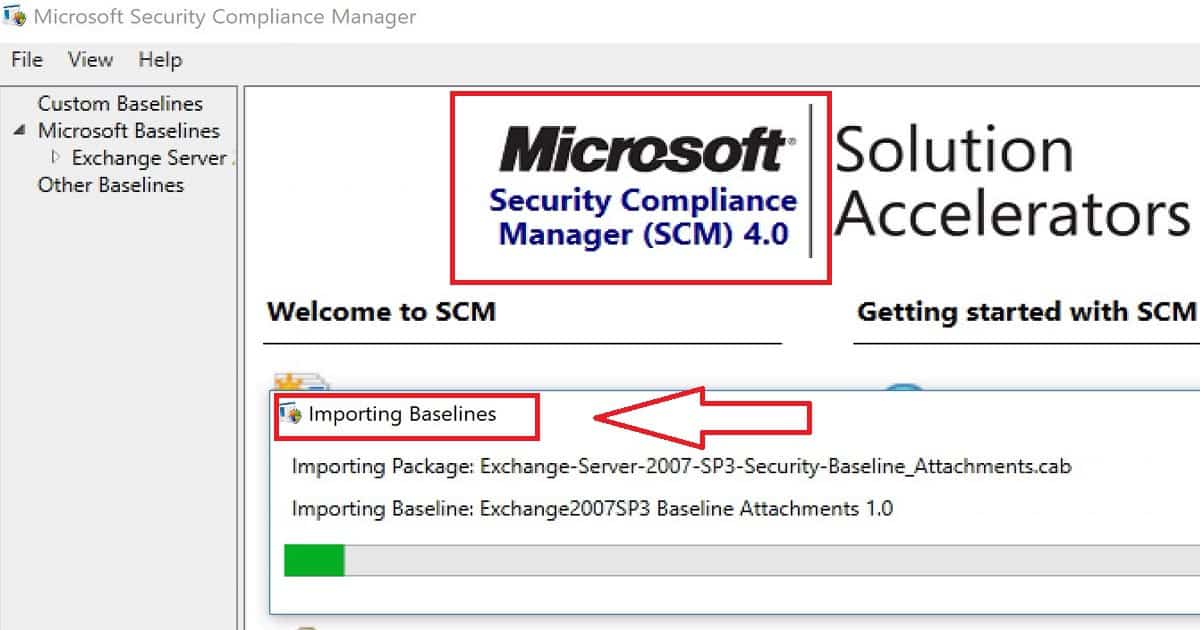
Download Windows 10 1607 Baseline
From the SCM V 4.0 version home page, we can select “Download Microsoft Baseline automatically” to download and import the Windows 10 1607 baseline.
This is explained in the video tutorial. Windows 10 1607 Security compliance baseline contains BitLocker Security, Computer security compliance, Credential guard security, Domain security compliance, and user security compliance.
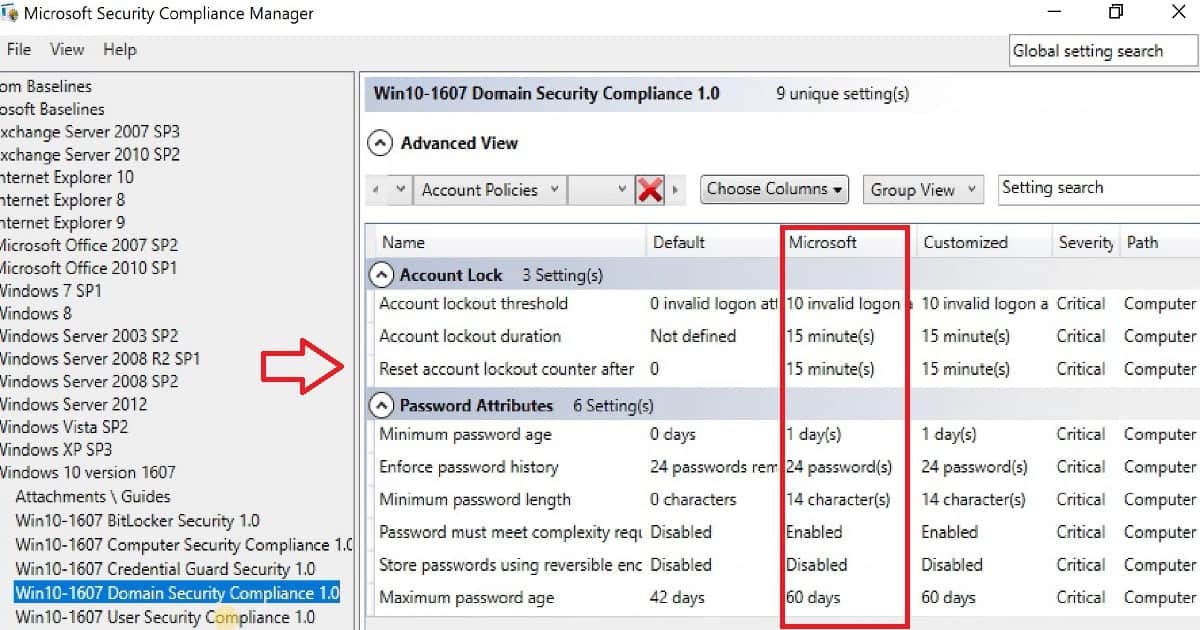
Define Security Policy for your Organization
Windows 10 1607 domain security compliance 1.0 has many critical severity settings. This page of SCM shows us the default values of Windows 10 1607 and gives us Microsoft’s recommended value for each security setting. This baseline has two segregations: account lock and password attribute.
If I take an example of “Password attributes” –> Minimum Password age, there are 3 values 1. Default 2. Microsoft and 3. Customized. For example, the values of the Microsoft column in the Windows 10 1607 baseline are the ones I would like to implement as security policies for an organization.
References
Security Compliance Manager (SCM) retired; new tools and procedures
We are on WhatsApp now. To get the latest step-by-step guides, news, and updates, Join our Channel. Click here. HTMD WhatsApp.
Author
Anoop C Nair is Microsoft MVP! He is a Device Management Admin with more than 20 years of experience (calculation done in 2021) in IT. He is a Blogger, Speaker, and Local User Group HTMD Community leader. His main focus is on Device Management technologies like SCCM 2012, Current Branch, and Intune. He writes about ConfigMgr, Windows 11, Windows 10, Azure AD, Microsoft Intune, Windows 365, AVD, etc.



This is great but SCM is dead. Microsoft is no longer supporting it.
StaffYes exactly that is what I mentioned in the post as a reference
This is a good article. Thank you.
I am looking at the GPO for Windows 10 21H2. The new Policy Analyzer tool has the baseline for this, but the policies are put into several categories such User policies, computer polices, audit policies etc.. and out under separate GUI folder. When we install into Active Directory, do we need to create a separate GPO for each of this category? That seems to have more GPOs for a single Win10 OS.
We used to have a single GPO for the Win10 at least until v1607.
Is there a single GPO for all the Windows 10 21H2 in stead? Or any idea on how to merge all these “smaller” GPOs into a single one?
Your feedback would greatly be appreciated.
Best Regads
Vishakh