






Microsoft Office Security Warning for ICS Files in Outlook
Hi, in this post, let’s discuss the Microsoft Office Security Warning for ICS Files in Outlook. Everyone knows about Outlook, and we all work on this application. Outlook is one of the most important email management applications introduced by Microsoft.
It is famous for email management and provides many features, such as comprehensive contact management and time-scheduled applications. This is the best way for users to reduce their daily work. After installing the Outlook Desktop Security updates on December 12, 2023, users get a warning note when they attempt to open an.ICS file.
ICS files are also known as iCalender files. They are universal calendars used by many email programs, mainly Outlook. The primary purpose of this calendar is to allow the user to send calendar meetings, events, and appointments in different calendar programs.
In this post, we can discuss how Outlook users have been experiencing unexpected security warnings when attempting to open.ICS files and Workaround for this issue.

- Microsoft Outlook.com Connectivity Issue
- FIX Outlook Error: Cannot Move the Items using OWA
- Fix Outlook Desktop Crashes Issue when sending Emails

Microsoft Office Security Warning for ICS Files in Outlook
The issue primarily affects users of the “Classic” Outlook, as the New Outlook does not currently support importing.ICS files. What is the issue? First, we can discuss that, as I mentioned, some users experience Warning messages when they try to open an ICS file.
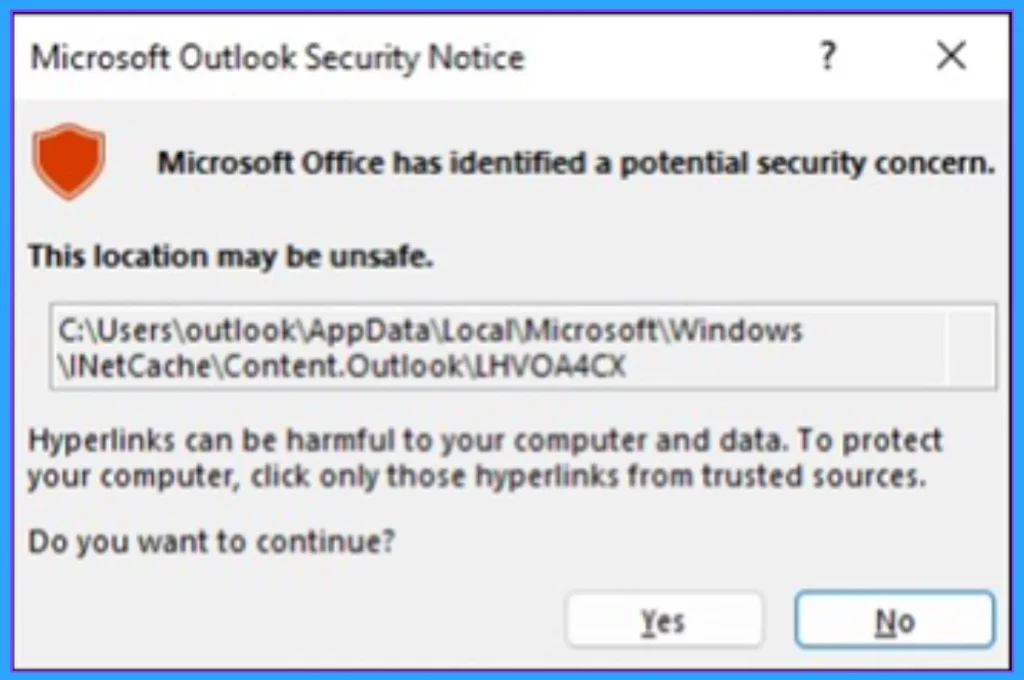
- The Security notice warns users that with a message ‘‘Microsoft Office has identified a potential security concern”
- You may get 2 choices for this warning Yes or No to Continue
| Numbers | Warning Message |
|---|---|
| 1 | ”Microsoft Office has identified a potential security concern.” This location may be unsafe.” (”Hyperlinks can be harmful to your computer and data. To protect your computer, click any of those hyperlinks from trusted sources.” ) |
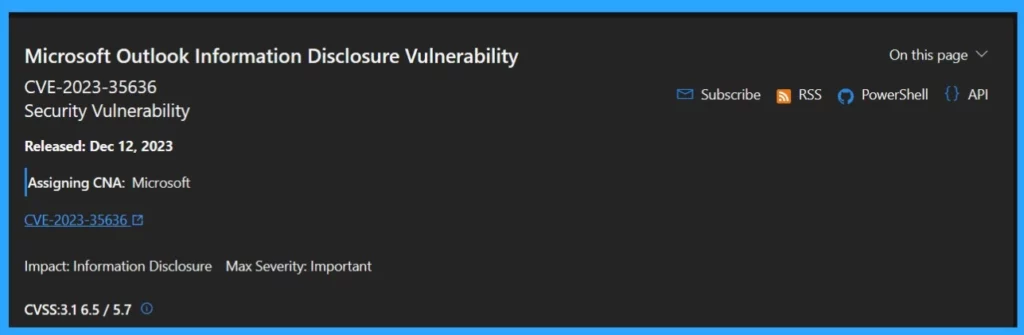
The issue occurred after the installation of security updates to address the Microsoft Outlook Information Disclosure Vulnerability (CVE-2023-35636). It primarily affects Classic Outlook users.
What is the Workaround for this Issue?
Microsoft found a temporary workaround for this issue when the Outlook Team discovered problems with the update during tests. Recently, they turned off the update and are working on fixing it. So there is a temporary solution for this as ” users can use a registry key workaround”
- The users can temporarily disable the security notice by using the Registry key
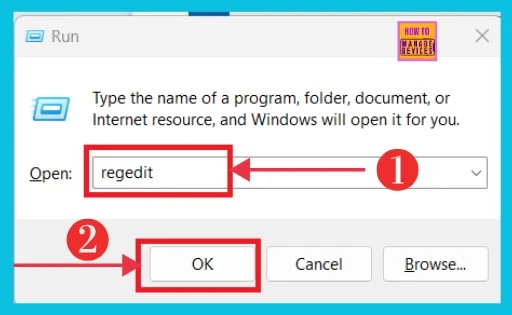
- Open the Run (Win+R)
- Type regedit
- Click OK
| Workaround | Info |
|---|---|
| Group Policy registry path | HKEY_CURRENT_USER\software\policies\microsoft\office\16.0\common\security |
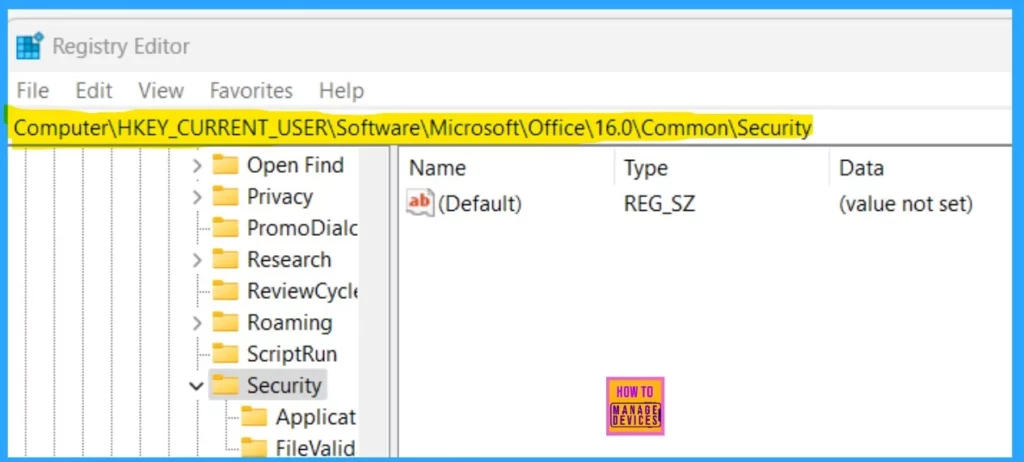
| OCT registry path | Computer\HKEY_CURRENT_USER\Software\Microsoft\Office\16.0\Common\Security |
Note: When you try to disable the Security Notice, for.ICS files will stop all the security Notice prompts for all types of files.
After opening the Registry, you have to enter the appropriate path. The path below you have to enter in the registry.
Computer\HKEY_CURRENT_USER\Software\Microsoft\Office\16.0\Common\Security
- Fix Something Went Wrong 1001 Outlook Error Microsoft 365 Desktop Applications
- Best Way to Automatically Configure Outlook Profile for Windows with Intune
- Install New Outlook for Windows with Microsoft Store App from Intune
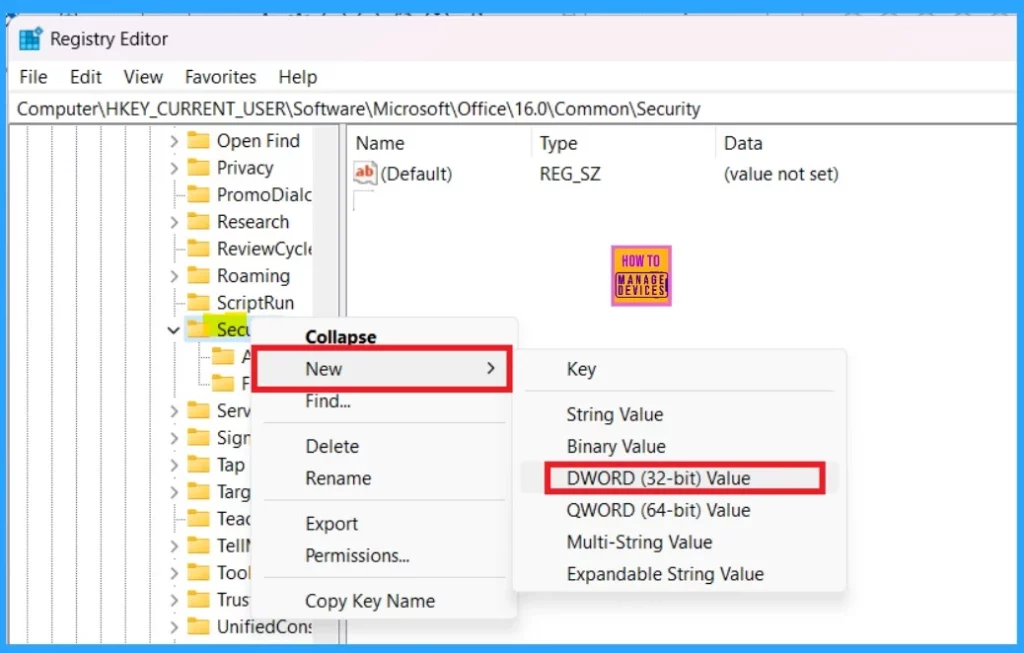
After entering the path right, right-click on the security key, select the New option, and select the DWORD(32-BIT) value.
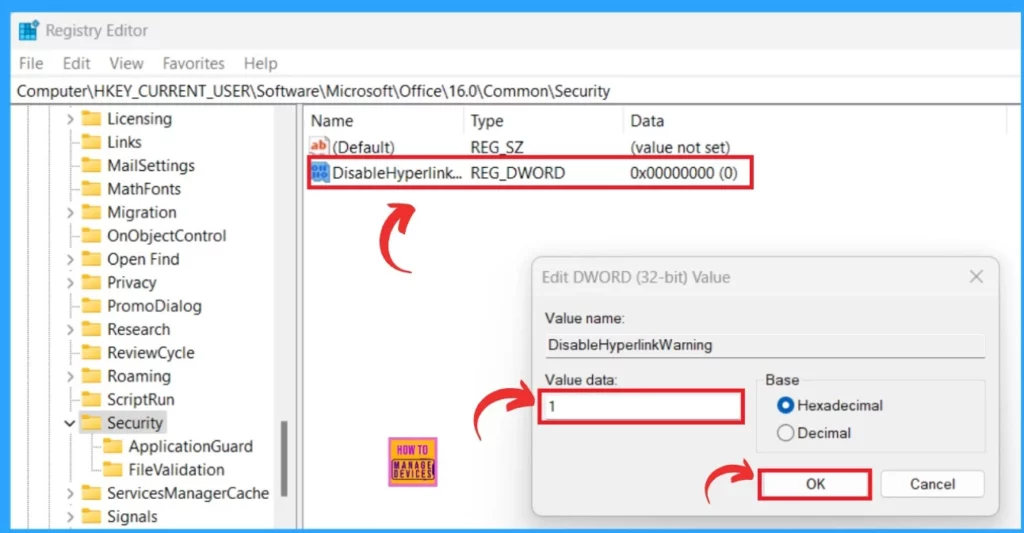
You have now created a new key value, which you should name DisableHyperlinkWarning. Then, double-click on the New value (DisableHyperlinkWarning). You must enter the value to stop security notice prompts.
- Value data as 1 to Disable
- Value data as 0 to Enable
- Click on the Ok
Reference
We are on WhatsApp. To get the latest step-by-step guides and news updates, Join our Channel. Click here –HTMD WhatsApp.
Author
Krishna. R is a computer enthusiast. She loves writing about Windows 11 and Intune-related technologies and sharing her knowledge, quick tips, and tricks about Windows 11 or 10 with the community.




Discussion