






September 2024 Windows 10 KB5043064 Patches and 4 Zero-Day Vulnerabilities
Microsoft released Windows 10KB5043064 patches as part of the September 2024 patch Tuesday. There are also 4 Zero-Day Vulnerabilities. The September patch update addressed security issues in the Windows Operating System.
Windows 11 also has Patch Tuesday updates every month. There are 2 KB in Windows 11, such as KB5043076 and KB5043067. The Patch Tuesday Update has critical security flaws that attackers could exploit. With these Patch Tuesday updates, users can protect their devices from cyber threats.
More than providing security updates, Microsoft ensures the stability and reliability of devices. This approach helps maintain the overall health of the software, allowing IT professionals to plan and implement security measures more effectively.
This month, Microsoft showed that Windows 10 has some fixed issues. An SCCM task to re-enable UWF mainly fails because of a deadlock in UWF. This issue stops the device from restarting when you expect it.


Table of Contents
4 Zero Day Security Vulnerability for September 2024
Microsoft released 4 Zero Day Vulnerabilities in September 2024. CVE-2024-43491 Microsoft Windows Update Remote Code Execution Vulnerability, CVE-2024-38226 Microsoft Publisher Security Feature Bypass Vulnerability, CVE-2024-38217 Windows Mark of the Web Security Feature Bypass Vulnerability, CVE-2024-38014 Windows Installer Elevation of Privilege Vulnerability
| CVE Number | CVE Title | Publicly Disclosed | Exploitability Assessment | Exploited |
|---|---|---|---|---|
| CVE-2024-43491 | Microsoft Windows Update Remote Code Execution Vulnerability | No | Exploitation Detected | Yes |
| CVE-2024-38226 | Microsoft Publisher Security Feature Bypass Vulnerability | No | Exploitation Detected | Yes |
| CVE-2024-38217 | Windows Mark of the Web Security Feature Bypass Vulnerability | Yes | Exploitation Detected | Yes |
| CVE-2024-38014 | Windows Installer Elevation of Privilege Vulnerability | No | Exploitation Detected | Yes |

- Top 83 Windows 11 Desktop Admin Interview Questions
- Windows 10 Version Numbers Build Numbers Major Minor Build Rev
- Updated Windows 10 End of Life Dates
September 2024 Windows 10 KB5043064 Patches
September patches show many fixed issues and known issues with Windows 10 KB5043064, which are recognized by Microsoft. This update addresses an issue affected by Bluetooth.
| Windows 10 22H2 |
|---|
| KB5043064 |
Updated Version of Windows 10 after installing KB5043064 September 2024 Patches
The Windows 10 patch Tuesday update helps you improve device security. After the updates, you get the latest version. Each update includes a current version number and build number. The following list shows the details.
- Windows 10 Version Details – Windows 10 22H2 KB5043064
- Version Details – Windows 10 version 22H2– (OS 19044.4894 and 19045.4894)
- More Details on Windows 10 version Numbers: Windows 10 Version Numbers Build Numbers Major Minor Build Rev
Windows 10 New Improvements with September Patches
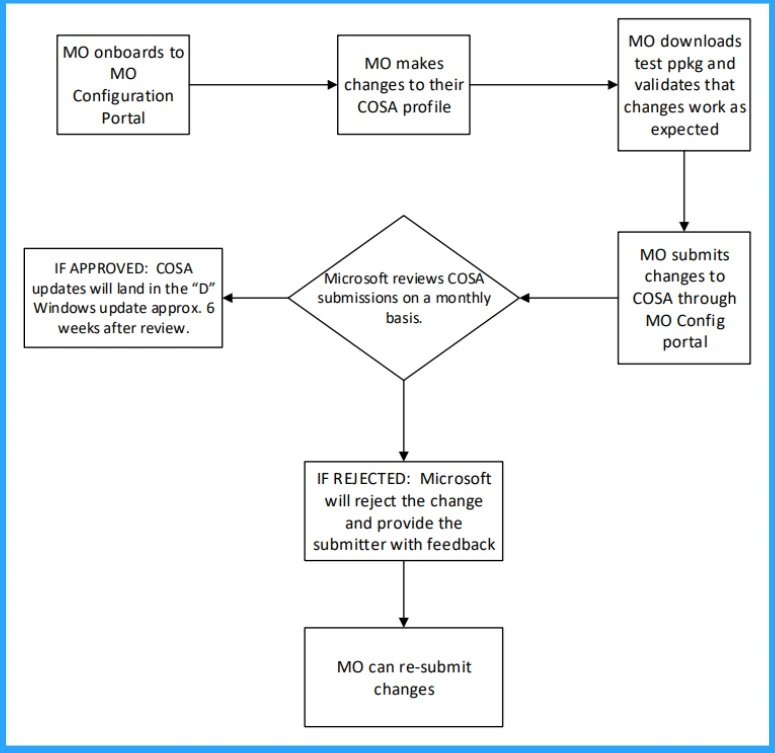
Microsoft recognized an improvement in Windows 10 KB5043064. Every month, they bring a lot of improvements to their features for Windows 10 users. The below table shows the details.
| New Improvements Sept Patches | Details |
|---|---|
| Profile of Country and Operator Settings Asset is up to date for certain mobile operators. | This update shows the profile of Country and Operator Settings Asset (COSA) is up to date for certain mobile operators. |
- Free Generic Windows 10 Product Keys from Microsoft
- Windows 10 21H2 Support is Ending in June
- Updated Windows 11 End-of-Life Dates
Issues Fixed with Windows 10 September Patches
September patches address many fixed issues, including security issues for your Windows operating system. The table below shows some other fixed issues after installing the September 2024 Windows 10 patches.
| Fixes with Windows 10 September patches | Details |
|---|---|
| Security Issues in Windows Operating System | This update addressed security issues in Windows Operating System |
| Memory leak issues on Input Method Editor (IME) | Input Method Editor (IME) affected by a leak issue, you close that window. This occurs when a combo box has an input focus |
| Issue Affected on Bluetooth | The Bluetooth app stopped responding because of a memory leak in the device |
| Bind Filter Driver affected by an issue | Due to an issue on the Bind Filter Driver system might stop responding when it accesses symbolic links. |
| An SCCM task to re-enable UWF fails because of a deadlock in UWF | An SCCM task to re-enable UWF fails because of a deadlock in UWF. This issue stops the device from restarting when you expect it. |
Known Issues – Windows 10 KB5043064 September Patch
In September, Microsoft identified known issues. These issues are very crucial in Windows 10 KB5043064. The table below shows the details of known issues.
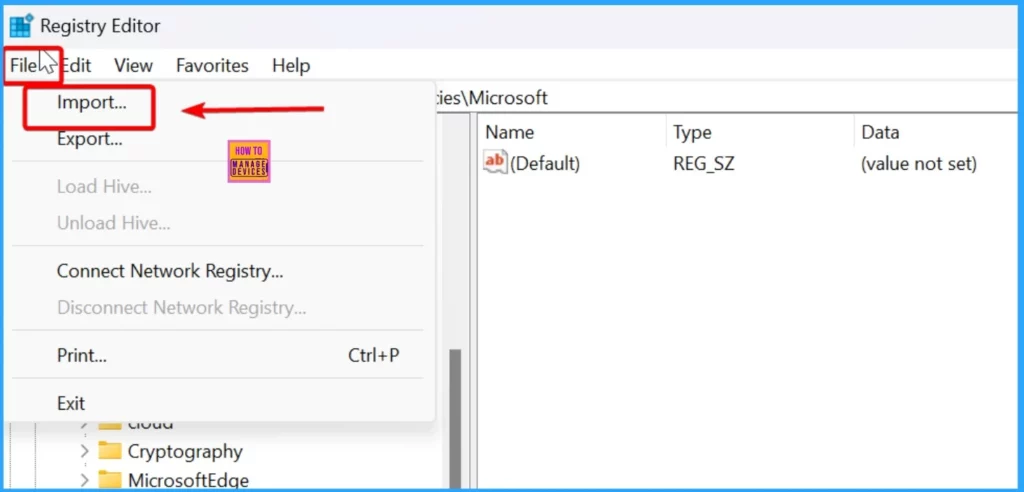
Read More : – Dual-Boot Systems Issue with Linux Booting after Installing Windows Security Updates
| Summary | Originating Update | Status |
|---|---|---|
| Users face issues with booting Linux if you have enabled the dual-boot setup for Windows and Linux in your device. This issue occurs after installing the August 2024 Windows Security update released August 13, 2024. | OS Build 19044.4780 | Working on resolution |
| Enterprise customers might be unable to use Microsoft Connected Cache | OS Build 19044.4046 | Working on resolution |
Intune and SCCM Windows 10 Sept Patch Deployment
Intune and SCCM are the most commonly used patch management tools in enterprise environments. These tools allow you to deploy Windows 10KB5043064 September Cumulative Update using Intune + WUfB and SCCM + WSUS.
SCCM – Learn more about SCCM patch deployments from how to create a Deploy New Software Update Patch Package Using SCCM ConfigMgr. SCCM ADR Automatic Deployment Rule Creation Process.
Intune – You can expedite the deployment and Installation of Sept 2024 patches using intune.
How to Manually Windows 10 Sept Patches for Offline Install
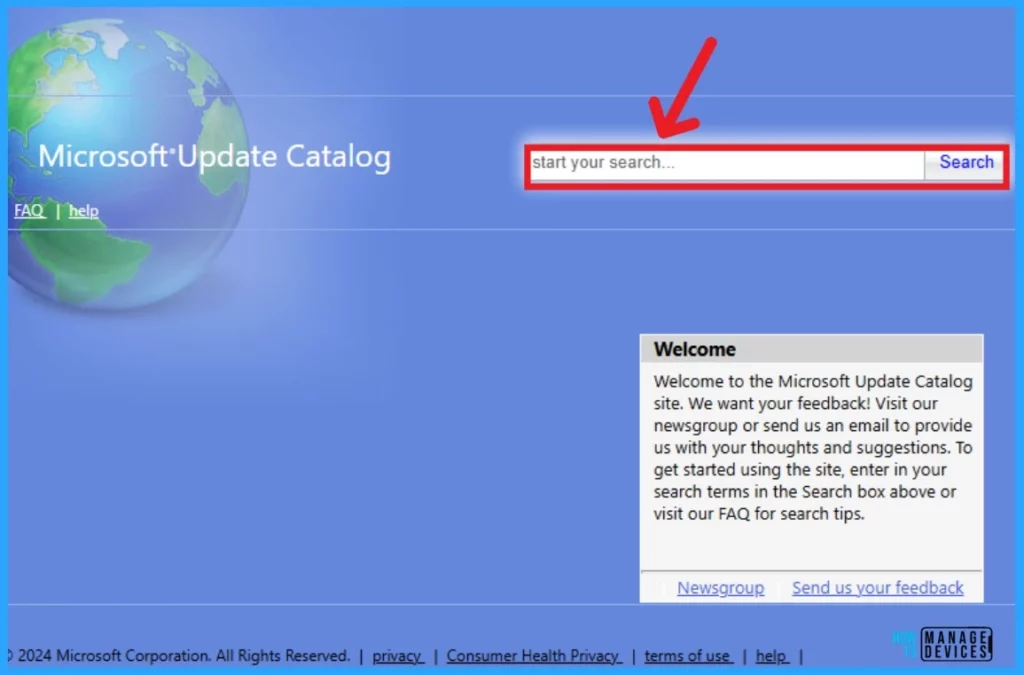
To obtain the September 2024 Cumulative Update for Windows 10 KB5043064, we can download it manually from the Microsoft Update Catalog website. The tables below provide direct links to download the September 2024 Cumulative Updates for Windows 10.
You can check the Microsoft Update Catalog portal to get the direct download links to the hotfixes for the September 2024 LCU. Check this out: Microsoft Update Catalog – https://www.catalog.update.microsoft.com/ and Search Keyword 2024-09
| Title | Product | Size | Direct Download |
|---|---|---|---|
| 2024-09 Cumulative Update for Windows 10 Version 22H2 for x64-based Systems (KB5043064) | Windows 10 22H2 | 660.2 MB | Download |
Resource
September 10, 2024—KB5043064 (OS Builds 19044.4894 and 19045.4894)
We are on WhatsApp. To get the latest step-by-step guides and news updates, Join our Channel. Click here for HTMD WhatsApp.
Author
Anoop C Nair has been Microsoft MVP from 2015 onwards for 10 consecutive years! He is a Workplace Solution Architect with more than 22+ years of experience in Workplace technologies. He is also a Blogger, Speaker, and leader of the Local User Group Community. His main focus is on Device Management technologies like SCCM and Intune. He writes about technologies like Intune, SCCM, Windows, Cloud PC, Windows, Entra, Microsoft Security, Career, etc.


Discussion