






How to Keep up with the Speed of Windows as a Service Configuration Manager ConfigMgr SCCM
How can you Keep up with the Speed of Windows as a Service Configuration Manager (ConfigMgr SCCM)? The Windows 10 operating system introduces a new way to build, deploy, and service Windows. This new way of handling Windows 10 OS is called Windows as a service (WaaS).
Microsoft has reimagined each part of this Windows 10 process to simplify the lives of IT pros and maintain a consistent Windows 10 experience for its customers. These improvements focus on maximizing customer involvement in Windows development, simplifying the deployment and servicing of Windows client computers.
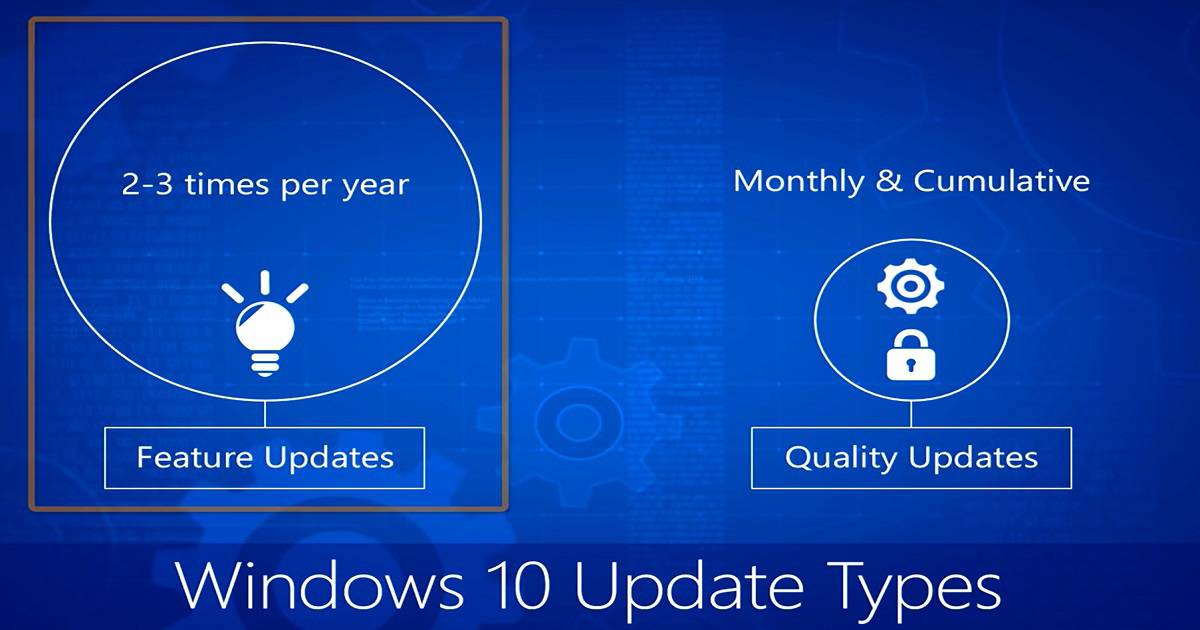
Windows 10 comes with two servicing options (release types): feature updates (e.g., Windows 10 1511, 1607 and Creator Updates, etc.) that add new functionality two to three times per year and quality updates that provide security and reliability fixes at least once a month.
Traditional Windows servicing has included several release types: significant revisions (e.g., the Windows 8.1, Windows 8, and Windows 7 operating systems), service packs, and monthly updates.
Table of Contents
How to Keep up with the Speed of Windows as a Service Configuration Manager ConfigMgr SCCM
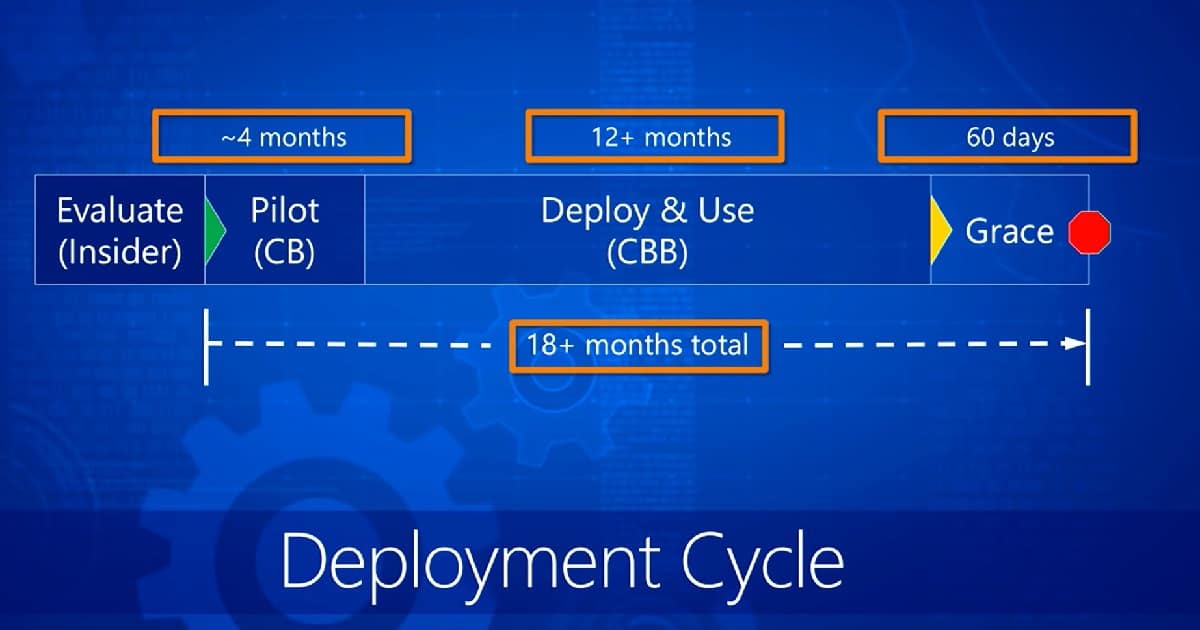
Windows 10 deployment schedules are different from traditional Windows deployment schedules. The conventional deployment plan imposed a training burden on users because the feature revisions were often significant. In the case of Windows 10, it just keeps evolving, and users will get a chance to Evaluate, pilot, and deploy in a phase-wise approach.
- The Windows Insider build should be part of the evaluation, the Windows Current Branch (CB) build should be part of the pilot, and the Windows Current Branch for Business (CBB) should be part of the production deployment.
- Windows as a Service provides more than 4 months for a pilot with a CB release, 12+ months for deploying the CBB release, and 60 days of grace period for the CBB release.
The main mantra of Windows as a service is a continuous evolution. So, what is the challenge of constant development and deployment from an organization’s perspective? It’s mainly the size of Windows 10 feature updates and quality updates. Did Microsoft develop an entirely proven echo system to deliver all these updates with the existing enterprise network?
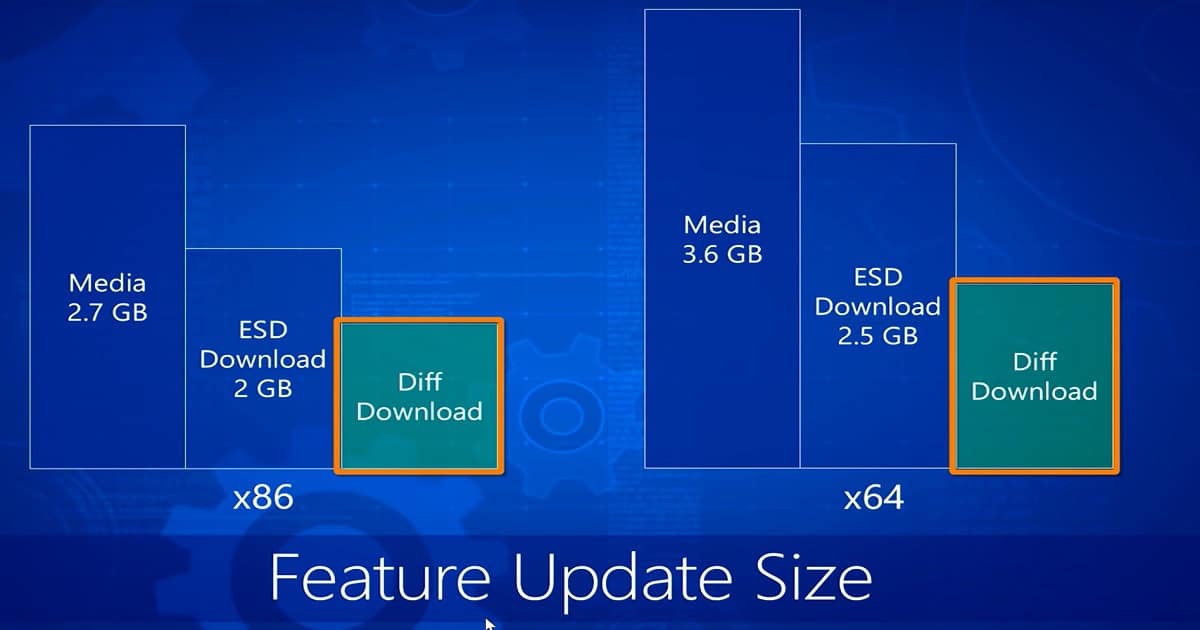
- In my opinion, no, they are not. For example, an organization must deploy 3.6 GB of data to each machine yearly as part of a feature update. The same situation applies to cumulative quality updates. What is the solution to deliver this huge chunk of binaries to the end-user devices?
| Feature Update Size ×86 | Feature Update Size ×64 |
|---|---|
| Media 2.7 GB | Media 3.6 GB |
| ESD Download 2GB | ESD Download 2.5 GB |
| Diff Download | Diff Download |
Solution
Adaptiva OneSite can help organizations to deliver a huge chunk of content to all end-user devices.
- OneSite automates many tasks surrounding Windows 10 deployment and ongoing deployment of feature and quality updates, significantly reducing the time a system administrator takes to complete these tasks.
- OneSite’s predictive bandwidth harvesting technology is the only solution that lets you safely deliver feature and quality updates worldwide with: no throttling to slow down delivery, and no scheduling for after-hours—deploy content any time of the day without worry.
Reference
We are on WhatsApp now. To get the latest step-by-step guides, news, and updates, Join our Channel. Click here. HTMD WhatsApp.
Author
Anoop C Nair is Microsoft MVP! He is a Device Management Admin with more than 20 years of experience (calculation done in 2021) in IT. He is a Blogger, Speaker, and Local User Group HTMD Community leader. His main focus is on Device Management technologies like SCCM 2012, Current Branch, and Intune. He writes about ConfigMgr, Windows 11, Windows 10, Azure AD, Microsoft Intune, Windows 365, AVD, etc.


Discussion