






TechEd India 2013 Bangalore Takeaways Memories
TechEd India 2013 Bangalore Takeaways Memories. It’s amazing to be part of TechEd India 2013 Bangalore!
Apart from SCCM and winning Tweet to win a contest, I’ve earned loads of knowledge and goodies from Intel, Accenture, Internet Explorer, and Windows App Store booths.
Big thanks to all the Infrastructure and SQL speakers—great stuff! In this post, I’ll try to recall 2 to 3 points I learned from each session.
Table of Contents
TechEd India 2013 Bangalore Takeaways Memories
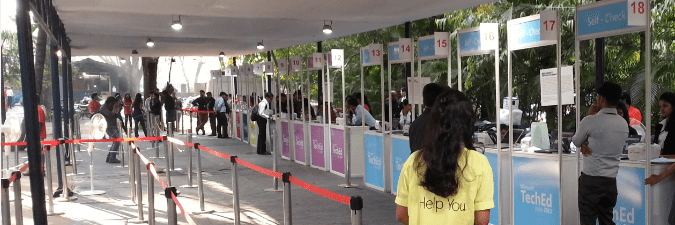
Day 1: 18th April 2013
Keynote Amit: Product development? STOP product development and START Customer development! The modern application cycle is build, Measure, and Learn.

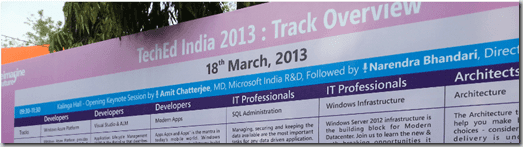
Top 10 Reasons to Migrate to Windows Server 2012 by Pracheta Budhwar: Cloud Read OS Windows Server 2012. SMB has undergone a huge change with the new version 3.0 storage innovation. Active-active configurations, transparent failover, SMB direct, VSS provider for remote file shares.
Getting Familiar with Next Generation of Active Directory Domain Services (AD DS) by Aviraj Ajgekar: DC clone, Active directory recycle bin, Fine-grained password policy GUI, View resultant password settings in ad server 2012 & power shell history viewer and Ad replication link creation using PowerShell. Active directory-based activation of Windows operating systems Windows 8 and Server 2012.
Understand why Hyper-V is the best Virtualization platform by Rohit Rahi: Hyper-V network virtualization, Virtual fiber channel hyper-v capabilities, Virtual machine mobility.
Windows Azure IaaS for IT Professionals by Vijay Rajagopalan: Windows # Azure VM portability and monitoring of VMs. Windows Azure does not support IP version 6 for public offerings. However, Office 365 is running on IPv6.
Path-breaking Storage Options in Windows Server 2012 by Gaurav Anand: Storage virtualization is called storage spaces in Windows Server 2012. How can storage costs be reduced? JBOD with storage spaces! JBOD with #server2012 storage spaces can replace RAID. Storage pool: How do you manage storage spaces? How can you trim the storage spaces? Data Deduplication without using a third-party appliance. How much time does chkdsk take? #server2012 takes seconds; however, server 2008 takes hours or days.

Day 2: 19th April 2013
Building Private Cloud using Windows Server 2012 & System Center 2012 SP1 by MS Anand: VIP templates, storage components, Resource Pools, and Storage classification. Deploy virtual machine using #sysctr on the fly.
Insight into your data centre with System Center 2012 Operations Manager by Gaurav Anand: Use #scom for Application performance monitoring. Monitor the performance of a blog using #opsmgr. The application monitoring event monitoring section will alert you about incorrect code! Improve website performance. Monitor your networks.
System Center Orchestrator (SCORCH) 2012 – An Enterprise automation framework by Rohit Gulati: Workflow management solution. Concepts of orchestrator Activity, rulebook, data bus, and standard activities. Reduce coding efforts using SCORCH.
System Center 2012 Configuration Manager – How to get the best out of it by Arvind Chandramohan and Anand Kumar Nair: 916m smart devices sold by 2016. How do you manage these smart devices via ConfigMgr 2012 sp1? Unified management architecture of Intune and ConfigMgr. Support for UEFI Architecture-based OSD with CM 2012 sp1.Folder redirection using ConfigMgr 2012 sp1.
Manage your hybrid cloud infrastructure using System Center 2012 SP1 by Aviraj Ajgekar: Server 2012 Hyper-v uses the same code as Windows Azure. System center advisor free analyzing tool. All about apps, cross-platform from metal up, the foundation for the future, and cloud on your terms is all about private cloud. What is IAAS? Infrastructure as a service. Use the App controller to move the files from the on-premises to the public VM within a few minutes.
DemoX: Free apps available at the Windows 8 App Store can be controlled via group policies. Use PowerShell to update FB status and photos. Outlook web app authentication is done using a Windows mobile phone. Integrate excel with SkyDrive and create an online survey.

Resources
- Free SCCM Training Part 1 | 17 Hours Of Latest Technical Content | ConfigMgr Lab HTMD Blog (anoopcnair.com)
- How To Disable SCCM Application Deployment | ConfigMgr | MEMCM – HTMD Blog #2 (howtomanagedevices.com)
We are on WhatsApp now. To get the latest step-by-step guides, news, and updates, Join our Channel. Click here – HTMD WhatsApp.
Author
Anoop C Nair is Microsoft MVP! He is a Device Management Admin with more than 20 years of experience (calculation done in 2021) in IT. He is a Blogger, Speaker, and Local User Group HTMD Community leader. His primary focus is Device Management technologies like SCCM 2012, Current Branch, and Intune. He writes about ConfigMgr, Windows 11, Windows 10, Azure AD, Microsoft Intune, Windows 365, AVD, etc.




Discussion · 3 comments