






Top SCCM Log File Viewer Options for Admins
Let’s discuss the SCCM log file viewer options in this post. I hope you know about the SCCM (MECM) log file viewers licensed and free to use with SCCM.
It seems you can’t use these tools if you are not a licensed SCCM customer. SCCM logs are generated on the client and site server-side. The client and server components record process information in individual log files.
The more detailed log files also can be produced by enabling debug or verbose mode. You can potentially use the same log file viewers to check Intune Win32 app or Powershell deployment logs.
You can use all these SCCM log viewer tools to check different types of log files. You can easily identify the SCCM log files .log or .lo_ file extensions.

ConfigMgr (a.k.a SCCM) writes to a .log file until that log reaches its maximum size. You can also change the maximum size of the log files.
List of SCCM Log File Viewer Options
Let’s look at the list of official Microsoft tools for reading the SCCM related log files. I’m not going to cover the tools that are not part of the SCCM product. However, tools or applications like Notepad, Notepad ++, etc., can read the log files.
Also, some tools like Trace32.exe are not supported with the latest version of Configuration Manager. But I wanted to list down those types of tools as well. You can still use Trace32.exe to view and monitor the logs, but I don’t recommend using the same.
We have better tools like CMTrace and CMlogViewer tools to read and monitor the log files live. There are some really interesting tools to view other types of logs from the SCCM console itself. One of them is SCCM Status Message Viewer Tool.
- Trace32.exe (SMS/SCCM 2007)
- Configuration Manager Trace Log Tool CMTrace.exe (SCCM 2012 & CB)
- Support Center Log File Viewer CMLogViewer.exe (SCCM CB)
- One Trace CMPowerLogViewer.exe (SCCM CB)
- Support Center Tool ConfigMgrSupportCenterViewer.exe (SCCM CB)
- Support Center Tool ConfigMgrSupportCenter.exe (SCCM CB)
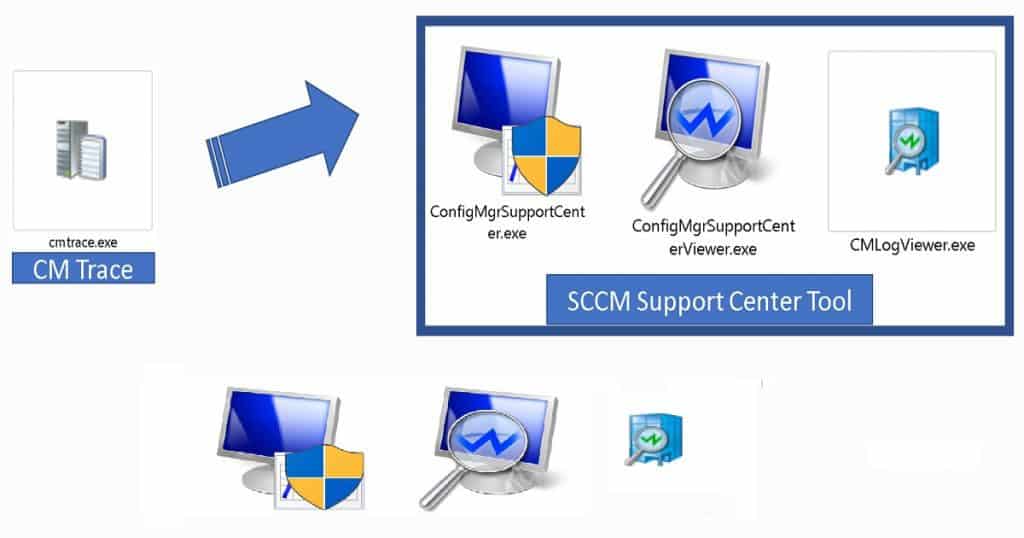
CMTrace Log Viewer
CMTrace is one of the SCCM tools that allows you to view log files with .log and .lo_ extensions. This tool also allows you to monitor log files and perform live troubleshooting of an issue.
I like the CMtrace log viewer the most because of its standalone nature. You don’t have to install any application to use this tool
Starting in SCCM version 1806, the CMTrace log viewing tool is automatically installed along with the ConfigMgr client.
It’s added to the client installation directory, which by default is %WinDir%\CCM\CMTrace.exe. However, CMTrace isn’t automatically registered with Windows to open the .log file extension.
The following are the locations where you will find the latest versions of the CMTrace tool. Microsoft is regularly updating the version of the tool and making it faster in the recent version of Configuration Manager. The newest version of CMTrace.exe is available with the 2107 version of SCCM.
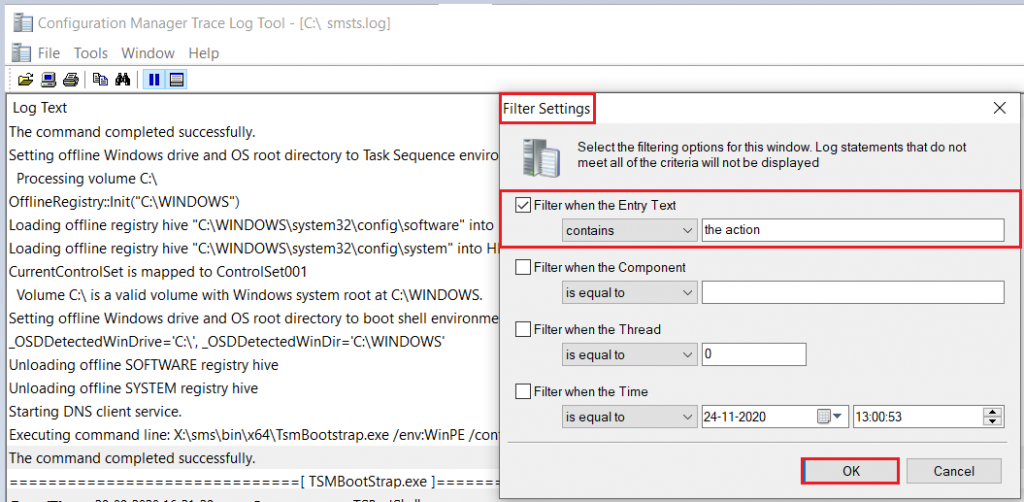
- Site Server: cd.latest\SMSSETUP\Tools\CMTrace.exe
- MP Server: C:\SMS_CCM\CMTrace.exe
- The client Side: C:\Windows\CCM\CMTrace.exe
- OSD Boot Image: X:\sms\bin\x64\CMTrace.exe
Some fun facts about the CMTrace SCCM log viewer tool are given below. I don’t think anyone else shared this yet.
Let me know whether you knew this before reading this post. Let’s quickly look at the similarities between the SCCM version numbers and CMtrace file version number etc.
- CMTrace’s full description -> Configuration Manager Trace Log Tool
- CM Trace File Version -> 5.00.9058.1000 (with the 2107 version of SCCM) The client version of SCCM 2107 is 5.00.9058.1012.
- The Orginal File Name of CMTrace -> CMTraceLoader.exe
NOTE! – @David James provided additional information on Twitter. The reason for the name CMTraceLoader.exe – is when 64 bit first came out… we had 32 & 64-bit versions of cmtrace.
But didn’t want to make things complex shipping both. so we built the loader that contained both and dynamically launched the right one. there were versions of CMTrace, that when using the /wallymode command line – would open logs in notepad instead of trace.
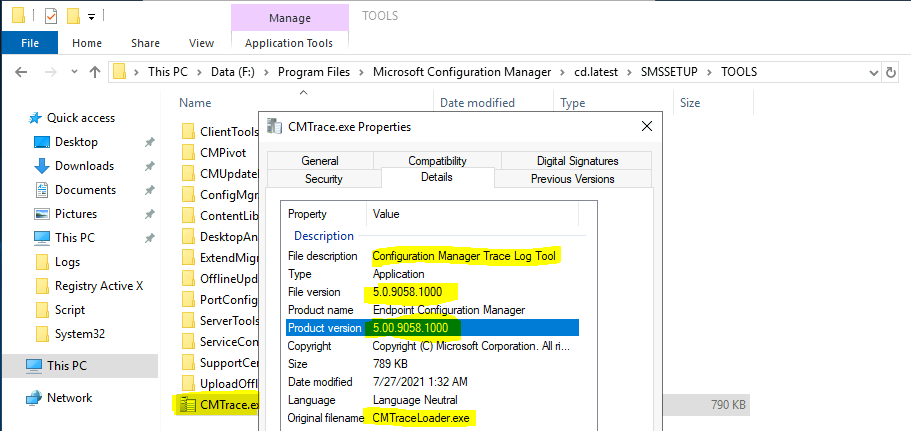
CMLogViewer.exe – Support Center Log File Viewer – Top SCCM Log File Viewer Options for Admins
Support Center Log File Viewer (CMLogViewer.exe) and OneTrace (CMPowerLogViewer.exe) use Windows Presentation Foundation (WPF) to provide more features.
The latest version of the log viewer is available in the Tools directory of the SCCM server. However, you will need to install the Support Center app to use this SCCM log viewer tool.
- <Install Directory>\Program Files\Microsoft Configuration Manager\tools\SupportCenter.
Since the WPF component is not available in WinPE, you need to use CMTrace for boot image and Task Sequence deployment. It’s not worth adding these new log viewers to the boot image.
This component isn’t available in Windows PE. Continue to use CMTrace in boot images with task sequence deployments.
- CMLogViewer.exe
- CMPowerLogViewer.exe (SCCM OneTrace tool preview version released with SCCM 1906)
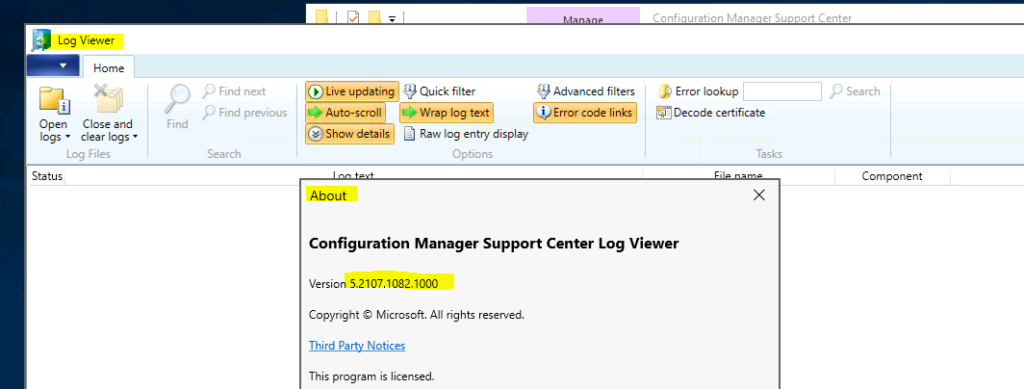
CMPowerLogViewer.exe (One Trace) – Top SCCM Log File Viewer Options for Admins
One Trace (a.k.a CMPowerLogviewer.exe) is another SCCM log file reading and monitoring tool. OneTrace is another “new” log viewer that comes with Support Center installation.
It works similarly to CMTrace (but this is not a standalone exe), with many improvements. You will need to install Support Center to use the One Trace SCCM log viewer tool.
One of the exciting features of the SCCM Support Center OneTrace log file reader is its flexibility with the modern UI. You can read my full review of OneTrace Log Viewer.
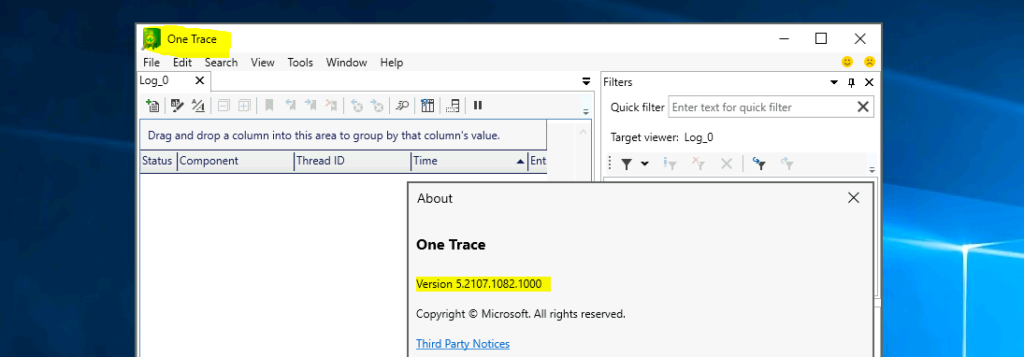
The latest version of the One Trace SCCM log viewer tool is 5.2107.1082.100 with SCCM 2107.
Support Center Tool
Both the tools, ConfigMgrSupportCenterViewer.exe & ConfigMgrSupportCenter.exe, are part of Support Center.
You can install support using the method explained – > SCCM Troubleshooting Tool Support Center Installation guide.
Trace32.exe Log File Viewer
Trace32.exe is a standalone executable found with SMS 2003, SCCM 2007. You can use this to “quickly” open very large trace files and automatically highlight lines with apparent errors.
CMTrace and another log reader are much quicker than Trace32.exe to read larger files.

Author
Anoop is Microsoft MVP! He is a Solution Architect in enterprise client management with over 17 years of experience (calculation done in 2018). He is Blogger, Speaker, and Local User Group HTMD Community leader. His main focus is on Device Management technologies like SCCM 2012, Current Branch, and Intune. He writes about ConfigMgr, Windows 11, Windows 10, Azure AD, Microsoft Intune, Windows 365, AVD, etc…..…




Discussion