






Top Scenarios and Core Tools for SCCM to Intune Migration
Top Scenarios and Core Tools for SCCM to Intune Migration. SCCM to Intune migration is the process of moving from on-premises device management (SCCM) to cloud-based management (Intune). SCCM is a tool used to manage computers and servers inside an organization’s network, usually within offices.
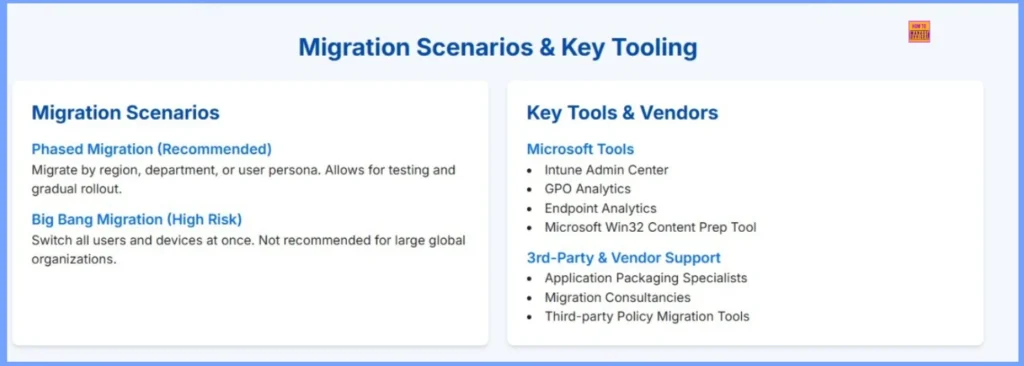
Intune, on the other hand, is a cloud service from Microsoft that allows you to manage devices, apps, and security settings from anywhere, without needing on-premises servers. When moving from SCCM to Intune, there are two main ways to do it such as the Phased Migration and Big Bang Migration.
Phased Migration is the recommended method; here you move devices and users to Intune step by step. This can be done by region, department, or user group. For example, you can first migrate one office location or one team, check if everything works fine, fix any problems, and then move on to the next group. This slow and careful approach helps reduce errors and gives time to test and adjust settings before a full rollout.
In a Big Bang Migration, all users and devices are moved to Intune simultaneously. This approach might seem faster, but it comes with more risk. If something goes wrong, it can affect everyone simultaneously and take longer to resolve. That’s why large organizations usually avoid this method and prefer the phased approach for better control and fewer issues.

Table of Contents
Top Scenarios and Core Tools for SCCM to Intune Migration
Microsoft offers several built-in tools to support migration, including the Intune Admin Center, GPO Analytics, Endpoint Analytics, and the Win32 Content Prep Tool for app packaging. Additionally, many organizations use third-party vendors such as application packaging specialists, migration consultancies, and policy migration tools to simplify and speed up the transition process.
- Key Tools & Vendors
- Microsoft Tools
- Intune Admin Center
- GPO Analytics
- Endpoint Analytics
- Microsoft Win32 Content Prep Tool
- 3rd-Party & Vendor Support
- Application packaging specialists
- Migration Consultancies
- Third-party Policy Migration Tools
- Microsoft Tools
| Migration Scenarios | Details |
|---|---|
| Phased Migration (Recommended) | Migrate by region, department, or user persona. Allows for testing and gradual rollout. |
| Big Bang Migration (High Risk) | Switch all users and devices at once. Not recommended for large global organizations. |
- How to Upgrade SCCM SQL Server to 2019 | Primary Site Database
- SQL Server 2019 Upgrade For SCCM Secondary Server (Part 1)
- Upgrade SSRS SQL Server Reporting Services to 2019 (Part 2)
- Download 37 Page Best Intune Migration Document from Microsoft
- How to Move from Co-Management to Full Intune with Modern Identity Modern Policies and No On-Prem
- Migration Guide Intune Hybrid to Intune Standalone
- Microsoft Intune Adoption Kit Got a Recent Update
- Unsupported Windows 10 Devices in Intune may Experience Limited or Unreliable Functionality
- Intune Administrative Templates Support is Going Away by December 2024
- Windows Device Configuration Policies Migrating to Unified Settings Platform in Intune
Why Intune Is More Important Than SCCM
Both Microsoft Intune and SCCM are powerful tools for managing endpoints. Intune has become more important in today’s cloud-driven IT environment because it aligns with modern management needs and hybrid work scenarios.
Microsoft designed to help organisations securely manage devices, applications, and user access from anywhere. The main administration portal for Intune is available at https://intune.microsoft.com, which provides a centralized console for managing Windows, macOS, iOS, and Android devices.
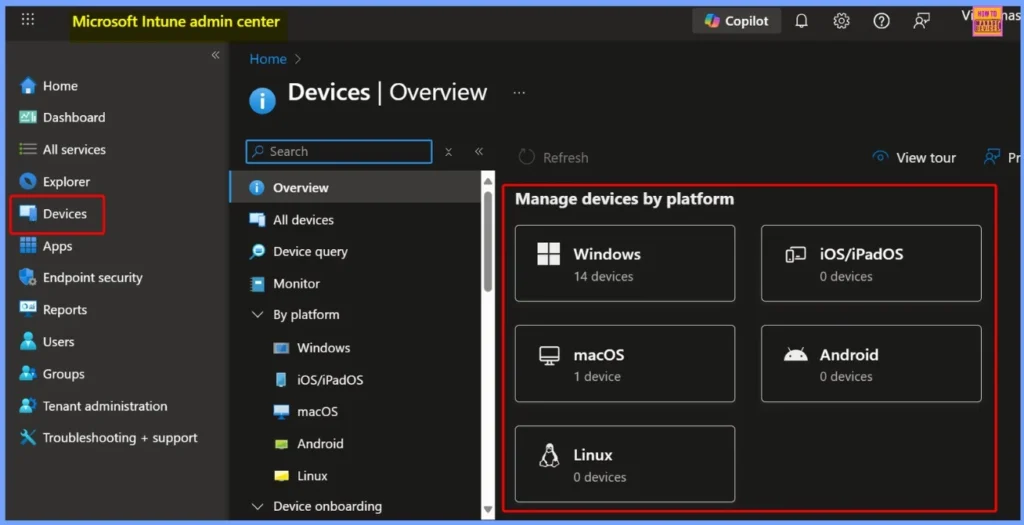
Key Tools and Vendor Support for a Successful SCCM to Intune Migration
Microsoft provides several essential utilities such as the Intune Admin Center for centralized management, GPO Analytics to assess and convert on-premises Group Policies, Endpoint Analytics to monitor device health and readiness, and the Win32 Content Prep Tool to package and deploy traditional Win32 applications.
Need Further Assistance or Have Technical Questions?
Join the LinkedIn Page and Telegram group to get the latest step-by-step guides and news updates. Join our Meetup Page to participate in User group meetings. Also, join the WhatsApp Community to get the latest news on Microsoft Technologies. We are there on Reddit as well.
Author
Anoop C Nair has been Microsoft MVP for 10 consecutive years from 2015 onwards. He is a Workplace Solution Architect with more than 22+ years of experience in Workplace technologies. He is a Blogger, Speaker, and Local User Group Community leader. His primary focus is on Device Management technologies like SCCM and Intune. He writes about technologies like Intune, SCCM, Windows, Cloud PC, Windows, Entra, Microsoft Security, Career, etc.


Discussion