






Fix ConfigMgr DP Issue RPC server is Unavailable Error Code 0x800706ba | SCCM | Configuration Manager
Learn how to fix the ConfigMgr DP Issue; the RPC server is unavailable, Error Code 0x800706ba. I have seen issues like SCCM package distribution not working for a particular remote DP.
When you see the issue for all the packages, it is related to network connectivity and distribution point configuration.
In this post, you’ll learn how to fix the ConfigMgr (DP) issue with the “RPC server is Unavailable” error, which has the error code 0x800706ba. We’ll explain the steps in simple, easy-to-understand terms, focusing on SCCM and Configuration Manager.
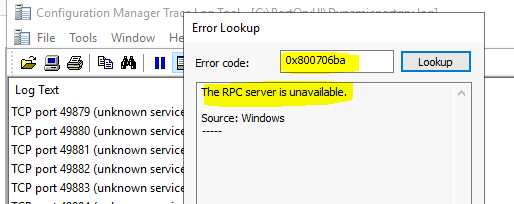
Error code 0x800706ba means the RPC server is unavailable. RPC is one of Windows’s core components, and SCCM uses it in many scenarios.

Table of Contents
Fix SCCM Untrusted Forest Remote DP Installation Error 0x800706BA
I checked and confirmed all the requirements, such as a) Requiring the Site server to Initiate Connection to this Site System and b) Using another account to install this site system (this account must have local admin rights on remote DP).
- Fix ConfigMgr 2010 Rollup Update Issue with Hotfix KB5001670 | SCCM
- ConfigMgr 2010 Known Issues Fixes | SCCM | Configuration Manager
- 28 Issues Fixed with ConfigMgr 2010 Update Rollup Hotfix KB4600089 | SCCM | Configuration Manager | Endpoint
- SCCM Troubleshooting Tool -Support Center ConfigMgrSupportCenter.exe
- Top 5 New Features of SCCM 2010 | ConfigMgr
0x800706ba – RPC Server is Unavailable
In ConfigMgr, an RPC server unavailable error might occur when the site server tries to connect to the remote DP’s Windows Management Instrumentation (WMI). The error code 0x800706ba could have several reasons. The following sections provide more details.
Event Logs
You need to check event logs (Applications/Systems) on the remote DP server to determine whether the WMI repository is in trouble. Health issues with WMI could also cause problems similar to those with SCCM package distribution.
Distmgr.log
Following are the errors in distmgr.log:-
- They were upgrading DP with ID 33554439. Thread 0x2490. Used 1 thread out of 5.
- CWmi:Connect() failed to connect to \\[“Display=\\RemoteDP.com\”]MSWNET:[“SMS_SITE=RSP”]\\RemoteDP.com\\root\CIMv2. Error = 0x800706BA
- DPConnection:ConnectWMI() – Failed to connect to RemoteDP.com.
- Failed to install DP files on the remote DP. Error code = 1722
Fix Error 0x800706BA
The error 0x800706BA translates to “The RPC Server is unavailable.”
I tried remote WMI tests using wmimgmt. msc and wbemtest with no luck. Telnet was not working for the primary server’s remote DP IP for port 135, which is used for RPC services.
The cause of this problem was straightforward. The RPC port 135 was not opened between the primary server and remote DP in an untrusted forest. We opened port 135, and the remote DP was installed successfully.
Security Hardening
I have seen scenarios like security hardening policies impact connectivity to remote DPs. This could also cause issues with package distribution. Event logs might hint at the new security policies implemented on remote distribution points.
Firewall Issues
The other important point you must check for RPC-related issues is firewall ports. This does not necessarily mean the firewall application is installed on your remote DP or primary server. It’s more about the firewall appliance from the network team. There might be many firewall devices between two data centres where the remote DP and primary server are located.
You must ensure all the required Firewall ports are opened between the remote DP and the primary server. Do you know RPC Dynamic Ports? TCP 49152-65535.
| From | To | UDP | TCP | Protocol | Direction |
|---|---|---|---|---|---|
| Site Server | DP | 135 | Unidirectional | RPC EPM/RPC Dynamic/SMB | Unidirection |
Test the following port communication to confirm that there are no connectivity issues. Run the following commands from the primary/secondary site server.
- You can use port query(portqry.exe) to test the connectivity between the site server and the remote distribution point.
- portqry -n REMOTE_DP’s_IP -p TCP –o 445,135 -l TCP445portqry.log
- portqry -n REMOTE_DP’s_IP -p UDP –e 135 -l UDP135portqry.log
- portqry -n REMOTE_DP’s_IP -p TCP –r 49152:65535 -l Dynamicportqry.log
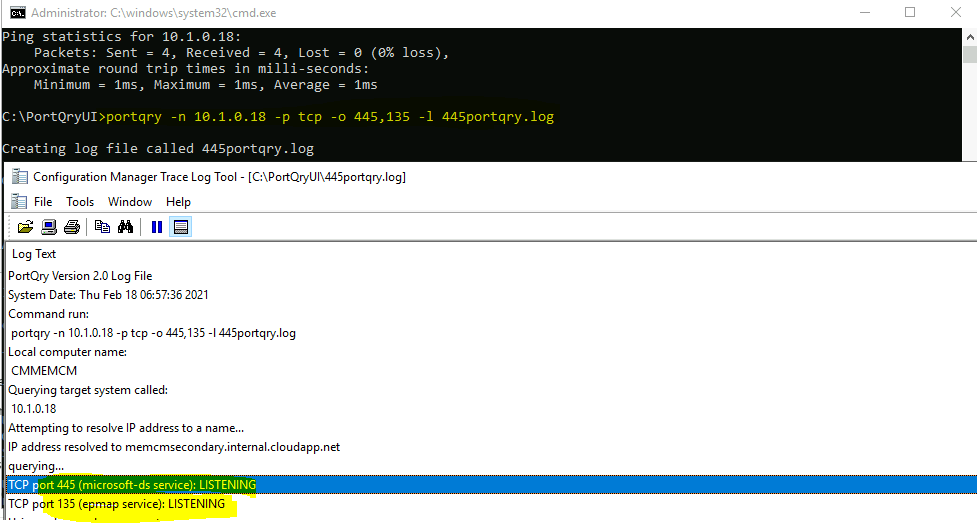
WMI Connectivity Test
Let’s check whether you can connect to the remote DP’s WMI. You can try connecting to remote DP’s WMI using the WBEMTest tool available in Windows. There are a couple of considerations here. You can use either an admin user or system account to connect to remote WMI.
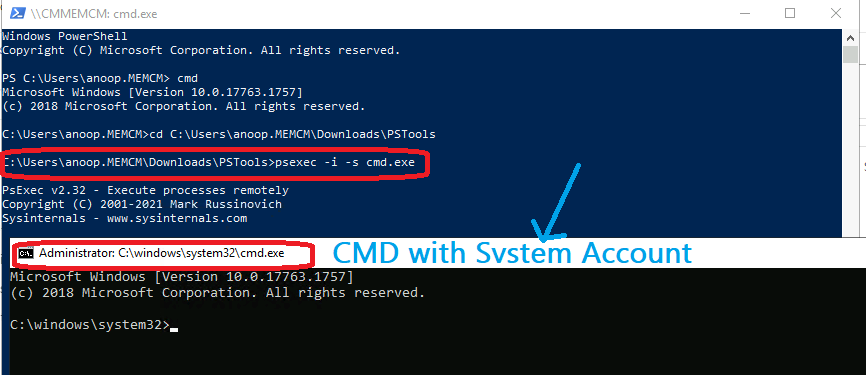
- You can try connecting to remote WMI using the site server system account
- psexec -i -s cmd.exe
Type WBEMTest from the command prompt. Please connect to the default WMI location of remote DP \MEMCMSecondary\root\cimv2, where MEMCMSecondary is my remote DP server. Click on the Connect button.
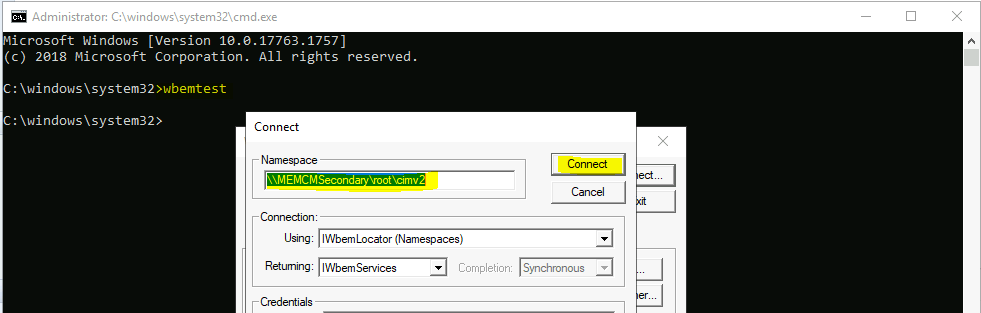
Make sure the remote DP’s WMI is connected successfully
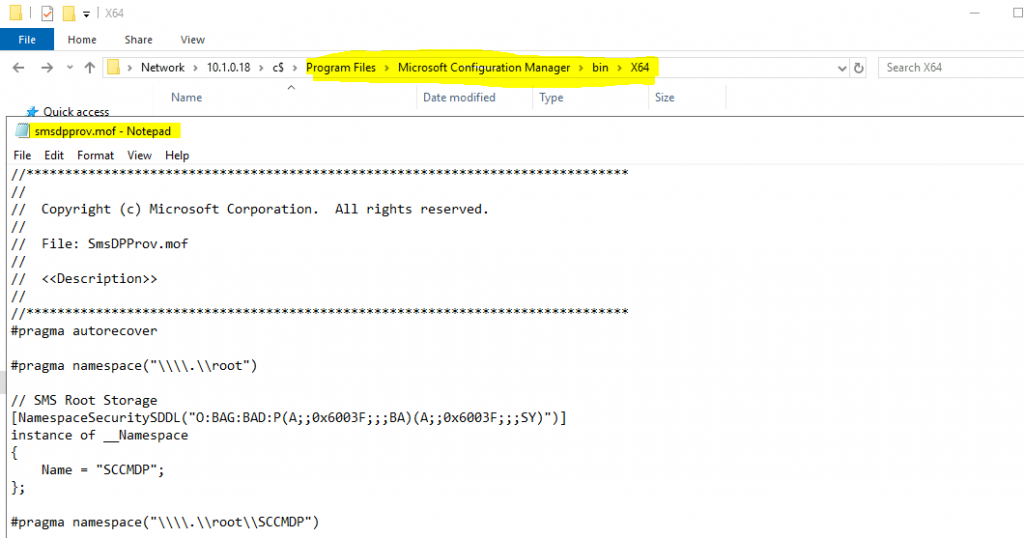
Recompile smsdpprov.mof
I have seen in many blogs/forums that recompiling the MOF file (smsdpprov.mof) could help fix the 0x800706ba error.
However, I have not used this method to resolve the issues. I recommend raising a ticket with Microsoft support before you do this step.
- Browse to Drive Letter:\Program Files\Microsoft Configuration Manager\bin\x64
- Search for smsdpprov.mof file
- Copy the above file to the remote DP
- Run the following command (as administrator) from the remote DP
- mofcomp.exe smsdpprov.mof
SCCM DP Logs
Check the SCCM log files related to DPs. The PkgXferMgr.log file is your best friend for remote DP distribution/package replication issues.
| distmgr.log | Package Application distribution process |
| PkgXferMgr.log | Records the actions of the SMS_Executive component that is responsible for sending content from an SCCM primary site to a remote DP. |
Firewall Issue? Fix SCCM Untrusted Forest Remote DP Installation Error 0x800706BA ConfigMgr
The error mentioned above is that the remote procedure call (RPC) server is unavailable, which can happen if the dynamic ports are NOT open other than 135.
It is worth checking the following ports as well. To get more details, you may need to perform a network trace so that you will come to which port is blocking it,
– tcp 135,
– tcp/udp – 389
– tcp 3268
– tcp/udp – 88
– tcp/udp – 53
– tcp 3268
– tcp 445
– dynamic rpc ports for NTDS. Netlogon
Resources
- Content distribution failure on a newly configured DP – How To Manage Devices Community Forum
- Troubleshoot – Content distribution in Configuration Manager
- Fix SCCM SendFiles Failed 0x80070003 Error | ConfigMgr
- SCCM package distribution failed to remote DP
- https://docs.microsoft.com/en-us/troubleshoot/mem/configmgr/recommended-antivirus-exclusions
We are on WhatsApp now. To get the latest step-by-step guides, news, and updates, Join our Channel. Click here – HTMD WhatsApp.
Anoop C Nair is Microsoft MVP! He is a Device Management Admin with more than 20 years of experience (calculation done in 2021) in IT. He is a Blogger, Speaker, and Local User Group HTMD Community leader. His primary focus is Device Management technologies like SCCM 2012, Current Branch, and Intune. He writes about ConfigMgr, Windows 11, Windows 10, Azure AD, Microsoft Intune, Windows 365, AVD, etc.




this worked for my DP.
mofcomp.exe smsdpprov.mof
I had a client that was experiencing this issue while trying to install a new DP after applying June 2022 patches, which enabled DCOM Hardening by default. They had to create the registry key to disable this hardening for the installation to work. Hopefully Microsoft will fix this behavior before they enable DCOM Hardening without the option to disable it come March 2023.
thxs I had the same problem with the hardening