






Uninstall Setting on Device Removal for iOS Apps in Intune
Let’s learn how you can set uninstall Setting on Device Removal for iOS Apps in Intune. The uninstall on device removal is a feature in Intune that allows IT admins to automatically uninstall iOS apps from enrolled devices when they are removed from management.
This feature helps ensure that corporate data is secure by removing apps that may contain sensitive information or pose a security risk. To set the Uninstall Setting on Device Removal for iOS apps, you need to specify the Uninstall on device removal settings inside the assignments.
With this feature, IT admins can customize the uninstall behavior for each app, choosing to either remove the app and its data or preserve the data and only remove the app itself. The Uninstall Setting on Device Removal feature simplifies app management and helps maintain the security of corporate data on mobile devices.
This setting applies solely to managed apps installed on the device after it has been enrolled, and it does not affect web apps or web links. Data protected by Mobile Application Management (MAM) is the only information that will be removed through the App Selective Wipe after retirement.

Learn how to configure Intune Enrollment setup for iOS Devices, and setup enrollment for iOS/iPadOS devices. When you deploy the store apps to iOS/iPadOS devices, the apps are automatically updated. After adding the store apps, you can make the iOS app installed or available for iOS/iPadOS devices, deploy iOS store apps Using Intune
- Prohibit Connection To Non-domain Networks Using Intune
- New Built-in LAPs Client For Windows 11 And 10 | Conflict With Old Version Of LAPs
Uninstall Setting on Device Removal for iOS Apps in Intune
To set the Uninstall Setting on Device Removal for iOS apps in Intune, follow these steps:
- Sign in to the Microsoft Intune admin center https://intune.microsoft.com/.
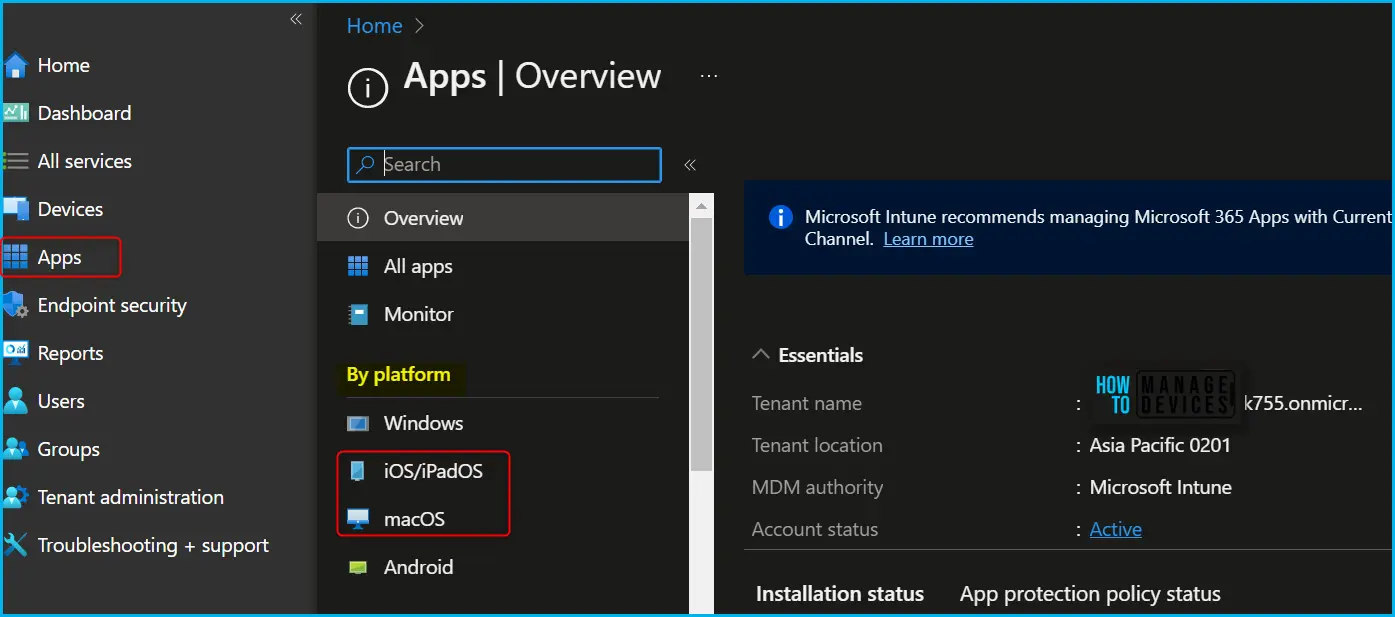
- Select Apps > iOS/iPadOS or macOS.
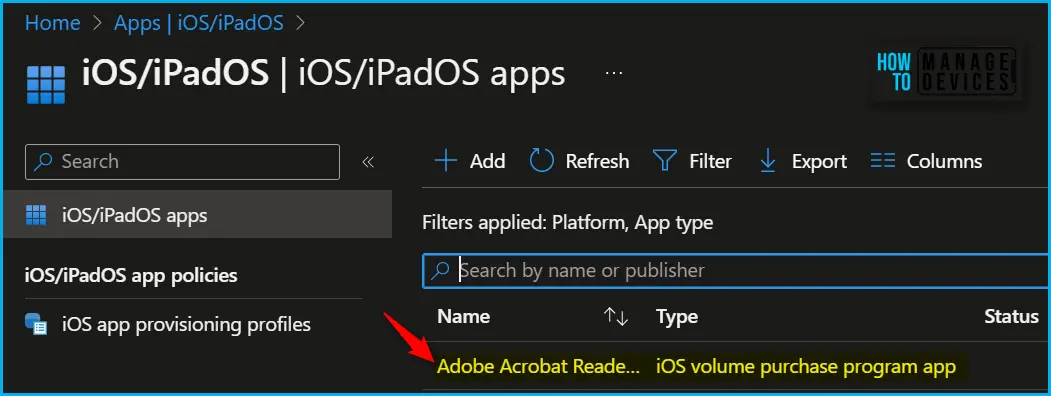
Here, I have selected the existing volume purchase program app (VPP app), Adobe Acrobat Reader, from the list.
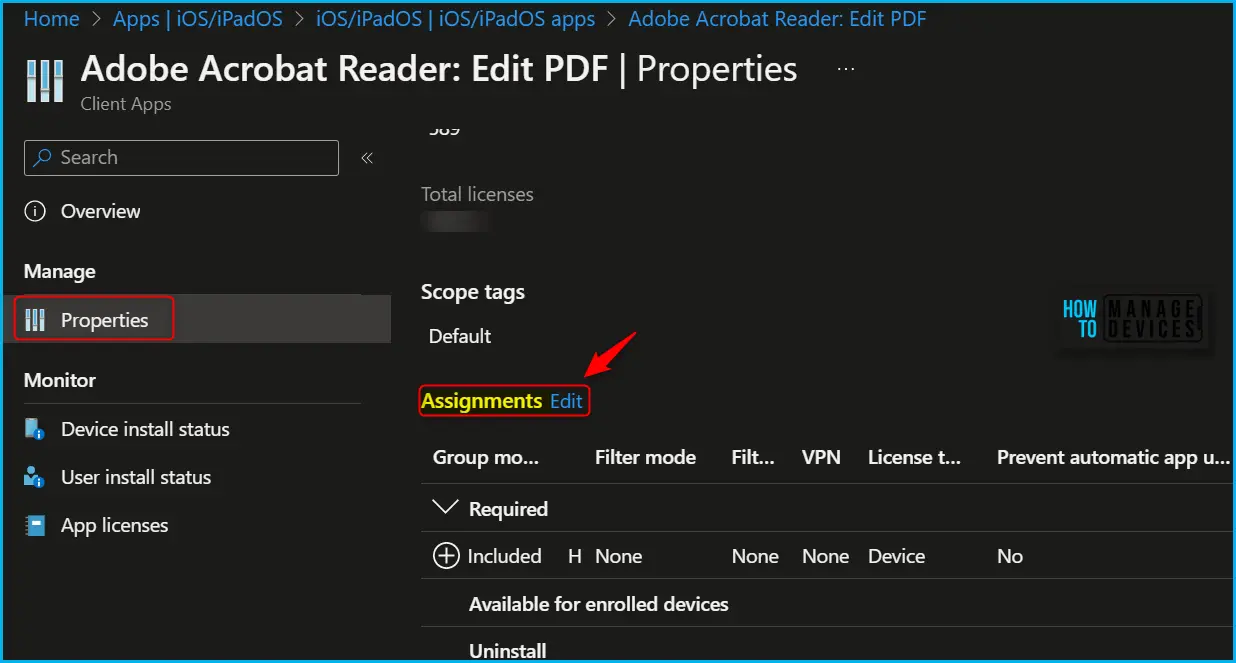
Once you select the application and select Properties, scroll down and click on Edit in the Assignments to modify the settings.
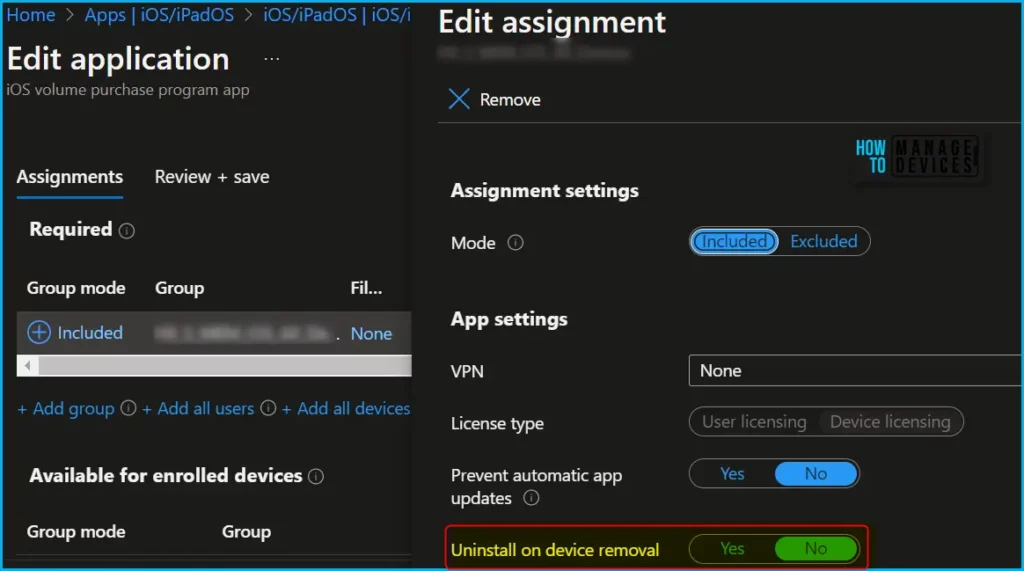
In application assignments properties, Here you can see the application is targeted as required. Select Uninstall on device removal. Default values for the setting are prepopulated for new assignments as follows:
| App Type | Uninstall on device removal (Default setting) |
|---|---|
| Line-of-business app | Yes |
| Store app | No |
| VPP app | No |
| Built-in app | No |
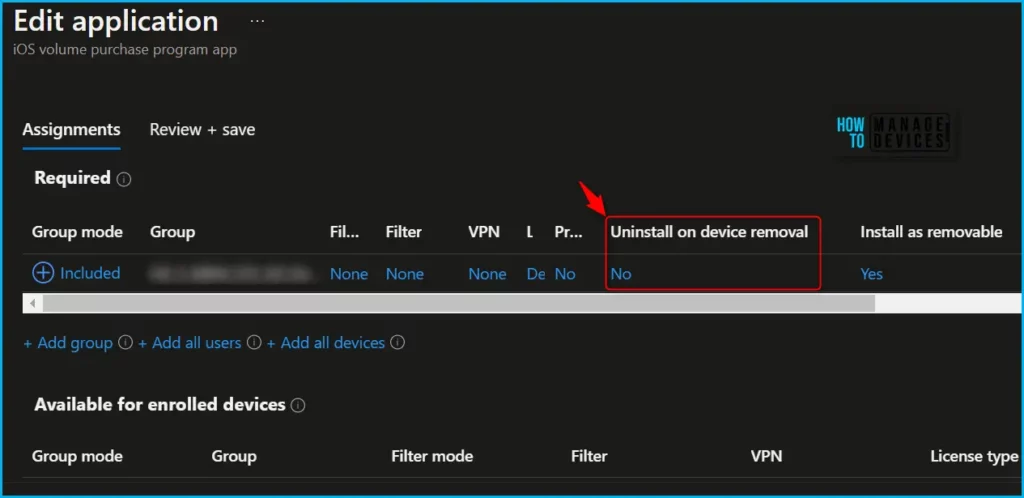
To modify the assignment status of an app in Intune, In the pop-up window. You can adjust the property value Uninstall on device removal by selecting either “Yes” or “No,” depending on your preference. This feature provides a simple way to manage app availability and helps ensure that only the necessary apps are installed on enrolled devices.
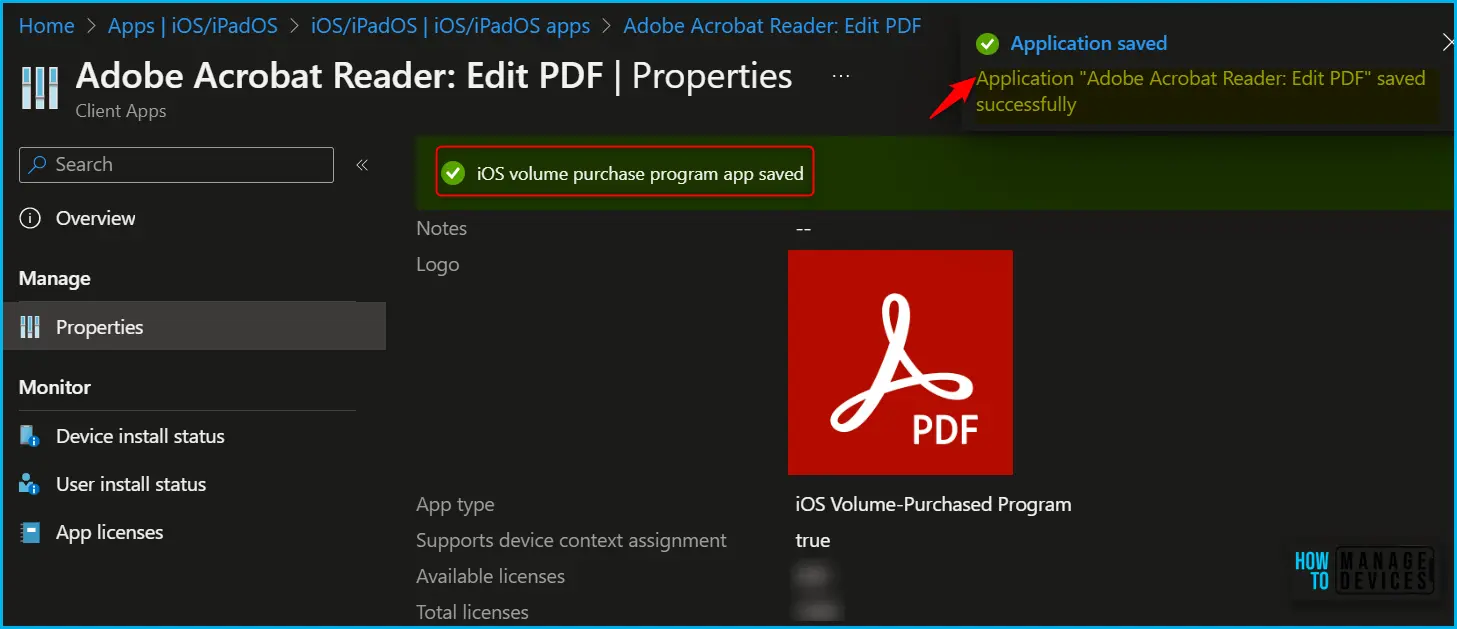
The next screen will appear with the Summary, Review the selection, and click Save. A notification will appear automatically in the top right-hand corner with the message “Application saved successfully.”
When conflicts occur in Uninstall on device removal setting, the app is not removed from the device when the device is no longer managed.
Author
About Author – Jitesh, Microsoft MVP, has over six years of working experience in the IT Industry. He writes and shares his experiences related to Microsoft device management technologies and IT Infrastructure management. His primary focus is Windows 10/11 Deployment solution with Configuration Manager, Microsoft Deployment Toolkit (MDT), and Microsoft Intune.


I don’t have these options to uninstall web link app deployed to iPads. Can you guide me how to uninstall the web link apps from iPad ? I have added the groups from required to uninstalled but for an error saying uninstall failed with error code 0x87D13B6A