






Unsupported Versions of iOS iPadOS MacOS Devices for Intune | Minimum Supported Versions 16 and 13
Unsupported Versions of iOS iPadOS MacOS Devices for Intune! Microsoft Intune now requires devices to run at least iOS/iPadOS 16.x for iPhones and iPads and macOS 13.x for Macs. Older versions cannot be supported anymore, so users must update to these versions or higher to keep using Intune for device management.
By requiring iOS/iPadOS 16.x as the minimum version, Intune makes sure devices are up-to-date with the latest security fixes, features, and management tools. This change also matches Apple’s regular updates, which improve performance and strengthen security on their devices.
Intune now requires macOS 13.x or later as the minimum version for managing Macs. If a Mac runs an older macOS version, Intune cannot support it. Users must update their Macs to macOS 13.x or a newer version to keep using Intune’s management features. This ensures that devices are using the latest security updates and features.
In this post, you will find all the details about Microsoft Intune now requiring iOS/iPadOS 16.x and macOS 13.x as the minimum supported versions. The devices running older versions must be updated to continue using Intune for management and security.

Table of Contents
What are Userless iOS and iPadOS Devices Enrolled through Automated Device Enrollment (ADE)?
Userless devices are iOS or iPadOS devices enrolled through Automated Device Enrollment (ADE) that are not associated with a specific user. These devices are typically used in shared environments, such as classrooms, kiosks, or other organizational settings where multiple individuals use the same device.
MS Intune Now Requires iOS/iPadOS 16.x and macOS 13.x as Minimum Supported Versions
MS Intune Now Requires iOS/iPadOS 16.x and macOS 13.x as Minimum Supported Versions. By checking and guiding your users to upgrade, you can help avoid disruptions and ensure your organization complies with the new Intune iOS/iPadOS and macOS requirements. After users have upgraded their devices, use Intune reporting to monitor compliance.
- Update iOS Apps with MAM Policies for iOS/iPadOS 17 Upgrade
- macOS New Notification Permission for Shell Scripts
- Onboard iOS/iPadOS Devices to Microsoft Defender for Endpoint
Require iOS/iPadOS 16.x or Higher After iOS/iPadOS 18 Release
Apple is expected to release iOS 18 and iPadOS 18 later this year, bringing new features and improvements to its mobile devices. Following this release, Microsoft Intune, a cloud-based service that manages mobile devices and apps, will soon require devices running iOS/iPadOS 16 or higher.
This process applies to devices running iOS and iPadOS operating systems. This change will impact all apps and services managed through Intune, including the Intune Company Portal and Intune’s App Protection Policies (APP), also known as Mobile Application Management (MAM).
How to Check and Manage Affected Devices in Microsoft Intune
With Microsoft Intune soon requiring iOS/iPadOS 16 or higher, it’s essential to identify any devices in your organization that may be running unsupported versions. This table provides a clear overview of how to check and manage devices in Microsoft Intune for OS compliance.
| How to Check and Manage Affected Devices in Microsoft Intune | Details |
|---|---|
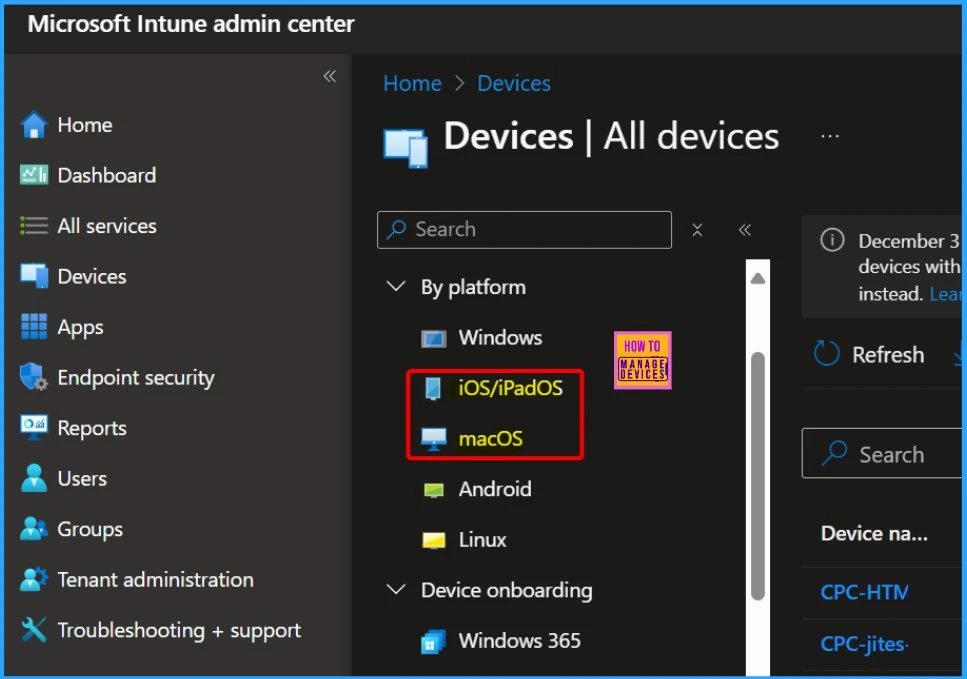
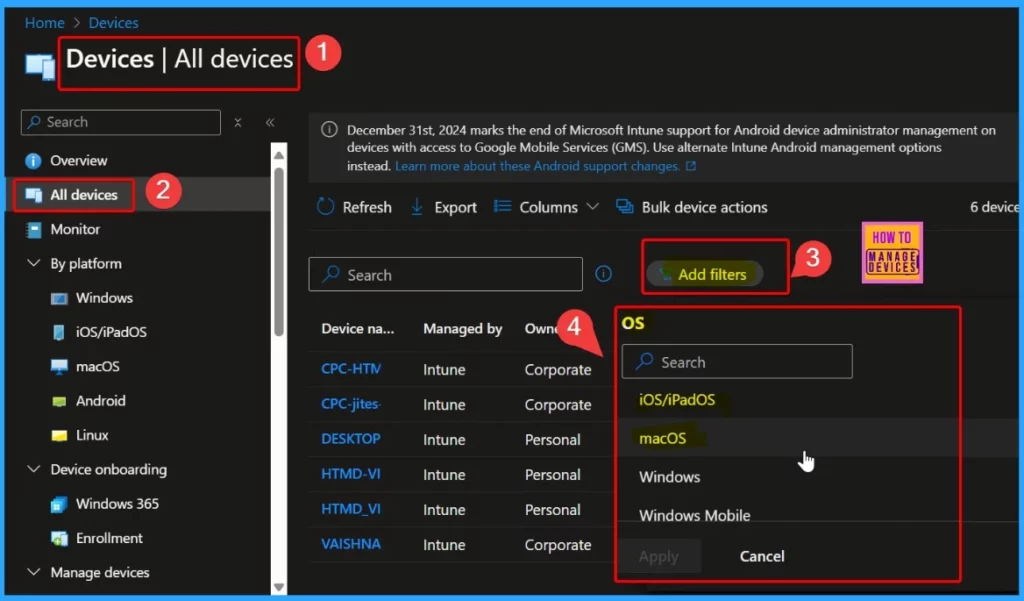
| Check Devices with MDM | Go to Devices > All devices in the Microsoft Intune portal. Use the filtering options to view devices based on their OS, identifying those on iOS/iPadOS 15 or earlier. |
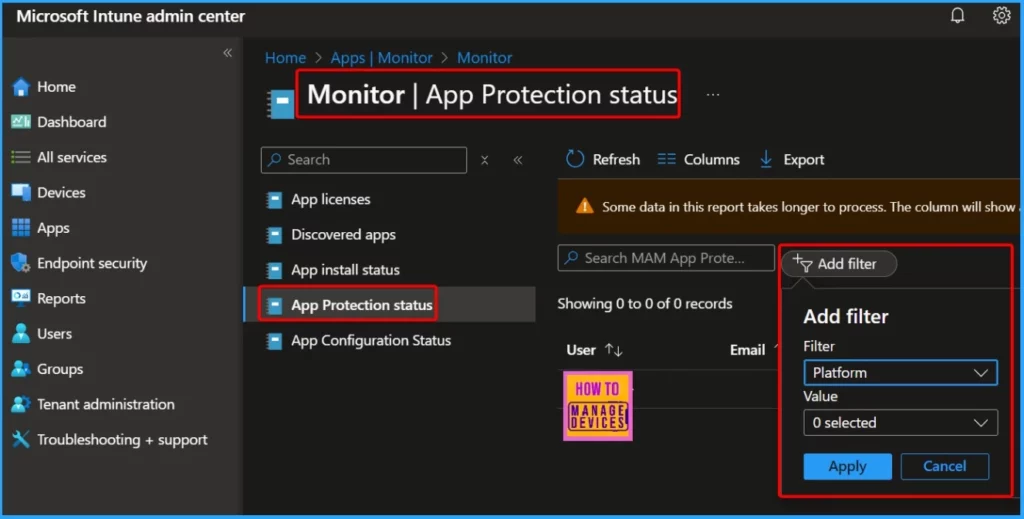
| Check Devices with APP/MAM | Go to Apps > Monitor > App protection status in the Intune portal. Filter by Platform and Version – Use the Platform and Platform version columns to filter for older OS versions. |
- Data Loss Prevention is Now Available on the macOS Settings Catalog
- New Platform SSO for macOS Devices in Microsoft Intune
- macOS Devices Migration Framework to Intune from Jamf Kandji JumpCloud Platforms
Managing Supported OS Versions in Intune
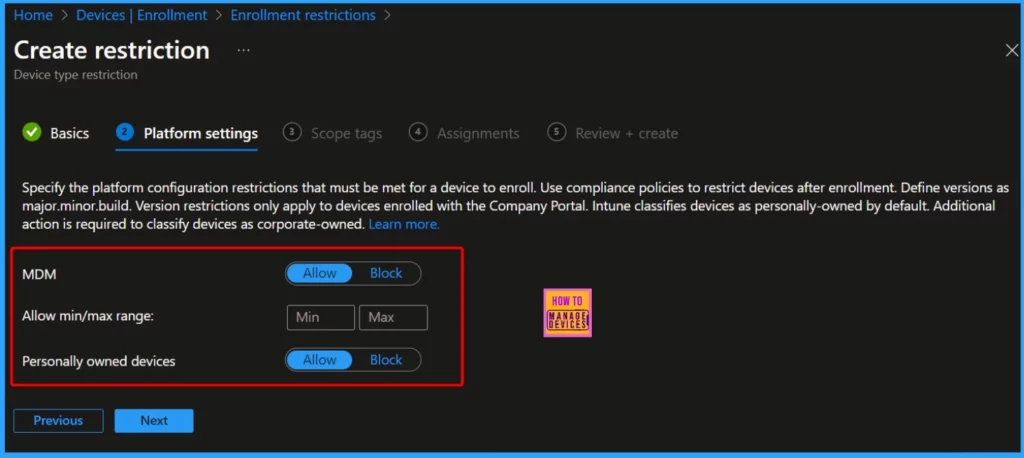
For MDM Devices, Configure device compliance policies to enforce minimum OS requirements. Devices with outdated OSs will be marked non-compliant. For APP (MAM) Devices, Specify minimum OS versions in in-app protection policies. Users on unsupported versions will be prompted to update their devices.
- Microsoft Made Universal Print for macOS Available
- Enroll iOS/iPadOS Devices in Intune Step by Step Guide
- Multiple Identity Support For Intune MAM Policies
Requires macOS 13.x or Higher with the Release of macOS 15 Sequoia
With the release of macOS 15 Sequoia, Microsoft Intune is updating its minimum operating system requirements for Mac devices. macOS 13 (Ventura) or higher will be required to use Microsoft Intune. It includes the Company Portal app and the Intune Mobile Device Management (MDM) agent.
- The devices running macOS 12 or earlier will no longer support Intune management.
- Organizations using Intune to manage Macs must ensure their devices are updated to at least macOS 13 to continue benefiting from Intune’s services.
- Organizations must keep devices on current macOS versions to ensure ongoing security, performance enhancements, and compatibility with the latest management tools.
- By updating to macOS 13 or later, devices will be able to get the new features of macOS
How to Prepare for the macOS 13.x Minimum Requirement in Intune
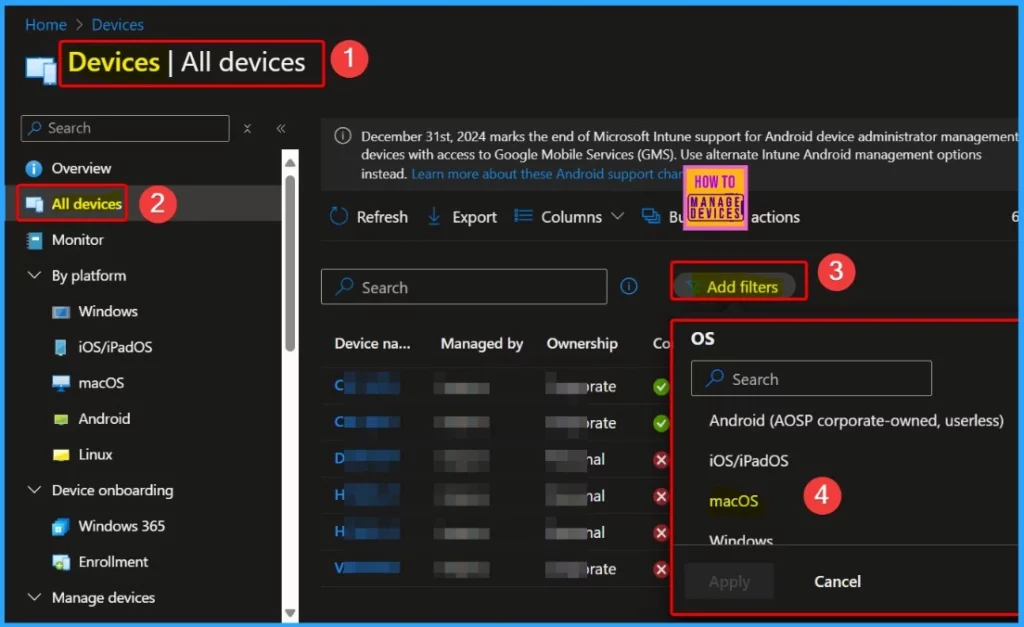
You can quickly check Intune Reporting for Affected Devices. In the Microsoft Intune portal, go to Devices > All devices. Use the filtering options to narrow the list of devices by the macOS version. This will allow you to see which devices are running macOS 12 or earlier.
We are on WhatsApp now. To get the latest step-by-step guides, news, and updates, Join our Channel. Click here. HTMD WhatsApp.
Author
Anoop C Nair has been Microsoft MVP from 2015 onwards for 10 consecutive years! He is a Workplace Solution Architect with more than 22+ years of experience in Workplace technologies. He is also a Blogger, Speaker, and Local User Group Community leader. His primary focus is on Device Management technologies like SCCM and Intune. He writes about technologies like Intune, SCCM, Windows, Cloud PC, Windows, Entra, Microsoft Security, Career, etc.


Discussion