






How to Fix Update Fail Issue on Microsoft Edge Deployment using Intune
Let’s discuss How to Fix Update Fail Issue on Microsoft Edge Deployment using Intune. An update failure issue faced by Microsoft Edge users using Intune. The issue occurred when the user deploy Microsoft Edge on registered devices.
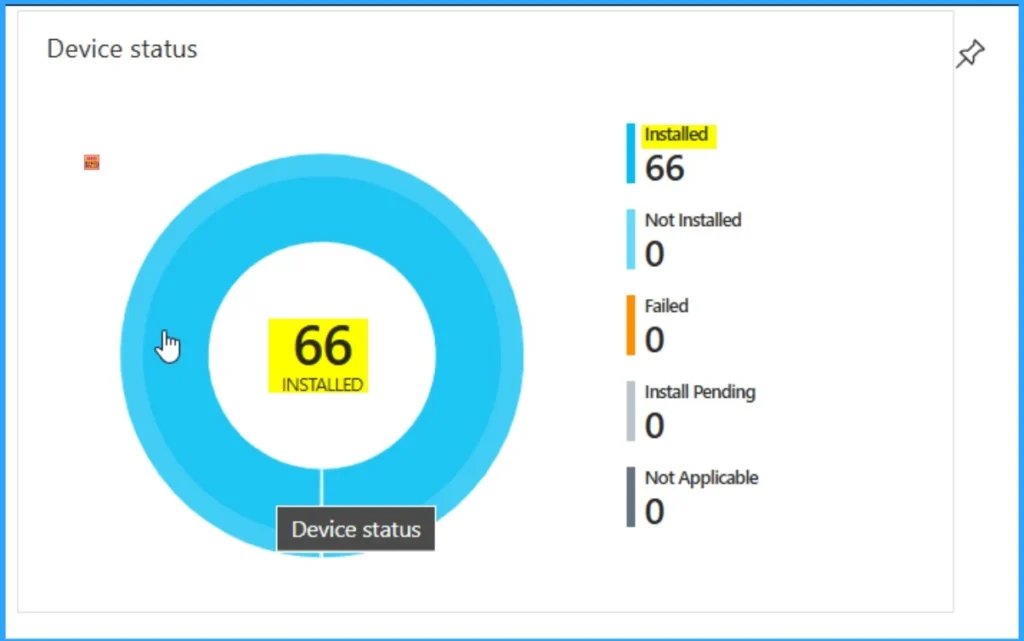
The deployment of Microsoft Edge is successful in registered devices with Intune. But almost all the installation shows as outdated in the Intune Portal. This causes inconvenience and confusion among admins and users.
Usually, in Intune, if a deployment seems as successful, a user thinks that, the app is ready to use. But the installation shown as outdated creates frustration. Due to this issue, devices reflected old Edge builds, leading to vulnerabilities and compatibility issues.
When this issue occurred, your organisation faced technical and security risks. Unpatched browsers increase exposure to known threats. In this blog post I would like to discuss about this issue and provide a remediation of the issue.


Table of Contents
How to Fix Update Fail Issue on Microsoft Edge Deployment using Intune
With this issue, the versions on devices did not match expectations. So users cannot do their expected work in their organisation. As you all know, Microsoft Edge is the best browser that enhances productivity. If your organisation fail to install the new version, you are forced to use other browsers. By switching to another browser, you may feel inconvenienced.
- How to use Microsoft Entra Conditional Access in Edge for Business to Restrict Access to Compliant Devices
- Simplify Microsoft Edge Updates Management with Windows Autopatch
- Troubleshooting Steps to Restore Missing Microsoft Edge Browser Toolbar
Reasons for the Issue
There are many reasons behind the issue. The main reason behind the issue stemmed from a missing update configuration during the initial Microsoft Edge deployment via Intune. Look at the table below for more information about the reasons.
| Reasons |
|---|
| Lack of Update policy Settings |
| Deployment Only Installed the Browser |
Resolution Steps
Many admis says resolution steps to resolve this issue. Mr. MB_- give a remediation for this issue. The issue affected user also fix the issue by creating a configuration to control the update.
Check Device Install Status
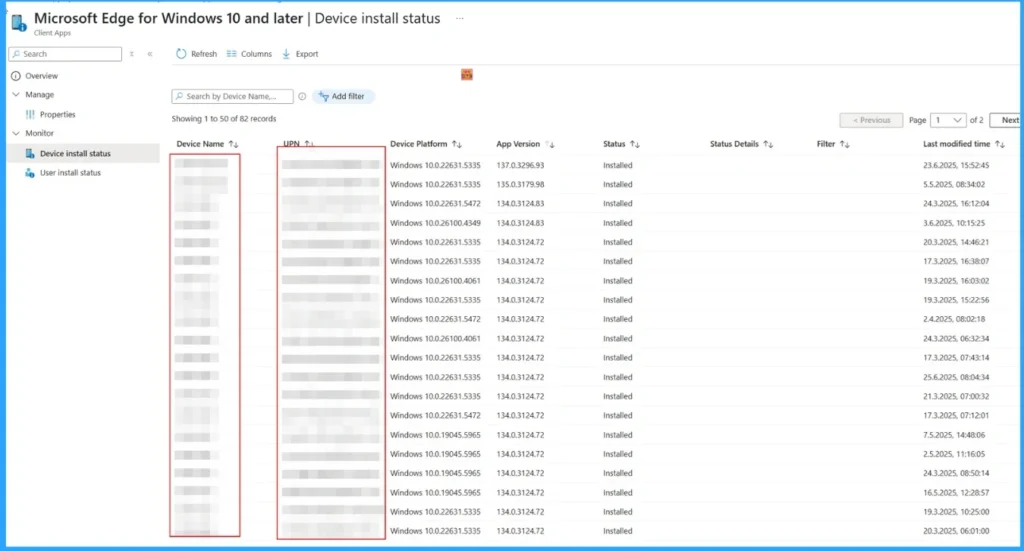
Mr. MB_- suggested that, In the “Device install status” you see the version that was installed on the devices via Intune, that does not have to be the version that is currently on the device. To check the version open the device page and check the version in the “Discovered apps“.
Need Further Assistance or Have Technical Questions?
Join the LinkedIn Page and Telegram group to get the latest step-by-step guides and news updates. Join our Meetup Page to participate in User group meetings. Also, Join the WhatsApp Community to get the latest news on Microsoft Technologies. We are there on Reddit as well.
Author
Anoop C Nair has been Microsoft MVP for 10 consecutive years from 2015 onwards. He is a Workplace Solution Architect with more than 22+ years of experience in Workplace technologies. He is a Blogger, Speaker, and Local User Group Community leader. His primary focus is on Device Management technologies like SCCM and Intune. He writes about technologies like Intune, SCCM, Windows, Cloud PC, Windows, Entra, Microsoft Security, Career, etc.


Discussion