






Update Microsoft Edge Security Baselines from Intune
In this post, Let’s check how to Update Microsoft Edge Security Baselines from Intune. You can update the Microsoft Edge security baseline to version 112 depending on the changing needs of a typical organization.
Microsoft updates the versions of Security Baselines depending on the changing needs of a typical organization. Each setting in a baseline has a default configuration for that baseline version, Microsoft continues to publish security baselines for group policies (GPOs) and the Security Compliance Toolkit, as it has for many years.
Security baselines are groups of pre-configured Windows settings that help you apply and enforce granular security settings recommended by the relevant security teams. You can also customize each baseline you deploy to implement only the required settings and values.
You deploy security baselines to groups of users or devices in Intune, and the settings apply to devices that run Windows 10/11. Security baselines can help you to have a secure end-to-end workflow when working with Microsoft 365.

The existing older versions will be deprecated with the new release of the Security Baseline version. The older security baseline profile settings can not be editable or modified. You can continue using profiles based on older versions, including editing name, descriptions, and assignments.
- Setting Up MS Edge Homepage Using Intune HTMD
- Secure Microsoft Edge Browser Using Intune Security Policies
Update Microsoft Edge Security Baselines from Intune
Let’s follow the steps to update security baselines for Microsoft Edge from Intune. It’s recommended that before you update the version of a profile that’s assigned to groups, test the version update on a copy of the profile so you can validate the new baseline settings on the test group of devices.
- Sign in to Microsoft Intune Admin Center https://intune.microsoft.com
- Navigate to the Endpoint Security node. Click on the Security Baselines.
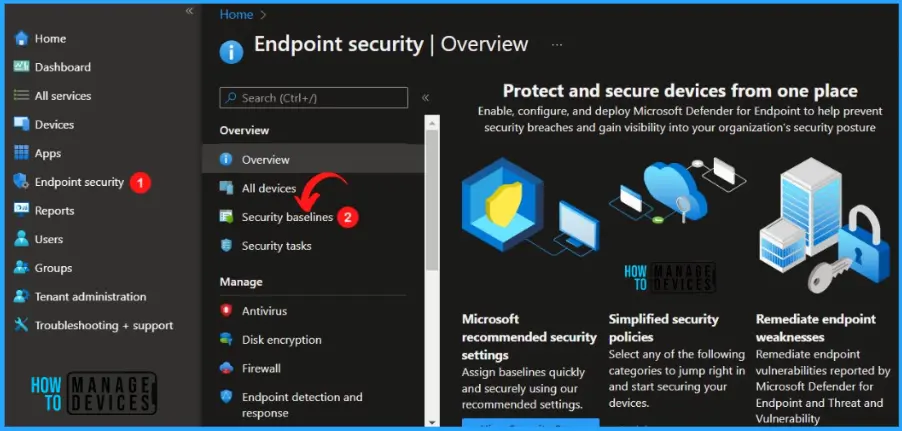
Here you can see several other baseline policies in this node, Select Security Baseline for Microsoft Edge from the lists of Security Baselines.
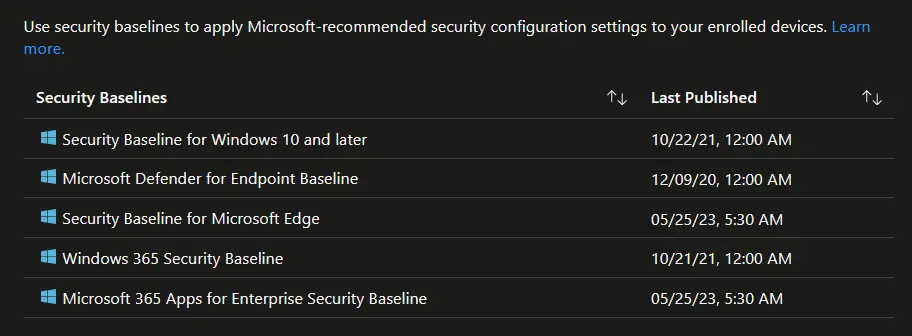
Version 112 of Microsoft Edge will become the default version when creating new profiles. Existing profiles on the latest versions across all security baselines will still be editable and manageable when the new versions are released.
However, you’ll see changes when trying to upgrade from the September 2020 version to version 112, as it will be a manual process. Select the existing Security Baseline profile and click Change Version.
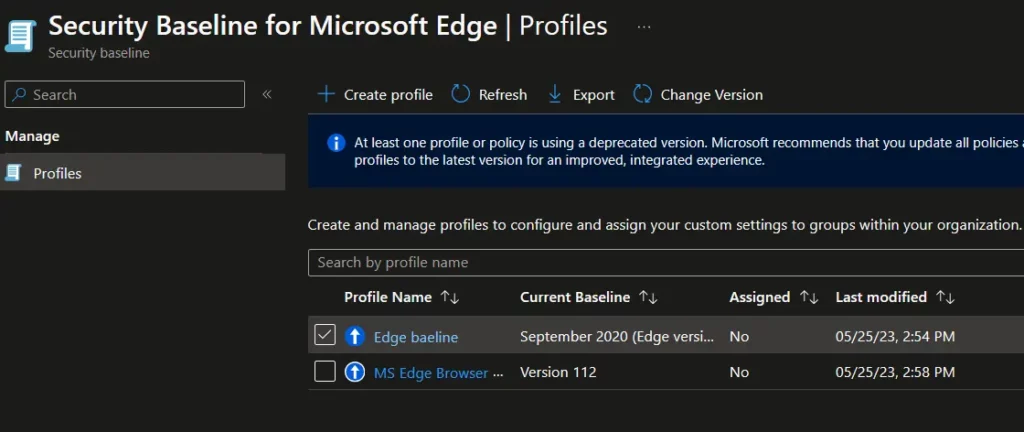
Existing profiles won’t be deleted. Admins can keep previous profiles even after creating a new one on the latest version. However, Microsoft always recommends keeping only the latest baseline version on your devices to keep your environment secure with the latest Microsoft-recommended security settings.
Note: It is important to back up your existing production baseline policies and perform changes in the latest version. You have an option to duplicate the security baseline, just like duplicating settings catalog.
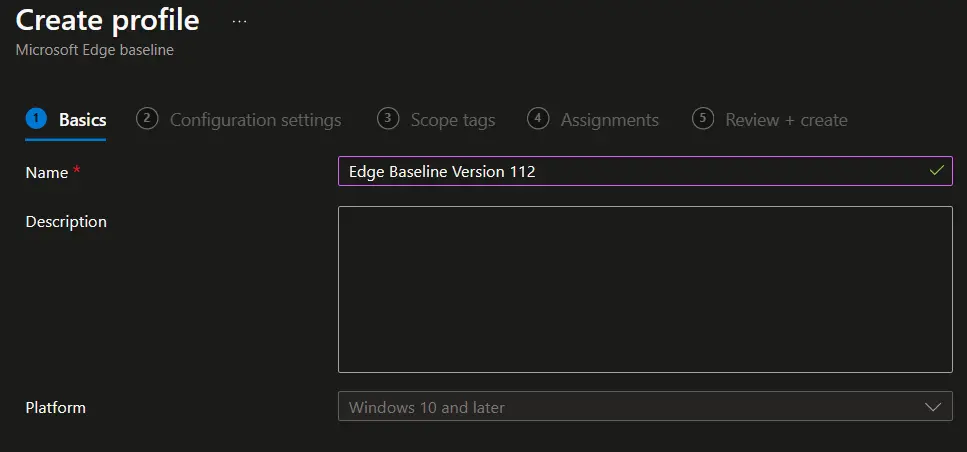
On the Basics tab, specify the Name for your security baseline profile, and the description will be automatically populated. Select Next to go to the next tab.
On the Configuration settings tab, view the Settings groups available in the baseline you selected. You can expand a group to view the settings in that group and the default values for those settings in the baseline. To find specific settings:
Review the file so that you understand which settings are new or removed and what the default values for these settings are in the updated profile, and Click Next.
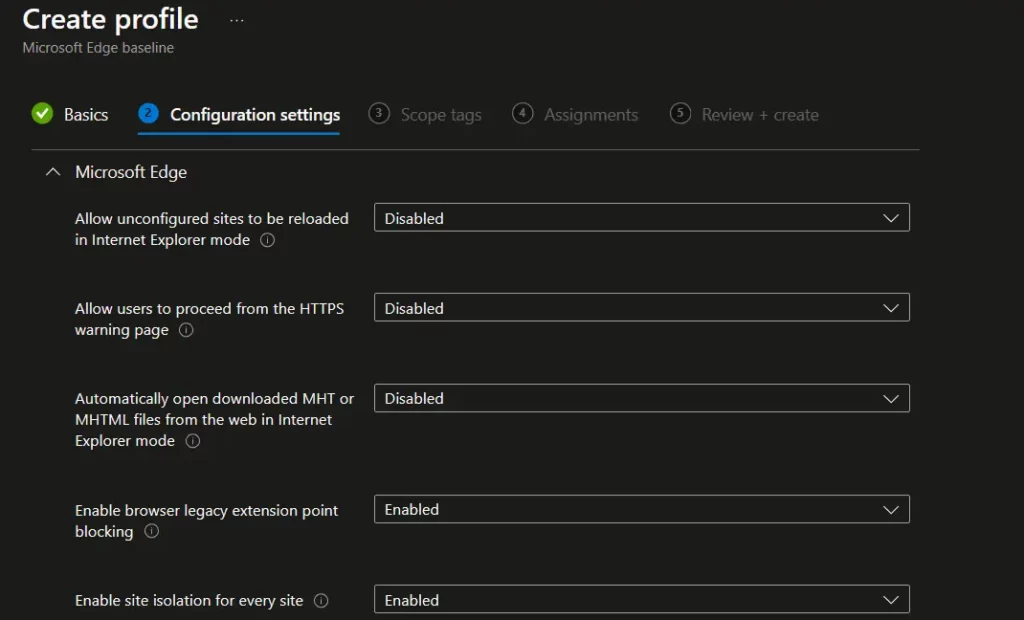
A notification will appear automatically in the top right-hand corner with a message. Here you can see the Microsoft Edge Security Baseline created.
The Current Baseline column shows the latest selected baseline version 112. The profile updates to the selected baseline version, and after the conversion is complete, the baseline immediately redeploys to assigned groups.
If you have a profile associated with an older baseline, that older baseline will continue to be listed. When a new version for a baseline is released, plan to update your existing profiles to the new version.
- Existing profiles don’t upgrade to new versions automatically.
- Settings in baseline profiles that don’t use the latest version become read-only.
Video Tutorial on Intune Security Baseline Policies Templates
Let’s have a look at the latest Video Tutorial on Intune Security Baseline Policies Templates. In this video guide, you are going to learn about Intune Security Baseline Decoded Easiest option to set up security policies for your organization. Also, the challenges with Security Baseline Templates.
We are on WhatsApp. To get the latest step-by-step guides and news updates, Join our Channel. Click here –HTMD WhatsApp.
Author
About Author – Jitesh, Microsoft MVP, has over six years of working experience in the IT Industry. He writes and shares his experiences related to Microsoft device management technologies and IT Infrastructure management. His primary focus is Windows 10/11 Deployment solution with Configuration Manager, Microsoft Deployment Toolkit (MDT), and Microsoft Intune.


Discussion