






How to Purchase or Upgrade to Windows 10 Professional Edition Change the Product Key
How can I purchase or Upgrade to Windows 10 Professional Edition and Change the Product Key? I have a Surface 3 with the Windows 8.1 “Core” operating system, which is not Windows 8.1 Pro.
When I upgraded Windows 8.1 “Core” to Windows 10 technical preview, it became Windows 10 Home Edition. Now, you will ask, what is the problem with the Windows 10 Home edition?
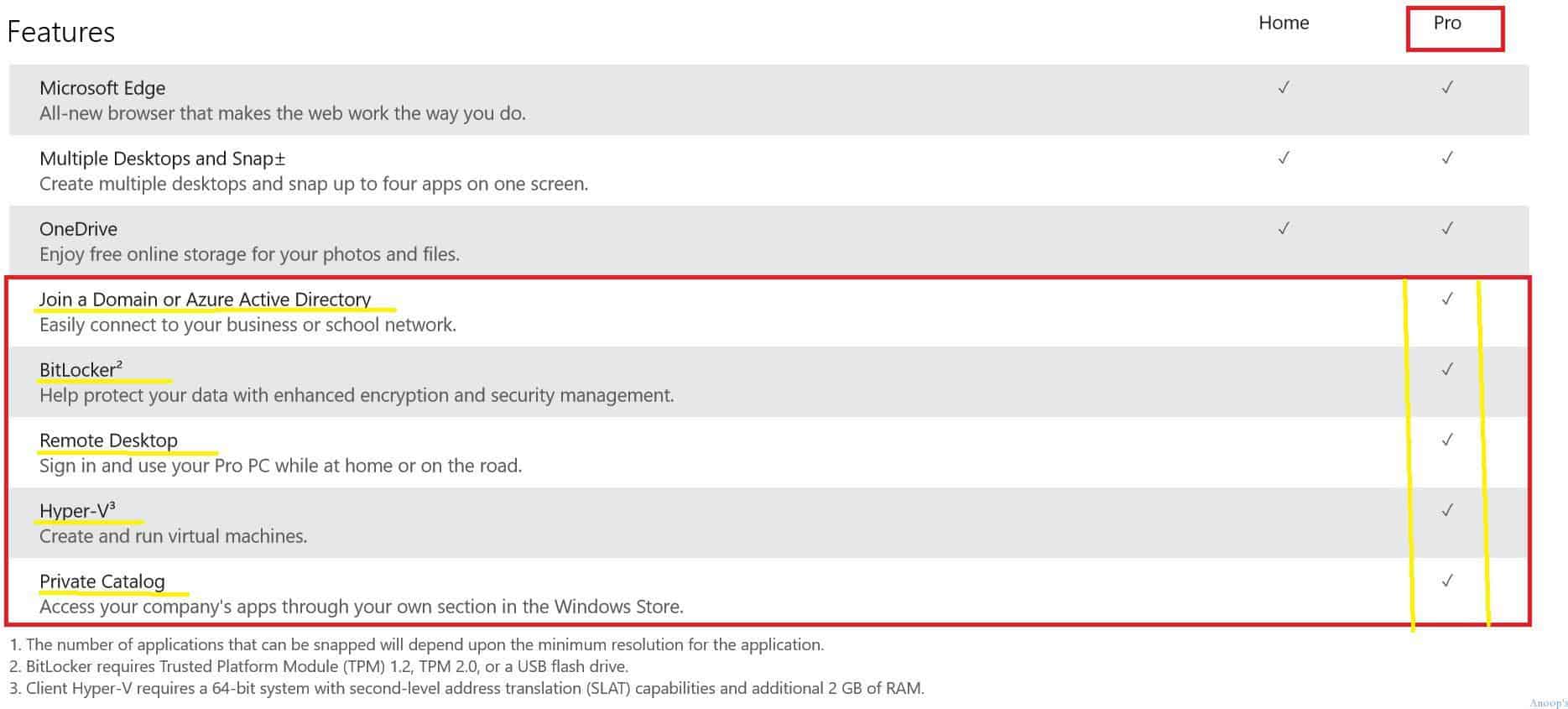
Upgrade to Windows 10 Professional Edition and Change the Product Key? – Ok, here is it. IT Pros like me should have Windows 10 Prof edition to enable Hyper-V and options like Remote Desktop, BitLocker, Join a Domain, or Azure Active Directory.
In Windows 10 home edition, we won’t be able to enable features like Hyper-V, Remote Desktop, Bitlocker, Domain, or AAD Join. So, what is the option to upgrade or purchase Windows 10 Pro edition?

| Index |
|---|
| How to Purchase or Upgrade to Windows 10 Professional Edition Change the Product Key |
| Windows 10 Professional Edition |
- Upgrade to Windows 10 21H2 using KB5003791 Enablement Package and SCCM | KB5015684
- Fix Windows Update Issues For Windows Errors Troubleshooting Tips
- Fix Windows Update Error 0x8007005 Failed To Restart
How to Purchase or Upgrade to Windows 10 Professional Edition Change the Product Key
Also, where is an option to change the product key of the Windows 10 operating system? This post will answer these questions.
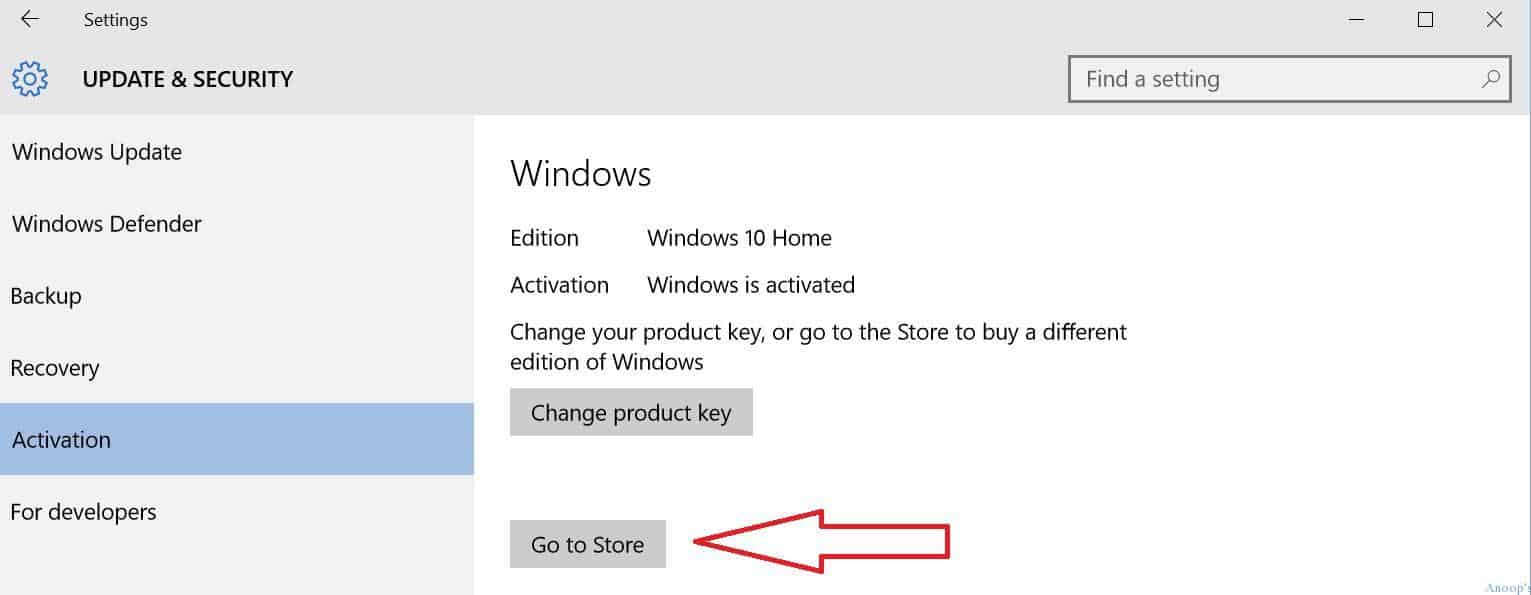
The following is one of the options I found for upgrading your Windows 10 Home to the Windows 10 Pro operating system. Go to settings –> Update and Security tab –> Activation. Go to Store is the button you want to click or tap to purchase a different version of Windows 10.
Windows 10 Professional Edition
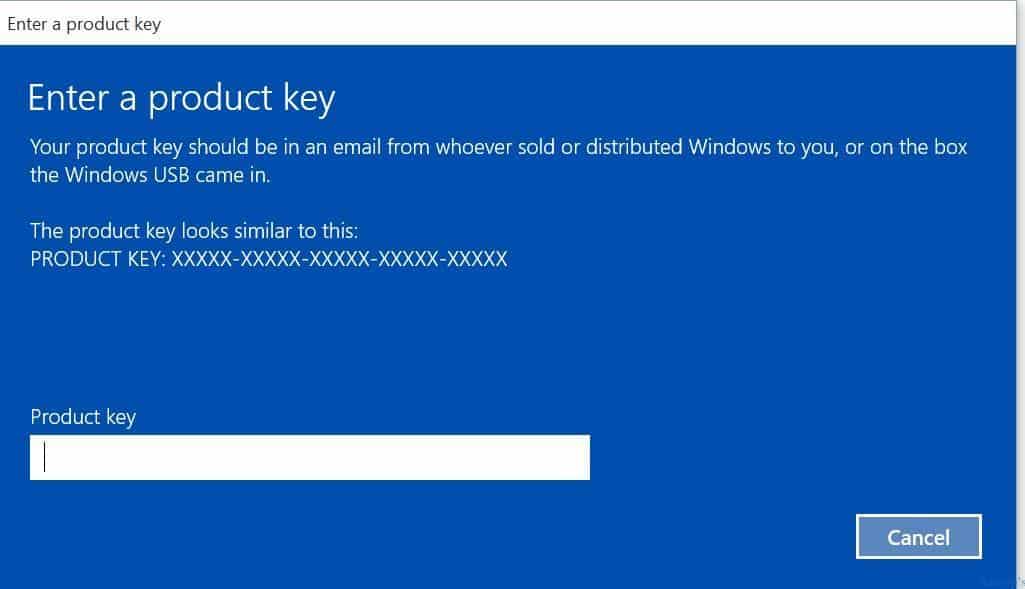
When you have a different Product Key for Windows 10, you can change the key using the following option. There is an option to change the product key of the Windows 10 operating system. You need to click the “Change Product Key” button (as you can see in the above picture) to change the product key of Windows 10 OS. Enter your new Windows 10 product key on the following screen.
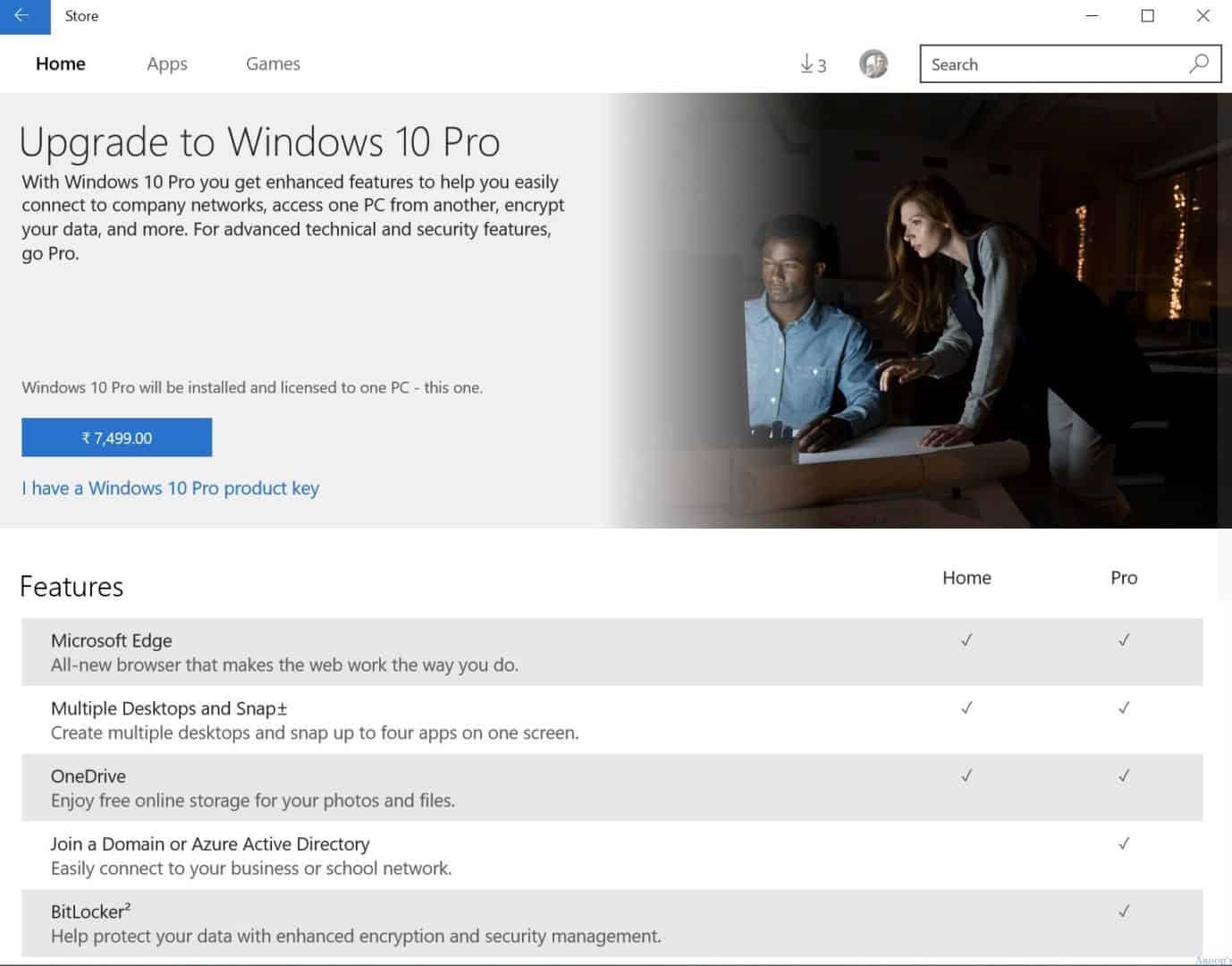
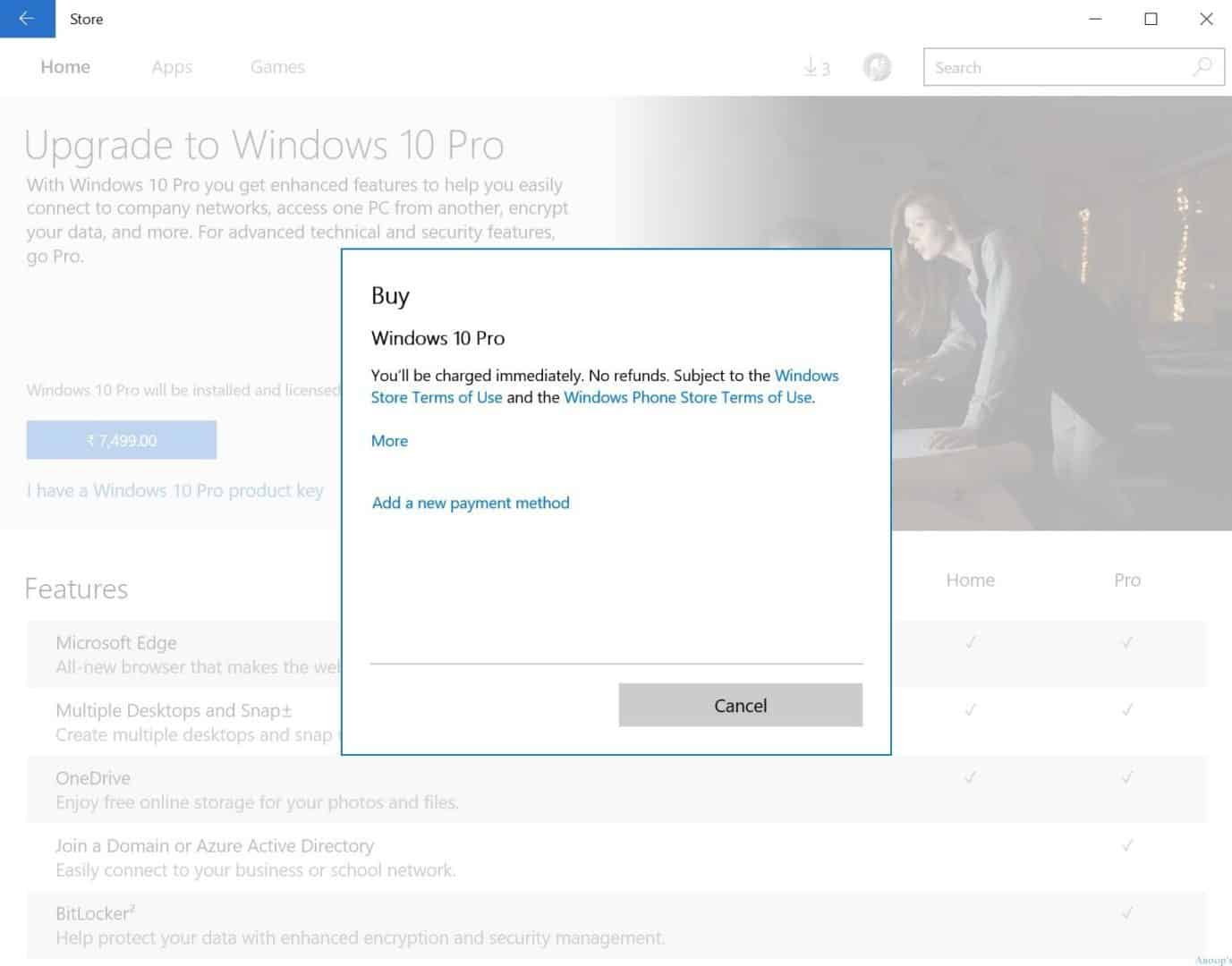
To upgrade to Windows 10 Pro from the Windows 10 Home version, you must pay 7,499 Indian Rupees (around 118 USD). The following picture shows you can purchase the Windows 10 Pro version from the Windows store.
Add new payment methods if you purchase an application from the Windows store for the first time.
Resources
Windows 10 Latest Version Of Client Operating System From Microsoft
We are on WhatsApp now. To get the latest step-by-step guides, news, and updates, Join our Channel. Click here. HTMD WhatsApp.
Author
Anoop C Nair is Microsoft MVP! He is a Device Management Admin with more than 20 years of experience (calculation done in 2021) in IT. He is a Blogger, Speaker, and Local User Group HTMD Community leader. His main focus is on Device Management technologies like SCCM 2012, Current Branch, and Intune. He writes about ConfigMgr, Windows 11, Windows 10, Azure AD, Microsoft Intune, Windows 365, AVD, etc.



But can you inline upgrade from home to pro, or do you have to reinstall? Or is it like running slgmr, where it just changes it instantly and it’s done with no installing needed?
StaffI’ve not tested it…..I don’t think reinstall required
If I have windows 8.1 pro and I upgrade it to windows 10 is it be Pro or Home edition.?
StaffPro !!
I bought my hp laptop which came with windows 10 home single language and is activated and I can see my product id.
Now I have bought a windows 10 pro version product key but I am sceptic if it’ll work (bought it very cheap for around 2000 INR and I fear it my not work).
So in case I use this method and change the product key and the new key is blocked or doesn’t work. Will my windows home version still remain activated and retain my eligibility to use that as genuine or will my activation be lost (as I don’t have a product key for current installation since came preinstalled in my laptop)?
Thanks, I follow the steps, but i do not buy the windows 10 pro from Microsoft store , it is too expensive, instead I bought the windows 10 pro from the Microsoft partner keyingo, the I select “I have a windows 10 Product key” at the Microsoft store , and i successfully upgrade win 10 home to Pro