






Windows 10 22H2 Group Policy Settings Complete Guide Download
Let’s quickly check the details of the Windows 10 22H2 Group Policy Settings. The latest Windows 10 22H2 includes new security features for enterprise, more productivity-focused features, with every new release of the Windows version, group policy settings are updated to enhance the work experience.
Microsoft recommend that you begin targeted deployments of Windows 10, version 22H2 in your organization to validate that your apps, devices, and infrastructure work as expected with the new release.
Windows 10, version 22H2 (Windows 10 2022 Update) is a scoped release focused on quality improvements to the overall Windows experience in existing feature areas such as quality, productivity, and security.
For devices running Windows 10, versions 20H2, 21H1, or 21H2, you can take advantage of an enablement package for a fast, easy installation experience.

There are different methods to upgrade to Windows 10 22H2. As per Microsoft, Windows 10 22H2 availability can vary depending on the device and WUfB policy configured from Intune. You can also use the SCCM Windows Servicing option to upgrade to Windows 10 22H2 version.
- Windows 11 22H2 Group Policy Settings list Download
- Download Windows 10 Administrative Templates for All Versions
Download Windows 10 22H2 Group Policy Settings Reference Spreadsheet
This spreadsheet lists the policy settings for computer and user configurations included in the ADMX files delivered for Windows 10 2022 Update (Version 22H2). You can configure these policy settings when you edit Windows 10 22H2 Group Policy Objects.
Group Policy settings reference spreadsheet for Windows 10, version 22H2
- To download Group Policy settings reference spreadsheet for Windows 10 22H2, Select the link. You’ll be redirected to the Download Center details page.
- On the download page that opens, Validate the Windows version details. Click on the Download button.
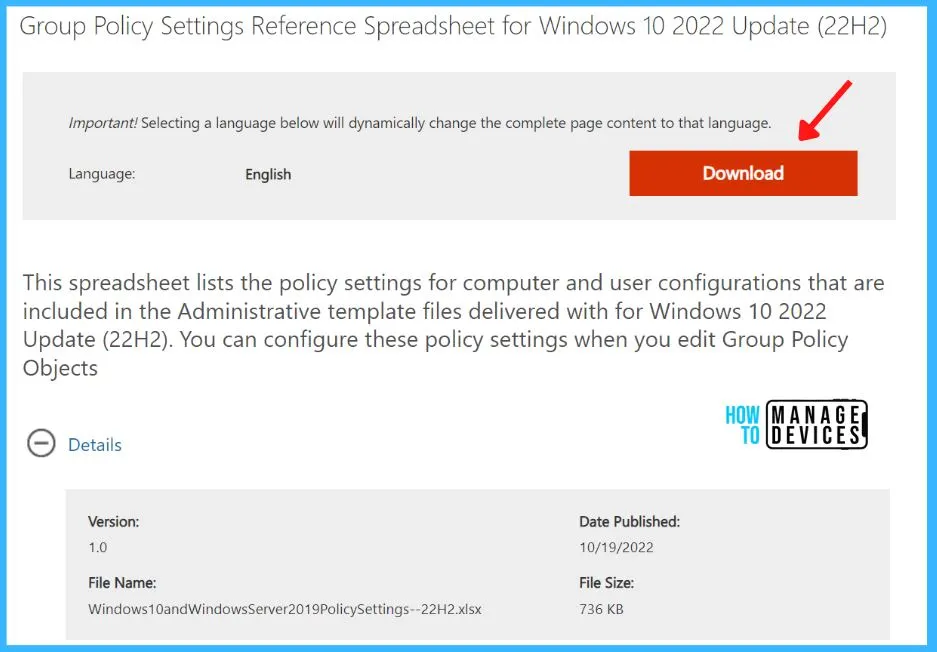
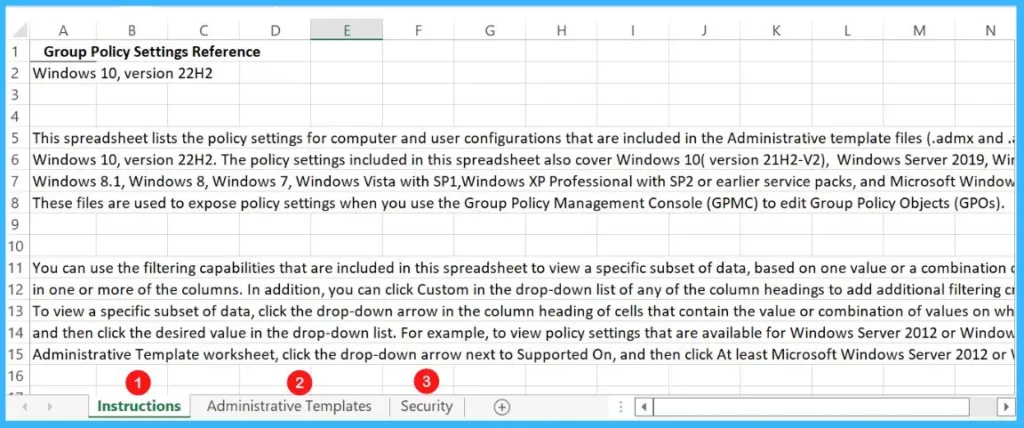
Here you will get the Windows10andWindowsServer2019PolicySettings–22H2.xlsx. You can use the filtering capabilities. In addition, you can click Custom in the drop-down list of any of the column headings to add additional filtering criteria within that column.
This spreadsheet lists the policy settings for computer and user configurations that are included in the Administrative template files (.admx and .adml) delivered with Windows 10, version 22H2. The policy settings included in this spreadsheet also cover Windows 10 (version 21H2), Windows Server 2019, Windows Server 2016, Windows 10, or earlier windows versions.
- New Group Policy Settings Available in Different Versions of Windows 10
- List of Intune Administrative Template Settings| User | Device
List of Windows 10 22H2 Group Policy Settings
The following Windows 10 22H2 Group Policy Settings lists for computer and user configurations are included in the Administrative template files (.admx and .adml) delivered with Windows 10 22H2. The list includes only the new policies added.
| Location | Policy Path | Windows 10 22H2 Policy Setting Name | Group Policy Descriptions |
| Machine | MS Security Guide | Configure RPC packet level privacy setting for incoming connections | The Windows 10 22H2 Group Policy setting controls whether packet level privacy is enabled for RPC for incoming connections. By default packet level privacy is enabled for RPC for incoming connections. |
| Machine | MS Security Guide | Manage processing of Queue-specific files | The Windows 10 22H2 Group Policy Manages how Queue-specific files are processed during printer installation. At printer installation time a vendor-supplied installation application can specify a set of files of any type to be associated with a particular print queue. The files are downloaded to each client that connects to the print server. |
| Machine | Printers | Configure Redirection Guard | The Windows 10 22H2 Group Policy Determines whether Redirection Guard is enabled for the print spooler. |
| Machine | Start Menu and Taskbar | Show or hide “Most used” list from Start menu | If you enable the Windows 10 22H2 Group Policy setting you can configure Start menu to show or hide the list of user’s most used apps regardless of user settings. Selecting “Show” will force the “Most used” list to be shown and user cannot change to hide it using the Settings app. |
| Machine | Windows Components\Internet Explorer | Enable global window list in Internet Explorer mode | This setting allows Internet Explorer mode to use the global window list that enables sharing state with other applications. The setting will take effect only when Internet Explorer 11 is disabled as a standalone browser. |
| Machine | Windows Components\Internet Explorer | Hide Internet Explorer 11 retirement notification | The Windows 10 22H2 Group policy setting allows you to manage whether the notification bar reminder that Internet Explorer is being retired is displayed. By default, the Notification bar is displayed in Internet Explorer 11. |
| Machine | Windows Components\Microsoft Defender Antivirus | Control whether or not exclusions are visible to Local Admins. | The Windows 10 22H2 Group Policy setting controls whether or not exclusions are visible to Local Admins. For end users (that are not Local Admins) exclusions are not visible whether or not this setting is enabled. |
| Machine | Windows Components\Search | Allow search highlights | Disabling this setting turns off search highlights in the taskbar search box and in search home. Enabling or not configuring this setting turns on search highlights in the taskbar search box and in search home. |
| Machine | Windows Components\Tenant Restrictions | Cloud Policy Details | This setting enables and configures the device-based tenant restrictions feature for Azure Active Directory. |
| User | AutoSubscription | Enable auto-subscription | The Windows 10 22H2 Group Policy Controls the list of URLs that the user should be auto-subscribed to |
| User | Start Menu and Taskbar | Show or hide “Most used” list from Start menu | If you enable this policy setting you can configure Start menu to show or hide the list of user’s most used apps regardless of user settings. Selecting “Show” will force the “Most used” list to be shown and user cannot change to hide it using the Settings app. Selecting “Hide” will force the “Most used” list to be hidden and user cannot change to show it using the Settings app. |
| User | Start Menu and Taskbar\Notifications | Turn on multiple expanded toast notifications in action center | The Windows 10 22H2 Group policy setting turns on multiple expanded toast notifications in action center. |
| User | Windows Components\Internet Explorer | Enable global window list in Internet Explorer mode | This setting allows Internet Explorer mode to use the global window list that enables sharing state with other applications. The setting will take effect only when Internet Explorer 11 is disabled as a standalone browser. |
| User | Windows Components\Internet Explorer | Hide Internet Explorer 11 retirement notification | This policy setting allows you to manage whether the notification bar reminder that Internet Explorer is being retired is displayed. By default the Notification bar is displayed in Internet Explorer 11. |
Download ADMX Templates for Windows 10 22H2
Administrative Templates files are divided into .admx files and language-specific .adml files for use by Group Policy administrators. The changes implemented in these files let administrators configure the same set of policies using two languages.
Administrators can configure policies using language-specific .adml files and language-neutral .admx files.Administrative Templates (.admx) for Windows 10, version 22H2 are natively accessible via the C:\Windows\PolicyDefinitions\ folder in Windows.
Follow the below steps to download Administrative Templates (.admx) for Windows 10 22H2:
- To Download Administrative Templates (.admx). Click on the link ADMX for Windows 10, version 22H2
- You’ll be redirected to the Download Center details page for your device.
- On the download page that opens, Validate the Windows version details. Click on the Download button
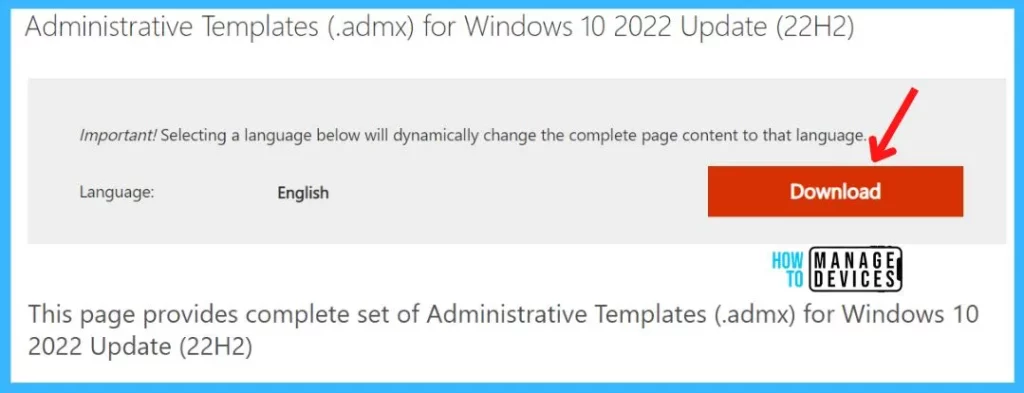
Once you completed downloading an *.MSI file for Windows 10 22H2. You need to extract the files and follow the steps as described Download Windows 11 Administrative Templates.



Discussion