






Windows 10 Cloud Recovery Options with 20H1 Updates
Windows 10 cloud recovery options shall be available with 20H1 updates. You might be able to recover Windows 10 from the cloud without any bootable USB drive.
Let’s look into Windows 10 on-device recovery and cloud enhancements in the recovery process.
NOTE! – This is the information Suma Sagane Gowda & Steve Diacetis shared in the MS Ignite session. More details about the session are below.
In Ignite 2019, Microsoft showed how to recover Windows 10 OS from the cloud. Like macOS devices, Windows 10 devices can recover from the cloud and get content from the Windows Update service.

On-disk recovery is the normal method we have used in Windows since the early days of Windows 8 and Windows 10. Microsoft shared the following details about Cloud recovery in Ignite 2019.
| Index |
|---|
| On-Device Recovery |
| Enhancements Cloud Recovery |
| Windows 10 Cloud Recovery |
| Result |
| Session – Windows 10 Rollback |
On-Device Recovery
- Image-less reinstall of Windows
- Leverages DISM/restore health options to fix corruption
- Option to keep your files or remove everything
- On-device recovery can be initiated from Settings, Windows Recovery Environment, or Remotely.
- Seamlessly persistent languages and drivers
Enhancements Cloud Recovery
- Windows content shall be downloaded from the Windows update during the cloud recovery process.
- Enhanced recovery helps when the on-device system files are corrupted.
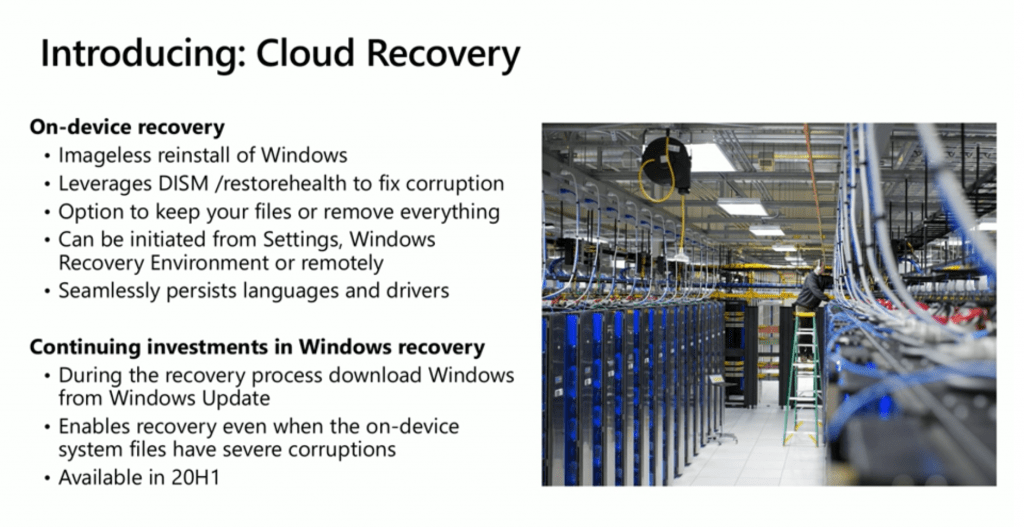
The following table contains the features of Cloud Recovery
| Feature | Description |
|---|---|
| On-device recovery | > Imageless reinstall of Windows > Leverages DISM /restore health to fix corruption > Option to keep your files or remove everything > It can be initiated from Settings, Windows Recovery Environment or remotely > Seamlessly persist languages and drivers |
| Continuing investments in Windows recovery | > During the recovery process, download Windows from Windows Update > Enables recovery even when the on-device system files have severe corruptions > Available in 20H1 |
Windows 10 Cloud Recovery
Let’s see how to start the cloud recovery options from a Windows 10 20H1 device. Following are the steps you can follow:
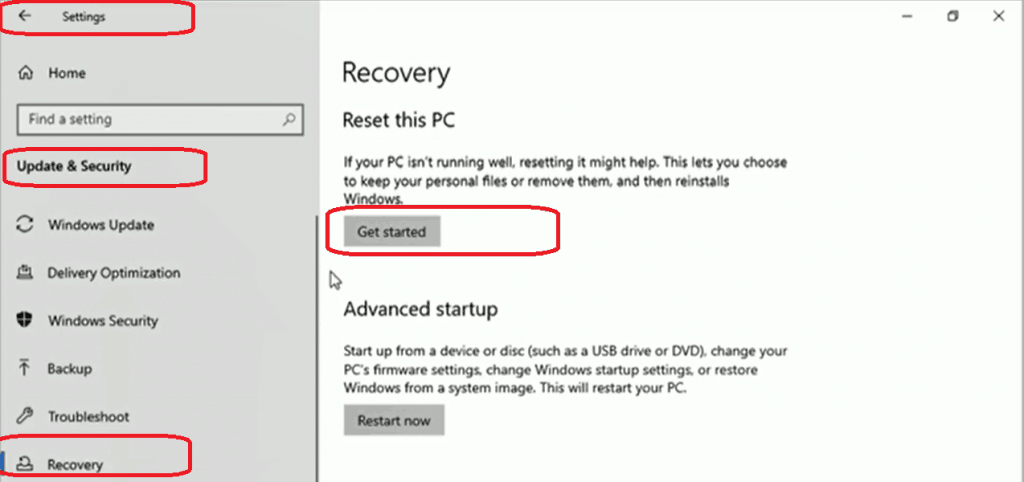
- Settings – Update & Security – Recovery
- Click on Get Started
- Choose an option to recover
- Keep my files
- Remove everything
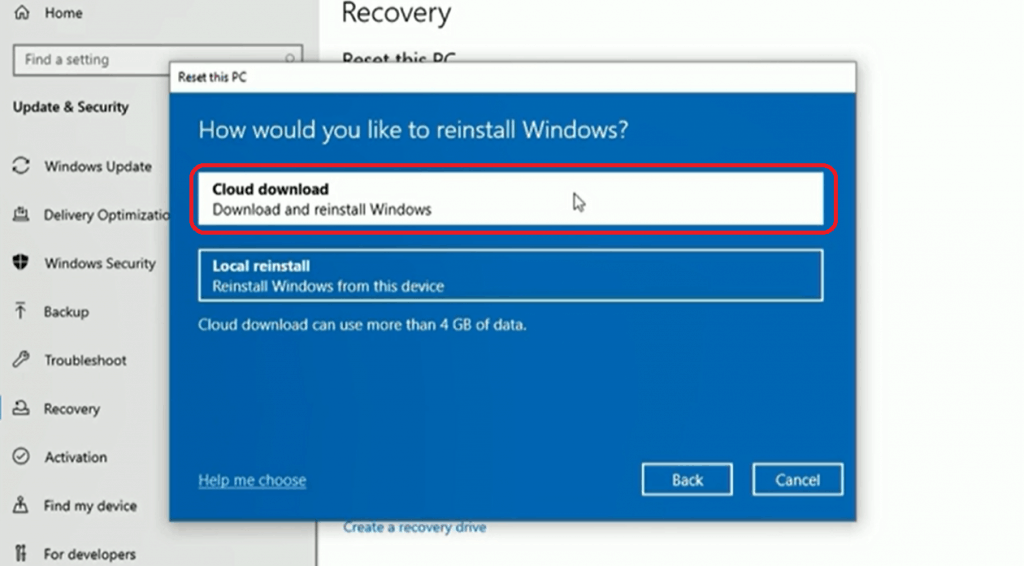
- How would you like to reinstall Windows?
- Cloud Downloaded – Download and reinstall Windows.
- Local reinstall
- Click on the Next additional information page to continue
- Initial estimate approx 4GB of data downloaded from the internet?
- Microsoft Time countdown to download the content starts now.
- Windows 10 Cloud Recovery – Download the content.
- Click on the Reset button on the summary page to start the download
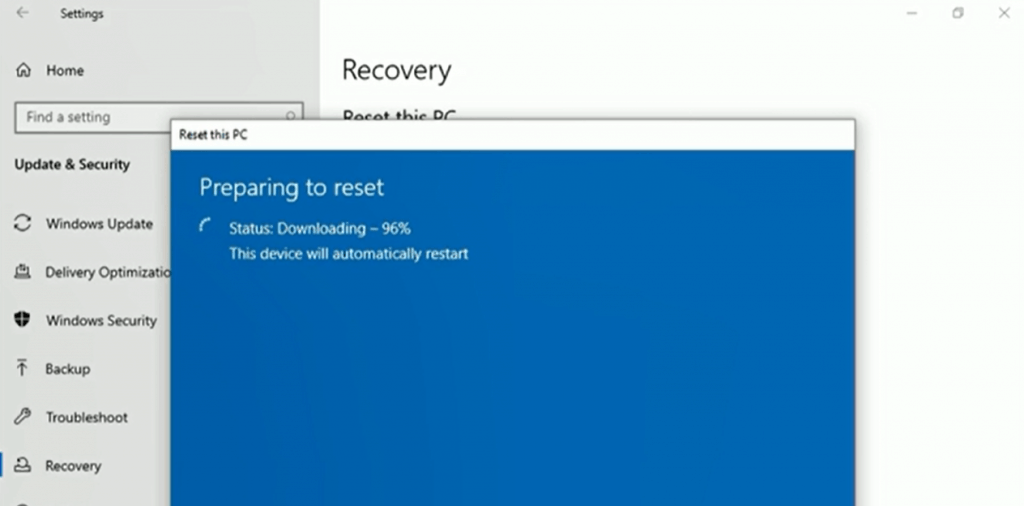
- Preparing to reset
- Downloading 96%
- This device will automatically restart
Result
The image below shows you the Windows installation. It will take a while.

Session – Windows 10 Rollback
Make the Windows update experience smooth and seamless for your IT team and end-users.
Resources
- Windows 10 Bandwidth Management DO Delivery Optimization with LEDBAT in LAN?
- SCCM and Microsoft Connected Cache Integration to Help with Bandwidth Issues
- Microsoft Connected Cache Container Instances in Azure
- Basics of Windows Dynamic Update Explained Update Management
We are on WhatsApp. To get the latest step-by-step guides and news updates, Join our Channel. Click here –HTMD WhatsApp.
Author
Anoop C Nair is Microsoft MVP! He is a Device Management Admin with more than 20 years of experience (calculation done in 2021) in IT. He is a Blogger, Speaker, and Local User Group HTMD Community leader. His main focus is on Device Management technologies like SCCM 2012, Current Branch, and Intune. He writes about ConfigMgr, Windows 11, Windows 10, Azure AD, Microsoft Intune, Windows 365, AVD, etc.




Discussion