






Why Does Windows 11 24H2 Have Outdated Versions of Paint and Snipping Tool?
Why Does Windows 11 24H2 Have Outdated Versions of Paint and Snipping Tool? Windows 11 24H2 has been released with outdated versions of 2 popular built-in applications – Paint and Snipping Tool.
The Paint and Snipping Tool versions included in the 24H2 update appear older than those available through the Microsoft Store. Users have noted that while the operating system received several enhancements and new features, the failure to update these applications has disappointed them.
Paint, an essential drawing tool, hasn’t changed much and lacks the features many users want today. The Snipping Tool, used for taking screenshots, has had some minor updates but is still not as advanced as other screenshot tools.
This post will explore why Windows 11 24H2 has outdated Versions of Paint and Snipping Tool. Despite the significant updates and enhancements introduced in this latest version of Windows, users have noticed that these 2 popular applications have not received the same level of attention.


Table of Contents
Why Does Windows 11 24H2 Include Older Versions of Paint and Snipping Tool?
Windows 11 24H2 has been released with an over-a-year-old version of Paint and Snipping Tool. This decision has led to confusion among users who expect the latest app versions to be included.
Why Does Windows 11 24H2 Have Outdated Versions of Paint and Snipping Tool?
Including outdated versions results in a poor user experience, as users may find that these applications lack the features and functionalities they need for their tasks. This is particularly frustrating for users who rely on these tools for everyday tasks.
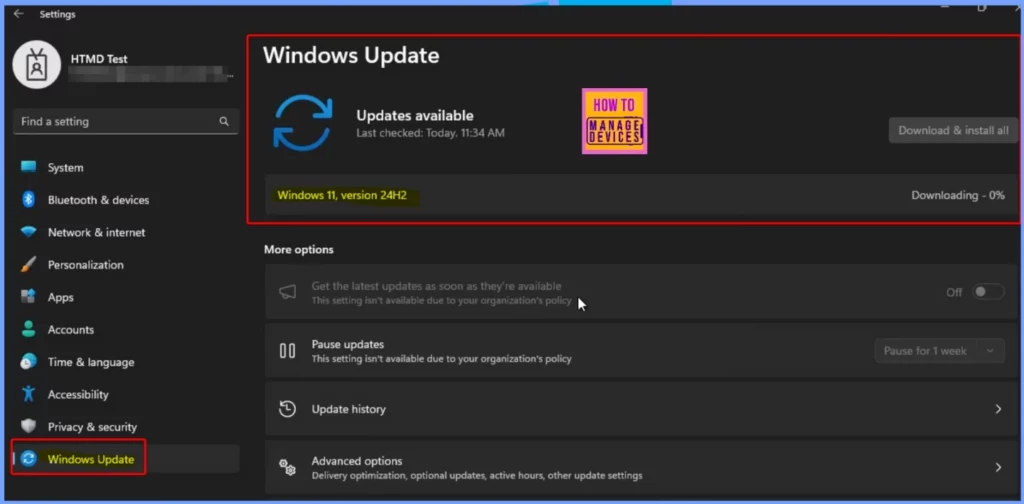
- Windows 11 Version 24H2 – Ready to Download
- Windows 11 24H2 Now Available Through WSUS | New Features and Enhancements
- Best Way to Set Windows 11 24H2 as Optional Update with Intune
- Windows 11 Version Numbers Build Numbers Major Minor Build Rev
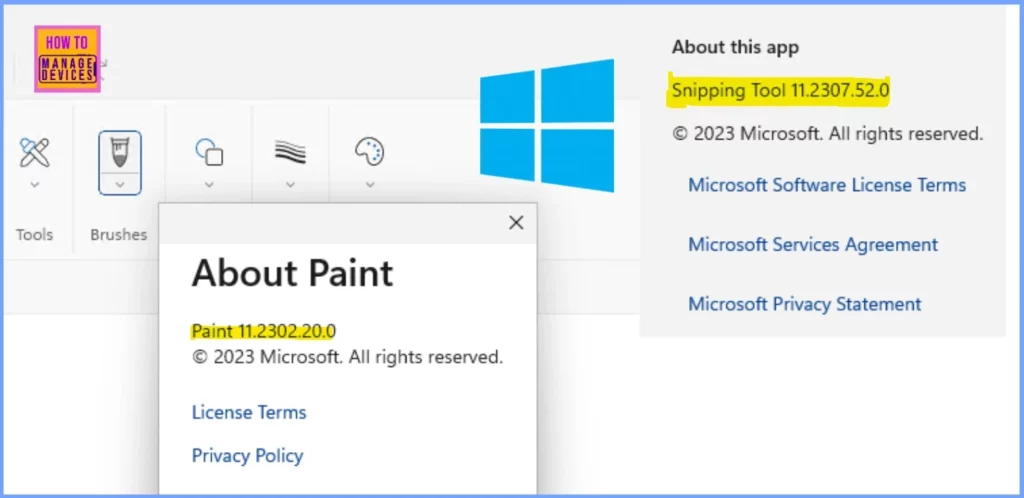
The screenshot below, shared by Panu Saukko on the X platform, highlights the version details of the Paint and Snipping Tool apps in Windows 11 24H2. It reveals that both apps are outdated, which has caused concern among users. The specific version numbers and other relevant details are summarized in the table below for further clarity.
| Outdated App in Windows 11 24H2 | Version |
|---|---|
| MS Paint | 11.2302.20.0 |
| Snipping Tool | 11.2307.52.0 |
What Impact Does this have on Users?
This results in a poor user experience, as users are forced to update these apps manually to access newer features or improvements.
What can Users Do with these Updates?
Users can manually update Paint and Snipping Tool by downloading the latest versions from the Microsoft Store, which may offer more features and improvements than the built-in versions.
Join the LinkedIn Page and Telegram group to get the latest step-by-step guides and news updates. Join our Meetup Page to participate in User group meetings. Also, Join the WhatsApp Community to get the latest news on Microsoft Technologies. We are there on Reddit as well.
Author
Anoop C Nair has been Microsoft MVP from 2015 onwards for 10 consecutive years! He is a Workplace Solution Architect with more than 22+ years of experience in Workplace technologies. He is also a Blogger, Speaker, and Local User Group Community leader. His primary focus is on Device Management technologies like SCCM and Intune. He writes about technologies like Intune, SCCM, Windows, Cloud PC, Windows, Entra, Microsoft Security, Career, etc.




Discussion