






Windows 11 Camera is Blocked because of Privacy Shutter
Windows 11 Camera is Blocked because of Privacy Shutter. This helps the operating system to understand whether the laptop has a physical privacy shutter or kill switch for the camera.
Recently, many manufacturers started implementing physical “kill switches” and Privacy Shutters for cameras. Windows 11 camera/pc OEMs must implement a mechanism to detect the state of the shutter/switch.
This detection mechanism helps Windows 11 operating system to handle the processes much more efficiently without wasting the devices’ processing power. And report it to the operating system.
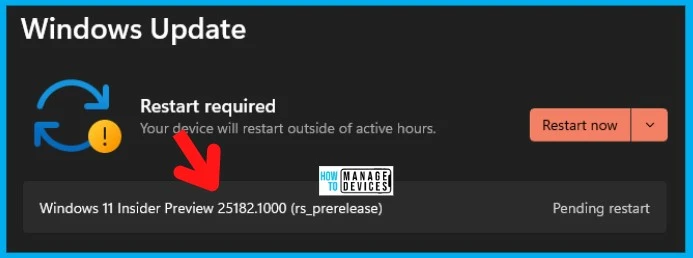
Camera privacy shutters or kill switches must need additional Windows drivers. This additional detection method is introduced with Windows 11 Camera app version 2022.2207.29.0 or later. This is available with the latest Windows 11 insider build (dev channel build 25182).

Do we know whether MS Teams Support the Camera Privacy Shutter Feature?
I have seen people switch on the camera in Teams meetings, but only the black screen appears, and there is no notification, such as the Camera privacy shutter is ON.
How to Test the New Privacy Shutter Detection Option with Windows 11 Camera App?
You must join Windows 11 insider program to test the New Privacy Shutter Detection Option with Windows 11 Camera App. Ensure that you select the Dev channel to test this scenario for devices that come with a Camera privacy shutter.
NOTE! – You will get the Camera is Blocked message or notification only with the latest Windows 11 Insider Dev channel.
- Fix Missing Windows Insider Program Option From Windows 11 PC
- Repair Microsoft Office Applications in Windows 11 | Fix Error Code 0-2031 17006
- Windows 365 Cloud PC Password Reset Options | New Web Client Experience
- Upgrade to Windows 11 using Intune Feature Update Deployment Policy
- Best Guide to Deploy Windows 11 Using SCCM
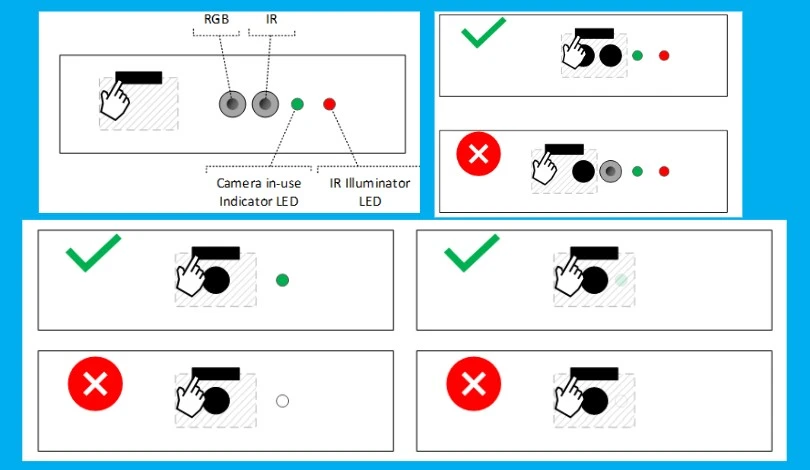
Windows Design Guidance for Camera Privacy Shutters or Kill Switches
Microsoft documented Windows design guidance for privacy shutters or kill switches in detail. The camera or PC manufacturers should have proper drivers and sensor mechanisms to let Operating System know about Shutter State Sensor or kill switches.
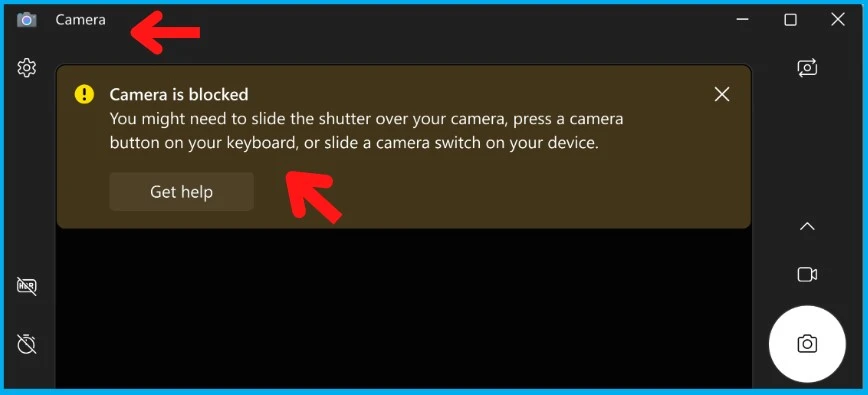
Windows 11 Camera is Blocked Notification because of Privacy Shutter or Kill Switch
The camera can now understand the state of the privacy shutter or kill switch on supported hardware. When the privacy shutter is blocking the view or if the laptop lid is closed or the kill camera switch is ON, the Windows 11 Camera app will inform you and offer guidance.
Some examples of supported cameras for the feature to detect the state of privacy shutter or kill switch are:
- Microsoft Modern Webcam
- The integrated cameras on many new Windows 11 laptops
The Windows 11 Camera is blocked notification message for Camera App version 2022.2207.29.0 or later – “Camera is blocked – You might need to slide the shutter over your camera, press a camera button on your keyboard, or slide a camera switch on your device.”
Supported Scenarios for Windows 11 Camera is Blocked Notification
The following table gives you details of supported scenarios for the Windows 11 Camera is Blocked notification to work as expected.
| Supported Application(s) | Supported Camera Hardware | Supported Operating System |
|---|---|---|
| Windows 11 Camera App 2022.2207.29.0 | Microsoft Modern Webcam | Windows 11 Insider Build Dev 25182 |
| Windows 11 Camera App 2022.2207.29.0 | Integrated cameras on many new Windows 11 laptops | Windows 11 Insider Build Dev 25182 |
Author
Anoop C Nair is Microsoft MVP! He is a Device Management Admin with more than 20 years of experience (calculation done in 2021) in IT. He is Blogger, Speaker, and Local User Group HTMD Community leader. His main focus is on Device Management technologies like SCCM 2012, Current Branch, and Intune. He writes about ConfigMgr, Windows 11, Windows 10, Azure AD, Microsoft Intune, Windows 365, AVD, etc.




That was a very useful guide. Thanks