






Windows 11 Checkpoint Cumulative Updates
Let’s discuss Windows 11 Checkpoint Cumulative Updates. Microsoft always brings out the best enhancements in updates, especially in Windows 11, one of the best operating systems.
Windows 11, version 24H2, added a new feature called “checkpoint cumulative updates”.This feature makes updating your system faster and easier, using fewer resources. In late 2024, Microsoft will release more minor updates for Windows Server 2025 and Windows 11 (version 24H2 or later).
As you know, these latest updates will bring many benefits, such as these updates are more efficient and do not need much storage space. The new update system will be part of Windows 11 version 24H2 and Windows Server 2025.
You can try it out now in the Windows Insider Dev Channel with build 26120.1252. These updates will look like monthly updates and won’t require changes to your current update tools and processes. This post can look into the overall views about these updates.

- Enable Disable Windows Update Delivery Optimization in Windows 11
- Reading Tips for Windows Update Logs in Windows 11
- Top Windows Update Issues and Fixes Revealed by Microsoft
- How to Allow Disallow Download Updates Over Metered Connections in Windows 11
- How to Show Hide Updates in Windows 11
| Index |
|---|
| Windows 11 Checkpoint Cumulative Updates |
| Thoughts for Managing Cumulative Updates |

Benefits of Checkpoint Cumulative Updates?
Windows 11 Checkpoint Cumulative Updates
As I mentioned, Windows 11 has a new Checkpoint Cumulative Updates. These critical updates are known for their speed and size. In late 2024, devices running Windows 11, version 24H2 or later, and Windows Server 2025 will automatically get these updates.
Checkpoint updates are a new feature in Windows 11, version 24H2. Instead of traditional updates that include all changes since the original release, checkpoint updates create more minor, progressive updates from the last checkpoint.
| Periodic Checkpoint Updates by Microsoft |
|---|
| The update package files associated with the checkpoints |
| New update package files that contain incremental binary differentials against the version of binaries in the last checkpoint. |
- The main advantage of this update is that it is smaller and quicker because it only includes changes since the last update, not from the original release.
- Most importantly, it will save a lot of time and hard drive space
- Microsoft will release these updates periodically, creating multiple checkpoints during the lifecycle of a Windows version.
- Subsequent updates will only include the changes made since the last checkpoint rather than all changes since the original release.
- The Windows 11 system can combine these checkpoints, so only the updates that your device doesn’t already have will be downloaded and installed.
Note: This update is applied to devices running Windows 11 version 24H2 or later, as well as Windows Server 2025. You can preview this with Windows Insider Preview Build 26120.1252 (Dev Channel).
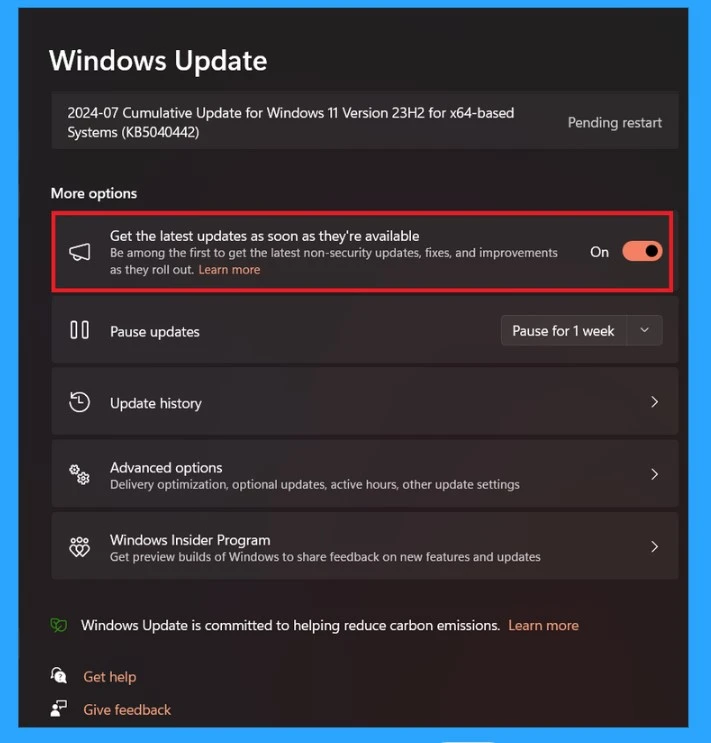
Read More – Windows Updates New Feature Get the Latest Updates as soon as They’re Available.
- Manually Check and Install Optional Updates in Windows 11
- How to View Update History in Windows 11
- Enable Disable Auto-restart Notifications for Windows Update in Windows 11
Thoughts for Managing Cumulative Updates
You don’t need to change anything if you are using Windows Update, Windows Update for Business, Windows Autopatch, or WSUS. Updates will appear as usual, just improved.
This only applies to devices running Windows 11 version 24H2 or later and Windows Server 2025. For Windows 10 or earlier versions of Windows 11, the update process remains similar to previous monthly or annual updates.
We are on WhatsApp. To get the latest step-by-step guides and news updates, Join our Channel. Click here –HTMD WhatsApp.
Author
Anoop C Nair is Microsoft MVP! He is a Device Management Admin with more than 20 years of experience (calculation done in 2021) in IT. He is a Blogger, Speaker, and Local User Group HTMD Community leader. His main focus is on Device Management technologies like SCCM 2012, Current Branch, and Intune. He writes about ConfigMgr, Windows 11, Windows 10, Azure AD, Microsoft Intune, Windows 365, AVD, etc.




Discussion