






Top 83 Windows 11 Desktop Admin Interview Questions
Let’s discuss the Top 83 Windows 11 Desktop Admin Interview Questions. Desktop Admins are the real heroes of the IT world because they are real people who interact with end users. They help users resolve various issues in the cyber world.
They are technology problem resolvers responsible for establishing, diagnosing, repairing, maintaining, and upgrading hardware and computer equipment. In real-world scenarios, this is the role of a Desktop Admin. Do you still have doubts about what your career path in IT should be? Read more – IT Career Options IT Pros Vs. DevOps Vs. Developers Students Learning.
Would you like to become a Desktop Admin? If you have a strong IT background and are qualified, you can also become a Windows 11 desktop Admin. However, to Become a Desktop Admin, you must also crack Interview questions.
HTMD Community is dedicated to providing Windows 11 Desktop Admin Interview Questions. We have already offered the Intune and SCCM Interview Questions. These questions will help you to build your career as a Desktop Admin, and you can learn technical knowledge, problem-solving, and analytical skills with Windows interview questions.

Top Windows 11 Desktop Admin Interview Questions
Let’s review the top Interview Questions and answers for Windows 11 Desktop Admin. I hope these questions and answers will help you crack the interview and gain more knowledge in IT.
In the IT realm, Desktop Admins are valuable assets in every organization. By acquiring more knowledge, you can significantly impact your organization and the IT sector.
NOTE!- Let’s start with the basics because most interviewers want to know whether the candidate has basic knowledge of IT. I also cover modern and traditional technologies in this Windows 11 interview questions post!
- 1300 Plus SharePoint Servers Still Exposed To Critical Zero Day Vulnerability
- Top 75 Latest Intune Interview Questions and Answers
- Free Generic Windows 10 Product Keys from Microsoft
- Generic Windows 11 Product Keys to test | How to Retrieve Windows 11 Product keys
- Windows 11 Version Numbers Build Numbers Major Minor Build Rev
- Desktop Support Network Troubleshooting Tips for Beginners
- IT Career Options IT Pros Vs. DevOps Vs. Developers Students Learning
1. What is the Internet?
2. What is an IP Address?
3. What are the Types of IP Address?
1. Public IP Address – A public IP address is an Internet Protocol address encrypted by various servers/devices.
2. Private IP Address – The network router assigns your device a private non-routable IP address.
3. Static IP Address – A static IP address is invalid. Conversely, the Dynamic Host Configuration Protocol (DHCP) server will provide a dynamic IP address, which can change.
4. Dynamic IP Address – A dynamic IP address is a temporary address for devices connected to a network that continually changes over time.
4. What is the Difference Between IPV4 and IPV6?
1. IPV4 – IPV4 (Internet Protocol Version 4) is the first version of the Internet Protocol address. Its address size is a 32-bit number. In this case, Internet Protocol Security (IPSec) is optional with respect to network security.
2. IPV6 – t is the recent version of the Internet Protocol address. The address size of IPV6 is 128-bit number. In this Internet Protocol Security (IPSec), network security is mandatory.
5. What is DNS?
6. What is Domain?
A Domain, also called a Domain name, is used to identify an IP Address. It can be used to access Website on your PC. Simply we can say a domain name is the text that a user types into a browser window to reach a particular website.
7. What is a URL?
URL stands for Uniform Resource Locator, also known as web address. It is used to locate a resource on the Internet and has many parts, such as Protocol and domain name.

8. What is the Difference Between URL and Domain Name?
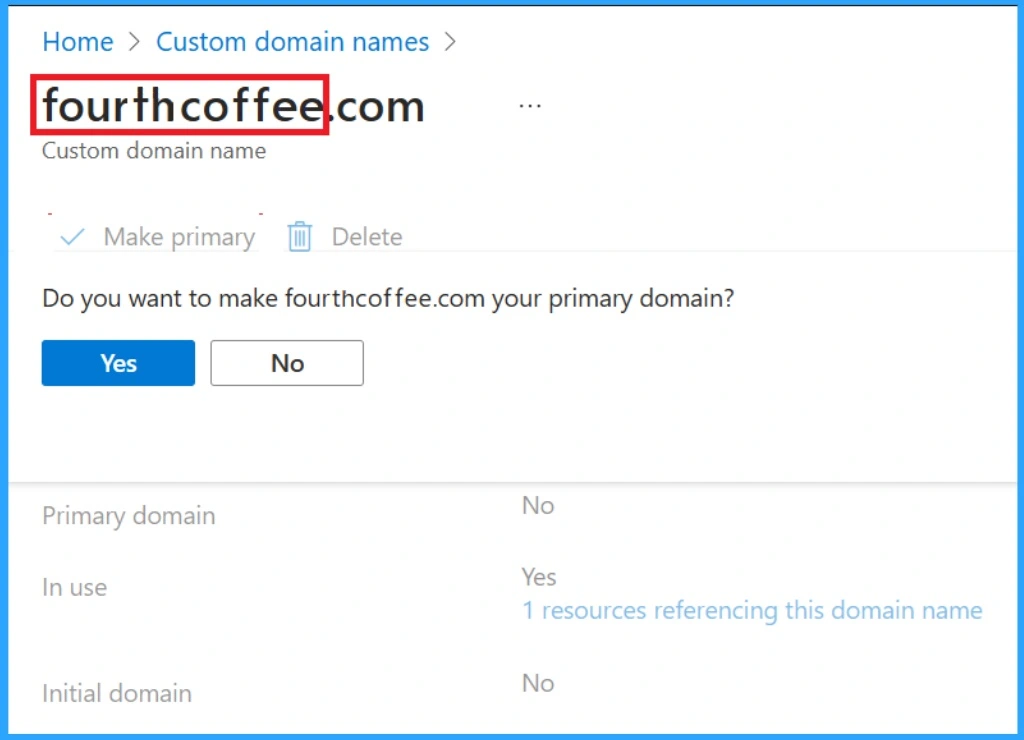
A uniform Resource Locator (URL) can also be called a web address. It includes a site’s domain name as well as other information, including the protocol and the path. I will help you identify the parts included in a URL with an example. In this example, https://www.anoopcnair.com is the domain name, and https is the protocol.
9. What is a Website?
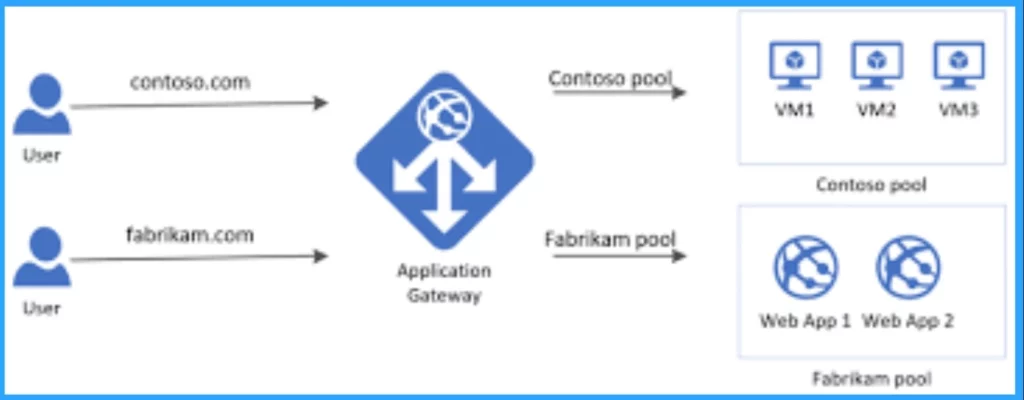
A Website is one or more web pages and related content identified by a common domain name and published on at least one web server. It is typically dedicated to a particular topic or purpose, such as news, education, commerce, entertainment, or social media.
10. What is the World Wide Web (WWW)?
World Wide Web (WWW) is a system of interconnected web pages that users can access on the internet through their local computers and other devices.
11. What is Protocol?
12. What is the Difference Between HTTP and HTTPS?
HTTPS (Hypertext Transfer Protocol Secure) is an extension of the Hypertext Transfer Protocol. HTTPS is a secure implementation of the HTTP protocol. This protocol enables the transmission of encrypted data.
13. What is an Operating System?
14. State the Difference Between Desktop OS and Server OS?
Server OS like Windows Server or Linux distributions are optimized for server-related tasks. It includes managing network resources, running server applications, and ensuring high availability and security in a network environment.
15. What is DHCP?
16. Explain Default Gateway?
Default Gateways are nodes that help to communicate devices from one network with devices from another network Any host trying to reach a destination outside its own network must use a default gateway.
17. What is a Subnet Mask?
A Subnet Mask is used to divide an IP address into two parts:
The first part identifies the network.
The second part identifies the host (device/computer) on that network.
A subnet mask is a 32-bit number used with IPv4 addresses.
18. Explain Scope and Superscope DHCP?
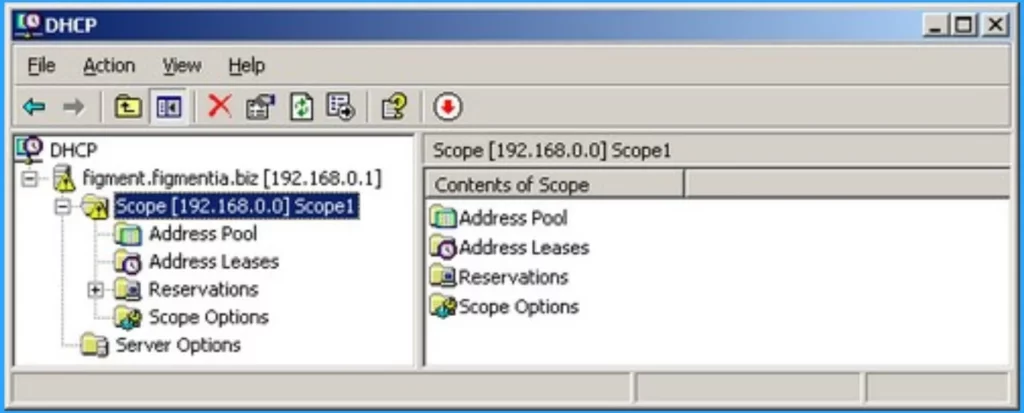
Scope includes IP addresses such as the subnet mask, gateway IP, and DNS server IP. It can be used as a means of communication with the other computers in the network. A Superscope is formed by combining two or more scopes.
19. What is Active Directory?
Active Directory (AD) is directory service developed by Microsoft for Windows. It stores information or data about the domain and networks. It also authenticates and authorizes the users and devices in a windows domain network. Most of the organizations are moving to MS Entra ID instead of AD.
20. What does RIS Stand for?
RIS stands for Remote Installation Service, which is used to install an Operating System on multiple computers simultaneously. It also supports a Pre-Boot Execution Environment, which is used to deploy operating systems to a large number of computers.
21. What is IAS Service?
22. What is SID (Security Identifier)?
23. What is Bus Speed?
24. Describe RAS Server?
25. Explain about VPN?
26. Explain Forward and Reverse Lookups in DNS?
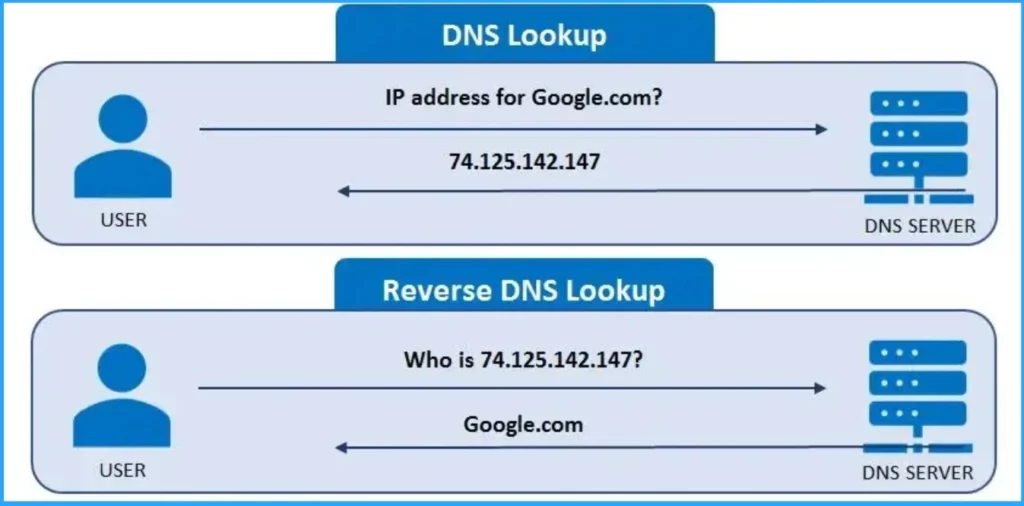
Forward and Reverse Lookups are fundamental concepts in the Domain Name System (DNS). Forward lookup involves translating a hostname into its corresponding IP address. It allows users to access websites and services by using human-readable domain names.
Reverse lookup, on the other hand, performs the opposite function. It takes an IP address and retrieves the associated hostname. This is useful for network troubleshooting, security analysis, and verifying the authenticity of incoming connections.
27. Explain Safe Mode?
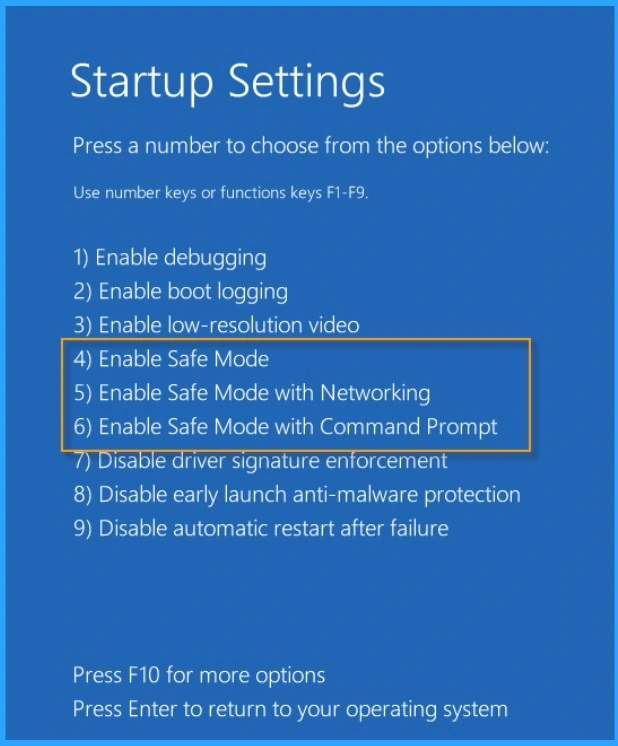
Safe mode is the diagnostic mode of the Computer Operating System. It allows you to run only the essential programs needed to run your computer when you restart your computer. In safe mode, only a few drivers (typically only the keyboard, mouse, and display drivers)are loaded.
The most crucial advantage of Safe mode is that it helps fix some problems within an operating system. Safe Mode is widely used to remove rogue security software.
28. Define Permissions, Policy, and Rights?
The terms Permissions, Policy, and Rights have many differences. The following list shows the differences.
- Permission – It is related to accessing network resources such as files and folders. The Administrator has the right to assign permission to these network resources.
- Policies – Policies are assigned to Active Directory containers, such as domains, sites, OUs (Organizational Units), etc. Organizations define policies and apply them to their objects and resources.
- Rights – Users and groups are given rights, and as an Administrator, you determine which user has access to those resources.
29. Explain the Difference Between DC (Domain Controller) and ADC (Additional Domain Controller?
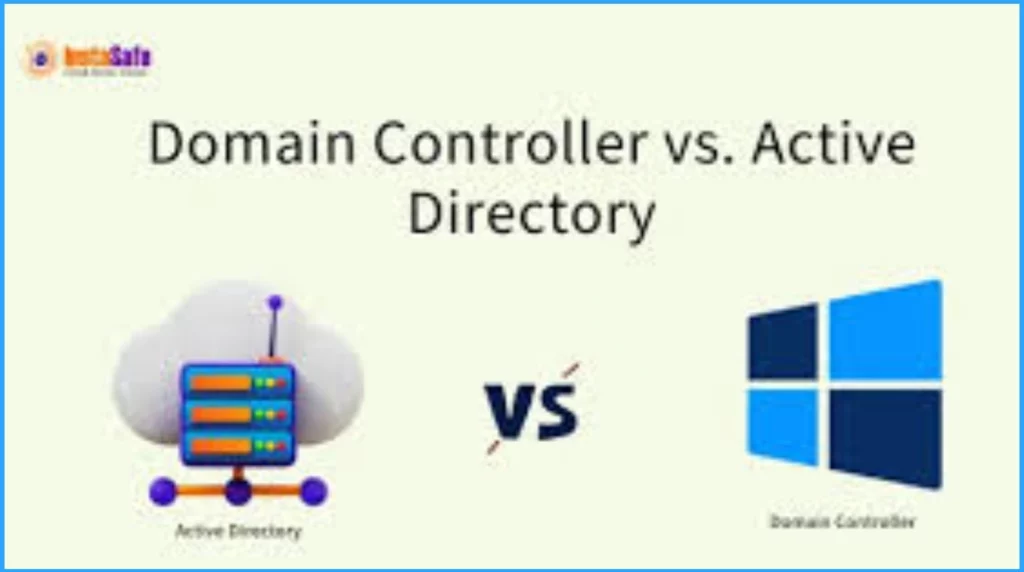
A Domain Controller (DC) is a server in an Active Directory domain that authenticates users, maintains the directory database, and replicates changes to other domain controllers. It holds a read/write copy of the Active Directory database.
An Additional Domain Controller (ADC) is a backup domain controller that holds a read-only copy of the Active Directory database. If the primary domain controller becomes unavailable, it assists in authentication and directory services.
NOTE! – This is an old technology. You don’t need to spend a lot of time on this topic! A basic understanding of this topic is acceptable for Windows 11 Desktop Admin Interview Questions.
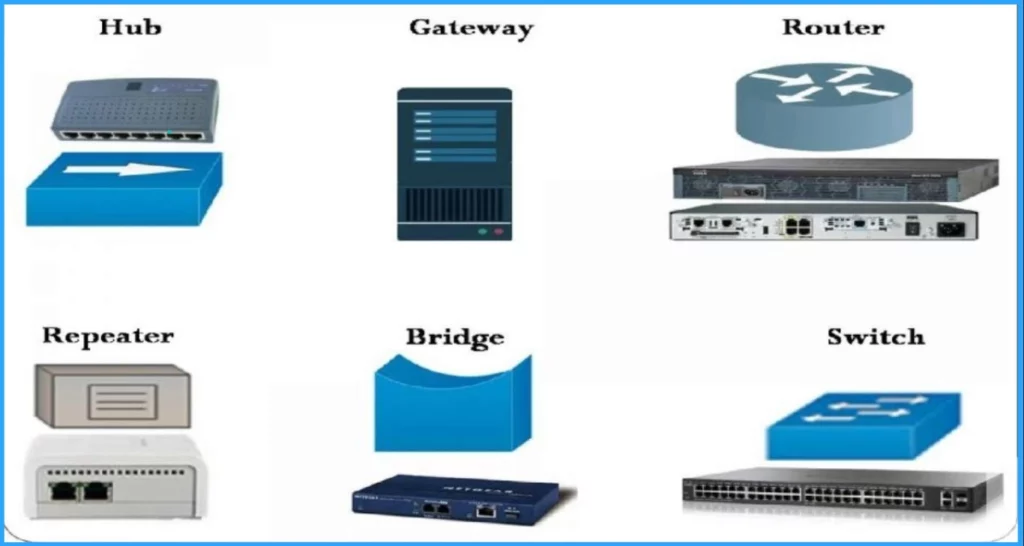
30. Explain Different Network Devices?
Network devices, also known as networking hardware, are physical devices that allow hardware on a computer network to communicate and interact with one another. Network devices include repeaters, hubs, bridges, switches, routers, gateways, routers, and NICs.
| Network Device | Details |
|---|---|
| Repeater | Repeater is an electronic device that receives a signal and transmits it in telecommunications. It is used to boost up the signal strength before transferring it. |
| Hub | Hub is basically multi-port repeater that connect multiple wires coming from different branches. Hubs cannot filter data, so data packets are sent to all connected devices. |
| Bridge | A bridge operates at the data link layer. It is also a repeater with add on the functionality of filtering content by reading the MAC addresses of the source and destination. It is also used for interconnecting two LANs working on the same protocol. It has a single input and single output port, thus making it a 2 port device. |
| Switch | Switch is a multiport bridge with a buffer and a design that can boost its efficiency(a large number of ports imply less traffic) and performance. An advantage of Switch is that it performs error checking before forwarding data, which makes it very efficient as it does not forward packets that have errors and forward good packets selectively to the correct port only. |
| Router | A router is a device like a switch that routes data packets based on their IP addresses. The router is mainly a Network Layer device. It normally connect LANs and WANs and have a dynamically updating routing table based on which they make decisions on routing the data packets. |
| Gateway | As its name suggest Gateway is a passage to connect two networks that may work upon different newwork models. They work as messenger agents that take data from one system, interpret it, and transfer it to another system. It is also called protocol converter and it is more complex than switches or routers. |
| Brouter | It is also known as the bridging router is a device that combines features of both bridge and router. It can work either at the data link layer or a network layer. |
| NIC | NIC or network interface card is a network adapter that is used to connect the computer to the network. It is installed in the computer to establish a LAN. It has a unique id that is written on the chip, and it has a connector to connect the cable to it. |
31. What is Grouping?
32. Distinguishes Between an .EXE File and MSI File?
1. .EXE runs instructions directly, while MSI handles installation tasks
2. MSI supports controlled deployment and management
3. EXE focuses on execution, while MSI emphasizes installation
33. What is the Difference Between MAC and IP Addresses?
IP (Internet Protocol) addresses are numeric labels assigned to devices for network communication, operating at the network layer of the OSI model.
34. Difference Between Half-Duplex and Full-Duplex Communication?
1. Half-Duplex occurs in both directions
2. Half-duplex devices can’t send and receive data simultaneously
3. Full-duplex communication requires separate channels for sending and receiving
4. Full-duplex typically offers higher throughput than half-duplex
35. What is Bandwidth?
- Microsoft Connected Cache Issue for Enterprise Customers Fixed
- Goodbye to Windows 10 with 22H2 version and Welcome Windows 11 LTSC
- Fix No Internet Issue in Mobile Hotspot Connection in Windows 11
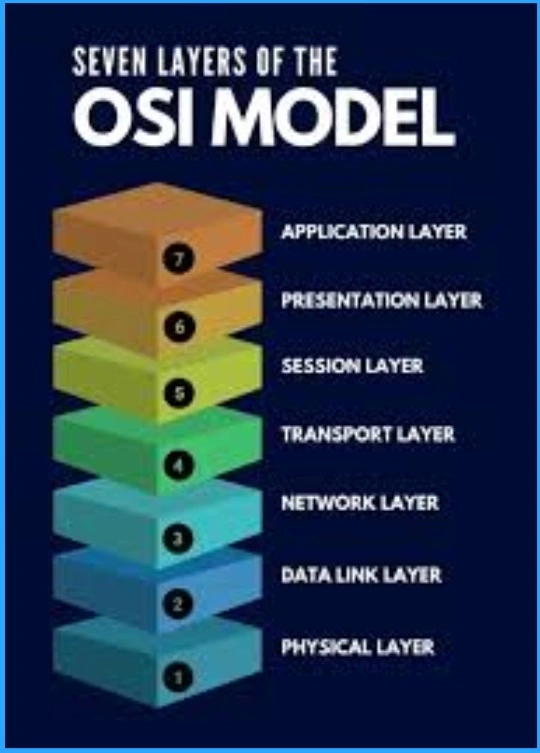
36. Overview of OSI Model Layers?
The OSI (Open Systems Interconnection) model is a conceptual framework developed to understand network communication processes. It divides them into seven distinct layers: Physical, Data Link, Network, Transport, Session, Presentation, and Application.
Each layer performs specific functions, such as data encapsulation, routing, and protocol conversion, to facilitate end-to-end communication between devices across interconnected networks. More details – IT Support OSI Model Desktop Engineers Troubleshooting Tips.
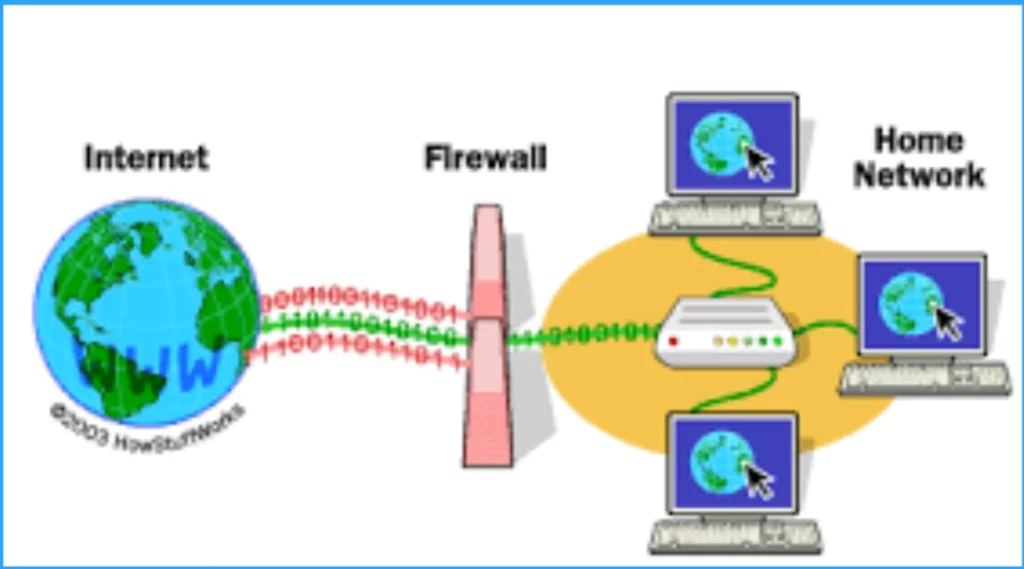
37. What is the Purpose of Firewall in Security?
A firewall is a security barrier that controls network traffic to prevent unauthorized access and protect against cyber threats. It also blocks malicious traffic and safeguards sensitive data. Firewalls monitor network activity, detect potential threats, and mitigate security risks.
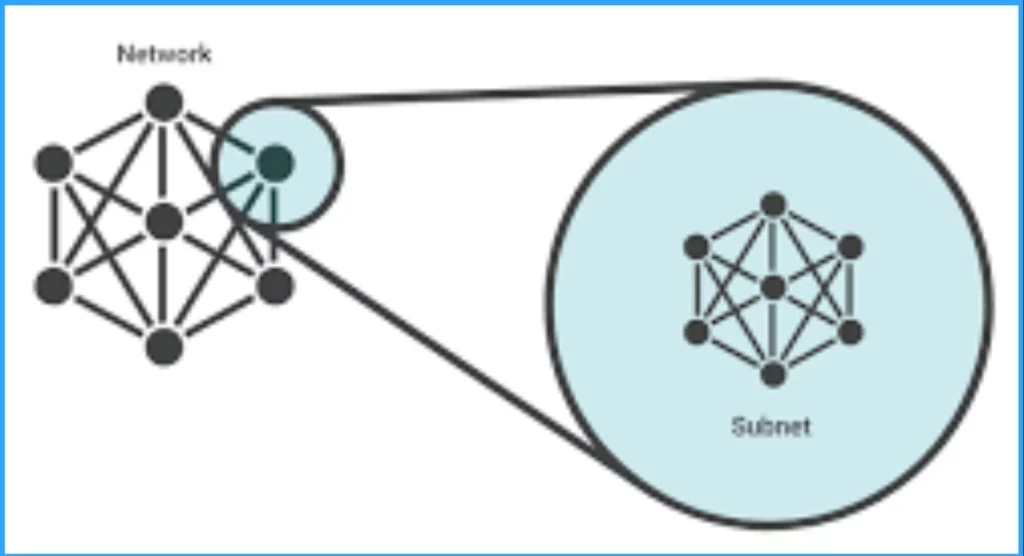
38. What is a Subnet or Subnetwork?
A subnet, or subnetwork, is a network inside a network. It makes networks more efficient. With subnetting, network traffic can travel a shorter distance without passing through unnecessary routers to reach its destination.
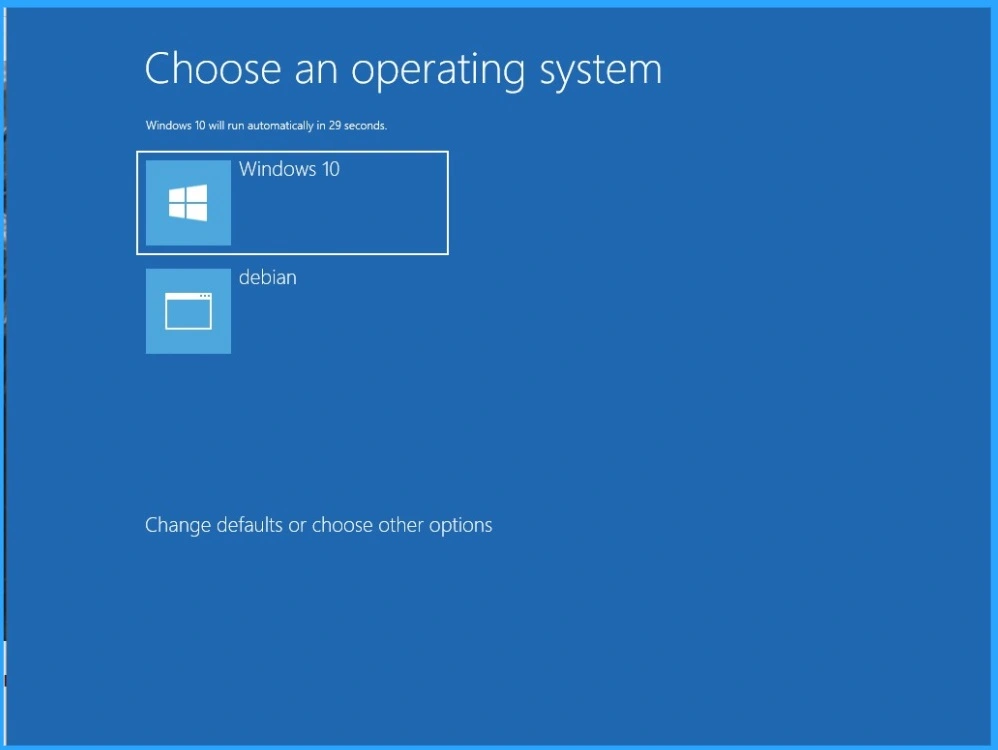
39. What is the Use of the BOOT.ini File?
Boot.ini files are required to boot Windows operating systems, starting with Windows NT. The boot.ini file also provides flexibility for dual booting multiple Operating Systems on the same computer.
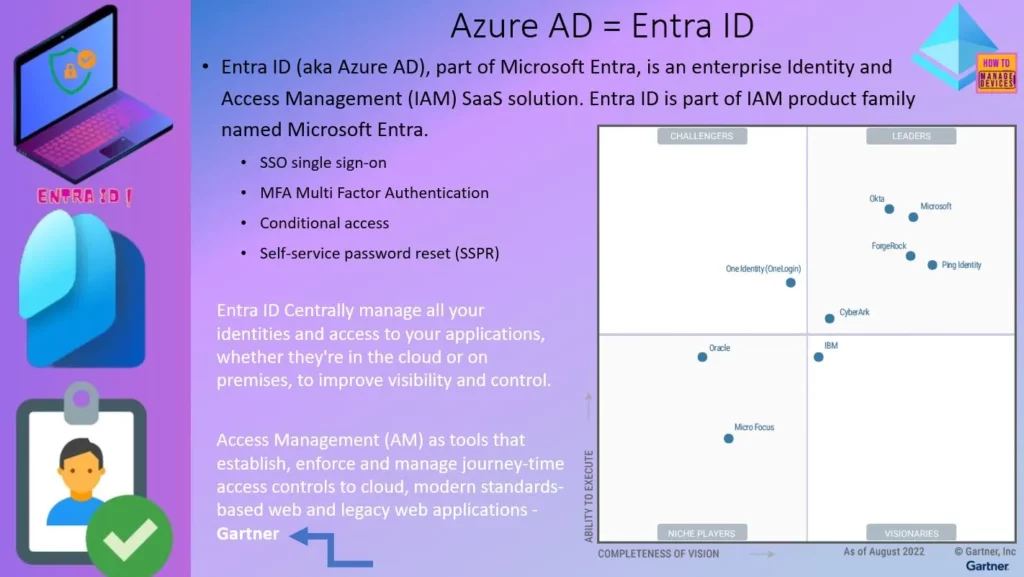
40. What are Microsoft Entra and Entra ID?
Microsoft Entra ID is a cloud-based identity and access management solution. It is a directory and identity management service that operates in the cloud and offers authentication and authorization services to various Microsoft services, such as Microsoft 365, Dynamics 365, Microsoft Azure and third-party services.
Microsoft Entra ID, commonly known as Microsoft Azure AD, represents a cutting-edge cloud-based solution for managing identity and access.
Read More :- New Microsoft Entra Portal Walkthrough
41. What is ‘A’ Record and ‘MX Record’?
An MX (Mail Exchange Record) is a DNS record that identifies the server responsible for receiving email for a domain.
42. What is Group Policy?
Group Policy provides a centralized method to control user accounts, computer settings, software installations, security policies, etc. It enables administrators to define and implement consistent rules and restrictions, ensuring uniformity and security across the network.
It simplifies administrative tasks by allowing changes to be applied to multiple computers simultaneously, saving time and effort.
43. What is Registry?
When the user installs a program, a new subkey is created in the registry. This subkey contains settings specific to that program, such as its , version, and primary executable.
44. What is PowerShell?
45. What are Event Logs?
It can include various types of events, such as errors, warnings, information messages, and user actions. Each event is typically timestamped and includes additional information such as the source of the event, its severity, and any relevant data associated with the event.
46. What is Android OS?
Android OS is a Linux-based mobile Operating System that primarily runs on smartphones and tablets. It is a modified version of the Linux kernel and other open-source software.
Android has historically been developed by a consortium of developers known as the Open Handset Alliance, but Google primarily develops its most widely used version. Users interact with Android intuitively through finger movements, such as pinching, swiping, and tapping.
47. What is iOS?
iOS is a mobile operating system developed by Apple exclusively for smartphones. It is similar to the software that runs on a computer, controlling how the device functions and providing a platform for other apps.
The “i” in iPhone stands for “internet”. iOS also includes a built-in set of apps, such as Safari for web browsing, Mail for email, and Maps for navigation.

48. What is MacOS?
MacOS is the computer operating system (OS) for Apple desktops and laptops. It is a proprietary graphical OS that powers every Mac. It’s known for its sleek design, user-friendly interface, and seamless integration with other Apple devices. macOS offers features like Spotlight search, Mission Control for managing open windows, and the Dock for launching applications.

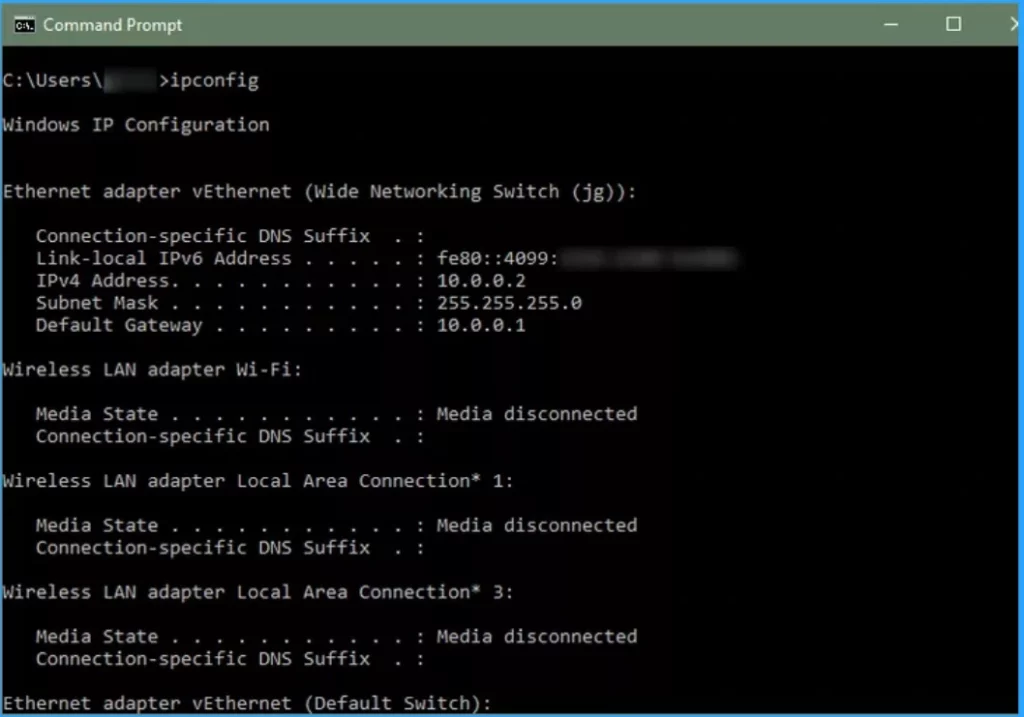
49. What is the IPCONFIG Command?
IPCONFIG command is used to display the IP information of the computer assigned like DNS IP address and gateway IP address.
50. What is SCSI?
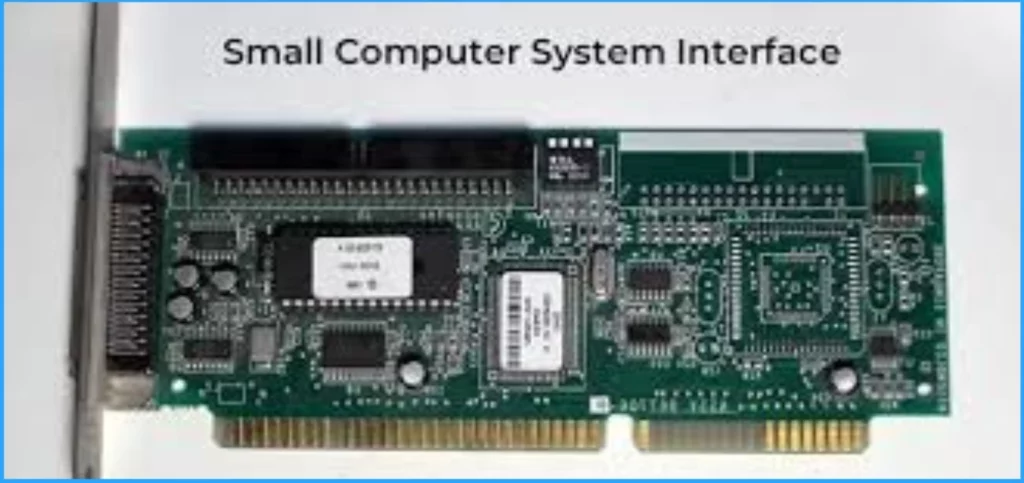
SCSI stands for Small Computer System Interface. It is a standard electronic interface that allows personal computers to communicate with peripheral hardware such as disk drives, tape drives, printers, CD-ROM drives.
51. What is WINS Servers?
NOTE! – WINS is not in use anymore!
52. What is the Difference Between Firewall and Antivirus?
Antivirus software protects the system from computer viruses. When your system is used, it actively monitors for virus threats from different sources.
53. What is a Proxy Server?
54. What is Windows Deployment Service (WDS)?
55. What is the Difference Between Incremental Backup and Differential Backup?
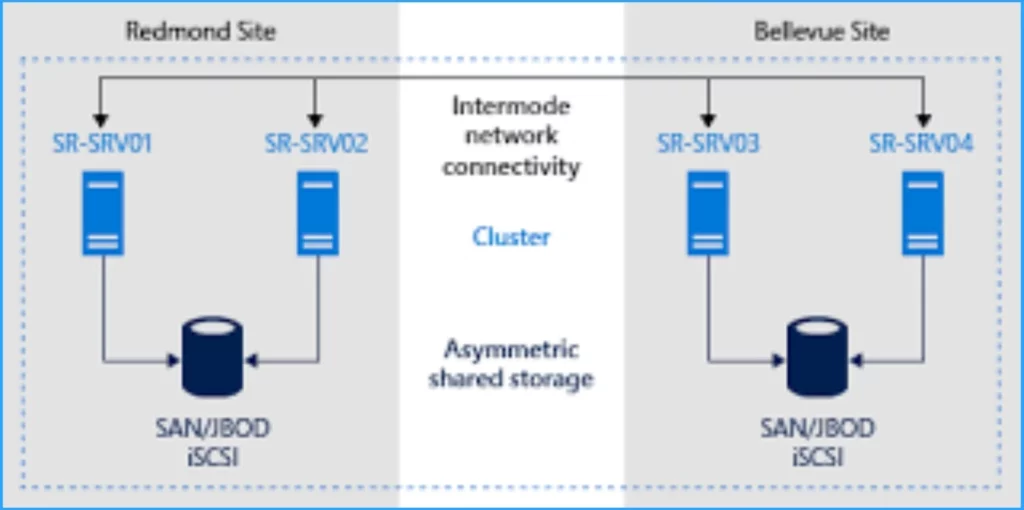
56. What is Clustering?
Clustering means that one or more computers work together as a single system by sharing their resources. It helps to reduce the load on one single system and is also used for redundancy of services.
57. What is OU?
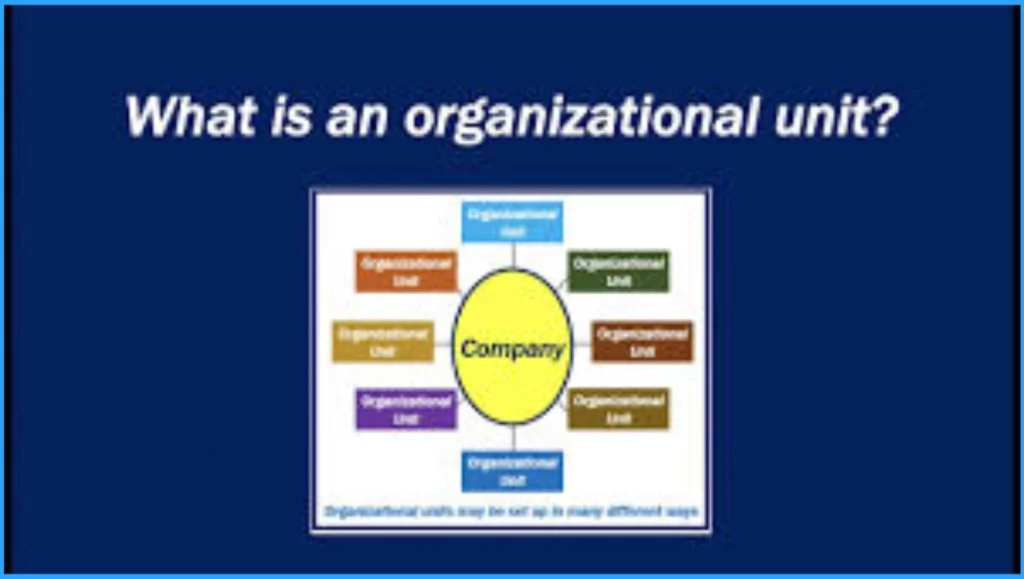
OU means for Organizational Unit. It is a container within Active Directory which can hold users, groups, and computers. It is the smallest unit on which an administrator can assign group policy settings.
In the modern world, many organizations started using Entra Organizational Units called Entra Administrative Units. It’s similar to on-prem AD organizational units (OU).
58. What is Cache Memory?
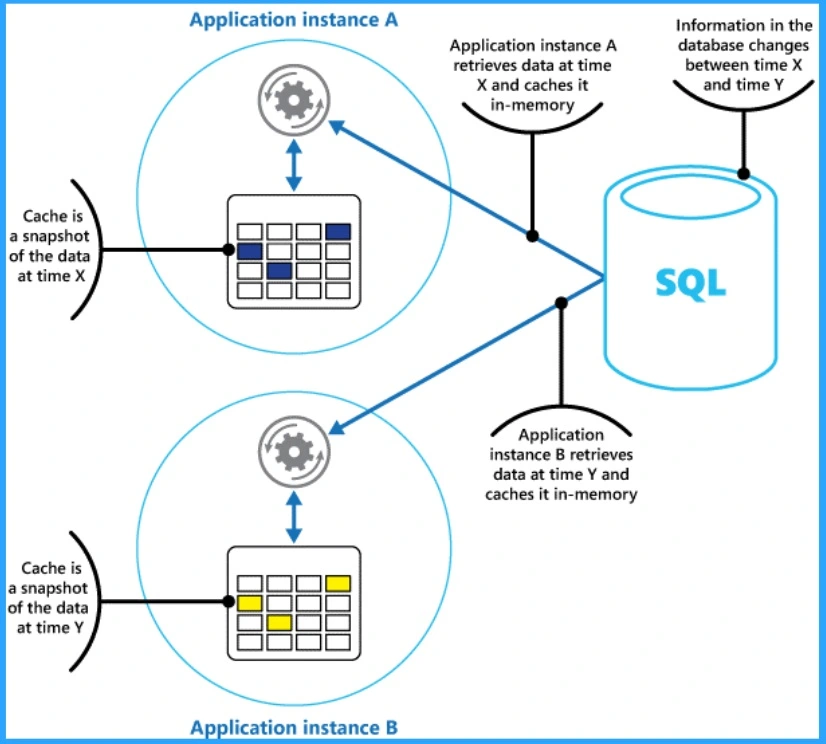
Cache memory is a high-speed storage memory useful for static RAM. It is taken from RAM and copied to cache memory, where it can be easily accessed by the user at any time.
59. Distinguish Between RAM and ROM?
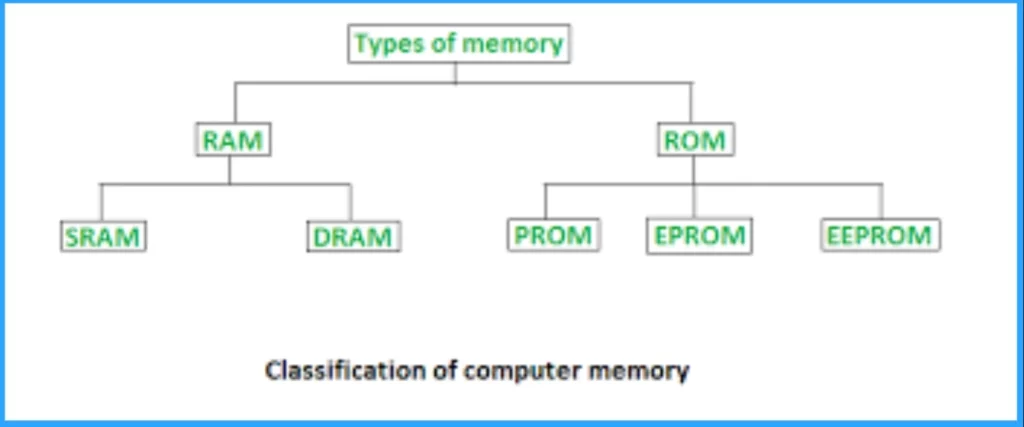
RAM and ROM are a computer system’s primary (main) memory. This primary memory is located close to the CPU on the computer motherboard, enabling the CPU to read data from it very quickly. It is used to store data that the CPU needs imminently so that it does not have to wait for it to be delivered. The following are the Differences of RAM and ROM.
| RAM | ROM |
|---|---|
| RAM stands for Random Access Memory | ROM stands for Read Only Memory |
| It is a Semiconductor type of Memory | It is bult-in computer memory |
| It is volatile memory | It is a non-volatile memory |
| It is the working memory of the computer | It is inexpensive |
| It is faster than secondary Memory | It is permanent storage |
60. What is Boot Loader?
The Boot loader is used for the system’s booting process. It makes it easy to install the operating system on any computer.
61. What is NTLDR Error?
62. What is the Windows Cannot Connect For Updates” Issue?
The user has 2 options when this mistake occurs. They can fix it themselves, or they may report it to Microsoft. Launch the Run command, and put services.msc into it, then press Enter to start fixing the problem yourself.
Locate the Windows updating option in the new window and use the right-click menu to pick properties.
Enter “enable” in the start-up blank, then click “start.” Once you click OK, the problem will be fixed.
63. State Difference Between SMTP and POP Server?
SMTP stands for (Simple Mail Transfer Protocol). It is a protocol that allows email to be sent from a client to a receiver server in a very simple and fast manner.
POP stands for (“Post Office Protocol”). It is a protocol that allows the user (receiver) to download the message into his own inbox. it is actually the incoming server that collects the message. Today, POP3 is the most recent version
64. What is IMAP?
65. Explain the functions of BIOS?
1. Power-On Self-Test (POST) – BIAS checks hardware components (CPU, RAM, etc.) for errors during startup.
2. Boot Device Selection – It identifies the bootable device (hard drive, USB, CD/DVD) and loads the bootloader.
3. System Configuration – BIAS manages system settings like date, time, and boot order.2.
4. Security – Some BIAS versions include password protection and secure boot options.
5. Compatibility – It ensures hardware and software compatibility.
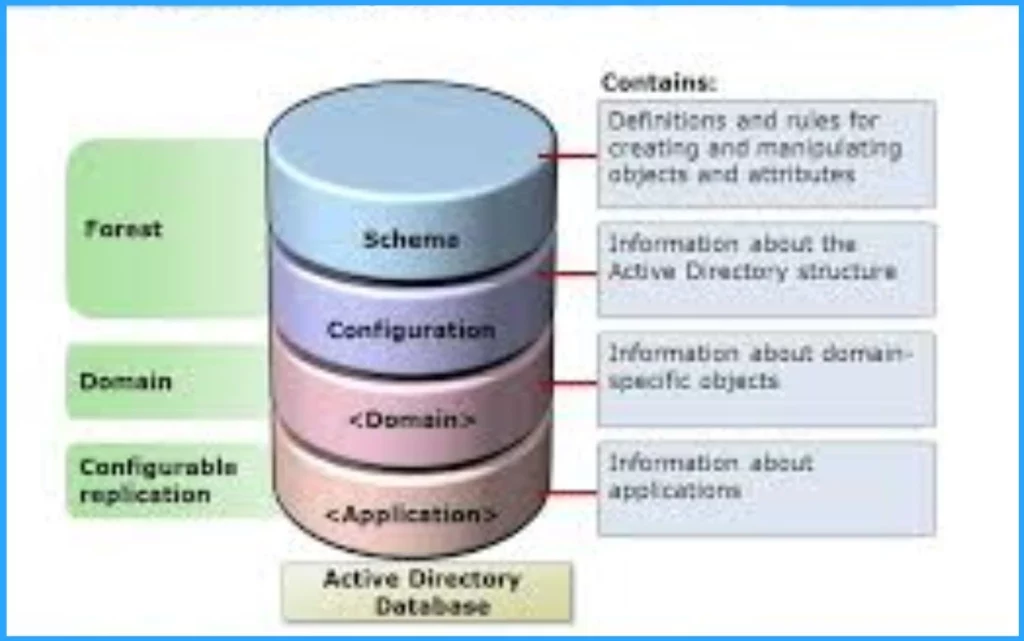
66. Explain the Types of Active Directory Partitions?
An Active Directory is an index-structured directory developed by Microsoft for use in Windows. It stores information or data about the domain and networks. There are 4 types of portions on Active Directory.
- Schema partition – The schema partition stores information about the objects and the rules for manipulating those objects.
- Configuration partition – As the name suggests, it stores all the data related to configuration, such as Topologies, sites, etc.
- Domain partition – This partition contains all the actual objects we see in our Active Directory, such as users, domains, services, etc.
- Application Partition – This partition contains all the information regarding the application in Active Directory.
67. Is it Possible to Create a Backup of Emails in Outlook?
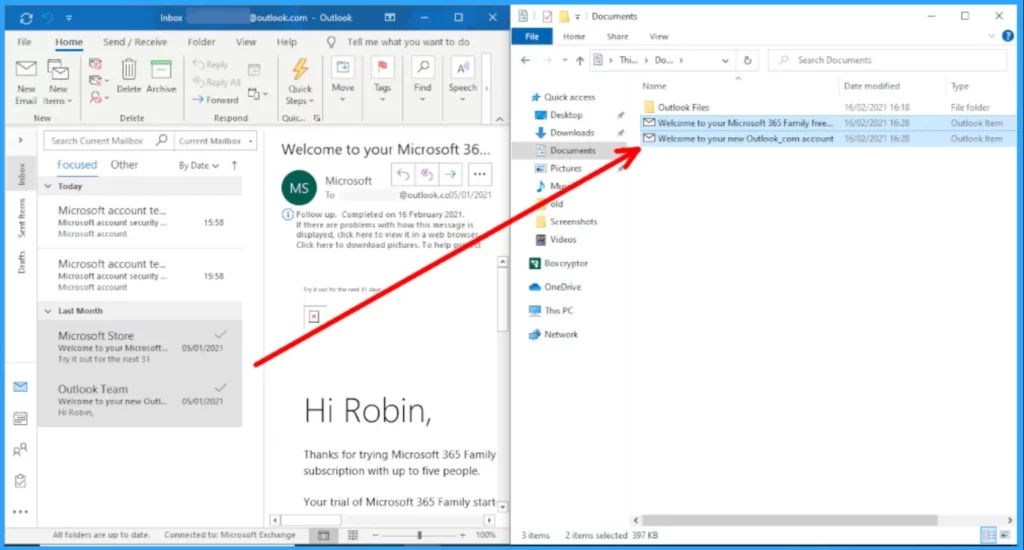
Yes. You can create a backup of Emails in Outlook through the Control Panel. For this, Open Control Panel and go to the mail option. Open the data file there, select the personal folder and click to open it. Copy .pst and paste it in the place where you need to take the backup of your emails.
68. Is it Possible to Convert Hard Disk into Dynamic?
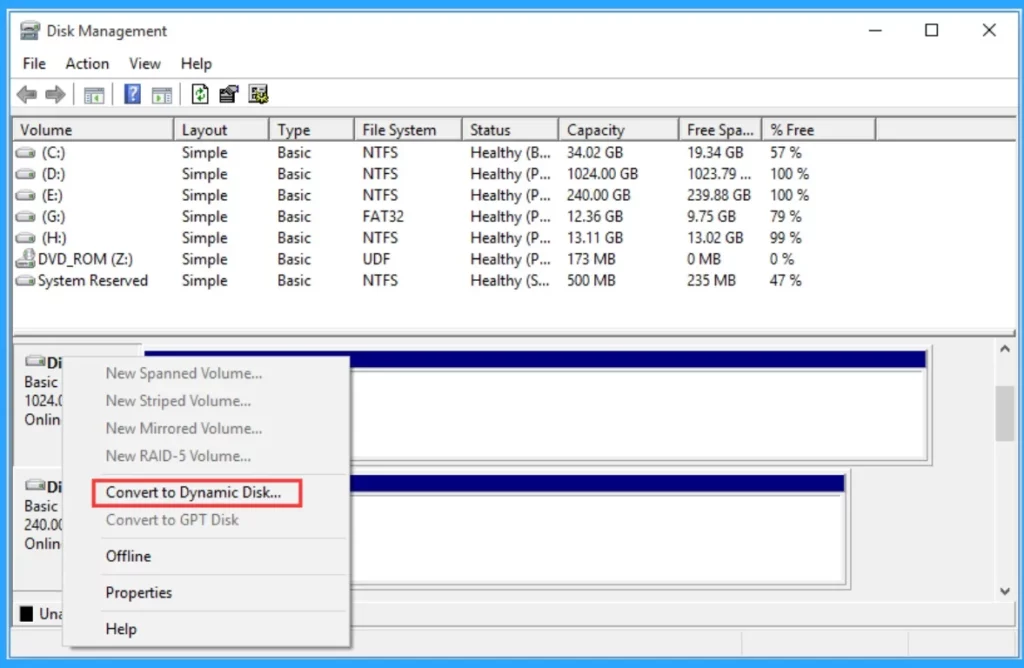
Yes. Log in to the administrator account and launch the Run window. Type diskmgmt.msc command in it. On hitting enter, a new window will appear. Right-click on the option of the Basic hard disk and change it to Dynamic hard disk.
69. What is BSOD Error?
BSOD stands for Blue Screen Death. It is an error screen ( with all details of the error that occurred ) displayed by the Windows operating system whenever a critical error occurs that can cause damage to the OS. It is implemented to prevent damage and helps in troubleshooting. After the BSOD appears, we should shut down the computer to prevent further damage.

70. What is the SysWOW64 Folder?
It is normally found in a 64-bit OS, such as 64-bit Win7. This folder is very similar to the system32 folder of a 32-bit OS.
71. What do you mean by Ping Command?
72. How Do You Troubleshoot Network Connectivity Issues?
73. Explain WSUS and its Use in a Windows Environment?
To handle updates and patches, use the built-in Windows Update service to check for updates and install them automatically. Also use the Windows Server Update Services, or WSUS, to manage updates and patches for multiple servers at once.
74. How do you Monitor and Optimise Server Performance?
I also establish a baseline of what is normal for each server by collecting data on the performance metrics over time. This helps you to identify when performance deviates from the norm.
75. How do you Ensure Data Security and Protect Against Unauthorized Access to a User’s Computer?
Utilize encryption techniques for sensitive data storage and transmission. Regularly update security patches and antivirus software. Conduct periodic security audits and educate users on best practices for data protection.
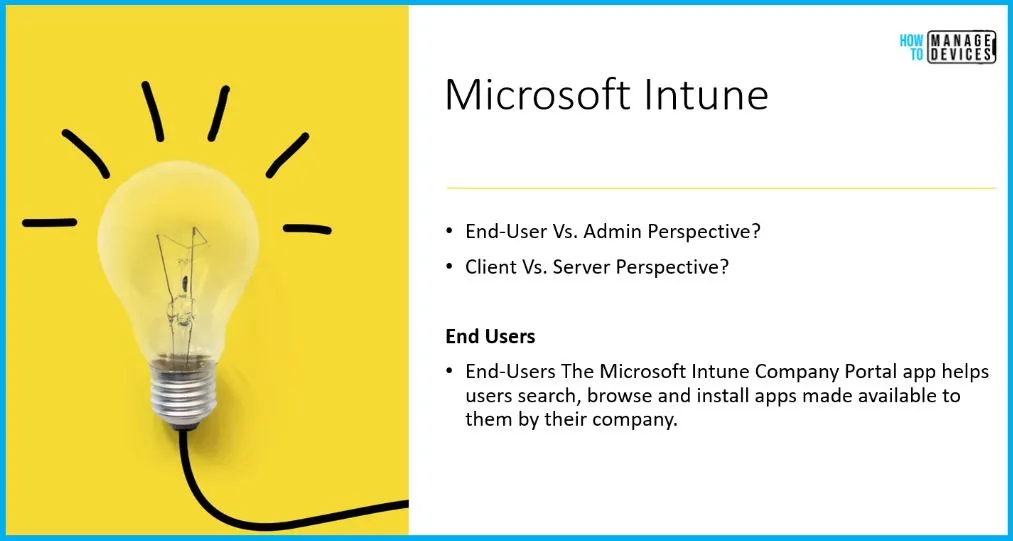
76. What is Microsoft Intune?
Microsoft Intune is the SaaS solution provided by Microsoft. Microsoft Intune is a cloud-based solution for managing desktop and mobile device management tools. Microsoft Intune is previously known as Windows Intune. It’s part of Microsoft’s Unified Endpoint Management (UEM) solution.
Read More : – What is Microsoft Intune?
77. What is SCCM?
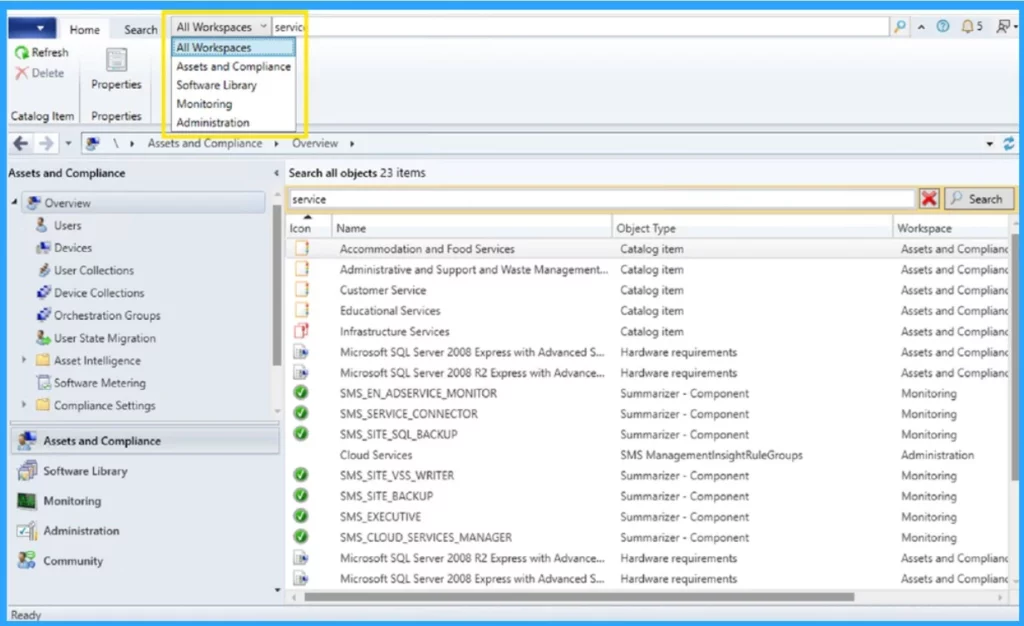
Microsoft Endpoint Configuration Manager, formerly known as System Center Configuration Manager (SCCM), is a Windows-centric endpoint management tool for devices within an Active Directory domain. Historically deployed on prem on a Windows Server, SCCM can now also be deployed as cloud-hosted within Azure.
Read More : SCCM 2405 New Features
78. What is Microsoft Defender?
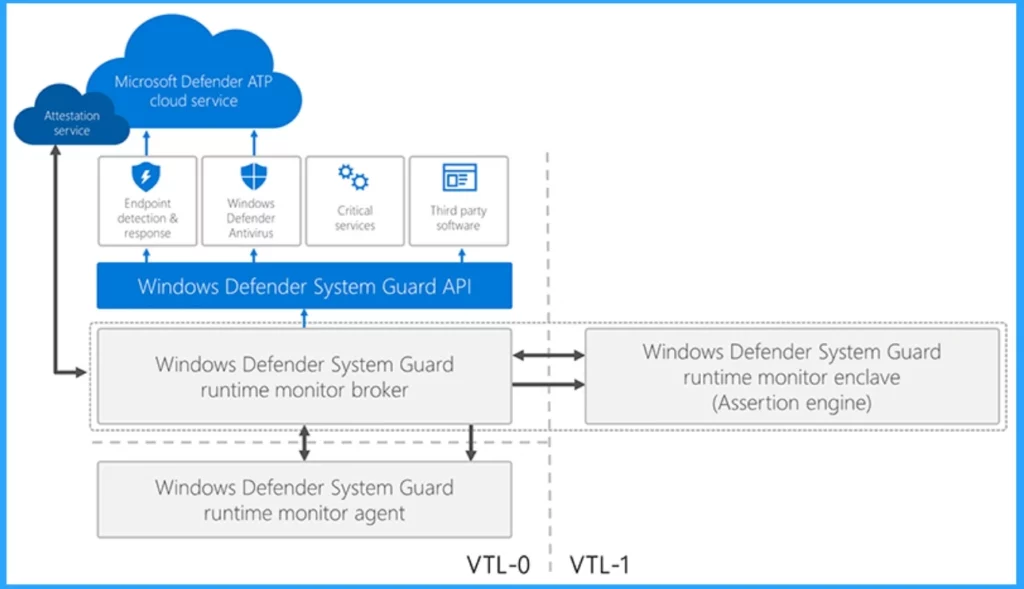
Microsoft Defender is a comprehensive security solution designed to protect your devices and personal data from various online threats. Here are some key features.
- Anti-Malware Protection
- Web Protection
- Identify Theft Monitoring
- Cross Platform Support
79. What is Settings Application in Windows 11?
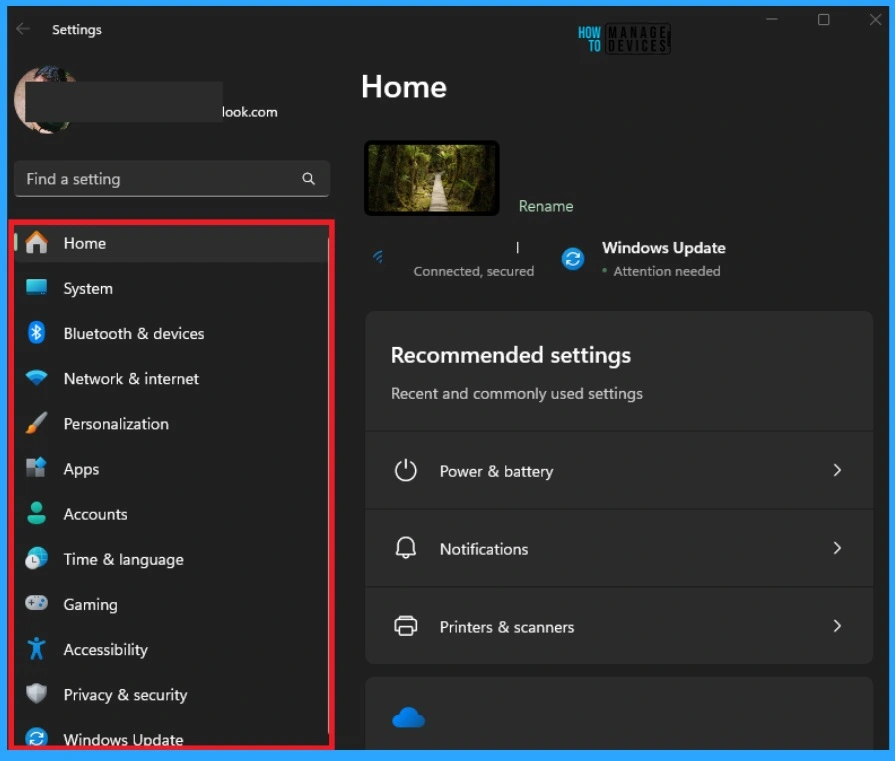
The Settings application in Windows 11 is a central hub where you can configure and personalize almost every aspect of your operating system. The Settings Application provides many settings as follows.
- Home
- System
- Bluetooth & devices
- Network & internet
- Personalization
- Apps
- Accounts
- Time & language
- Gaming
- Accessibility
- Privacy & Security
- Windows Update
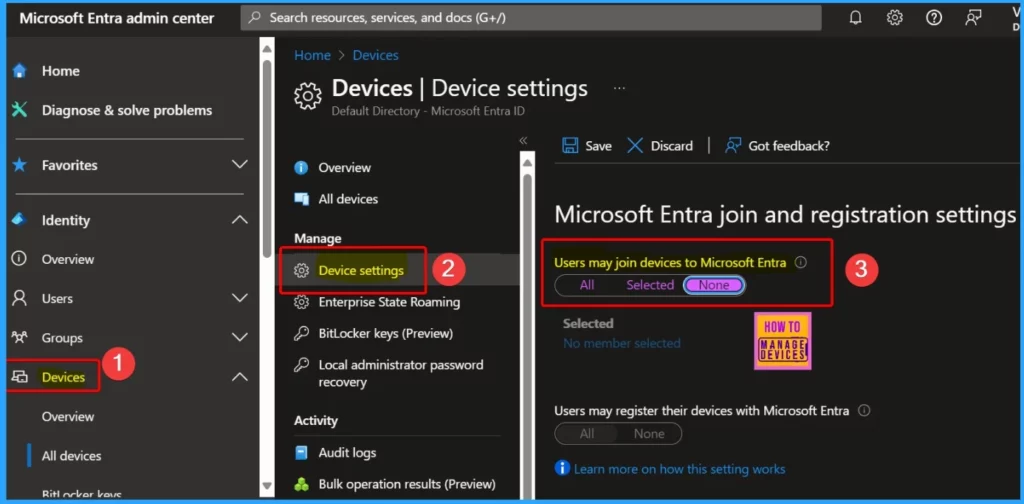
80. What is Entra ID Join
Microsoft Entra ID Join is a feature that allows devices to be joined directly to Microsoft Entra ID (formerly known as Azure Active Directory) without needing to connect to an on-premises Active Directory.
This is particularly useful for organizations moving towards a cloud-first model or having a hybrid environment. Microsoft claims this is the most modern and secure way to manage devices!
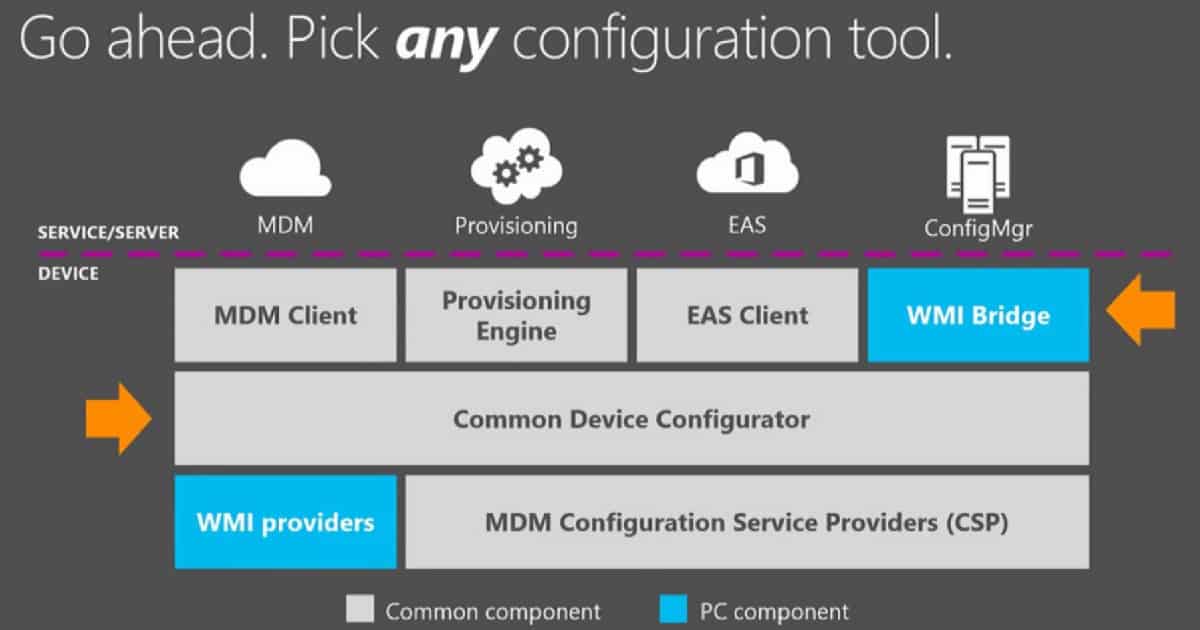
81. What is MDM?
MDM stands for Mobile Device Management. It’s a methodology and toolset for managing and securing mobile devices such as smartphones, tablets, and laptops within an organization.
Read More: – How to Troubleshoot Windows 11 10 Intune MDM Issues
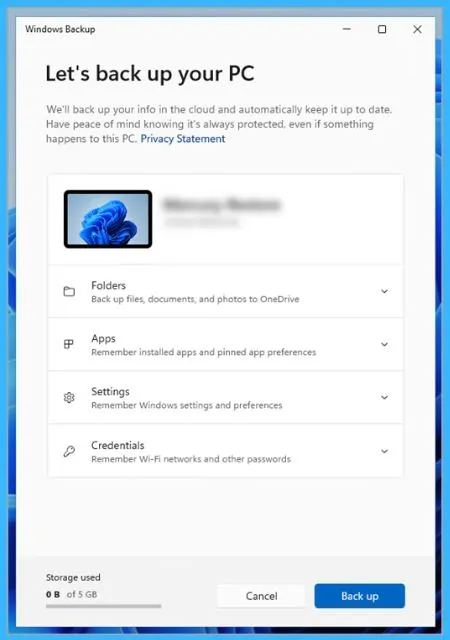
82. What is Windows Backup?
Windows 11 offers several backup options to help you protect your data and system settings. Here are some of the main methods.
- Windows History – It includes backup such as file history, system image backup
- OneDrive – It includes Cloud backup
- Third-Party Tools – Manual Backup – You can manually copy your important files to an external hard drive or USB flash drive.
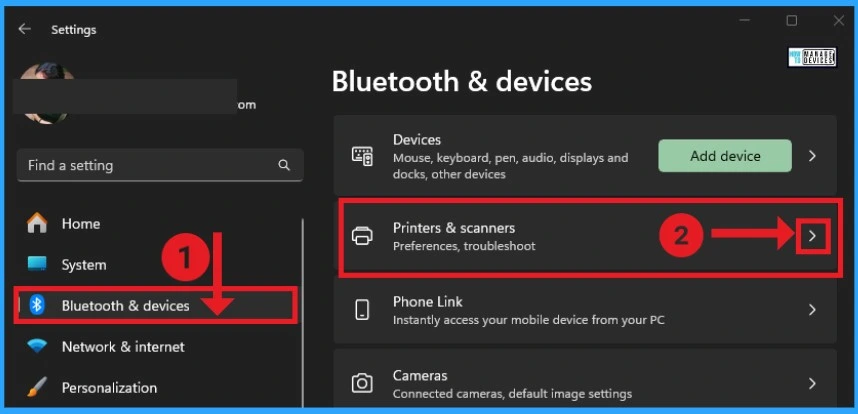
83. Where to Configure Printer?
You can easily configure your Printer through your Settings Application. To do this, Open the Settings Application and select Printers & Scanners from Bluetooth & Devices. Click the Add Device button. Windows will search for available printers. If your printer is found, select it and follow the on-screen instructions to complete the setup.
If you do not find a printer, you can manually add one. Click on Add Manually. Choose the appropriate option based on your printer type (e.g., older printer, network printer).
Read More : – How to Fix Printer Connection Printing Problems in Windows 11
We are on WhatsApp now. To get the latest step-by-step guides, news, and updates, Join our Channel. Click here. HTMD WhatsApp.
Author
Anoop C Nair has been Microsoft MVP from 2015 onwards for 10 consecutive years! He is a Workplace Solution Architect with more than 22+ years of experience in Workplace technologies. He is also a Blogger, Speaker, and Local User Group Community leader. His primary focus is on Device Management technologies like SCCM and Intune. He writes about technologies like Intune, SCCM, Windows, Cloud PC, Windows, Entra, Microsoft Security, Career, etc.




Discussion