





Windows 11 File Explorer Improvements Faster Launch Background Preloading and Performance Boost
Key Takeaways
- File Explorer issue was first confirmed in December.
- Microsoft is working on improvements for File Explorer performance and stability.
- Windows 11 Insider Release Preview builds are receiving the latest updates.
- Xbox mode provides a full-screen gaming experience on Windows 11.
Hey, let’s discuss about Windows 11 File Explorer Improvements Faster Launch Background Preloading and Performance Boost. Microsoft is introducing several updates to File Explorer for Windows 11 users in the Insider program, aimed at improving its launch speed and overall performance.
Table of Contents
Windows 11 File Explorer Improvements Faster Launch Background Preloading and Performance Boost
Although Microsoft hasn’t explained how these improvements work, it had tested a feature in November that preloaded File Explorer in the background to make it open faster. This was optional, and users could disable it by unchecking“Enable window preloading for faster launch times” in Folder Options under the View tab.
- Windows Insider Channel Names Changed To Experimental Beta And Release Preview
- Configure Windows Drive Access Restrictions using Intune Policy
- Remove Work Offline option from File Explorer using Intune Policy to Prevent Manual Offline File Switching
- How to Fix File Explorer Missing on Kiosk Start Menu in Intune
- Fix File Explorer Menu Appear Outside Screen Issue for Windows 11 24H2
File Explorer Updates Improve Speed and Visual Experience
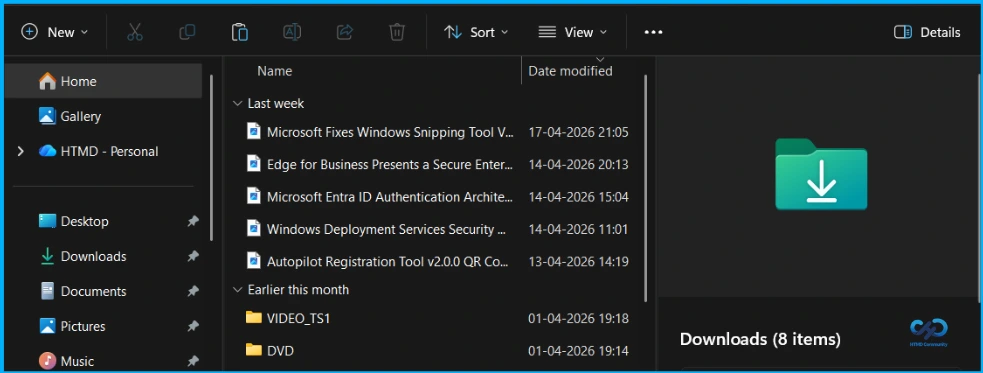
These File Explorer improvements come after the May 2025 rollout of Startup Boost, an optional feature for Office apps that runs a background task during system startup to help them open more quickly. The Windows Insider Program Team also shared that it is working on making the explorer.exe process stop more reliably after closing File Explorer windows. In addition, fixes for bright white flashes when opening File Explorer in dark mode are now being rolled out to more Windows 11 Insiders.
Windows 11 File Explorer Fixes and Xbox Mode
Microsoft first confirmed this issue in December, linking it to the KB5070311 optional non-security update and saying it could be triggered when creating a new tab, toggling the Details pane, navigating to or from Home or Gallery, or selecting “More details” while copying files. A week later, it said the issue was fixed when navigating between pages, but by early March 2026, it stated it was still working to fully resolve it and had removed white flashes for Beta Channel Insiders when File Explorer opens to “This PC”. It also introduced a new Xbox mode on Windows 11 PCs. These updates are rolling out to Insiders in the Release Preview channel running Windows 11 24H2/25H2 with Builds 26100.8313 and 26200.8313 (KB5083631).

| Xbox Mode |
|---|
| It designed for those moments when you want to lean back, pick up a controller, and focus on the game. Enter Xbox mode from the Xbox app, Game Bar settings, or by pressing Win + F11. |
Need Further Assistance or Have Technical Questions?
Join the LinkedIn Page and Telegram group to get the latest step-by-step guides and news updates. Join our Meetup Page to participate in User group meetings. Also, join the WhatsApp Community and the Whatsapp channel to get the latest news on Microsoft Technologies. We are there on Reddit as well
Author
Anoop C Nair is a Workplace Technology solution architect with 25+ years of experience. Microsoft Certified Trainer. Microsoft MVP from 2015 onwards for consecutive 11+ years! He is a blogger, Speaker, and Founder of HTMD Community and HTMD Conference. His main focus is on Device Management technologies like Intune, Windows, and Cloud PC. He writes about technologies like Intune, SCCM, Windows, Cloud PC, Entra, and Microsoft Security.




Discussion