





Microsoft Strengthens Windows App After Remote Desktop Client Support Ends in March 2026
Key Takeaways
- Improved connection reliability with RDP Multipath technology
- Easier access to remote apps via Start menu, Spotlight, and browsers
- Better multi-device and cross-platform experience
- Enhanced security with Intune MAM and keyboard protection
- Remote Desktop client support officially ended (March 2026)
In this post we are discussingMicrosoft Strengthens Windows App After Remote Desktop Client Support Ends in March 2026. Microsoft has announced new updates to its Windows App to work smoothly, easy to use, and secure for people who access Windows from the cloud. These updates come at the right time, as more companies are using cloud services like Windows 365 and Azure Virtual Desktop for remote and flexible work.
Table of Contents
Microsoft Strengthens Windows App After Remote Desktop Client Support Ends in March 2026
Over the past year, Windows App has improved a lot and now works as one platform where users can access their desktops and apps from anywhere. Microsoft has also worked to make the experience smooth and similar across different devices like Windows, macOS, iOS, Android, and web browsers.
This update also comes after an important change. Support for the Remote Desktop client on Windows and web officially ended on March 27, 2026. Microsoft is now asking users and organizations to move to Windows App to continue using these services without any issues.
- How to Create Windows 365 Frontline Dedicated Cloud PCs using Intune
- How to Set Up Windows 365 Cloud PCs with Autopilot Device Preparation
- Best Guide to Install Windows App from New Microsoft Store in Intune
| Feature | Info |
|---|---|
| Remote PC Connections (Preview) | Connect directly to physical or virtual PCs alongside Cloud PCs. |
| Android App GA | Windows App now generally available on Android, expanding platform coverage. |
| Microsoft Teams VDI Support | Enhanced collaboration with Teams across iOS, Android, and macOS. |
| Windows 365 Improvements | Boot, Switch, and disaster recovery enhancements for a more resilient desktop experience. |
Stronger Connections and Reliability
Microsoft has focused on improving how users connect and stay connected in Windows App. With the RDP Multipath, the app can keep sessions stable even when the network changes or becomes weak by using multiple data paths. This helps reduce disconnections and avoids the need to reconnect frequently, making remote work smoother and less disruptive for both users and admins.

What Changing- Remote Desktop Client Retirement
Starting March 27, 2026, support for the Remote Desktop client (MSI) and web-based client in commercial clouds will end, followed by September 28, 2026, for Azure Government and Azure 21Vianet. To maintain access to Azure Virtual Desktop and Windows 365, organizations should migrate to Windows App, which now offers updated capabilities.
Quick Access to Windows App
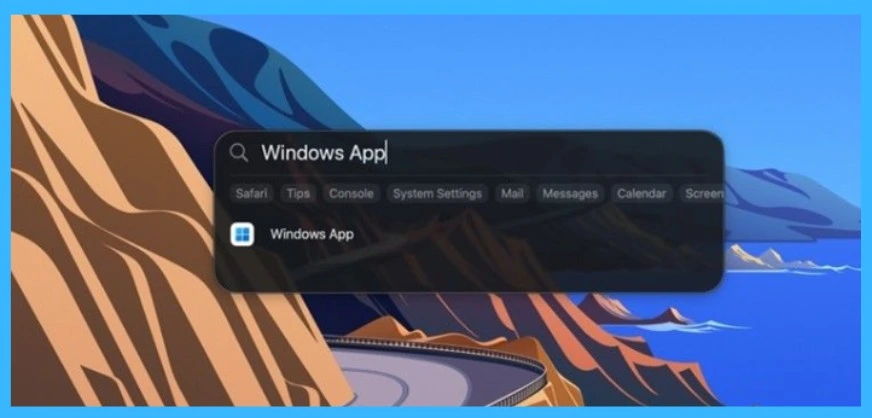
Microsoft has made it easier for users to open Windows App from familiar places like search tools. Users can quickly launch their remote desktops and apps without wasting time searching, helping them start work faster and with less effort.
Better Multitasking and Workflow
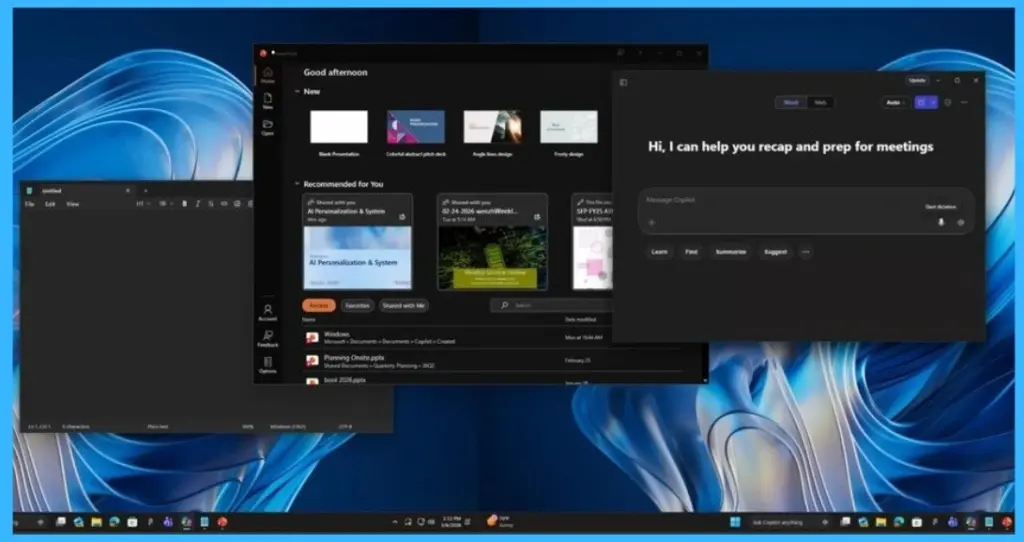
Windows App improves productivity by allowing users to work on multiple apps at the same time. With features like split-screen support and easy switching between apps, users can handle different tasks side by side, making their workflow smoother and more efficient.
Device Management and Health Status in One Place
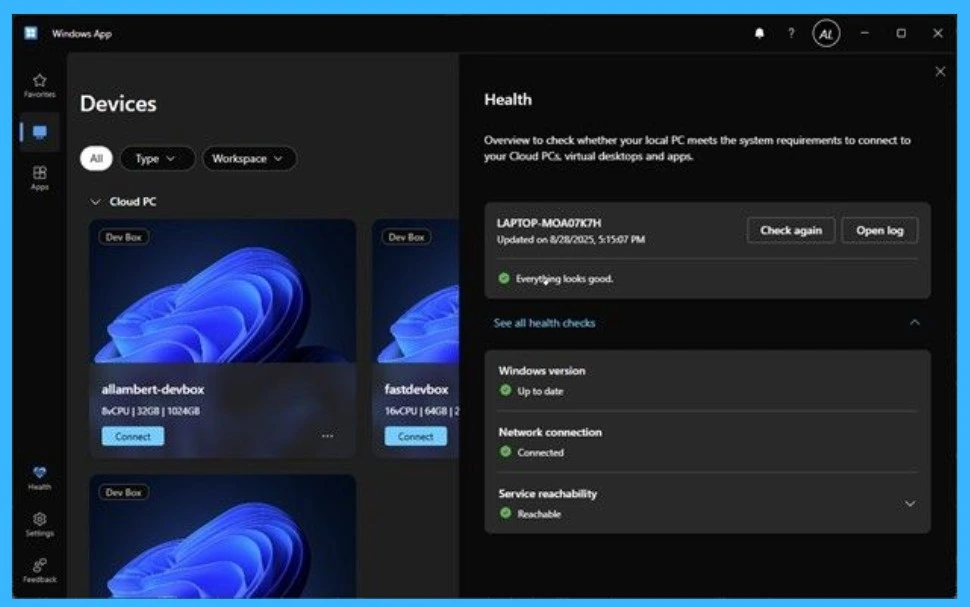
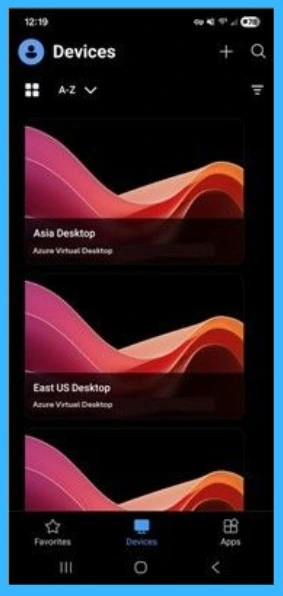
Microsoft Windows App provides a clear and simple Devices and Health dashboard where users can manage their Cloud PCs and check system status in one place. On the left side, users can see a list of available Cloud PCs and connect to them easily with a single click. This makes accessing work environments quick and simple without any complicated steps.
- Quick launch via Windows Start and Spotlight (macOS/iOS)
- Web split‑screen with two virtual monitors in one browser window
- External monitor support on iOS with automatic resolution handling
- URI‑based session resume from email or internal links
- Auto logoff on shared Windows devices for a fresh workspace
- Built‑in health checks and diagnostics for clearer network visibility
Consistent Experience Across Platforms
Microsoft has improved Windows App to deliver a similar experience across Windows, macOS, iOS, Android, and the web, making it easier for IT teams to manage different devices. Users can now access Remote PCs (in preview) along with Cloud PCs and Azure Virtual Desktop from one app, even without a work account. Windows App is also fully available on Android, while updates in Windows 365 add support for external users, smoother connection features like Boot and Switch, a new Connection Center, and better disaster recovery.
Need Further Assistance or Have Technical Questions?
Join the LinkedIn Page and Telegram group to get the latest step-by-step guides and news updates. Join our Meetup Page to participate in User group meetings. Also, join the WhatsApp Community and the Whatsapp channel to get the latest news on Microsoft Technologies. We are there on Reddit as well.
Author
Anoop C Nair is a Workplace Technology solution architect with 25+ years of experience. Microsoft Certified Trainer. Microsoft MVP from 2015 onwards for consecutive 11+ years! He is a blogger, Speaker, and Founder of HTMD Community and HTMD Conference. His main focus is on Device Management technologies like Intune, Windows, and Cloud PC. He writes about technologies like Intune, SCCM, Windows, Cloud PC, Entra, and Microsoft Security.




Discussion