






Windows365 Enterprise Introduces Disk Storage Resizing for Cloud PCs with Step-Up Licenses
Exciting News! Windows365 Enterprise Introduces Disk Storage Resizing for Cloud PCs with Step-Up Licenses. You all know about Windows365 Enterprise. It’s part of Microsoft’s services and lets you have a Windows experience on any device, just like using a regular PC. Windows 365 is the best companion.
It is a cloud-based service that adapts to your needs remotely or in an office. The new updates bring new features and improvements to enhance the user experience. Windows 365 Enterprise is known for its productivity, security, and collaboration benefits that are essential for businesses.
The latest update introduced Windows365 Enterprise in Disk Storage Resizing for Cloud PCs with Step-Up Licenses. Windows365 Enterprise allows disk storage resizing for Cloud PCs in the new updates. This is the latest feature available through the Step-Up Licenses.
With this new enhancement, admins can quickly increase the storage space on Cloud PCs when needed, using the Step-Up Licenses. This blog post will share some details of April updates in Windows 365 (Disk Storage Resizing for Cloud PCs with Step-Up Licenses.)

- Compare Windows 365 Business Vs Enterprise Cloud PC
- Enable Local Admin Access for Windows 365 Business Edition
- Windows 365 Cloud PC 2310 October Update Service Release

Disk Storage Resizing for Cloud PCs with Step-Up Licenses
Windows365 Enterprise has announced the introduction of disk storage resizing for Cloud PCs. This new enhancement is available through the Step-Up Licenses in the April Update. This is important because it helps businesses that use cloud services quickly provide more storage space.
HP Anywhere for Windows 365 Enterprise
This is a new enhancement in Windows 365, announced in April 2024. You can now use HP Anyware for Windows 365 Enterprise Cloud PCs. HP Anyware for Windows 365 enables you to provide Windows 365 Enterprise desktops using HP Anyware’s control system and PCoIP protocol.
- This enhancement is now in a preview and can be easily deployed in workspaces powered by HP Anyware within your current Azure.
| Public Preview Limitations |
|---|
| The initial release supports selected regions. |
| Windows 365 Frontline isn’t supported. |
| Nested groups aren’t supported. |
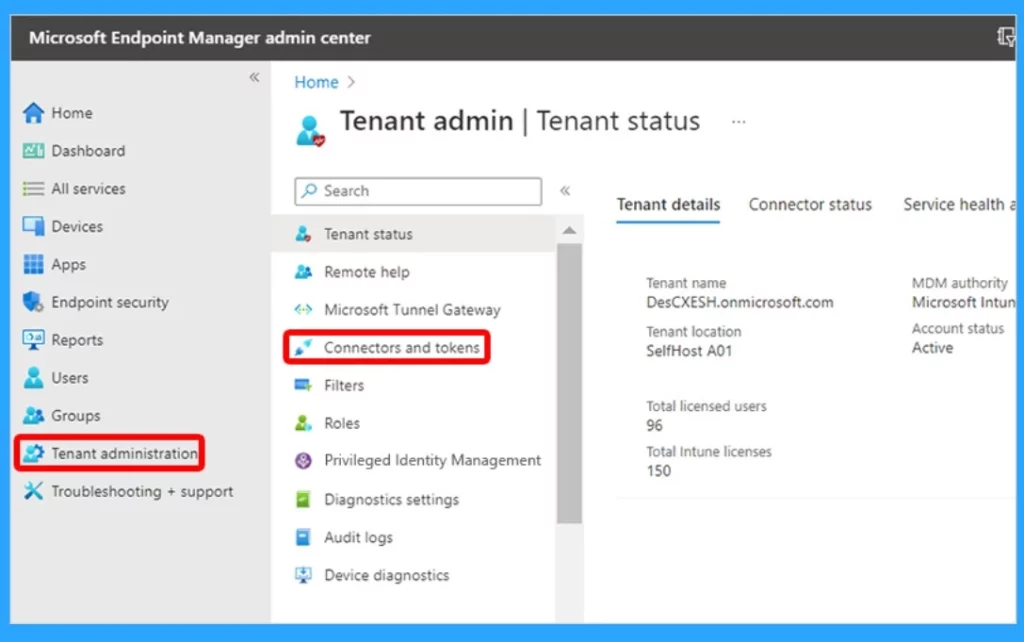
Disk Storage Resizing for Cloud PCs
Disk storage is a new feature for Windows 365, and this is a flexible enhancement that addresses the dynamic needs of businesses. It will allow the upgrade of cloud PC RAM, CPU, and storage size. With this enhancement, IT admins can adjust the storage capacity of cloud PCs.
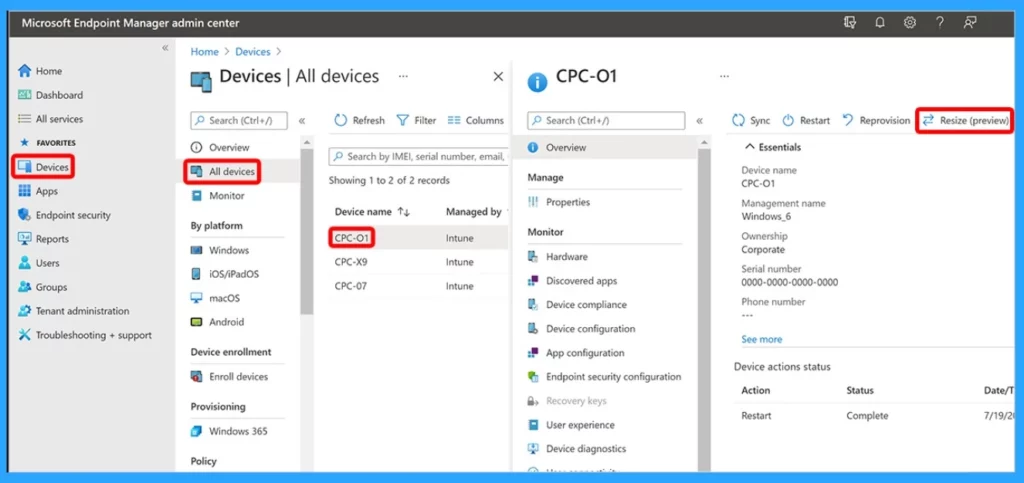
- Sign in to the Microsoft Intune admin centre, select Devices > All Devices > choose a device > Resize.
- Manage Location Redirection for Windows 365 Cloud PC
- Windows 365 Switch Now in Public Preview | Cloud Computing at Your Fingertips
- New Features of Windows 365 Cloud PC 2306 Service Release June Update
Step-up licenses are available to Enterprise admins with a direct Enterprise Agreement, enabling them to upgrade from a lower to a higher configuration license at a reduced cost. The Windows 365 step-up licenses are lead status licenses available for Enterprise admins with a direct Enterprise Agreement.
- You can increase the disk space but not decrease it once it has been upgraded.
- It is the best enhancement for Enterprise admins for a direct Enterprise Agreement, simplifying the migration from a lower to a higher configuration license without the expense of two separate subscriptions.
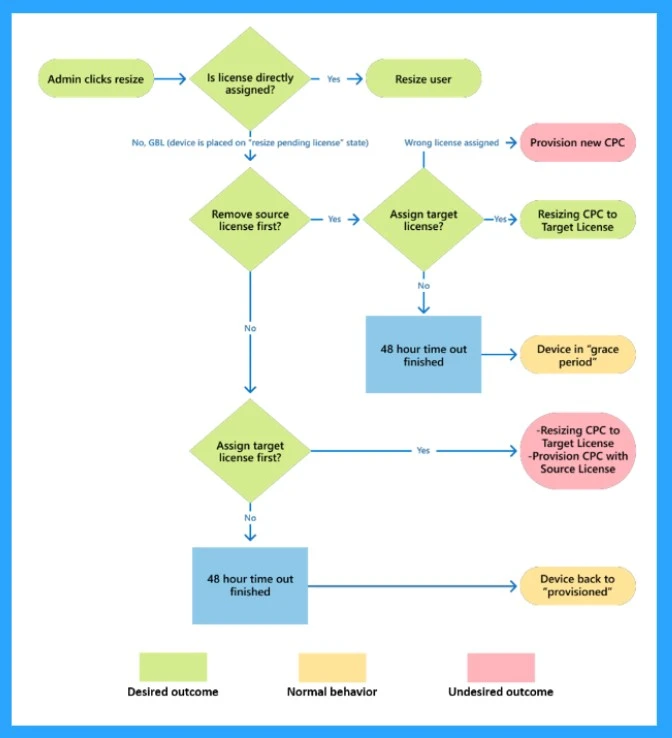
- If you upgraded a Windows 365 Enterprise license subscription using Microsoft Step-Up Licenses, you can Migrate your users to the new license while retaining all their data by conducting a bulk resize operation.
Reference
What’s new in Windows 365 Enterprise
We are on WhatsApp. To get the latest step-by-step guides and news updates, Join our Channel. Click here –HTMD WhatsApp.
Author
Krishna. R is a computer enthusiast. She loves writing about Windows 11 and Intune-related technologies and sharing her knowledge, quick tips, and tricks about Windows 11 or 10 with the community.




Discussion