






SCCM ConfigMgr CB How to Install Secondary Site Design Thoughts Configuration Manager
Let’s discuss the SCCM ConfigMgr CB and how to install the Secondary Site Design Thoughts Configuration Manager. Installing the SCCM Current Branch (CB) secondary server is straightforward; however, we can encounter some issues.
Some design considerations are essential before introducing a secondary site in the SCCM CB infrastructure. The Latest Secondary Site post is SCCM Secondary Server Installation Guide | Step By Step | ConfigMgr HTMD Blog (anoopcnair.com).
I would personally avoid installing secondary unless you have a real need for it. Another fact is that secondary sites cannot be restored and must be reinstalled. Each primary site supports up to 250 secondary sites, and each Secondary site can handle 15,000 clients.
In this post, you will get all the details of SCCM ConfigMgr CB and how to install the secondary site design thoughts configuration manager. It is explained in detail in the section below.

Table of Contents
- SCCM ConfigMgr CB Free Training Led by Wally Mead Configuration Manager
- Free SCCM Training Part 1 | 17 Hours Of Latest Technical Content | ConfigMgr Lab HTMD Blog (anoopcnair.com)
- Free ConfigMgr Training Part 2 | 20 Hours Of Technical | SCCM HTMD Blog (anoopcnair.com)
- 63 Episodes Of Free Intune
SCCM ConfigMgr CB How to Install Secondary Site Design Thoughts Configuration Manager
Another critical point is that you can’t throttle the SQL-based replication link between SCCM secondary and primary sites, as I explained in the post here (the post talks about SCCM 2012 but is still applicable for SCCM CB). Remember, secondary sites still need NET Framework 3.5 SP1 (or later)!! The post also discusses some other design topics.
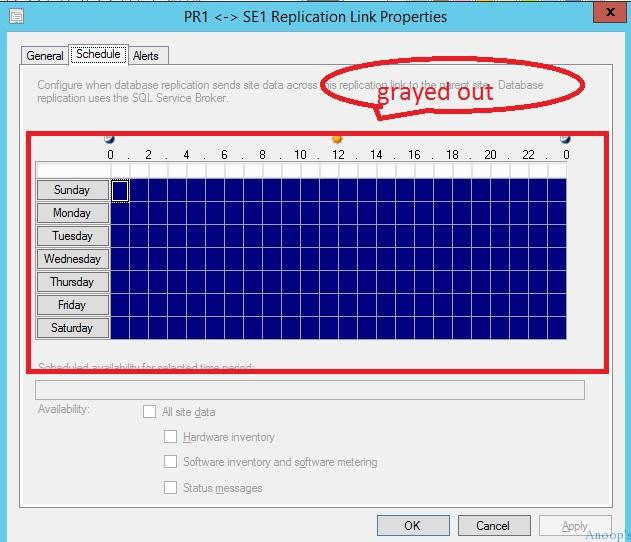
How to Install Secondary Site Design
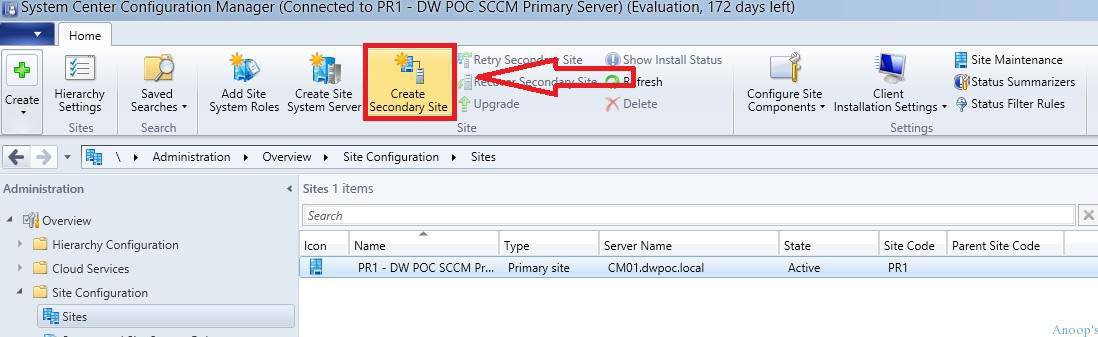
To install the SCCM CB secondary server, browse “\Administration\Overview\Site Configuration\Sites” through the CM console. In the screen capture below, select the SCCM primary server and click Create Secondary Site.
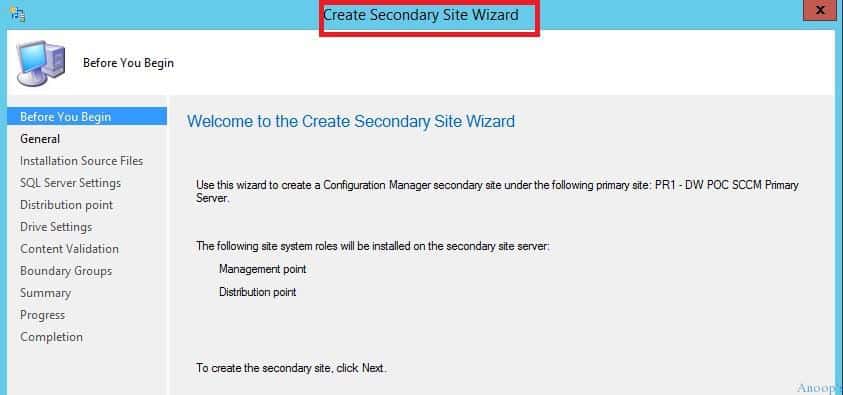
Create SCCM CB secondary site Wizard. This wizard can create a ConfigMgr secondary site under the primary site. Also, remember that when you install a secondary site, site system roles like DPs and MPs will automatically be installed.
| Create Secondary Site Wizard |
|---|
| Before you Begin |
| General |
| Installation source files |
| SQL server settings |
| Distribution point |
| Drive settings |
| Content Validation |
| Boundary Groups |
| Summary |
| Progress |
| Completion |
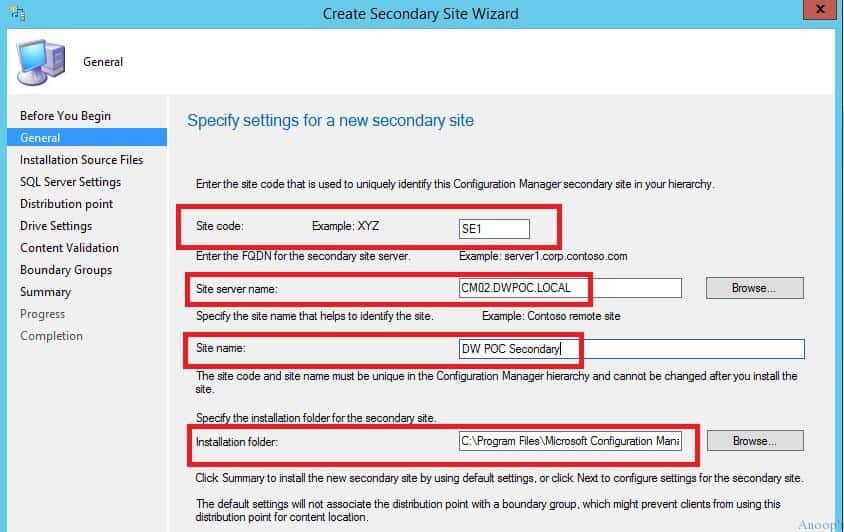
This screen allows you to specify the properties of SCCM secondary, such as the site code, Site Server name, Site Name, and installation folder.
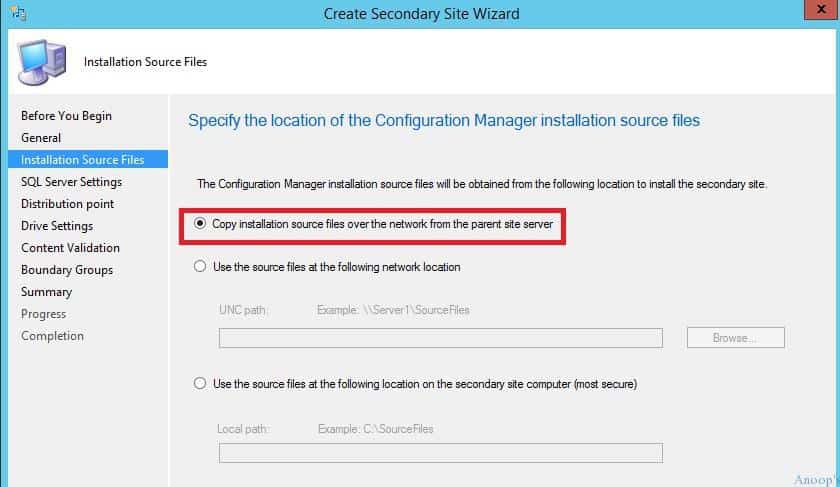
The page provides 3 options for getting the installation source files of the SCCM CB secondary site. As it’s a LAB setup, I used the first option in this scenario. However, I recommend option 3 when your secondary server is at the end of a slow bandwidth connection.
- Copy installation source files over the network from the parent site server.
- Use the source files at the following network location.
- Use the source files at the following location on the secondary site computer.
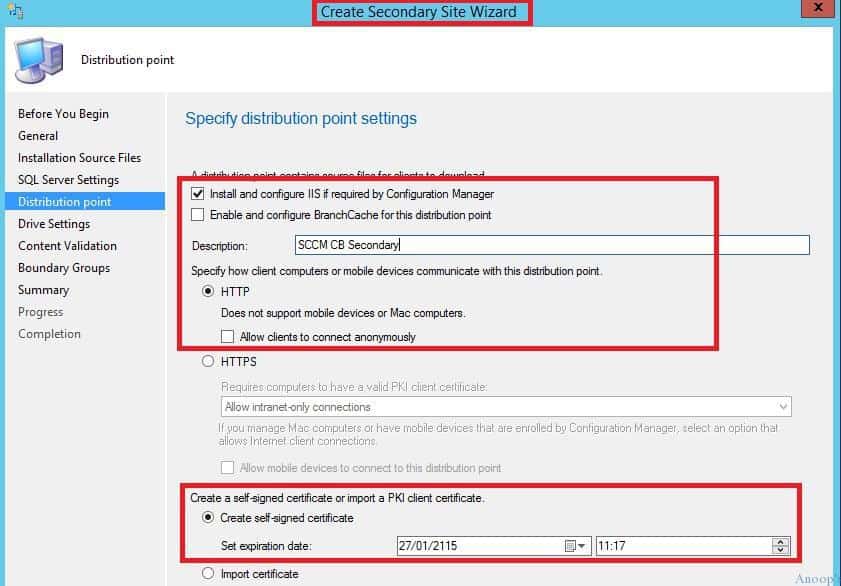
I set the default configurations for SQL server settings. For the DP configuration, I selected to install and configure IIS if required by ConfigMgr.The rest of the DP configurations are set as the default.
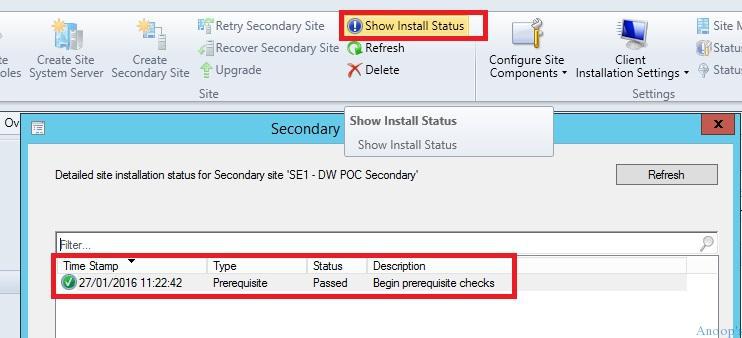
There are two ways to check the SCCM CB secondary site installation status: 1. ConfigMgrSetup.log in the primary site (not the log file in the remote secondary site). 2. The other way is to use the Show Install Status button in the SCCM console ribbon.
The SCCM CB secondary site installation failed in my lab. I retried it, and it failed again for the second time. When I checked the log file, there was an error related to .NET 3.5 SP1.
The prerequisite checking was not completed successfully because it could not install .NET 3.1 SP1. When you choose to have SCCM install SQL Server Express as part of the secondary site installation, ensure the server meets the requirements to run SQL Server Express.
CWmiRegistry::WmiOpen: Failed to read key SOFTWARE\Microsoft\NET Framework Setup\NDP\v3.5 on CM02.DWPOC.LOCAL
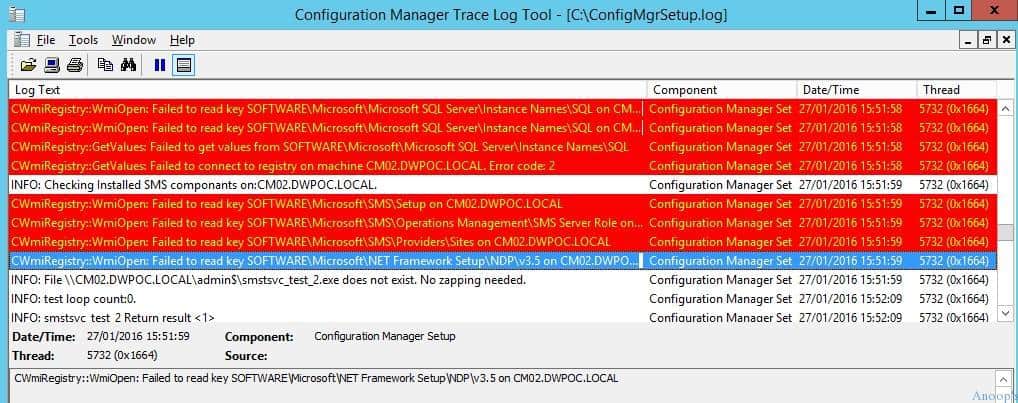
The problem with .Net 3.5 SP1 and Server 2012 is an old famous problem. Without the source files of Server 2012 R2, we can’t install .Net 3.5 SP1. When I tried to install it without providing an alternate path for the SXS folder in the source files, it failed with the following message.
“Do you want to specify an alternate source path? One or more installation selections are missing source files…”. I got the .Net 3.5 Sp1 installed successfully after providing the source files. Before retrying the installation, I also installed BITs and RDC components on the secondary server.
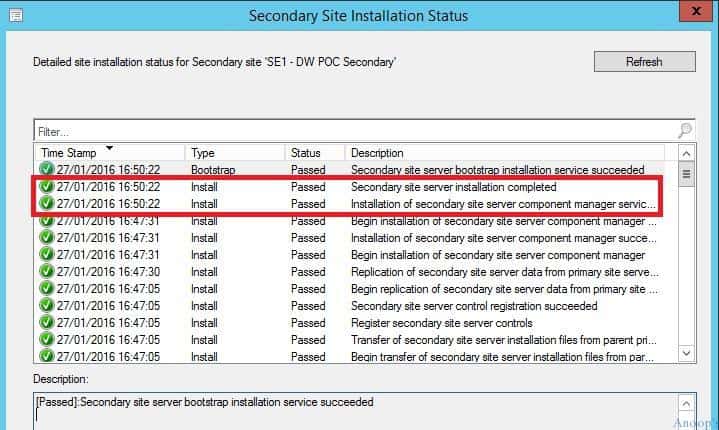
I retried the SCCM CB secondary site installation, which worked well afterwards. The secondary site installation status shows all the details and status of the installation. Once the secondary site is installed successfully, we can see the status of the secondary server as active in the console.

Resources
SCCM Video Tutorials For IT Pros – HTMD Blog #2 (howtomanagedevices.com)
We are on WhatsApp now. To get the latest step-by-step guides, news, and updates, Join our Channel. Click here. HTMD WhatsApp.
Author
Anoop C Nair is Microsoft MVP! He is a Device Management Admin with more than 20 years of experience (calculation done in 2021) in IT. He is a Blogger, Speaker, and Local User Group HTMD Community leader. His main focus is on Device Management technologies like SCCM 2012, Current Branch, and Intune. He writes about ConfigMgr, Windows 11, Windows 10, Azure AD, Microsoft Intune, Windows 365, AVD, etc.




Discussion · 1 comment