






How to Reset MFA Contact Details of Azure AD User
Let’s discuss how to Reset the MFA Contact Details of an Azure AD User. In this post, we will see the different types of users in the Azure Active Directory (Azure AD or AAD) and how to delete a user’s existing contact details and request the user to fill in new contact details.
More details to change the Azure MFA Authentication phone from the MyApps portal – https://www.anoopcnair.com/change-azure-mfa-authentication-phone-myapps/(opens in a new tab). End-User and trying to change MFA Mobile Number – https://aka.ms/MFASetup.
We can easily reset the contact details used for MFA (Multi-Factor Authentication) from the Azure AD portal. This is very useful when the user gets an internal transfer within the organization to another country and wants to change the number.
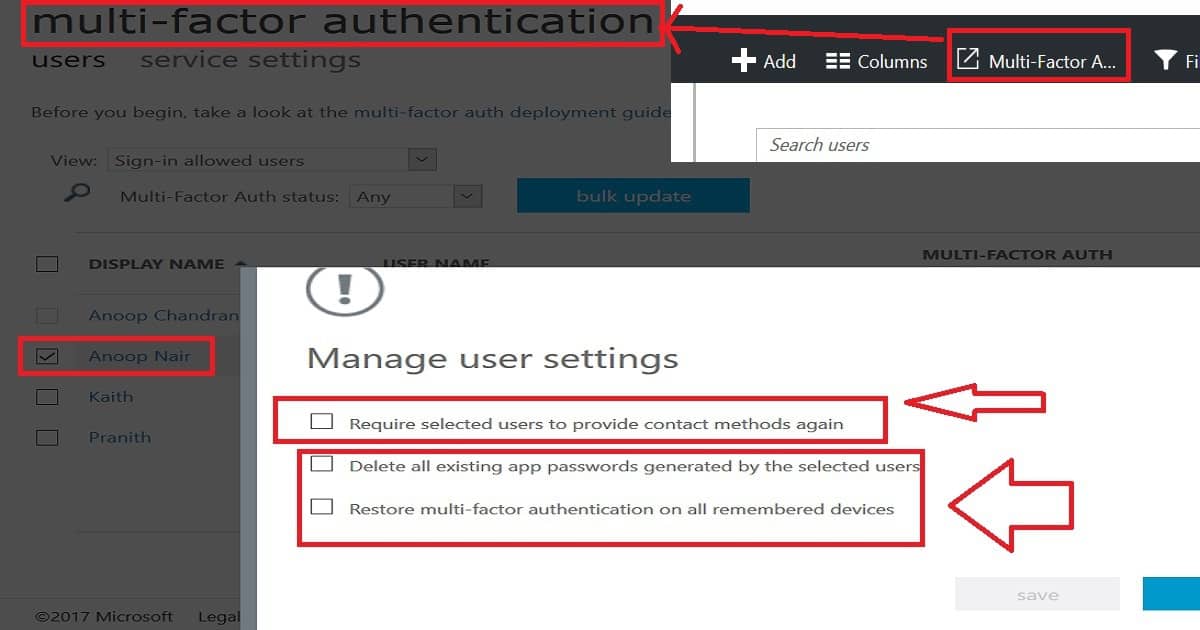
Also, there are options to “Delete all existing app passwords generated by the selected users” and “Restore multi-factor authentication on all remembered devices”.

- Modern Vs Legacy Azure Active Directory Authentication Methods
- Easiest Method to Enable MFA for Admins using Azure AD Conditional Access
- How to Reset MFA Contact Details of Azure AD User
- IOS IPadOS ADE Enrollment Profile Legacy Authentication Method Company Portal Removal
Table of Contents
Reset MFA Contact Details – MFA Mobile Contact Number Reset from Azure Portal with Admin Access?
Let’s talk about resetting the Multi-Factor Authentication (MFA) contacts of an Azure Active Directory (AD) user. The video below will guide you through the process, showing all the necessary details step by step. It’s a straightforward way to ensure that the MFA contacts for your Azure AD user are updated correctly.
As you can see in the picture, two types of symbols are near user accounts. The one with external email IDs like Gmail and those kinds of users are guest users in Azure AD.
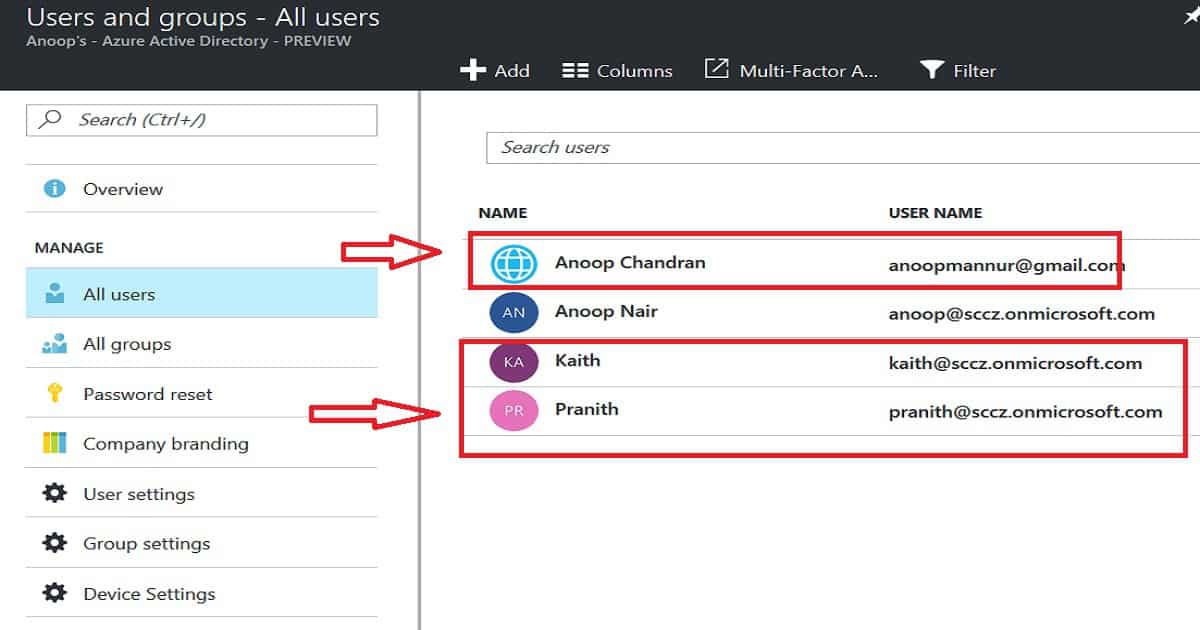
Using the Guest user option, you can temporarily grant external contractors access to your organization’s apps. Internal users with your organization’s email IDs are another type of user.
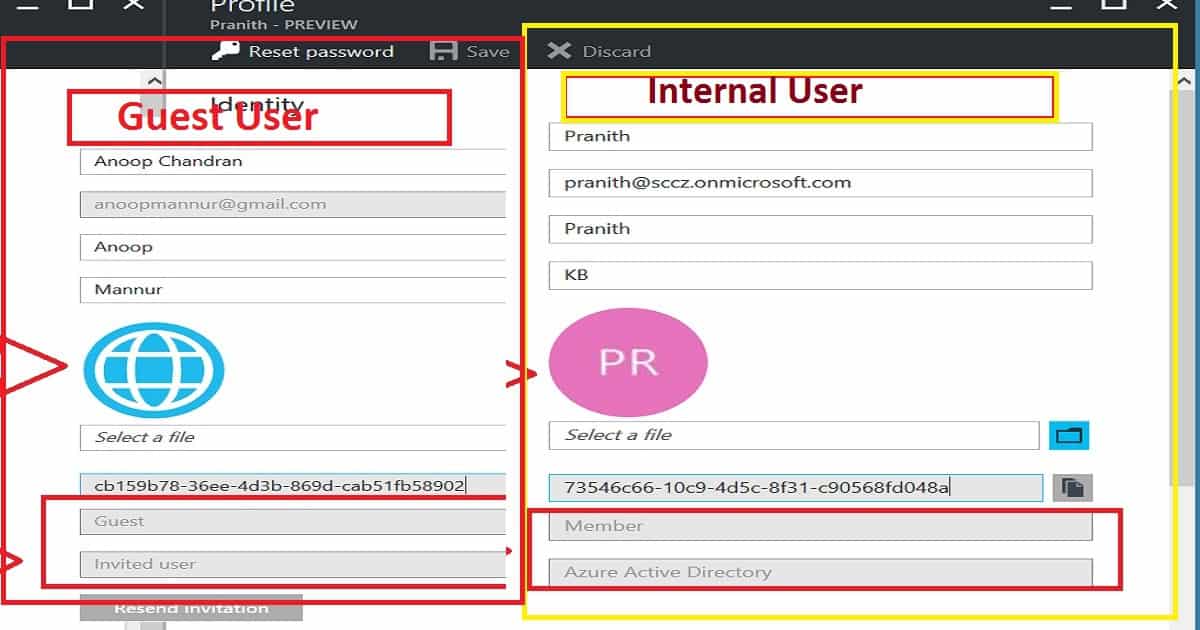
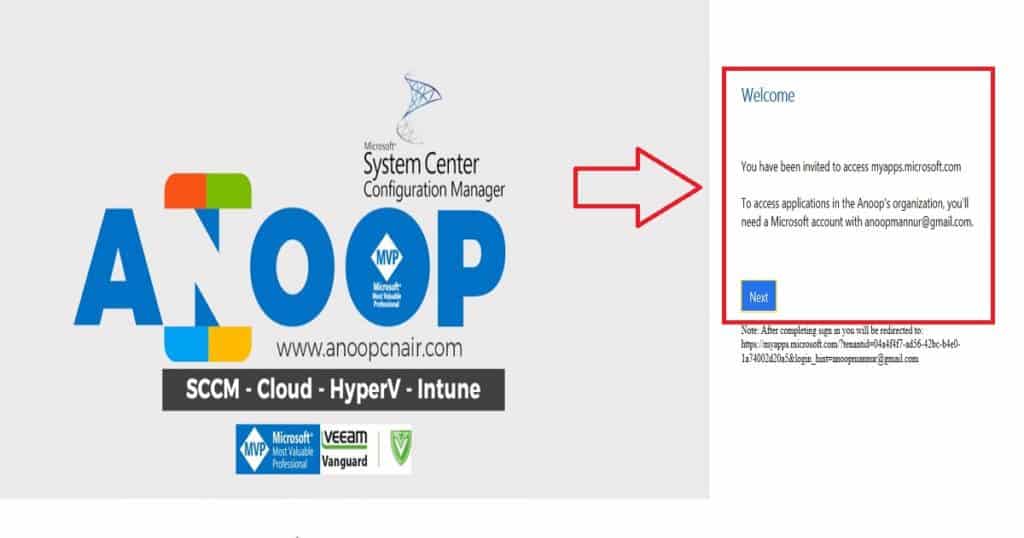
To access the organisation’s resources, Guest users should go through a secure onboarding process with MFA (Multi-Factor Authentication). Guest users will receive an invitation mail on the external email ID, and the email subject will be “You’re invited to the {Anoop’s} organization“.
The user has to click on the “Get Started” link from the mail, and they will be guided through the onboarding process with MFA. As you can see in the welcome screen (below picture), you will access the MyApps.microsoft.com portal, where guest users can access internal applications allocated to that user.
So, coming back to the main topic, “How to Reset the MFA Contact Details of an Azure AD User,” this option is available in the Azure portal: “Microsoft Azure Active Directory –> Users and groups—All users.” Click on “Multi-Factor Authentication.” In the new tab, you will see the option to reset the AAD user’s contact details.
- This blade will allow you to reset all app passwords the selected users generate and ask users to perform MFA on all existing devices.
- Select the user ID and click “Manage user setting” to reset the AAD user’s MFA contacts.
| How to Reset the MFA Contact Details of an Azure AD User |
|---|
| Microsoft Azure Active Directory |
| Users and groups |
| All users |
| Multi-Factor Authentication |
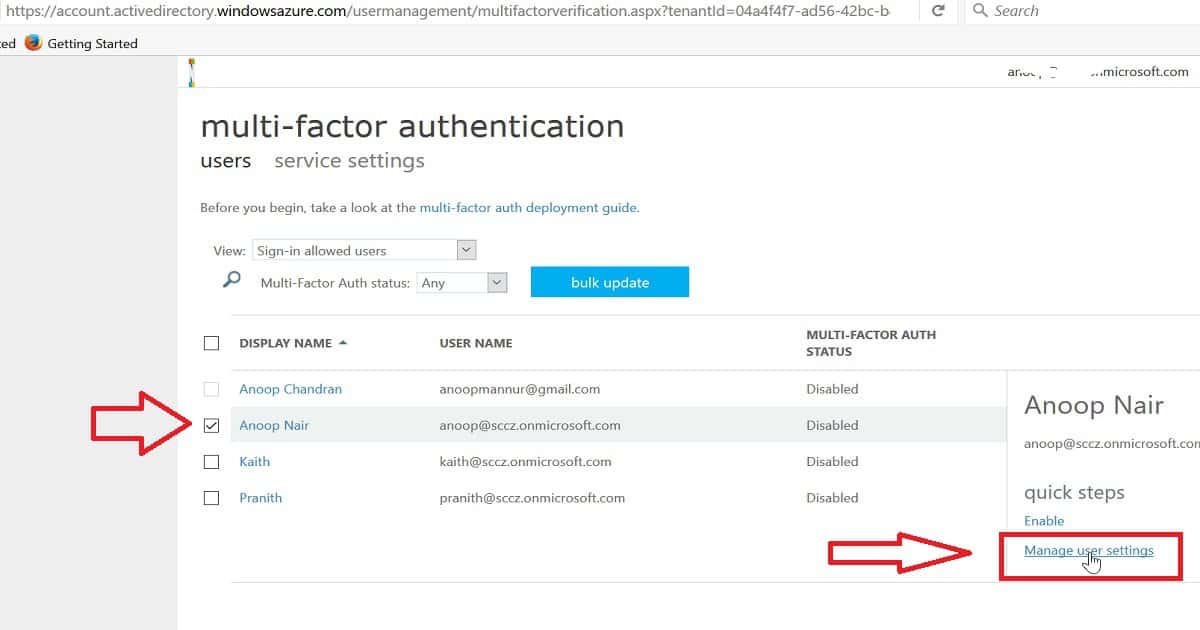
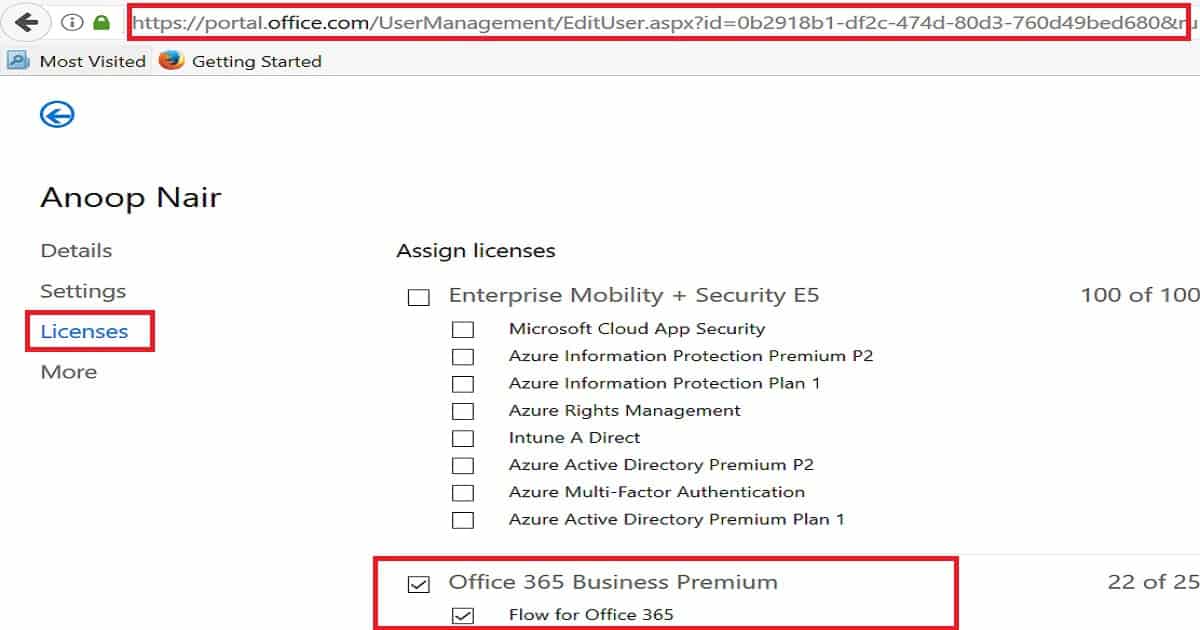
When you click on any user account from the above place (as seen in the above pic), it will take you to the Office 365 licensing portal. So, there is no need to log into the Office portal separately to assign user licenses. This is handy stuff.
Once you click on “Manage User Settings,” you will see the following options: The first one requires selected users to provide contact methods again, and the second one deletes all existing app passwords generated by the selected users.
3. Restore Multi-factor authentication on all remembered devices. To reset an Azure AD user’s MFA contact details, select option one, “Require selected users to provide contact methods again,” and click save. The next time a user logs into a device, AAD will prompt the user to provide contact details again.
We are on WhatsApp now. To get the latest step-by-step guides, news, and updates, Join our Channel. Click here. HTMD WhatsApp.
Author
Anoop C Nair is Microsoft MVP! He is a Device Management Admin with more than 20 years of experience (calculation done in 2021) in IT. He is a Blogger, Speaker, and Local User Group HTMD Community leader. His main focus is on Device Management technologies like SCCM 2012, Current Branch, and Intune. He writes about ConfigMgr, Windows 11, Windows 10, Azure AD, Microsoft Intune, Windows 365, AVD, etc.




Hi
Is there a way to do this with PowerShell?
Is there a way to delegate the ability to reset someone’s MFA settings (require user to provide contact methods again setting)? We do not have to assign the global admin role to help desk folks.
any answer if we can do this via powershell?
StaffI never tried PowerShell tried and I’m not aware of any PowerShell options for Azure AD and MFA reset. But there could some programming options available via Microsoft Graph?
You can clear the methods that are currently set, giving your user a chance to change the options the next time the log in using Reset-MsolStrongAuthenticationMethodByUpn
Staffyou can take some powershell examples from http://www.powershellbros.com/reset-azure-ad-mfa-settings/
Hi Anoop
I am running below comand to reset MFA of Azure Ad user.
Set-MsolUser -UserPrincipalName $UPNToReset -StrongAuthenticationRequirements
However, MFA got reset but the data in conatct details is not cleared.
Is this because of the permission to my account which i am using to reset? I am not using Global ADmin account.
Please suggest