






Deploy Office 365 Pro Plus Suite to Windows 11 using Intune
Let’s Deploy Office 365 Pro Plus Suite to Windows 11 using Intune. How to Deploy Office 365 Pro Plus Suite to Windows 10 via Intune a Video Experience | Microsoft Intune | MEM?
Intune can’t directly update Office 365 Apps, but it can help deploy the channel when you deploy Office apps via Intune. The devices will get updates whenever the Office 365 team releases them.
Office 365 deployment is very critical for all organizations. Intune has added an out-of-the-box option to deploy the Office 365 Pro Plus suite to Windows 10 devices. Read options to Create a custom XML File for Office 365 Intune Deployment.
We will see a video to help you understand “How to Deploy Office 365 Pro Plus Suite to Windows 10 Windows 11 via Intune.”

In this method, Office Pro Plus is installed using Windows 10 or Windows 11 CSP via Intune. The Office Configuration Service Provider (CSP) enables a Microsoft Office client to be installed on a device. The CSP to allow Office to Pro Plus installation was added in Windows.
You also have an out-of-the-box option in SCCM to deploy Microsoft 365 Apps, similar to the Intune MEM out-of-the-box option explained in this post. However, we must use Office 365 ProPlus licenses to activate Office 365 ProPlus apps deployed through Microsoft Intune.
Table of Contents
- Deploy Microsoft 365 Apps MS Teams Using Intune MEM
- MEM Intune Deploy Office 365 Pro Plus Suite To Windows 11
- Intune Firewall Proxy Requirements Modern Windows 10 Deployment
- Fix Error 0x8007139f Failed Launching Office Customization Tool Issue
Deploy Office 365 Pro Plus Suite to Windows 11 using Intune
Navigate via Intune blade in the Azure portal – Microsoft Azure – Microsoft Intune – Apps (Windows). Create a new app with the “+Add” button.
Select the “Office 365 Pro Plus Suite (Windows 11)” application type. This application type can be used when assigning Office 365 Pro Plus apps to Windows 10 devices with Intune.
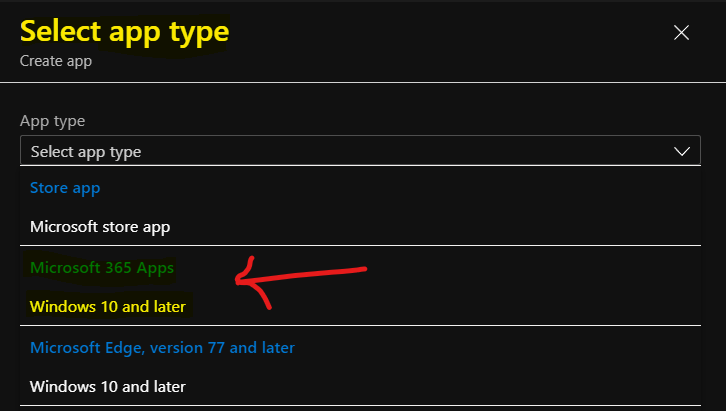
Microsoft 365 Apps for Windows 10 and later. Add Microsoft 365 Apps to install your Microsoft 365 Apps on Windows 10 or later managed devices. Users must have an account and license to use these apps.
Click on Select.
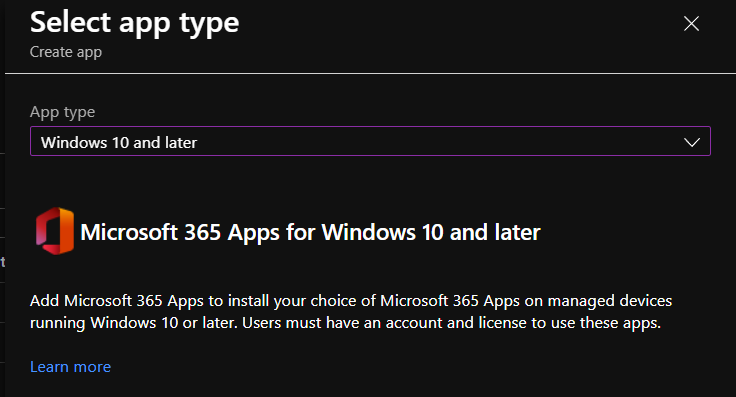
Microsoft 365 Apps for Windows 10 and Later – Deploy Office 365 Pro Plus Suite using Intune
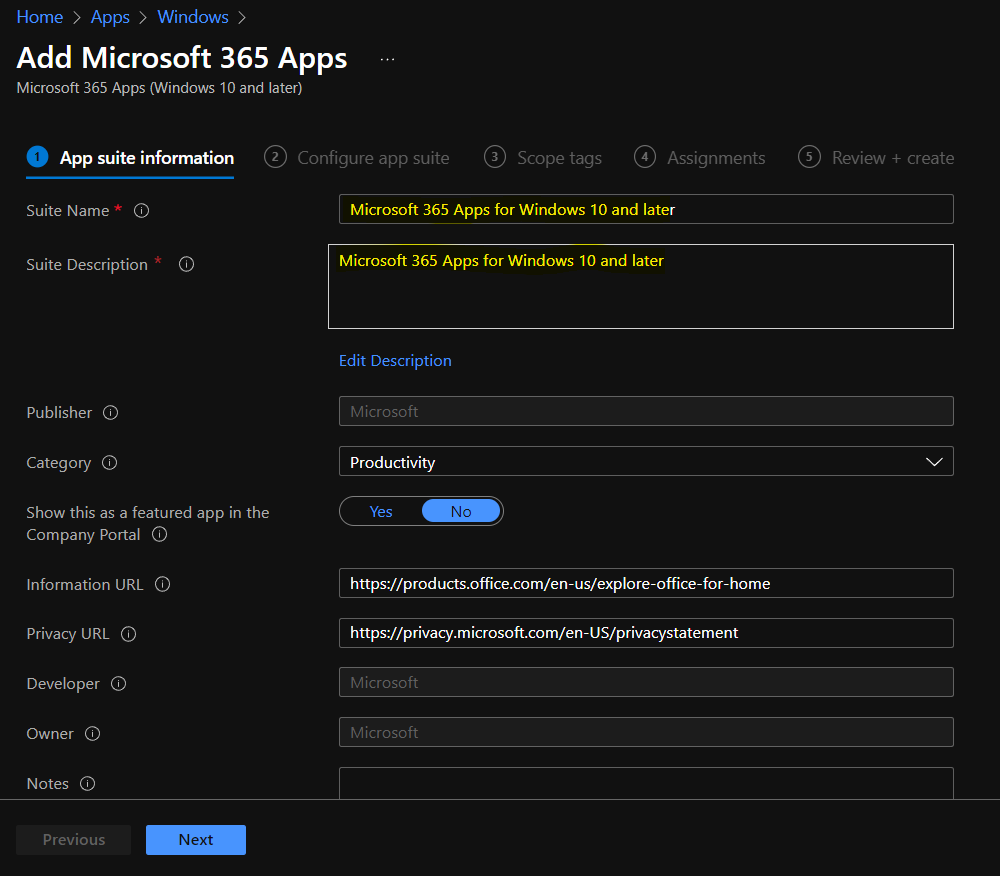
Microsoft 365 Apps for Windows 10 and later app configuration time now. You must enter the suite name and description and click the Next button. All this information on the first page will be automatically filled in.
Details of Links -> https://products.office.com/en-us/explore-office-for-home and https://privacy.microsoft.com/en-US/privacystatement
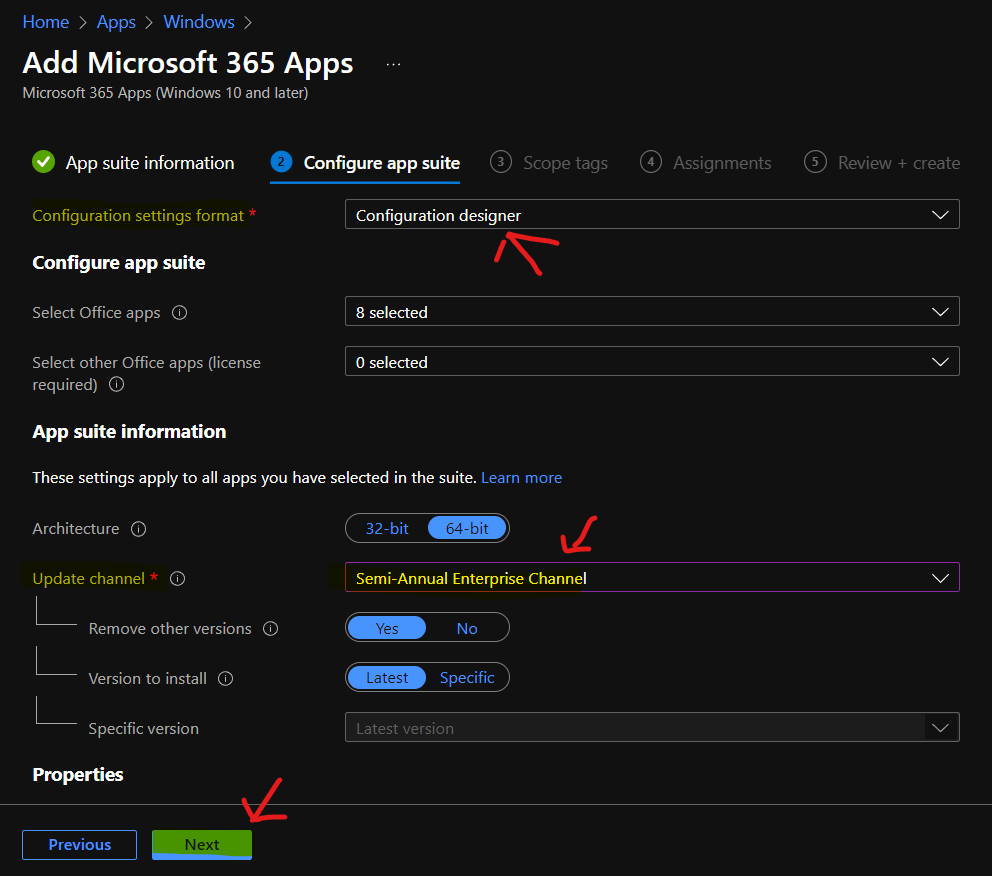
Configure App Suite – Select the Office 365 apps you want to install as part of the suite. Word and Excel are the applications I selected to deploy in this scenario. You can also add Additional Office apps – If you own licenses for these additional Office apps, you can assign them with Intune (Project and Visio).
App Suite Information—This section requires the Suite Name, Suite Description, and Publisher fields. As part of the Intune O365 App suite information policy, I have enabled the “Display this app in the company portal” option.
App suite Settings—Configure the Office 365 Pro Plus installation option. Which version of Office do you want to install? 64/32 bit? Another important option is to select the update channel of Office 365.
There are also out-of-the-box options in Intune for auto-accepting end-user license agreements. Another out-of-box option available is “Use shared computer activation.” More details about “How to Deploy Office 365 Pro Plus Suite to Windows 10 via Intune” are available in the video here.
Intune Deploy Office 365 Pro Plus Suite to Windows 11
In the Intune portal, you can select Intune Deploy configuration for Office 365 Pro Plus Suite to Windows 11 from the following options. You can also manually create the Configuration.xml from Office Customization Tool—Products and releases and export it to the Intune MEM admin center.
- Configure app suite details should be put in:
App suite information – These settings apply to all apps you have selected in the suite.
Architecture – 32-bit and 64-bit - Remove other old MSI versions of – Yes or No
Version to install Office 2021 or 365 – Latest or Specific.
You have the option to use shared computer activation – Yes or No
Intune can Accept the Microsoft Software License Terms on behalf of users – Yes/No
You have an opportunity to Install background service for Microsoft Search in Bing – Yes/No
Select Primary Languages from the Languages section – No languages selected
| Update Channel |
|---|
| Semi Annual Enterprise Channel |
Deployment of Office 365 Application
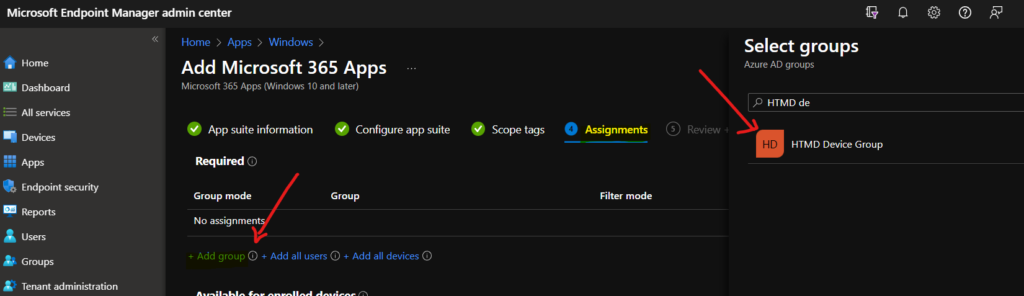
Let’s discuss the Deployment of the Office 365 Application. I have selected Azure AD user groups to deploy the Office 365 Pro Plus app. The deployment/assignment type that I have chosen is “Required.”
End-User Experience of Office 365 Pro Plus on Windows 11
As you can see in the video tutorial, the installation of the Office 365 pro plus application is user-friendly. In my experience, it was a silent installation on my Windows 10 1703 device.
However, I couldn’t find the Office 365 Pro Plus application listed in the company portal app even though I selected the option “Display this app in the company portal.”
After the machine restarted, the apps Excel and Word were installed on the device without user interaction. The app installation will take time, depending on your internet speed.
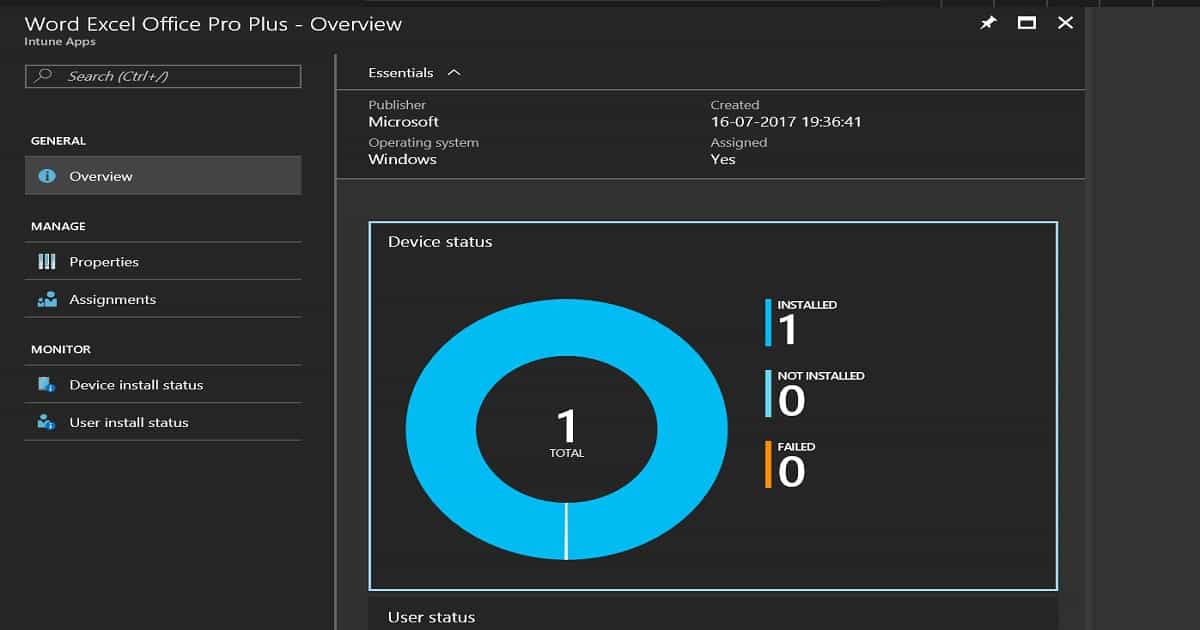
I could see the results of successful deployment to the Windows 10 1703 device in the Azure portal, the Intune blade, as seen in the video and the following picture. More details about “How to Deploy Office 365 Pro Plus Suite to Windows 10 via Intune” are available in the video here.
Video – Office 365 Pro Plus using Intune
In this video, you will learn how to deploy Office 365 Pro Plus via Intune. We’ll cover everything from setting up Intune for deployment to configuring policies and settings for Office 365 Pro Plus installation on your users’ devices.
We are on WhatsApp now. To get the latest step-by-step guides, news, and updates, Join our Channel. Click here. HTMD WhatsApp.
Author
Anoop C Nair is Microsoft MVP! He is a Device Management Admin with more than 20 years of experience (calculation done in 2021) in IT. He is a Blogger, Speaker, and Local User Group HTMD Community leader. His main focus is on Device Management technologies like SCCM 2012, Current Branch, and Intune. He writes about ConfigMgr, Windows 11, Windows 10, Azure AD, Microsoft Intune, Windows 365, AVD, etc.


Hello Anoop
This is really helpful, thanks a lot!
Could you please advise if we could use intune to update the current office packages?
When you deploy to (or select) device groups the applications do not show in the Company Portal. From my experience at least, only the apps deployed to user groups show in this portal.