






Hi, let’s discuss what the Security Compute Unit in MS Copilot is for Security Context. You all know that Copilot is an AI-powered assistant designed to help users with various tasks. We can also say that Copilot is a companion for every user.
Whether you need assistance with writing, coding, or just looking for information, Copilot is there to assist efficiently and effectively. A Security Compute Unit (SCU) is like a unit of measurement that helps decide how much device power is needed to ensure Copilot for Security runs well.
It’s used as part of other security tools like Microsoft Defender XDR to keep Copilot for Security working without any problems. By using just one Security Compute Unit (SCU), customers of Copilot for Security can use Microsoft Defender Threat Intelligence (MDTI) as much as they want.
Cybersecurity is an essential part of this digital world. Microsoft Defender Threat Intelligence (MDTI) is a powerful tool that helps organizations protect themselves against cyber threats. It includes many tools that help understand and deal with security risks. By using Generative AI, MDTI becomes even more effective and offers a strong and flexible way to keep organizations safe.

- What is Microsoft Defender XDR?
- Microsoft Copilot for Security is Generally Available
- New Capabilities in Microsoft Copilot for Security

What is the Security Compute Unit in MS Copilot for Security Context
MDTI is a security tool that provides experts with many alerts from Microsoft to help them avoid cyber threats. It also offers up-to-date reports and profiles on hackers and their methods. MDTI also helps to track down and study cyber threat patterns worldwide, showing where a company could be open to attacks and helping to fight back against hackers’ methods.
- MDTI enhances Microsoft’s security tools by providing extensive threat intelligence that helps users fully understand cyberattacks and plan their defence.
- MDTI is valuable to Microsoft’s security tools like SIEM, XDR, and AI solutions.
- Customers can use MDTI and AI to get a better and more complete picture of online security risks.
- Users can start using MDTI immediately in Copilot for Security as a standalone or within Defender XDR.
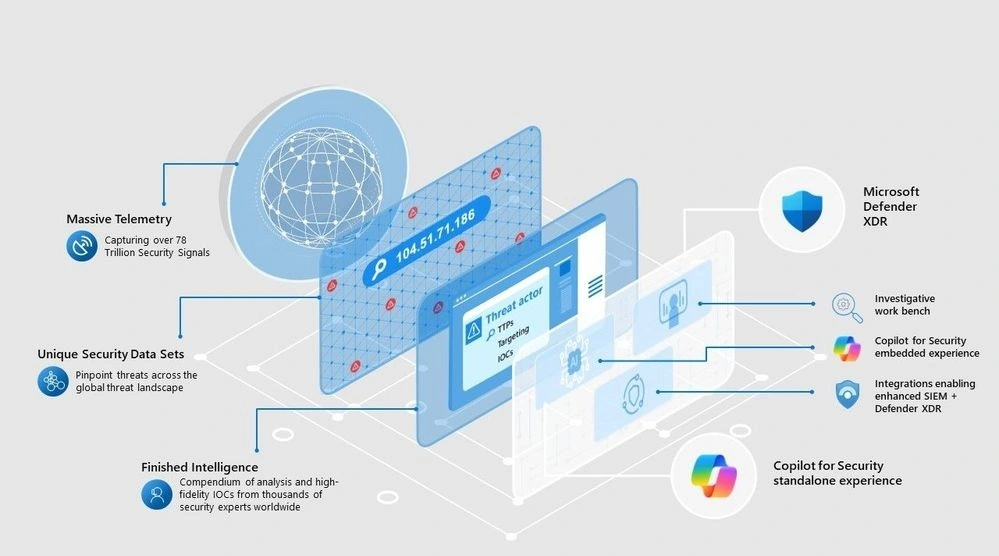
MDTI In Copilot for Security
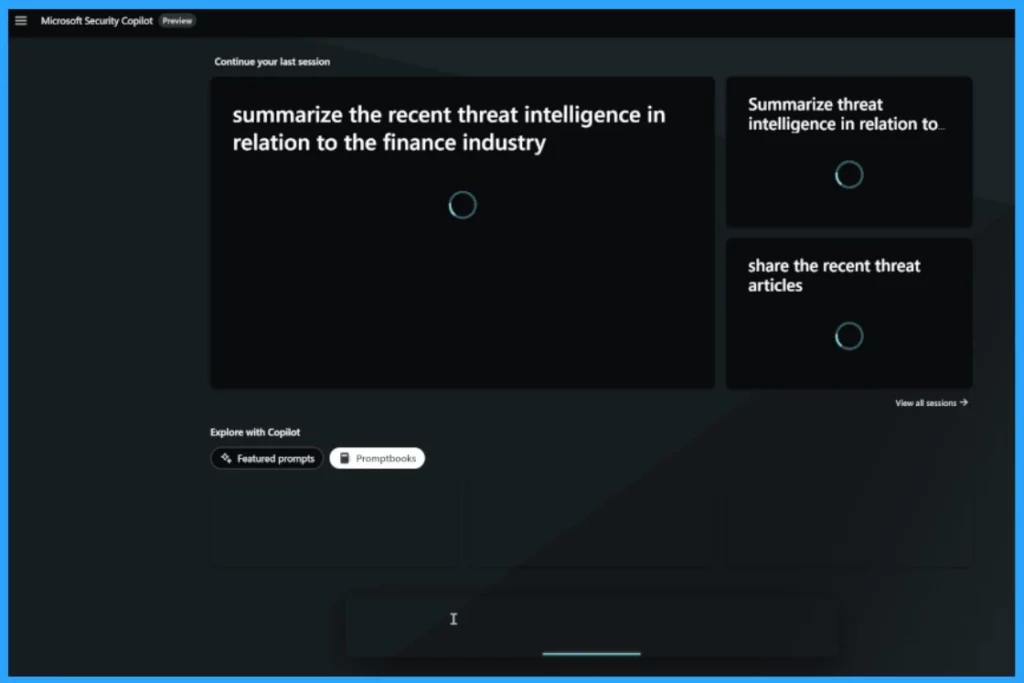
Microsoft Copilot for Security allows users to access and work with Microsoft’s threat intelligence using natural language. You can ask questions about threat actors, tools, and indicators of compromise (IoCs) related to their security incidents. The answer is always against the threats, is up to date, and provides critical information.
- MDTI (Microsoft Defender Threat Intelligence) powers Copilot for Security.
- It allows various threat intelligence skills and always helps users retrieve information on indicators like IP addresses and domains.
- Promptbooks are guides that help match data from Microsoft’s Defender Threat Intelligence with other security details from Defender XDR.
- To use this option, turn on the Microsoft Defender Threat Intelligence option in the plugin settings.
- Protect Unmanaged Android Devices with Microsoft Defender for Endpoint
- MDE Microsoft Defender for Endpoint Telemetry Issues
- Microsoft Defender Training and Certification
MDTI In Defender XDR
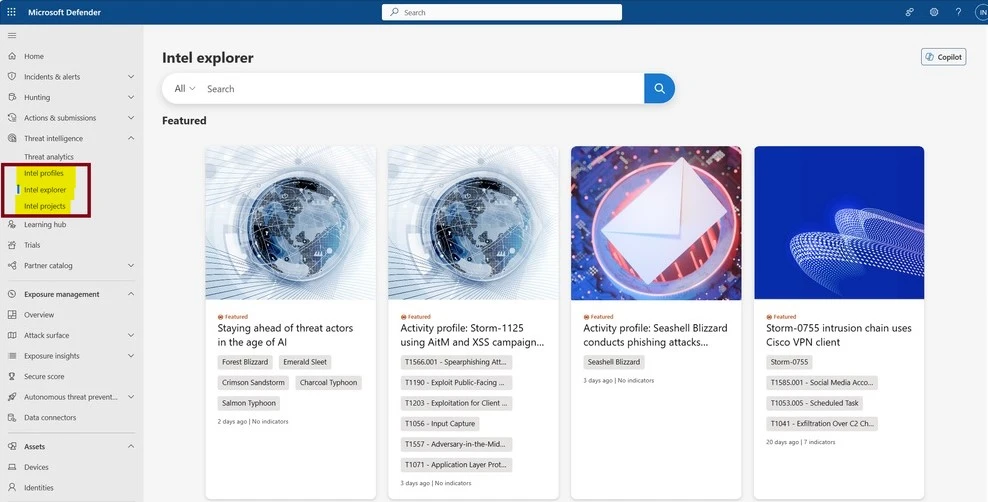
Defender XDR uses MDTI to facilitate security analysis and to get all the essential threat information in one place. It helps with security alerts and searching for threats. You can find MDTI in the Defender XDR portal; users can access MDTI under the “Threat Intelligence” blade in the left-hand navigation menu.
| MDTI under the Threat Intelligence | Info |
|---|---|
Intel Explorer | In this section, customers can look through all the threat intelligence available in MDTI, read featured articles, and check out the latest reports on threats |
| Intel Profiles | This tab contains over 300 continuously maintained profiles on threat actors, tooling, and vulnerabilities. |
| Intel Projects | In this section, users can create or access team and individual projects to save personal investigations and collaborate with teammates across the organization. |
| Detonation Intelligence for Hashes and URL Search | Customers can get detailed information about a file or website and see if it’s linked to any known security threats listed in intelligence reports. |
The MDTI API is not included with Copilot for Security
Suppose the users need to use MDTI’s advanced features for automatic updates or to write complex scripts that MDTI Copilot can’t do yet. In that case, they should talk to their Commercial Executive to learn more about purchasing our MDTI API license.
Reference
A Copilot for Security Customer’s Guide to MDTI
We are on WhatsApp. To get the latest step-by-step guides and news updates, Join our Channel. Click here –HTMD WhatsApp.
Author
Krishna. R is a computer enthusiast. She loves writing about Windows 11 and Intune-related technologies and sharing her knowledge, quick tips, and tricks about Windows 11 or 10 with the community.


Discussion