






Exciting news! Microsoft Copilot is Now Available to All Users on Telegram for Free. Microsoft Copilot, an intelligent chat helper made by Microsoft, is now available to all users on Telegram for free.
You can now use Copilot’s cool tricks on Telegram. It helps you do things better, like work faster, be more creative, and talk better. It knows a lot and understands what you’re talking about.
Microsoft is doing this to ensure everyone can easily use its cool AI stuff anywhere they are online. We know Copilot, an AI assistant. Microsoft Copilot is a chatbot developed by Microsoft.
It is important to note that Copilot currently only provides text-based responses. It doesn’t support images or videos. The users can enjoy an enhanced chat experience and easy conversations.

- Best ways to use the Telegram Messaging App in Windows 11
- Overview Of Security Copilot With Microsoft Intune
- Microsoft Introducing Copilot+ PCs
- Get Free Certification from Microsoft on Copilot for Security
- How to Prepare Microsoft Copilot with Zero Trust
- Insights of How Copilot for Security Works
What is Microsoft Copilot?
Microsoft Copilot is an AI-powered chatbot developed by Microsoft. It helps you to assist users with various tasks using advanced artificial intelligence technology.
How Can I Access Microsoft Copilot on Telegram?
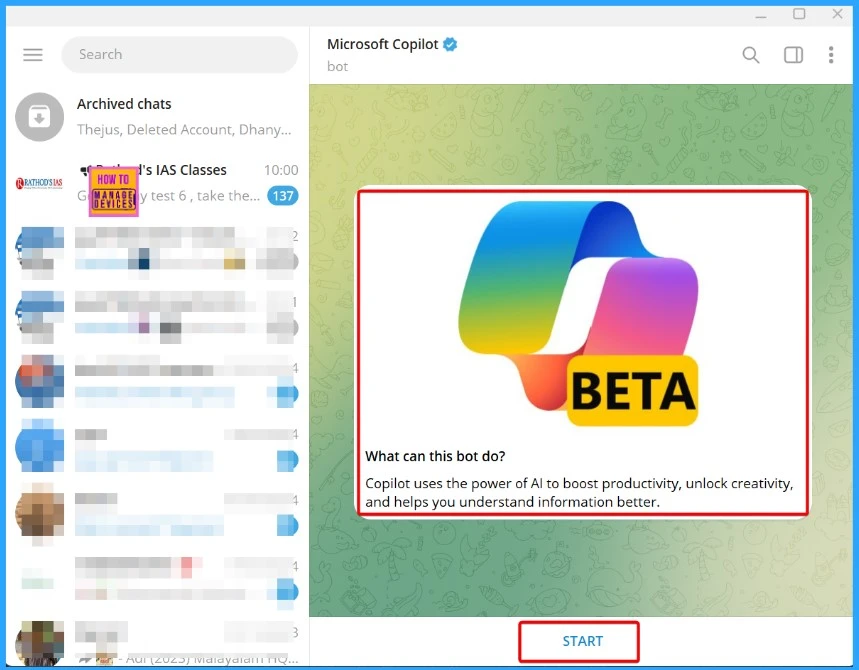
You can access Microsoft Copilot on Telegram for free. Search for “Microsoft Copilot” within the Telegram app and chat with it. It’s available for both smartphones and PCs.
Microsoft Copilot Now Available to All Users on Telegram for Free
Copilot uses AI to boost productivity, unlock creativity, and help you understand information better. You can usually chat with Copilot to ask questions, find suggestions, or chat.
- WhatsApp Messaging in Azure | Powerful Communication with Advanced Services
- MFA Authentication now Added to WhatsApp
- How to Repair Reset WhatsApp in Windows
- HTMD Meetup Telegram WhatsApp Community Links | Rules
Telegram Copilot
The introduction of Copilot on Telegram is an exciting development. It offers users a new tool for engaging conversations directly within the app. Below, we explain how to use Copilot on Telegram.
How to Use Copilot on Telegram
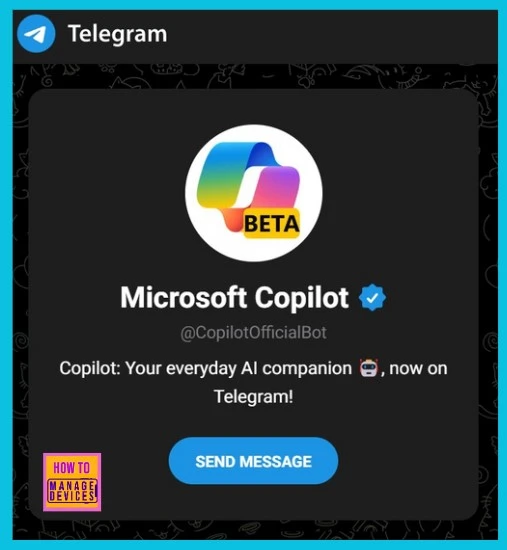
Accessing Copilot in Telegram is straightforward. Search for the username @CopilotOfficialBot in the Telegram app. It’s free for everyone and can be used on mobile, desktop, and the Telegram web version on desktop.
| Consider a Few Important Details |
|---|
| Users are limited to 30 conversations per day. They cannot continue using Copilot until the next day if they reach this limit. |
| Before using Copilot, you need to verify your phone number. This step is intended to prevent misuse and ensure that the user is a real person, not another bot. |
We are on WhatsApp now. To get the latest step-by-step guides, news, and updates, Join our Channel. Click here. HTMD WhatsApp.
Author
About the Author: Vidya is a computer enthusiast. She is here to share quick tips and tricks with Windows 11 or Windows 10 users. She loves writing about Windows 11 and related technologies. She is also keen to find solutions and write about day-to-day tech problems.



Discussion