






Troubleshoot MDM Enrollment Error Code 80180004
Hi, let’s discuss how to fix MDM Enrollment Error Code 80180004. Microsoft indicated some major error issues during MDM enrollment. As you all know, enrollment in MDM (Mobile Device Management ) is crucial for managing an organisation’s mobile devices.
Do you know what we can expect from this enrollment? Enrolling your device in Mobile Device Management (MDM) is like giving the organization remote control. So they can set rules, protect your device, and manage the apps you use.
MDM ensures your device follows security rules. It can enforce encryption, password requirements, and app restrictions. MDM also automatically sets up Wi-Fi, VPN, and other settings. The error Code 80180004 is a significant issue that Microsoft Intune users face when setting up their devices.
Some Intune users might have issues with the MDM enrollment stage. They were recently reported, some MDM error issues by users. The error code 80180004 (MENROLL_E_DEVICE_CERTIFICATEREQUEST_ERROR message is showing during enrollment. In this post, we can discuss why MDM Enrollment Error Code 80180004 is happening and the fixes.

| Index |
|---|
| MDM Enrollment Error Code 80180004 |
| How to Prevent Fix MDM Enrollment Error Code 80180004 |
- iOS iPadOS Intune Enrollment Method is Based on Web Based
- FIX Intune Enrollment Something went wrong Error 801c0003
- Fix Intune Enrollment Errors 0x80180014 80180003 Unknown Win32 Error Code Failed Issue
- Windows Autopilot Troubleshooting – Beginners Guide
- FIX Intune Windows Enrollment Invalid_Client Error
- Fix Intune Enrollment Errors 0x80180014 80180003 Unknown Win32 Error Code Failed Issue

What is MDM Enrollment?
MDM Enrollment Error Code 80180004
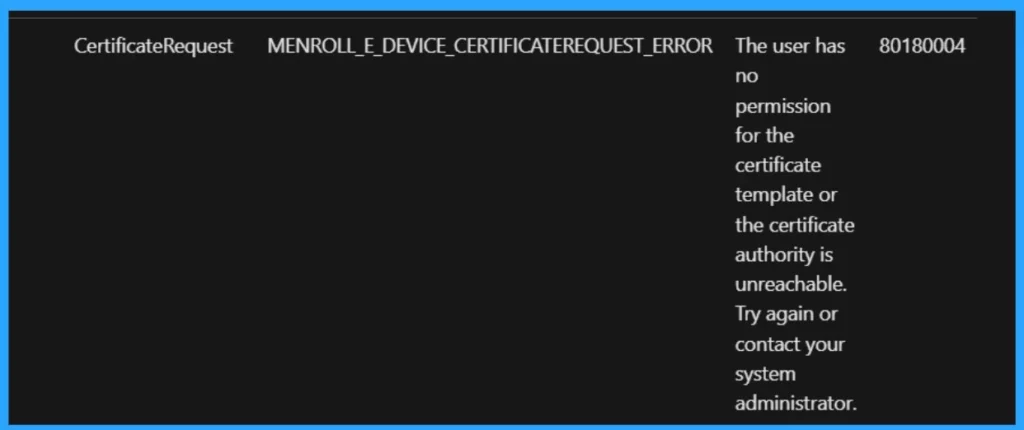
As we mentioned many things about MDM enrollment, recently, we covered some Error code issues and workaround for those issues. MENROLL_E_DEVICE_CERTIFICATEREQUEST_ERROR occurs when a certificate request encounters issues during enrollment. The error message suggests that the user lacks permission to use the certificate template.
- So, there may be some permission issues. As we can say, the user has no permission for the certificate template
See More: Fix MDM Enrollment Error Code 0x80180001
| Namespace | Subcode | Error | Description | HResult |
|---|---|---|---|---|
| s: | CertificateRequet | MENROLL_E_DEVICE_CERTIFICATEREQUEST_ERROR | The user has no permission for the certificate template, or the certificate authority is unreachable. Try again or contact your system administrator. | 80180004 |
- Intune Company Portal Branding Customization Options
- FIX Intune Windows Enrollment Invalid_Client Error
- How to Configure Automatic Intune MDM Enrollment | Auto Enrollment
- How to Create Azure AD Dynamic Device Groups for Windows BYOD CYOD Devices Microsoft Intune
How to Prevent Fix MDM Enrollment Error Code 80180004
When encountering Error Code 80180004 during MDM enrollment, users should follow some steps to prevent this issue. First, they must ensure the user has the right permissions for the certificate template.
These certificate issues happen during the Intune enrollment time so that you can fix this in a few methods. Basically, enrollment is to be done by installing the company portal or using Settings.
Read more – Windows 10 Azure AD Join Manual Process – CYOD
Read more – Windows 10 Intune Enrollment Process BYOD Scenario
- Re-enrollment is one method used for certificate issues during the Intune enrollment process. If the enrollment process fails, remove the device from Intune management and re-enroll it.
- Company Portal BYO Enrollment option – Intune Company Portal Setup for Personal Windows 10 Device Intune Enrollment Options
- This can often resolve issues that occur due to previous enrollment attempts or conflicts.
- If the Company Portal is installed but you’re still facing issues, uninstalling and then reinstalling the Company Portal might help.
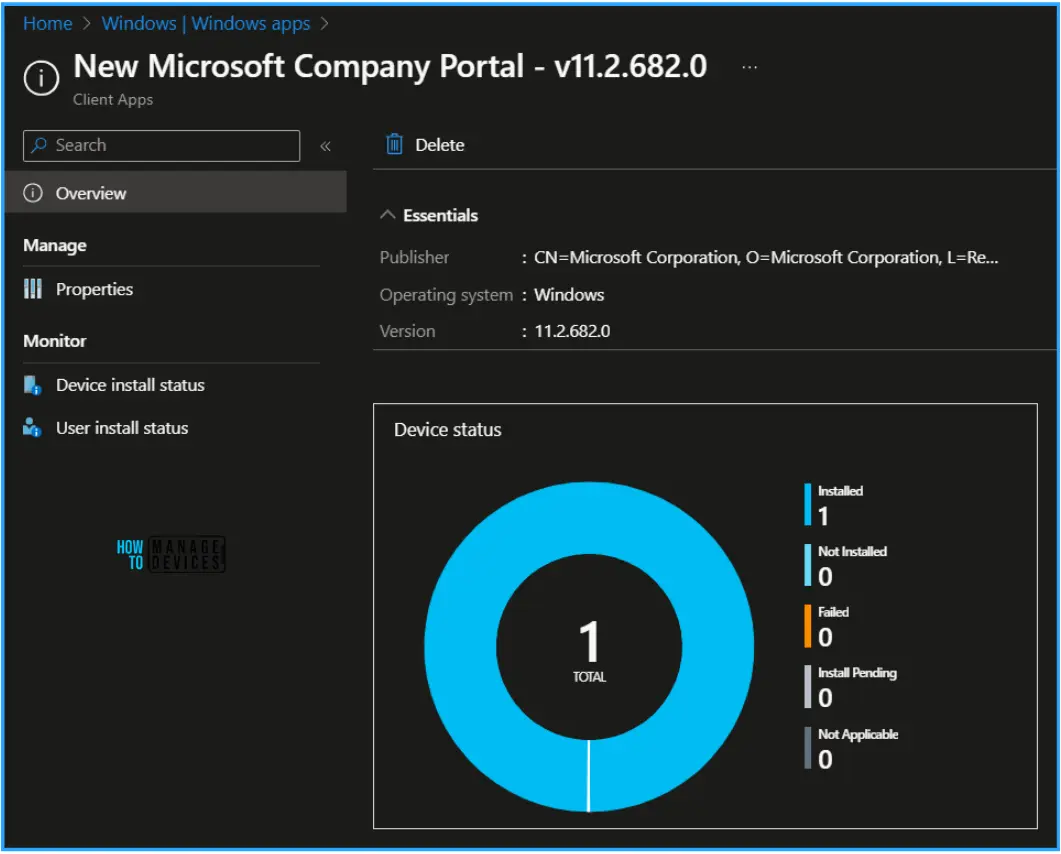
- This Best Guide to Deploy the New Intune Company Portal App on Windows using the Intune post provides all the details for deploying the App on Windows Devices.
- Sometimes, the problem might be on the server side. In such cases, it’s crucial to check the server for errors and ensure that it’s properly configured for Intune management.
- If it’s not working, you can reinstall the Operating System (OS), but that’s not unlikely. It must be done if all other methods fail.
- These steps should be performed carefully to avoid further complications. If you’re uncomfortable with these actions, you must ask the system administrator for help granting the necessary access.
See More: Device Enrollment Option from Intune Company Portal
We are on WhatsApp now. To get the latest step-by-step guides, news, and updates, Join our Channel. Click here. HTMD WhatsApp.
Author
Anoop C Nair is Microsoft MVP! He is a Device Management Admin with more than 20 years of experience (calculation done in 2021) in IT. He is a Blogger, Speaker, and Local User Group HTMD Community leader. His main focus is on Device Management technologies like SCCM 2012, Current Branch, and Intune. He writes about ConfigMgr, Windows 11, Windows 10, Azure AD, Microsoft Intune, Windows 365, AVD, etc.


Discussion