






Apps Show Open with Dialog Issues on Taskbar or Start Menu Icons
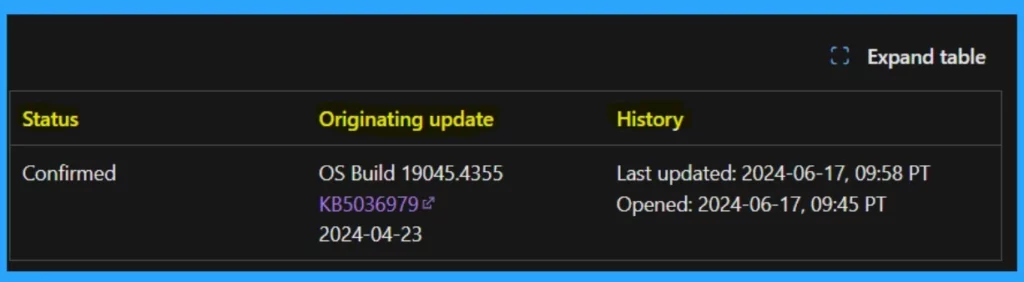
Let’s discuss Apps Show Open with Dialog Issues on the Taskbar or Start Menu Icons. A new issue started happening in a recent update dated April 23, 2024. Microsoft identified the issue as KB5036979, a known issue.
Microsoft keeps tracking issues that may be affecting software or apps every month, and Microsoft finds out and fixes those issues. Known issues are very important in software development. When a bug is identified in a software product by Microsoft.
Recently, Microsoft released an update called KB5036979 for devices running Windows 10 version 22H2. Some issues were identified. Many updates have these types of issues or bugs, which Microsoft identified and also brought workarounds for.
This issue started after the May 2024 update for Windows 10 21H2 users. I think these types of issues need to be fixed soon. In this post, we can discuss the known issue and the workaround suggested by Microsoft.

| Index |
|---|
| Apps Show Open with Dialog Issues on Taskbar or Start Menu Icons |
| The Workaround For the Issue |
| Reference |
- Windows 10 KB5039211 June 2024 Patches and 0 Zero-Day Vulnerability
- Windows 11 KB5039212 KB5039213 June 2024 Patches and 0 Zero-Day Vulnerability
- New Features of Windows 10 22H2 | Issues Fixed
What is a Known issue?
Apps Show Open with Dialog Issues on Taskbar or Start Menu Icons
Above, I mention that after the release of KB5036979 on April 23, 2024, for Windows 10 22H2, there are some issues to be reported by Microsoft that issues may affect some apps that are displaying the “Open With” dialog box asking, “How do you want to open this file?. You know, when we Right click on the apps, it may show the context menu.
Note: Do you know Which apps this new issue happens in? With the latest versions of Teams and Outlook for Windows, and Snip and Sketch users.
| Affected Platforms | Info |
|---|---|
| Client | Windows 10, version 22H2; Windows 10, version 21H2 |
| Server | None |
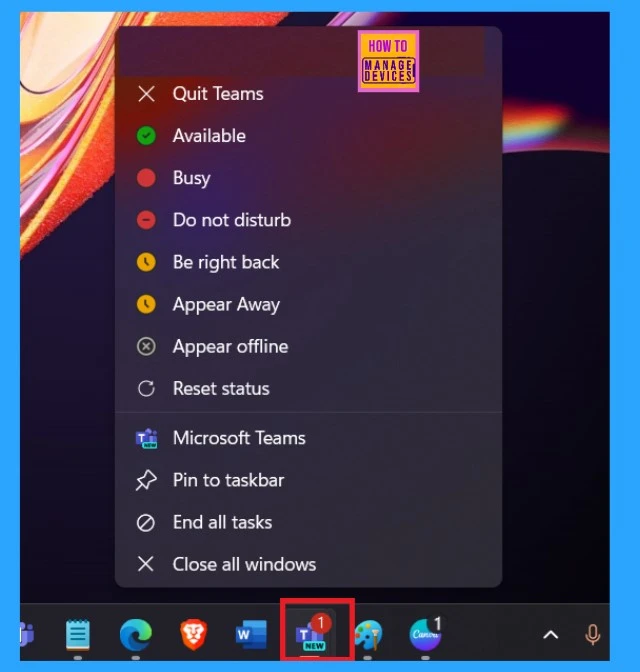
- For example, when we right-click on Microsoft Teams, the below context menu will appear,
- But, after the May 2024 update for Windows 10 21H2, users right-click on an app’s icon in your Taskbar or Start menu they might be experiencing the issue ”(“Open With” dialog box asking, “How do you want to open this file?.)
See More: FIX Search Result Issues with Shared Mailbox Outlook Desktop App
- Issues with February 2024 Security Update Installation
- ClickOnce App Installation Prompts and Windows 10 Update KB5028244 | Issues and Solutions
- Start Menu Issues of Third-Party UI Customization Apps in Windows 11
The Workaround For the Issue
Microsoft is working on these issues. If they fix those issues, you may get an update from the next release. Microsoft announced a temporary solution for this: If the “Open With” dialog box shows up when you right-click an app, you can still do what you need by opening the app and using its menus.
Reference
We are on WhatsApp now. To get the latest step-by-step guides, news, and updates, Join our Channel. Click here. HTMD WhatsApp.
Author
Anoop C Nair is Microsoft MVP! He is a Device Management Admin with more than 20 years of experience (calculation done in 2021) in IT. He is a Blogger, Speaker, and Local User Group HTMD Community leader. His main focus is on Device Management technologies like SCCM 2012, Current Branch, and Intune. He writes about ConfigMgr, Windows 11, Windows 10, Azure AD, Microsoft Intune, Windows 365, AVD, etc.



Discussion