






Latest Features of AVD App Attach Modern App Virtualization Solution from Microsoft
Let’s discuss the Latest Features of AVD App Attach Modern App Virtualization Solution from Microsoft. App attaches for AVD allow IT admins to dynamically attach applications from an application package to a user session in Azure Virtual Desktop.
As you know, Azure Virtual Desktop (AVD) is a Microsoft Azure-based system. It virtualizes Windows Operating Systems, securely providing virtualized desktops and applications in the cloud. AVD is more helpful for enterprise customers.
Last year, Microsoft announced the public preview of Now, which is generally available for users. This feature has many capabilities, including this AVD App Attach, which allows end users to enhance their experience in AVD.
This blog post will help you to know more about the Latest Features of the AVD App Attach Modern App Virtualization solution from Microsoft. The new capabilities of App Attach for AVD will provide a user-friendly experience.

| Index |
|---|
| Latest Features of AVD App Attach Modern App Virtualization solution from Microsoft |

- Autopilot without Device Hash Upload AVD Windows 365 Support and Real Progress Bar
- Uninstall Azure Monitoring Agent from AVD VMs Before August 31st
- AVD Advance Clipboard Controls Image Rich Text Format HTMD Available
Latest Features of AVD App Attach Modern App Virtualization solution from Microsoft
Microsoft introduced many capabilities on this App Attach for AVD. Applications can now be assigned to any host pool or session host, and application packages can be assigned to multiple host pools in your environment.
- Now, users can be assigned different application combinations for any host pool in any session. This helps reduce the number of host pools and images required.
- Without a maintenance window and without interrupting a user’s workflow, Application assignment, removal, and upgrades can be performed
- Microsoft Entra ID support for app attach has been introduced. Microsoft Entra hybrid join will work as it did before.
- To move existing MSIX app attach application packages to the new architecture migration script is introduced
- Dependency support has improved, including modification packages for remote apps.
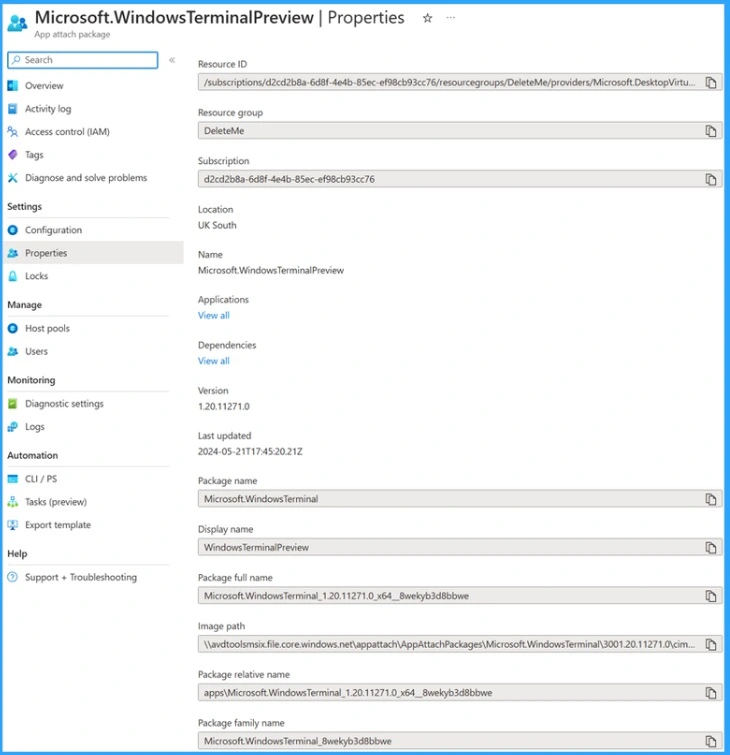
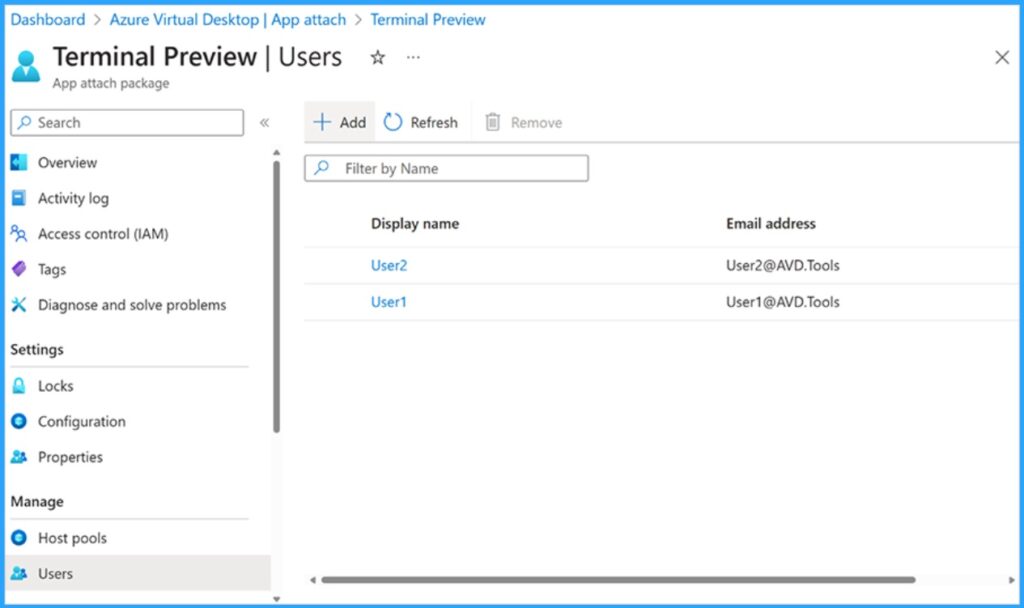
With these new capabilities, Application groups are no longer required to assign users to app attached apps, significantly simplifying assignment and reducing the number of application groups needed.
- Best AVD Cloud PC Migration Principles
- Differences between W365 Cloud PC and AVD Cloud VDI
- Configuring OneDrive as AVD RemoteApp is supported now
We are on WhatsApp. To get the latest step-by-step guides and news updates, Join our Channel. Click here –HTMD WhatsApp.
Author
Anoop C Nair is Microsoft MVP! He is a Device Management Admin with more than 20 years of experience (calculation done in 2021) in IT. He is a Blogger, Speaker, and Local User Group HTMD Community leader. His main focus is on Device Management technologies like SCCM 2012, Current Branch, and Intune. He writes about ConfigMgr, Windows 11, Windows 10, Azure AD, Microsoft Intune, Windows 365, AVD, etc.




Discussion