






Issue with Microsoft Intune App Protection Policies Not Targeting Newly Added Apps
Let’s discuss the Issue with Microsoft Intune App Protection Policies Not Targeting Newly Added Apps. Microsoft has identified this issue as IT862136 and posted it on your Service Health Dashboard (SHD).
This is the issue related to how Microsoft Intune manages App Protection Policies (APP) when these policies are applied to app groups such as “All Apps” or “All Microsoft Apps.”.
When you create an App Protection Policy in Microsoft Intune, you can apply it to groups of apps, like “All Apps” or “All Microsoft Apps.” This ensures that the policy protects all apps in these groups.
A problem identified in issue IT862136 is that if new apps are added to these groups after the policy has been set up, these new apps might not automatically be included in the policy. The latest apps do not get the protection they need.

Table of Contents
What is the Issue Identified in IT862136?
The issue is that newly added apps are not automatically targeted by Microsoft Intune App Protection Policies (APP) when the policy is applied to app groups like “All Apps” or “All Microsoft Apps.”
Issue with Microsoft Intune App Protection Policies Not Targeting Newly Added Apps
This post provides all the details about the issue with Microsoft Intune App Protection Policies not targeting newly added apps. It also includes a simple workaround to help you ensure your apps are correctly protected until the issue is fixed.

- Create Intune App Protection Policies for iOS iPadOS
- How to Create App Protection Policies for Windows MAM Devices
- Intune App Protection Policies for Android and iOS Devices
- Enforce Users to use Intune Approved Apps with App Protection Policies using Conditional Access Policies
Workaround to Ensure Correct Targeting of App Groups in Microsoft Intune
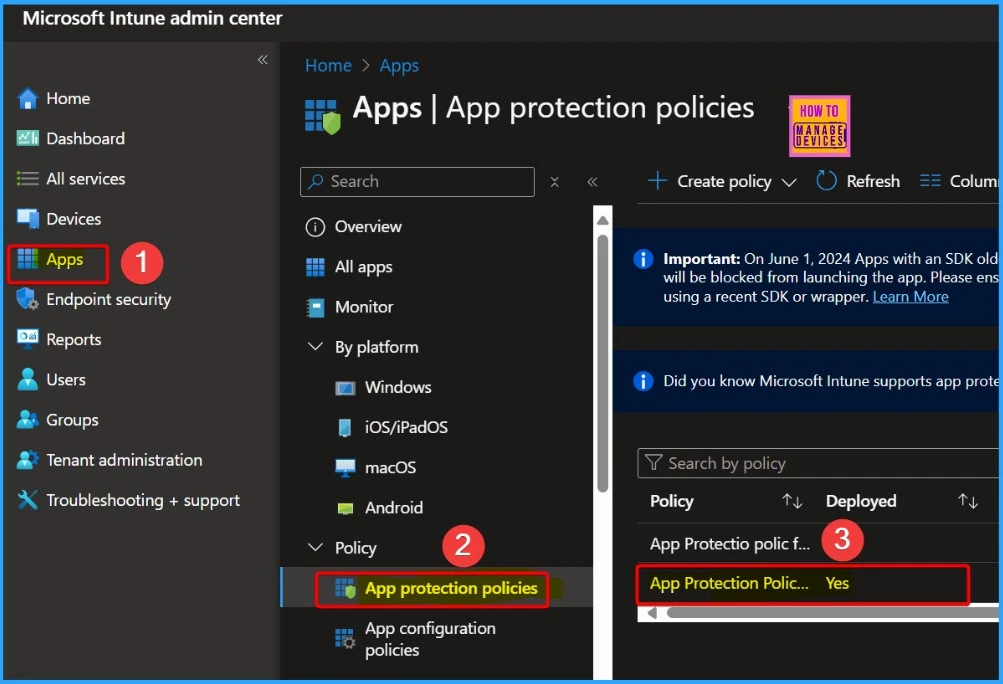
Let’s discuss the workaround to ensure the correct targeting of App Groups in Microsoft Intune. Here is a detailed explanation of the process. Open the Microsoft Intune admin center and go to the section where you manage App Protection Policies.
Identify the specific App Protection Policy currently targeting either “All Apps,” which includes all apps available, or “All Microsoft Apps,” which contains all apps developed by Microsoft.
| Scope of Impact | Start Time | Root Cause | Next Update By |
|---|---|---|---|
| This issue may prevent any user with apps that rely on specific affected policies from having app protection policies applied. | Friday, September 1, 2023, at 12:00 AM UTC | An automated service process to help improve the onboarding of newly included apps have experienced an impacting configuration issue. | Wednesday, August 28, 2024, at 11:00 PM UTC |
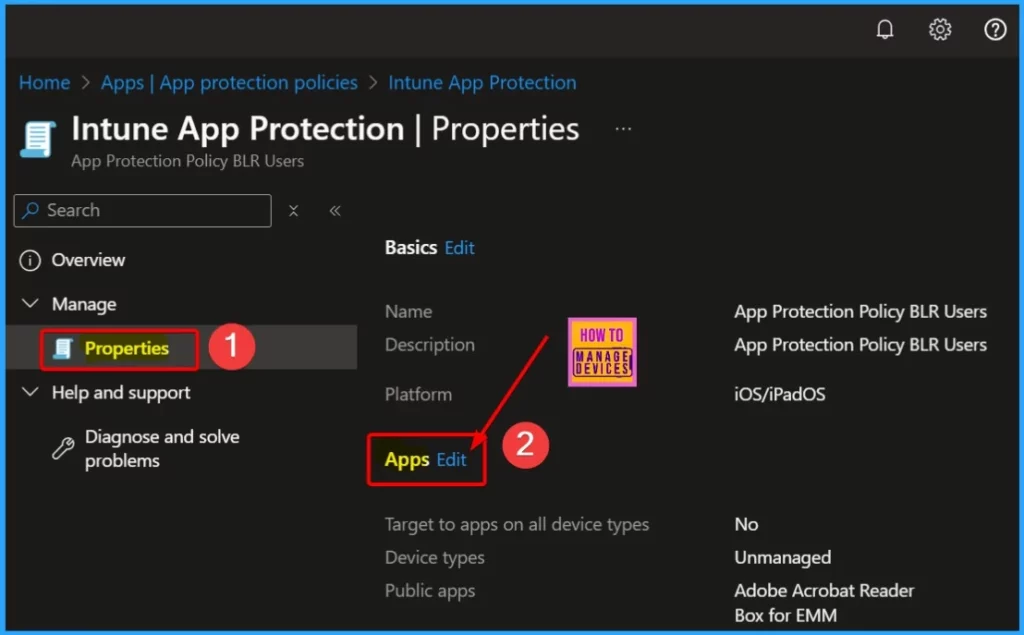
Once you have selected the policy, go into its properties to view and edit various settings, including the targeted app groups. This step allows you to modify which app group the policy is targeting.
In this step, you will change the app group selection. If the policy is currently set to “All apps,” switch it to “All Microsoft Apps,” and if it’s set to “All Microsoft Apps,” switch it to “All apps.” This temporary change prompts Intune to reapply the policy with the newly selected app group.
- Click Review + create
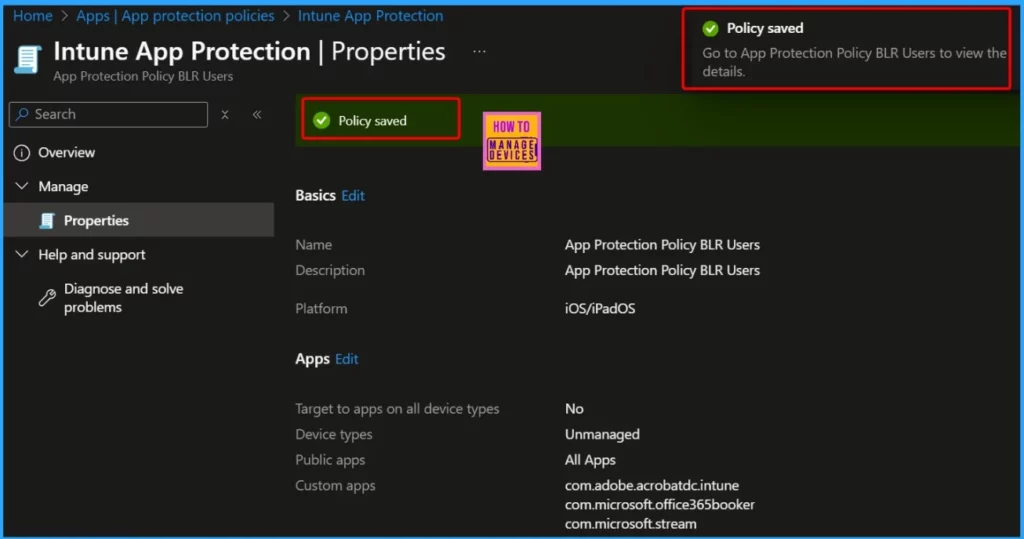
- Click Save to update the app protection policy.
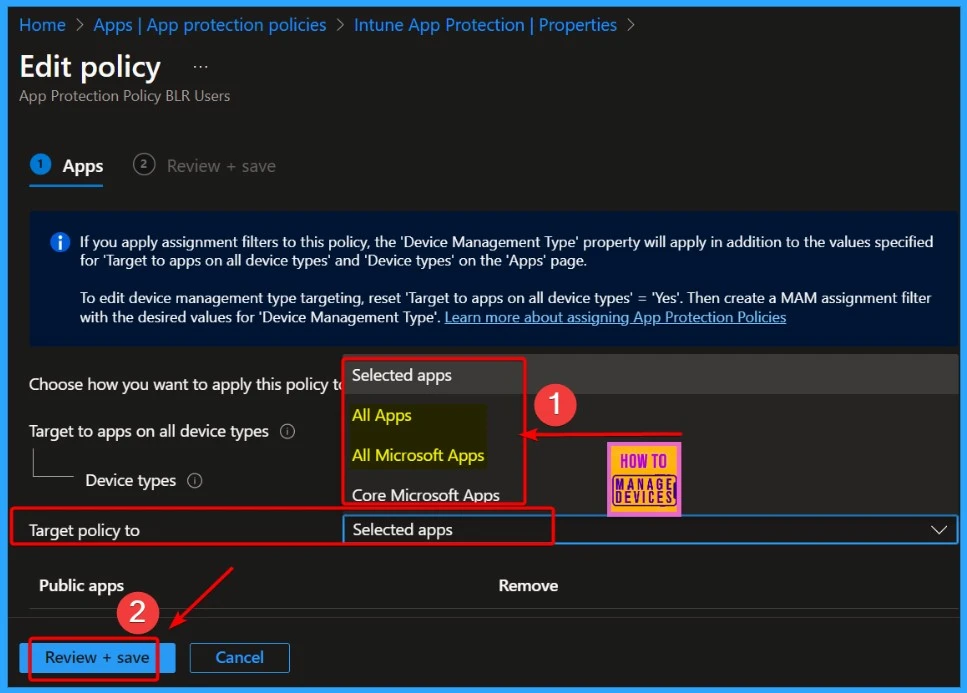
Now, go back and repeat the process, this time setting the app group back to its original setting (either “All apps” or “All Microsoft Apps”). This ensures the policy is correctly re-applied to the intended app group.
Note – These steps are quick and should not impact users, but it’s advised to perform them outside of business hours and complete both targeting changes in one session.
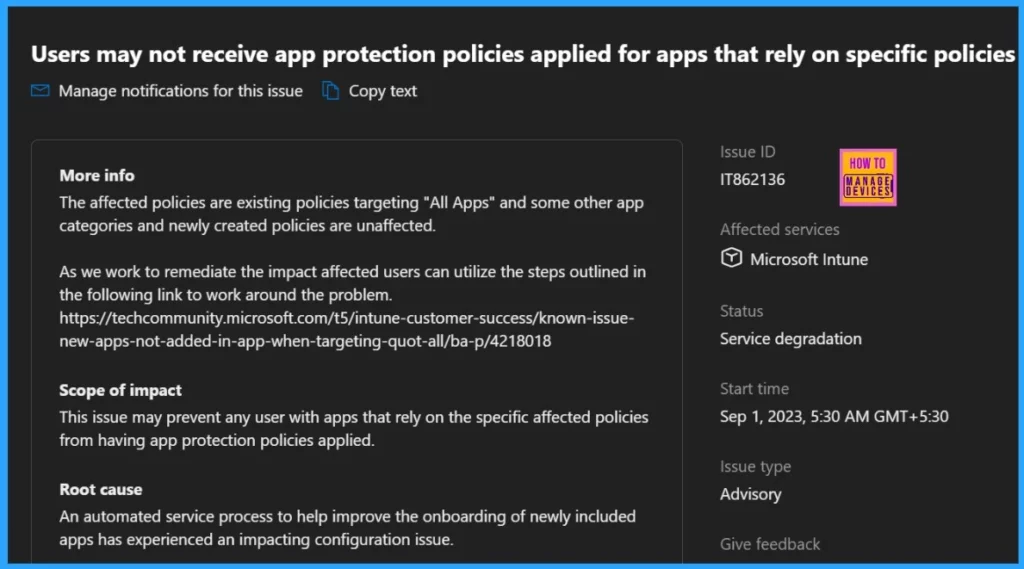
Users May Not Receive App Protection Policies for Certain Apps
The issue affects existing policies that target “All Apps” and some specific app categories, but newly created policies are not impacted. This issue could prevent users with apps that rely on the affected policies from receiving the necessary app protection policies.
The table below shows more details.
| Issue ID | Affected services | Status | Start time | Issue type |
|---|---|---|---|---|
| IT862136 | Microsoft Intune | Service degradation | Sep 1, 2023, 5:30 AM GMT+5:30 | Advisory |
We are on WhatsApp now. To get the latest step-by-step guides, news, and updates, Join our Channel. Click here. HTMD WhatsApp.
Author
Anoop C Nair is Microsoft MVP from 2015 onwards for consecutive 10 years! He is a Workplace Solution Architect with more than 22+ years of experience in Workplace technologies. He is a Blogger, Speaker, and Local User Group Community leader. His main focus is on Device Management technologies like SCCM and Intune. He writes about technologies like Intune, SCCM, Windows, Cloud PC, Windows, Entra, Microsoft Security, Career etc…


Discussion