






Azure Monitor Agent and Remote Session Lock Configuration Windows 365 Cloud PC August 2024 Update
Let’s discuss the Azure Monitor Agent and Remote Session Lock Configuration Windows 365 Cloud PC August 2024 Update. The August 2024 update for Windows 365 introduces several new features and enhancements to improve the user experience and expand functionality.
Windows 365 Cloud PC now includes an NVIDIA RTX Virtual Workstation (vWS), which boosts performance for graphics-heavy tasks. This upgrade helps users get better graphics quality and performance for demanding applications.
Windows 365 Cloud PC gallery images have been updated to include the new Microsoft Teams application pre-installed. When you set up a new Cloud PC from the gallery images, Microsoft Teams will be installed and ready to use.
This post will give you all the details about the August 2024 Windows 365 Cloud PC update. Stay tuned for comprehensive information on what’s new and how these updates can benefit your Windows 365 Cloud PC setup.

Table of Contents
How Does the Azure Monitor Agent Update Benefit Users?
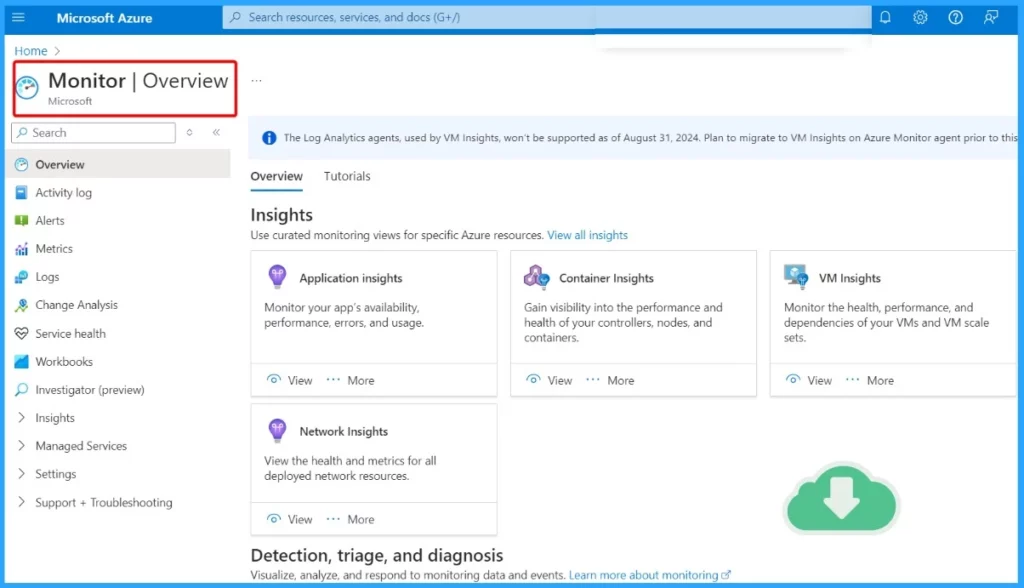
The Azure Monitor Agent can now be installed on Windows 365 Enterprise and Government Cloud PCs, providing enhanced monitoring and performance tracking capabilities.
What changes have been Made Regarding the Remote Session Lock Experience?
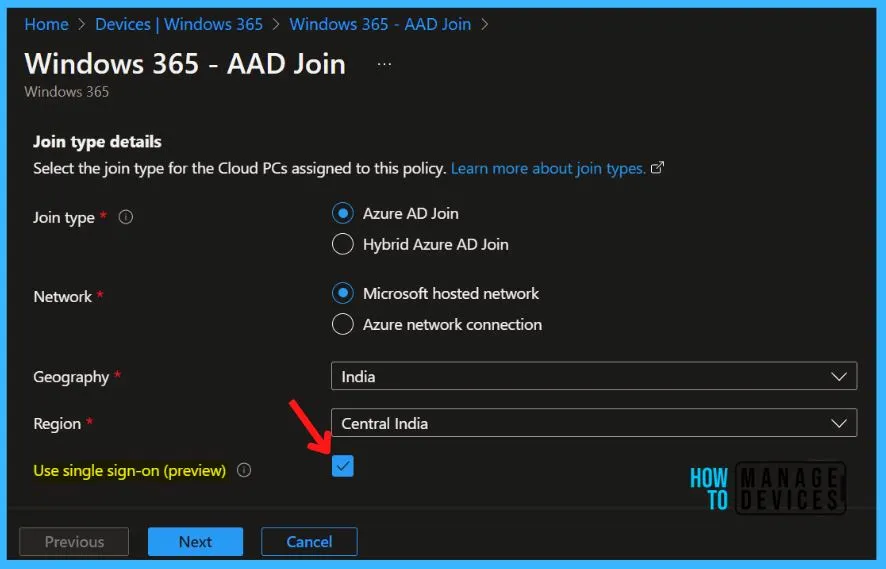
Users can now configure the remote session lock experience when single sign-on is enabled. You can choose between the default disconnect behavior or displaying the remote lock screen.
Azure Monitor Agent and Remote Session Lock Configuration Windows 365 Cloud PC August 2024 Update
The August 2024 update for Windows 365 Cloud PC brings many new features, focusing on apps, device security, and documentation. These updates enhance app use, improve device security, and provide better documentation support.
- Windows365 Enterprise Introduces Disk Storage Resizing for Cloud PCs with Step-Up Licenses
- What is Windows 365 Cloud PC Windows in the Cloud
- Power Of Dark Mode On Windows 365 Cloud PC Web Portal
- Windows 365 Cloud PC 2309 September Service Release New Features Improvements
Azure Monitor Agent Now Available for Windows 365 Enterprise and Government Cloud PCs
The Azure Monitor Agent can now be installed on Windows 365 Enterprise and Windows 365 Government Cloud PCs. This allows for enhanced monitoring and management of your Cloud PCs, providing valuable insights into their performance and helping you keep track of system health and usage.
New Configuration Options for Remote Session Lock Experience with Single Sign-On
You can customize the remote session lock experience when single sign-on is enabled. This update allows you to choose between the default disconnect behavior or displaying the remote lock screen. This setting will allow you to customize how remote sessions behave, enhancing user control and security based on your preferences.
Read More – Configure Single Sign-on SSO for Windows 365 Azure AD Join Cloud PC
Windows 365 Encryption with Microsoft Purview Customer Key Now Generally Available
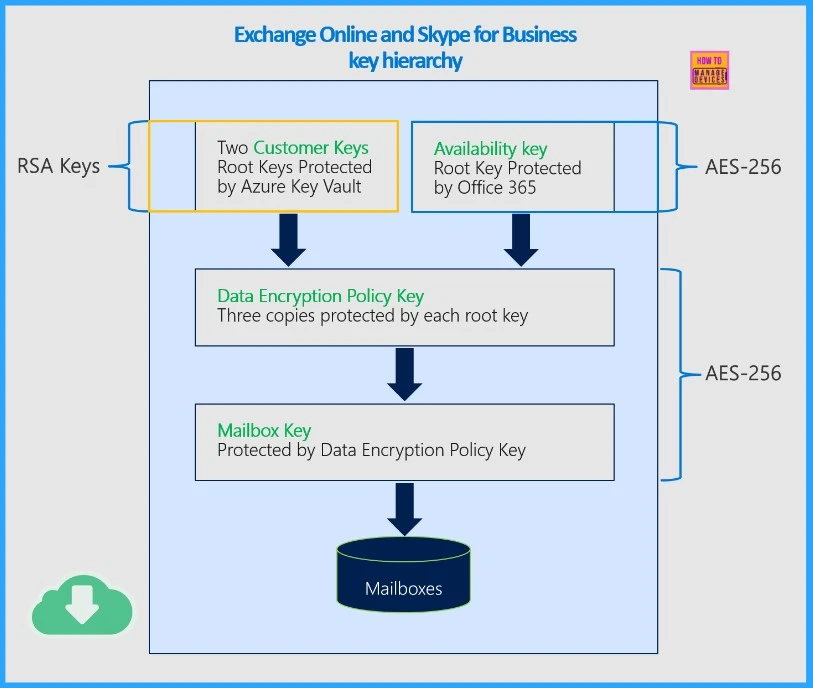
Windows 365 now supports encrypting Cloud PCs using Microsoft Purview Customer Key. This feature has moved out of preview and is now generally available. It allows you to enhance security by managing your encryption keys for Cloud PCs. This provides additional protection for your data and gives you greater control over encryption settings.
Understanding Windows 365 Service Resilience
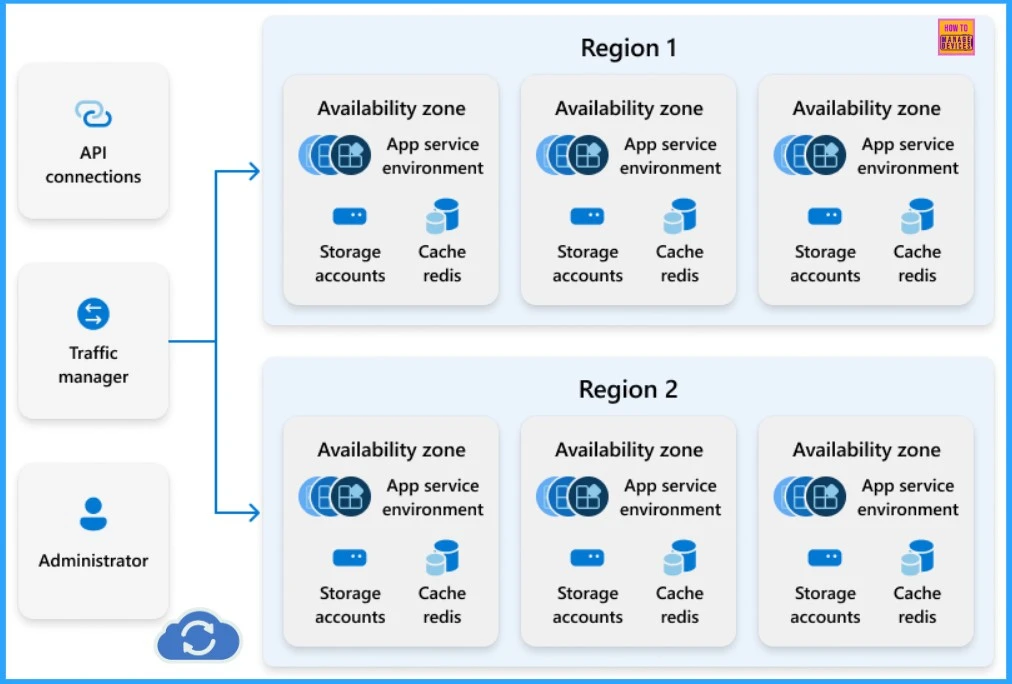
Microsoft introduced a new article that explains Windows 365 service resilience. This updated documentation provides detailed information on how Windows 365 ensures a reliable and continuous service experience for organizations and end users.
Windows 365 is designed to offer a reliable and resilient service for connecting to and using Cloud PCs. It shows Azure Virtual Desktop to facilitate connections from any device and region. The service includes built-in resilience to minimize outages and support user and administrator needs. Additionally, Windows 365 features a managed infrastructure that provides various administrative and user functionalities.
| Windows 365 Service Resilience |
|---|
| API Connections |
| Traffic Manager |
| Administrator |
We are on WhatsApp now. To get the latest step-by-step guides, news, and updates, Join our Channel. Click here. HTMD WhatsApp.
Author
Anoop C Nair has been Microsoft MVP from 2015 onwards for 10 consecutive years! He is a Workplace Solution Architect with more than 22+ years of experience in Workplace technologies. He is also a Blogger, Speaker, and Local User Group Community leader. His primary focus is on Device Management technologies like SCCM and Intune. He writes about technologies like Intune, SCCM, Windows, Cloud PC, Windows, Entra, Microsoft Security, Career, etc.




Discussion