






Entra External ID Now Supports SMS as an MFA Option
Entra External ID Now Supports SMS as an MFA Option! Microsoft announced that Entra External ID now supports SMS as a multi-factor authentication (MFA) option. This is a highly requested feature for many organizations where end users don’t want to install the Authenticator app on their personal mobile phones.
In addition to enhancing your security with SMS-based MFA, this update also includes advanced fraud protection measures. You will be better protected against fraudulent text messages and other malicious attempts. This new functionality keeps your accounts safe and secure.
Entra ID provides a secure sign-in option to protect user identities. In May 2024, Microsoft announced exciting news about adding external authentication methods to Entra ID, making it even more secure.
In this post, you will find all the details about the new feature in Entra External ID that now supports SMS as an option for multi-factor authentication (MFA). More details are explained below.

Table of Contents
Is SMS Available as a Second-Factor Verification Option for External Tenants?
Yes, SMS is available for second-factor verification in external tenants but comes at an additional cost.
Can SMS be Used for First-Factor Authentication for External Tenants?
No, SMS is not currently available for first-factor authentication in external tenants.
Is SMS Supported for Self-service Password Reset in External Tenants?
No, SMS cannot reset self-service passwords in external tenants now.
Entra External ID Now Supports SMS as an MFA Option
Microsoft Entra provides various security settings to help protect your organization from identity-related attacks. These settings are designed to keep your organization safe when collaborating with external users.
- How Microsoft Entra Face Check Fixes Recovery Gap In Phishing-Resistant Authentication
- What is Microsoft Entra ID?
- Free Entra Training Videos | Start Learning Entra ID Azure AD
- MFA Authentication now Added to WhatsApp
- Walkthrough of Mac Device Passwordless SSO with Entra
How SMS Works for Multi-Factor Authentication (MFA)
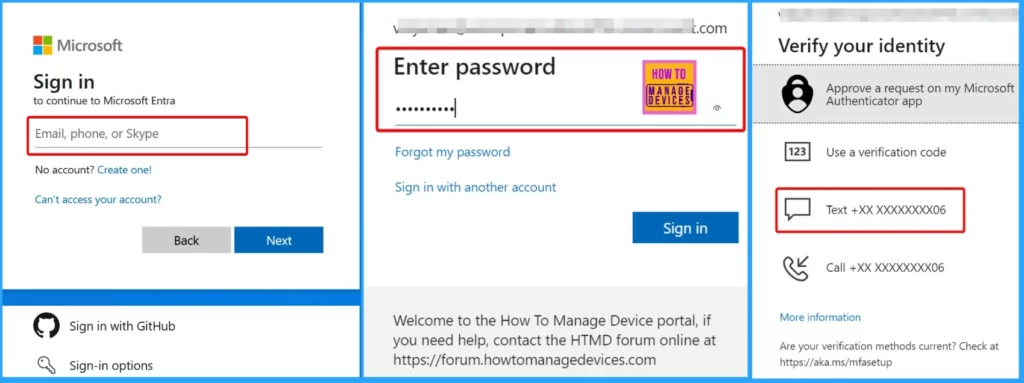
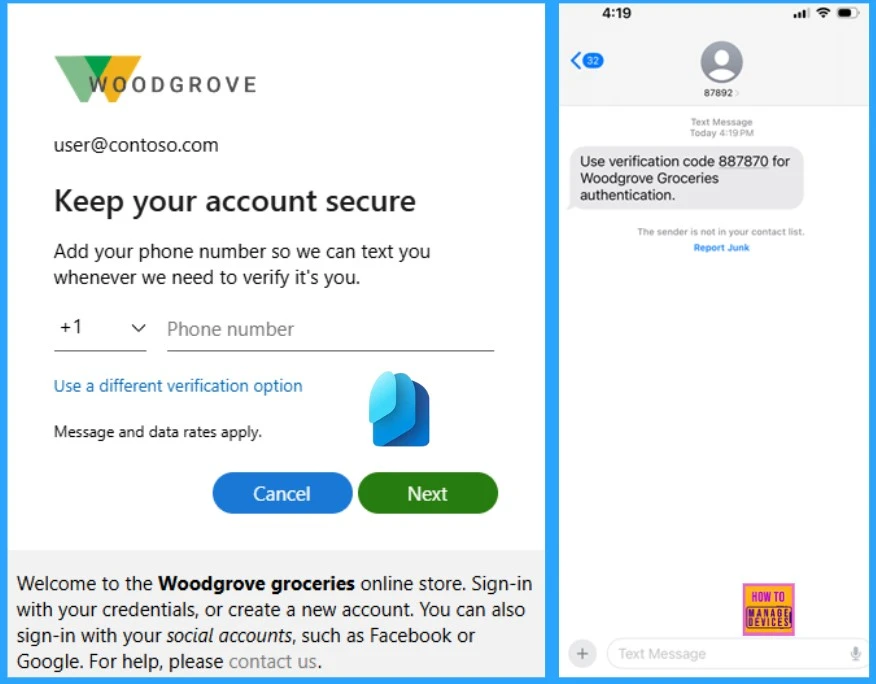
Let’s discuss how SMS works for Multifactor authentication. When SMS is enabled for multi-factor authentication (MFA), the users begin by signing in using their primary method, like a password. Next, they are prompted to verify their identity with a code sent to their phone via text message.
Users enter their phone number, receive a verification code via SMS, and input it to finish signing in and accessing their account. The screenshot below shows the message: “To keep your account secure, add your phone number so we can text you whenever we need to verify it’s you.”
How External ID Mitigates Fraudulent Sign-Ups via SMS
Let’s discuss how external ID mitigates fraudulent sign-ups via SMS. The External ID helps protect against fraudulent sign-ups by enforcing several vital measures.
| Telephony Throttling Limits | CAPTCHA for SMS MFA |
|---|---|
| These limits are in place to help prevent service outages and slowdowns. | This feature helps prevent automated attacks by ensuring that only human users can proceed. If a risky user is detected, the system either blocks the user from signing in or requires them to complete a CAPTCHA before sending the SMS verification code. |
- Modernize MFA Authentication Policies in Entra ID
- Security Enhancement with Named Locations in Entra ID
- Conditional Access Security Settings for Countries Location in Entra ID
- Best Practices for Creating Entra ID Dynamic Groups for Intune
Different Pricing Tiers for SMS-based Authentication
Discuss the different pricing tiers for SMS-based authentication services across various countries and regions. The table below shows the different pricing tiers for SMS-based authentication services across multiple countries and regions. This information will help you understand the costs of SMS authentication in Entra External ID.
| Tier | Countries/Regions |
|---|---|
| Phone Authentication Low Cost | Australia, Brazil, Brunei, Canada, Chile, China, Colombia, Cyprus, Macedonia, Poland, Portugal, South Korea, Thailand, Turkey, United States |
| Phone Authentication Mid Low Cost | Greenland, Albania, American Samoa, Austria, Bahamas, Bahrain, Bosnia & Herzegovina, Botswana, Costa Rica, Czech Republic, Denmark, Estonia, Faroe Islands, Finland, France, Greece, Hong Kong, Hungary, Iceland, Ireland, Italy, Japan, Latvia, Lithuania, Luxembourg, Macao, Malta, Mexico, Micronesia, Moldova, Namibia, New Zealand, Nicaragua, Norway, Romania, São Tomé and Príncipe, Seychelles Republic, Singapore, Slovakia, Solomon Islands, Spain, Sweden, Switzerland, Taiwan, United Kingdom, United States Virgin Islands, Uruguay |
| Phone Authentication Mid High Cost | Andorra, Angola, Anguilla, Antarctica, Antigua and Barbuda, Argentina, Armenia, Aruba, Ascension, Barbados, Belgium, Benin, Bolivia, British Virgin Islands, Bulgaria, Burkina Faso, Cameroon, Cayman Islands, Central African Republic, Cook Islands, Croatia, Diego Garcia, Djibouti, Dominican Republic, Dominican Republic, Dominican Republic, East Timor, Ecuador, El Salvador, Eritrea, Falkland Islands, Fiji, French Guiana, French Polynesia, Gambia, Georgia, Germany, Gibraltar, Grenada, Guadeloupe, Guam, Guinea, Guyana, Honduras, India, Ivory Coast, Kenya, Kiribati, Laos, Liberia, Malaysia, Marshall Islands, Martinique, Mauritius, Monaco, Montenegro, Montserrat, Netherlands, Netherlands Antilles, New Caledonia, Niue, Oman, Palau, Panama, Paraguay, Peru, Puerto Rico, Puerto Rico, Réunion, Rwanda, Saint Helena, Saint Kitts & Nevis, Saint Lucia, Saint Pierre & Miquelon, Saint Vincent and the Grenadines, Saipan, Samoa, San Marino, Saudi Arabia, Sint Maarten, Slovenia, South Africa, South Sudan, Suriname, Swaziland (New Name is Kingdom of Eswatini), Tokelau, Tonga, Turks & Caicos, Tuvalu, United Arab Emirates, Vanuatu, Venezuela, Vietnam, Wallis and Futuna |
| Phone Authentication High Cost | Liechtenstein, Bermuda, Cambodia, Cape Verde, Democratic Republic of Congo, Dominica, Egypt, Equatorial Guinea, Ghana, Guatemala, Guinea-Bissau, Israel, Jamaica, Jamaica, Kosovo, Lesotho, Maldives, Mali, Mauritania, Morocco, Mozambique, Papua New Guinea, Philippines, Qatar, Sierra Leone, Trinidad & Tobago, Ukraine, Zimbabwe, Afghanistan, Algeria, Azerbaijan, Bangladesh, Belarus, Belize, Bhutan, Burundi, Chad, Comoros, Congo, Ethiopia, Gabonese Republic, Haiti, Indonesia, Iraq, Jordan, Kuwait, Kyrgyzstan, Lebanon, Libya, Madagascar, Malawi, Mongolia, Myanmar, Nauru, Nepal, Niger, Nigeria, Pakistan, Palestinian National Authority, Russia, Senegal, Serbia, Somalia, Sri Lanka, Sudan, Tajikistan, Tanzania, Togolese Republic, Tunisia, Turkmenistan, Uganda, Uzbekistan, Yemen, Zambia |
We are on WhatsApp now. To get the latest step-by-step guides, news, and updates, Join our Channel. Click here. HTMD WhatsApp.
Author
Anoop C Nair has been Microsoft MVP from 2015 onwards for 10 consecutive years! He is a Workplace Solution Architect with more than 22+ years of experience in Workplace technologies. He is also a Blogger, Speaker, and Local User Group Community leader. His primary focus is on Device Management technologies like SCCM and Intune. He writes about technologies like Intune, SCCM, Windows, Cloud PC, Windows, Entra, Microsoft Security, Career, etc.




Discussion