






New Copilot Features in Microsoft 365 OneNote Copilot on OneNote Canvas Copilot Chat for Web and in Teams etc
Today, I want to discuss the New Copilot Features in Microsoft 365 OneNote, including Copilot on OneNote Canvas, Copilot Chat for Web and Teams, etc. Microsoft is adding new features to Copilot in OneNote to help users organize their thoughts on different devices.
OneNote is a great place to write down personal and shared thoughts during a busy schedule. With the new Copilot features, note-taking and organizing information is simpler, faster, and more effective.
Copilot in OneNote helps you create, organize, and remember information. You can plan, generate ideas, make lists, and coordinate the data. Microsoft Copilot improves your text by summarizing, rewriting, formatting, and adding visuals.
At Ignite 2024, Microsoft announced the new features in OneNote, such as Copilot Chat, the Copilot icon on the canvas, section organization, and reasoning over the OneNote content. Explore these features in detail and see how they can enhance your workflow.

Table of Contents
New Copilot Features in Microsoft 365 OneNote Copilot on OneNote Canvas Copilot Chat for Web and Teams, etc.
New Copilot features are coming to OneNote to help you organize your notes. Microsoft announced Copilot Chat, which allows you to summarize and rewrite notes using natural language commands. You can also quickly manage your notebook by typing organize this section in Copilot. Microsoft 365 Copilot can analyze your OneNote Content as well. It links to your OneNote pages and provides citations using Word, PowerPoint, BizChat, or other Microsoft 365 apps.
- Top 83 Windows 11 Desktop Admin Interview Questions
- Copilot Pages a New Way to Collaborate with Colleagues using M365 Copilot
- Free Generic Windows 10 Product Keys from Microsoft
The following table shows the New Announcements for Microsoft 365 Copilot in OneNote at Ignite 2024 for reference. Let’s dive into these features in detail.
| New Copilot Features in OneNote |
|---|
| Copilot Chat for Web and in Teams |
| Copilot on OneNote canvas |
| Copilot-powered organization in OneNote |
| OneNote Pages in Microsoft 365 Copilot |
| Copilot Chat on OneNote for Mac and iPad |
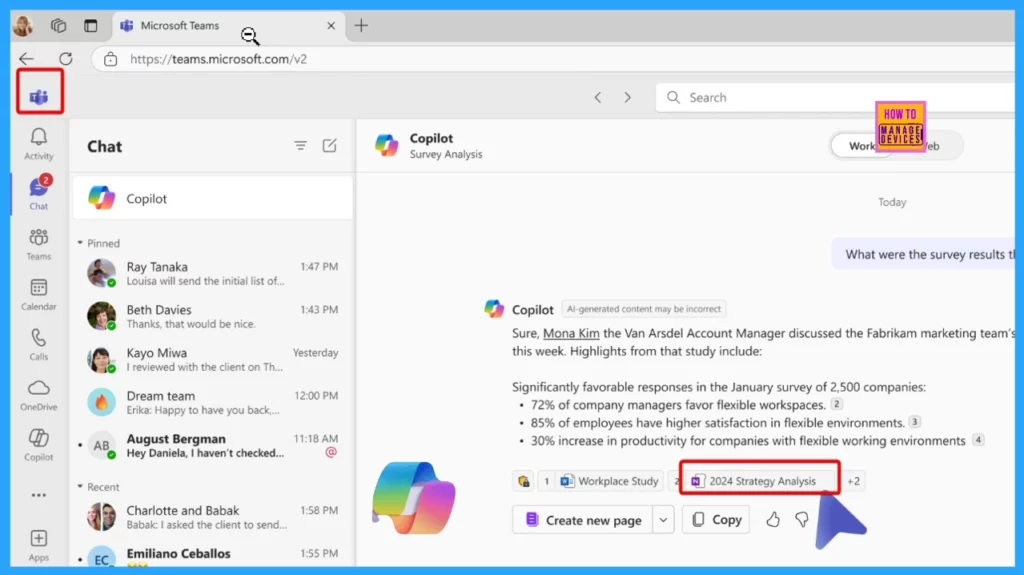
Copilot Chat for Web and in Teams
You can now use Copilot in OneNote on the web and Teams. Its simple and natural language helps you understand complex notes, quickly identify key points, and rephrase notes for better clarity. Copilot in OneNote Online boosts your productivity and creativity, whether you’re preparing for meetings or organizing thoughts.
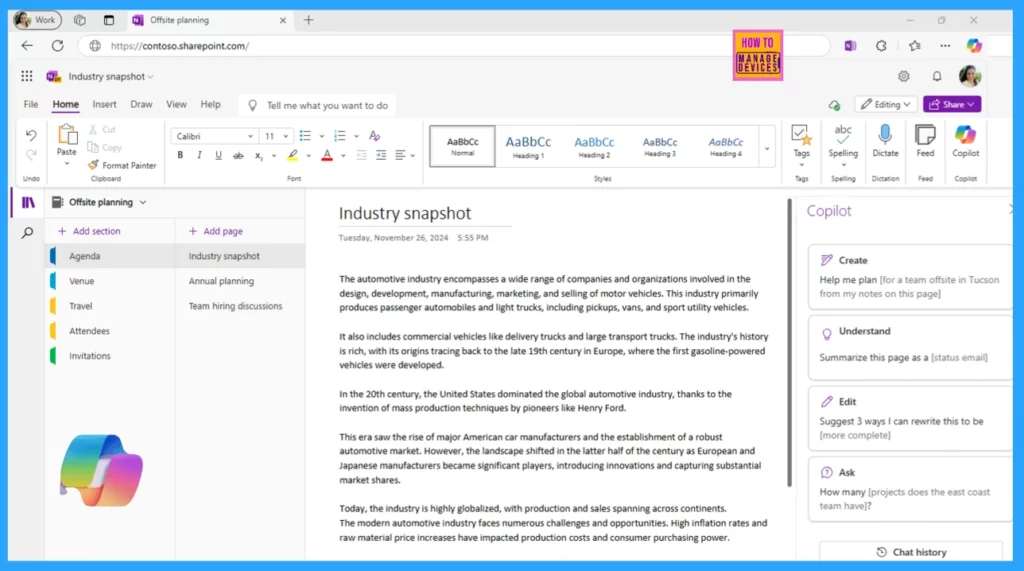
Copilot on OneNote Canvas
Copilot’s Quick Actions on Canvas are now available for commercial OneNote users on the desktop app.
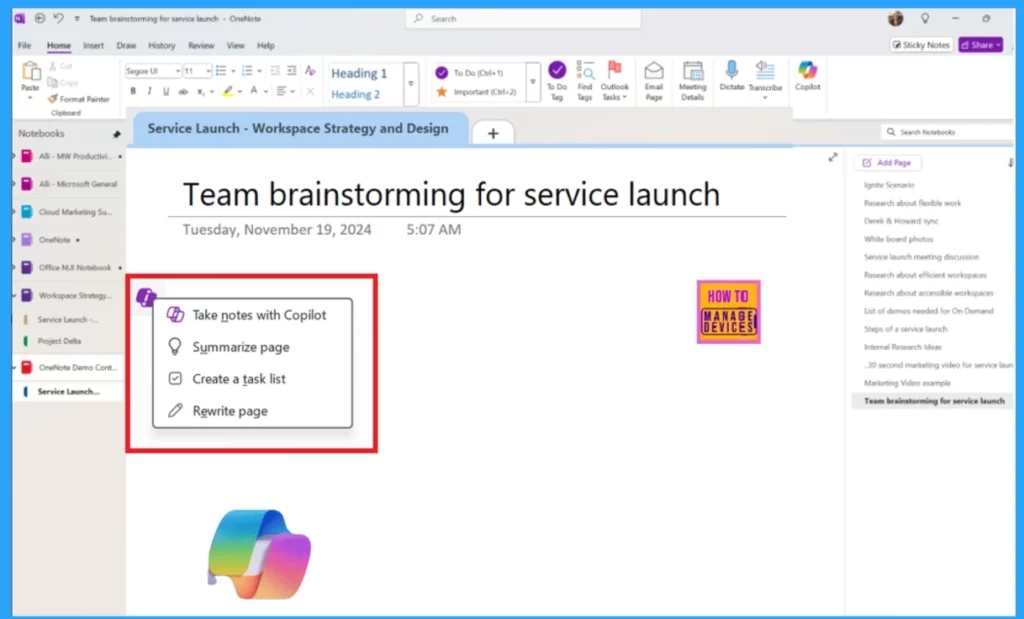
- To use this feature, open a OneNote page and click the Copilot icon on the canvas.
- You can take notes, summarize information, create task lists, or rewrite the page.
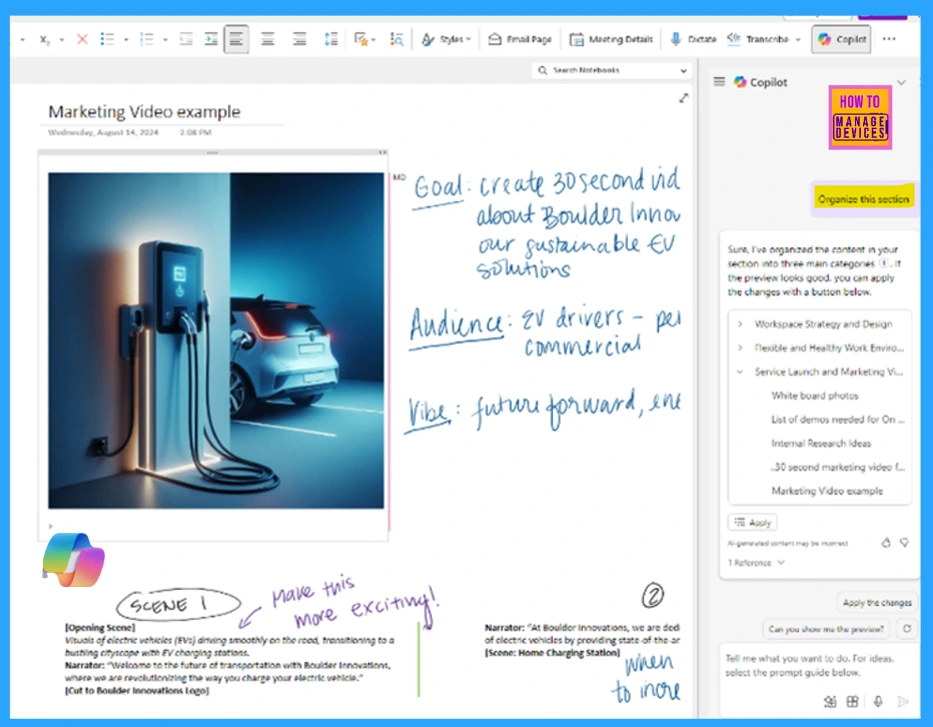
Copilot-powered Organization in OneNote
Copilot can quickly help you arrange the Notebook section for those who find it challenging to organize their notes. To use Copilot in the OneNote app, open it and type organize this section. If you want them sorted by meeting date, just type organize this section by meeting date, and Copilot will rearrange them.
OneNote Pages in Microsoft 365 Copilot
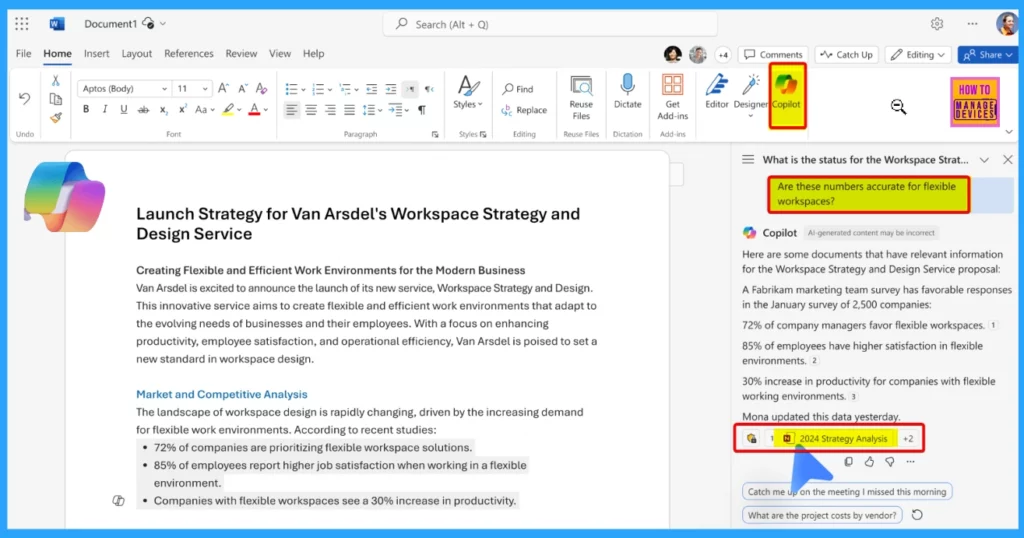
Microsoft 365 Copilot can study your OneNote content while you work in Word, PowerPoint, or other Microsoft 365 apps. References link directly to your OneNote pages, confirming that Copilot’s responses relate to your work.
Copilot Chat on OneNote for Mac and iPad
Copilot is now available on Mac and iPad and is generally available for commercial users. It helps you work smarter and more effectively with your notes. You can use simple commands to understand, summarize, and rewrite notes.
Resources
- Microsoft Ignite 2024 | Microsoft 365 Copilot Innovation in Your Go-To Apps | Microsoft Community Hub
- What’s new in Microsoft 365 Copilot in OneNote at Ignite | Microsoft Community Hub
Need Further Assistance or Have Technical Questions?
Join the LinkedIn Page and Telegram group to get the latest step-by-step guides and news updates. Join our Meetup Page to participate in User group meetings. Also, Join the WhatsApp Community to get the latest news on Microsoft Technologies. We are there on Reddit as well.
Author
Anoop C Nair has been Microsoft MVP for 10 consecutive years from 2015 onwards. He is a Workplace Solution Architect with more than 22+ years of experience in Workplace technologies. He is a Blogger, Speaker, and Local User Group Community leader. His primary focus is on Device Management technologies like SCCM and Intune. He writes about technologies like Intune, SCCM, Windows, Cloud PC, Windows, Entra, Microsoft Security, Career, etc.



Discussion